Uvod
This manual provides detailed instructions for the proper use and maintenance of your ACEFAST H2 Wireless Headset. Designed with advanced Active Noise Cancelling (ANC) technology and Bluetooth 5.3 connectivity, these headphones offer a high-quality audio experience. Please read this manual thoroughly before using the product to ensure optimal performance and longevity.
Vsebina paketa
- ACEFAST H2 Wireless Headset
- Polnilni kabel USB-C
- 3.5 mm Aux kabel
- Uporabniški priročnik (ta dokument)
Konec izdelkaview
Familiarize yourself with the components and controls of your ACEFAST H2 headset.
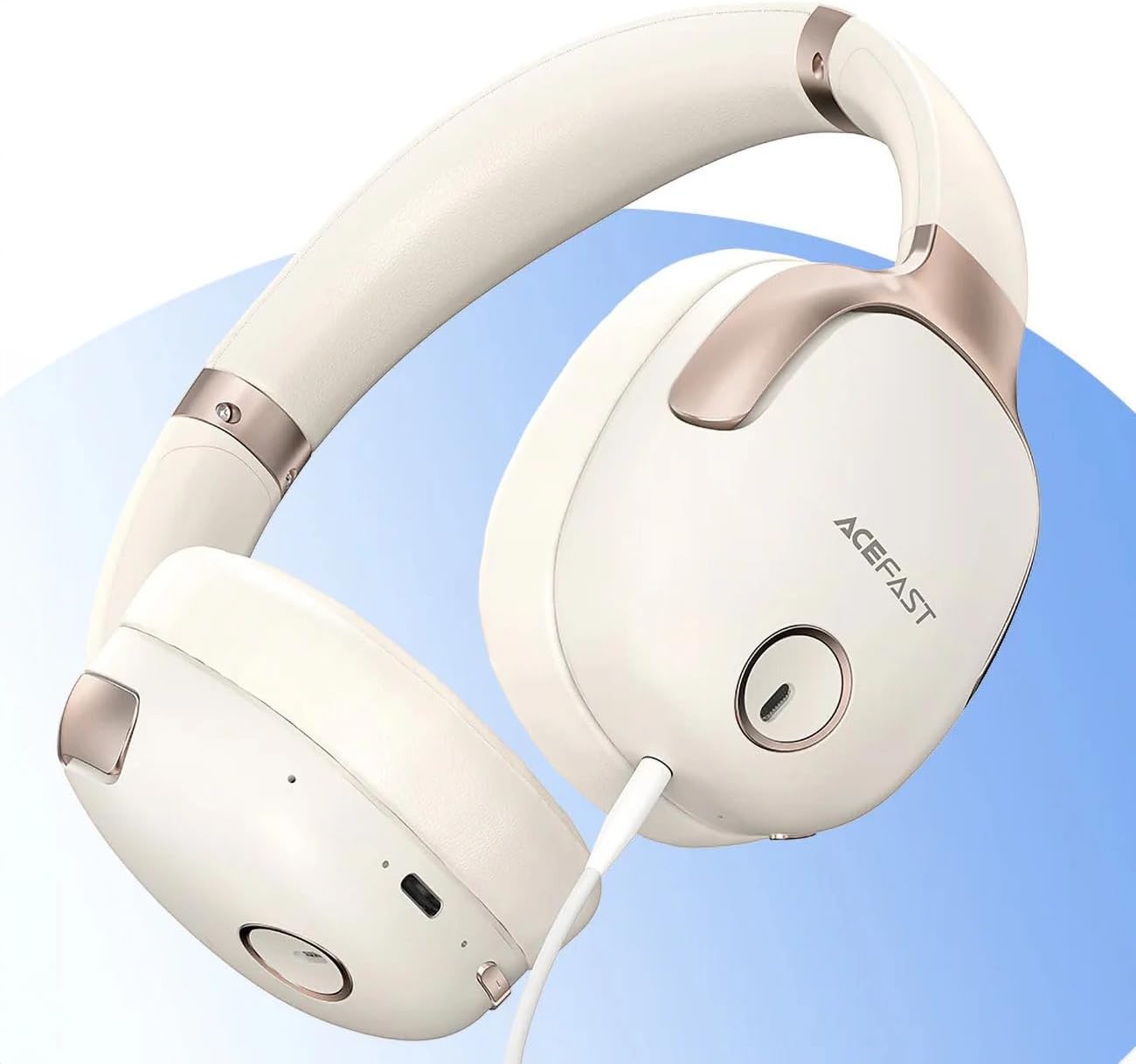
Slika 1: ACEFAST H2 Headset showing USB-C charging port, 3.5mm audio jack, and control buttons.
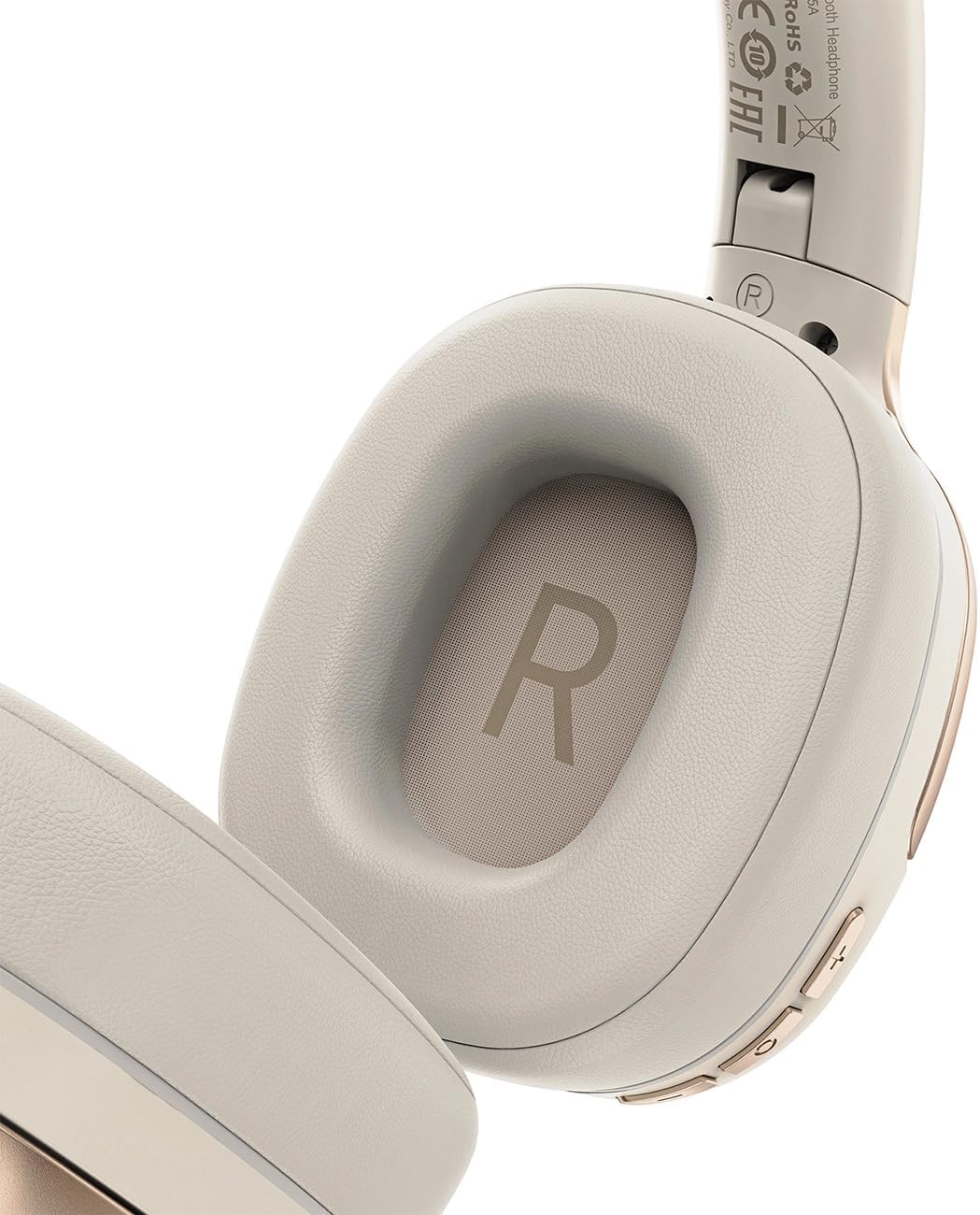
Slika 2: Interior of the right earcup, indicating proper orientation for wearing.

Slika 3: Headband adjustment mechanism and ear cup swivel for comfortable fit.

Slika 4: The foldable design of the headset for easy storage and transport.
Ključne komponente:
- Gumb za vklop/večfunkcijski gumb: Used for power on/off, play/pause, answer/end calls.
- Gumb za povečanje glasnosti/naslednja skladba: Pritisnite za povečanje glasnosti, držite za naslednjo skladbo.
- Gumb za zmanjšanje glasnosti/prejšnja skladba: Pritisnite za zmanjšanje glasnosti, držite za prejšnjo skladbo.
- Gumb ANC: Vklopi ali izklopi aktivno odpravljanje šumov.
- Vrata za polnjenje USB-C: Za polnjenje slušalk.
- 3.5 mm avdio priključek: For wired connection using the Aux cable.
- Mikrofon: Built-in for calls.
- LED indikator: Prikazuje stanje napajanja, polnjenja in seznanjanja.
Nastavitev
1. Polnjenje slušalk
- Connect the provided USB-C charging cable to the headset's USB-C port.
- Drugi konec kabla priključite na napajalnik USB (ni priložen) ali na vrata USB računalnika.
- The LED indicator will show charging status (e.g., red while charging, blue when fully charged).
- A full charge takes approximately 2 hours and provides up to 80 hours of music playback.
2. Vklop/izklop
- Za vklop: Pritisnite in držite gumb za vklop/večfunkcijo približno 3 sekunde, dokler LED indikator ne utripa.
- Za izklop: Pritisnite in držite gumb za vklop/večfunkcijo približno 5 sekunde, dokler se LED indikator ne izklopi.
3. Bluetooth seznanjanje
- Prepričajte se, da so slušalke izključene.
- Press and hold the Power/Multi-function button for about 5-7 seconds until the LED indicator flashes red and blue alternately, indicating pairing mode.
- V napravi (pametnem telefonu, tablici, računalniku) omogočite Bluetooth in poiščite razpoložljive naprave.
- Select "ACEFAST H2" from the list of found devices.
- Ko je naprava seznanjena, bo LED indikator počasi utripal modro.
- The headset will automatically connect to the last paired device when powered on, if within range.
4. Žična povezava (način Aux)
- Connect one end of the 3.5mm Aux cable to the headset's 3.5mm audio jack.
- Connect the other end to your audio source's 3.5mm audio output.
- In wired mode, the headset functions passively, and Bluetooth features are disabled. ANC may still be active if powered on.
Navodila za uporabo
Predvajanje glasbe
- Predvajanje/pavza: Na kratko pritisnite gumb za vklop/večfunkcijo.
- Povečaj glasnost: Na kratko pritisnite gumb za povečanje glasnosti.
- Znižaj glasnost: Na kratko pritisnite gumb za zmanjšanje glasnosti.
- Naslednja skladba: Dolgo pritisnite gumb za povečanje glasnosti.
- Prejšnja skladba: Dolgo pritisnite gumb za zmanjšanje glasnosti.
Telefonski klici
- Sprejmi/končaj klic: Na kratko pritisnite gumb za vklop/večfunkcijo.
- Zavrni klic: Dolgo pritisnite gumb za vklop/večfunkcijo.
- Glasovni asistent: Double-press the Power/Multi-function button (if supported by your device).
Prekinitev aktivnega hrupa (ANC)
- Vklop/izklop ANC: Press the dedicated ANC button. The LED indicator will change to confirm status.
- ANC reduces ambient noise up to -40dB, providing a quieter listening environment.
Vzdrževanje
- Čiščenje: Za čiščenje slušalk uporabite mehko, suho krpo. Ne uporabljajte abrazivnih čistil ali topil.
- Shranjevanje: Store the headset in a cool, dry place away from direct sunlight and extreme temperatures. When not in use, it is recommended to fold the headset for compact storage.
- Vodoodpornost: The headset is IPX4 water-resistant, meaning it is protected against splashing water from any direction. It is not designed for submersion or exposure to heavy rain. Avoid exposing the charging port and audio jack to moisture.
- Vzdrževanje baterije: To preserve battery life, charge the headset fully before long periods of storage and recharge it at least once every three months.
Odpravljanje težav
| Težava | Možen vzrok | rešitev |
|---|---|---|
| Slušalke se ne vklopijo. | Nizka baterija. | Slušalke popolnoma napolnite. |
| Seznanitev z napravo ni mogoča. | Slušalke niso v načinu seznanjanja; Bluetooth naprave izklopljen; preveč oddaljen od naprave. | Ensure headset is in pairing mode (flashing red/blue). Turn on device Bluetooth. Move headset closer to device (within 10 meters). |
| Ni zvoka ali slaba kakovost zvoka. | Volume too low; headset not connected; interference; incorrect audio output selected. | Adjust volume on headset and device. Re-pair headset. Move away from sources of interference. Check device's audio output settings. |
| ANC ne deluje učinkovito. | ANC ni aktiviran; neprimerno prileganje. | Press the ANC button to activate. Adjust headset for a snug fit over your ears. |
Specifikacije
| Ime modela | H2 |
| Tehnologija povezljivosti | Wireless (Bluetooth 5.3) / Wired (3.5mm Aux) |
| Bluetooth obseg | Do 10 metre |
| Nadzor hrupa | Active Noise Cancellation (ANC) up to -40dB, Environmental Noise Cancelling (ENC) for microphone |
| Življenjska doba baterije | Do 80 ur (predvajanje glasbe) |
| Čas polnjenja | Approximately 2 hours (via USB-C) |
| Vodoodpornost | IPX4 (odporen na brizganje) |
| Namestitev ušesa | Na uho |
| Material | Akrilonitril butadien stiren (ABS) |
| barva | Bež |

Slika 5: Illustration of the dynamic HiFi audio driver components.
Informacije o garanciji
The ACEFAST H2 Wireless Headset comes with a 6-mesečna garancija proizvajalca od datuma nakupa. Ta garancija krije proizvodne napake in napake v izdelavi pri normalni uporabi. Ne krije škode, ki jo povzroči napačna uporaba, nesreče, nepooblaščene spremembe ali običajna obraba. Prosimo, shranite dokazilo o nakupu za uveljavljanje garancije.
Podpora
For further assistance, technical support, or warranty inquiries, please refer to the contact information provided by your retailer or visit the official ACEFAST website. Ensure you have your product model number (H2) and proof of purchase ready when contacting support.


