Uvod
This manual provides detailed instructions for the GOBOULT Mirage Smart Watch. Please read this guide thoroughly to ensure proper setup, operation, and maintenance of your device. This smartwatch features a 1.39-inch HD display, Bluetooth calling, comprehensive health monitoring, and various sports modes.
Kaj je v škatli
- GOBOULT Mirage Smart Watch
- Polnilni kabel
- Uporabniški priročnik
- Garancijska kartica
Nastavitev
1. Polnjenje naprave
Before initial use, fully charge your GOBOULT Mirage Smart Watch. Connect the provided charging cable to the charging port on the back of the watch and to a standard USB power adapter (not included). The watch typically charges within 120 minutes.

Image: GOBOULT Mirage Smart Watch displaying its features, including charging capability.
2. Seznanjanje s pametnim telefonom
- Download the official GOBOULT companion app from your smartphone's app store (available for iOS and Android).
- Prepričajte se, da je Bluetooth na vašem pametnem telefonu omogočen.
- Open the app and follow the on-screen instructions to search for and connect to your GOBOULT Mirage Smart Watch.
- Potrdite zahtevo za seznanjanje tako na uri kot na pametnem telefonu.
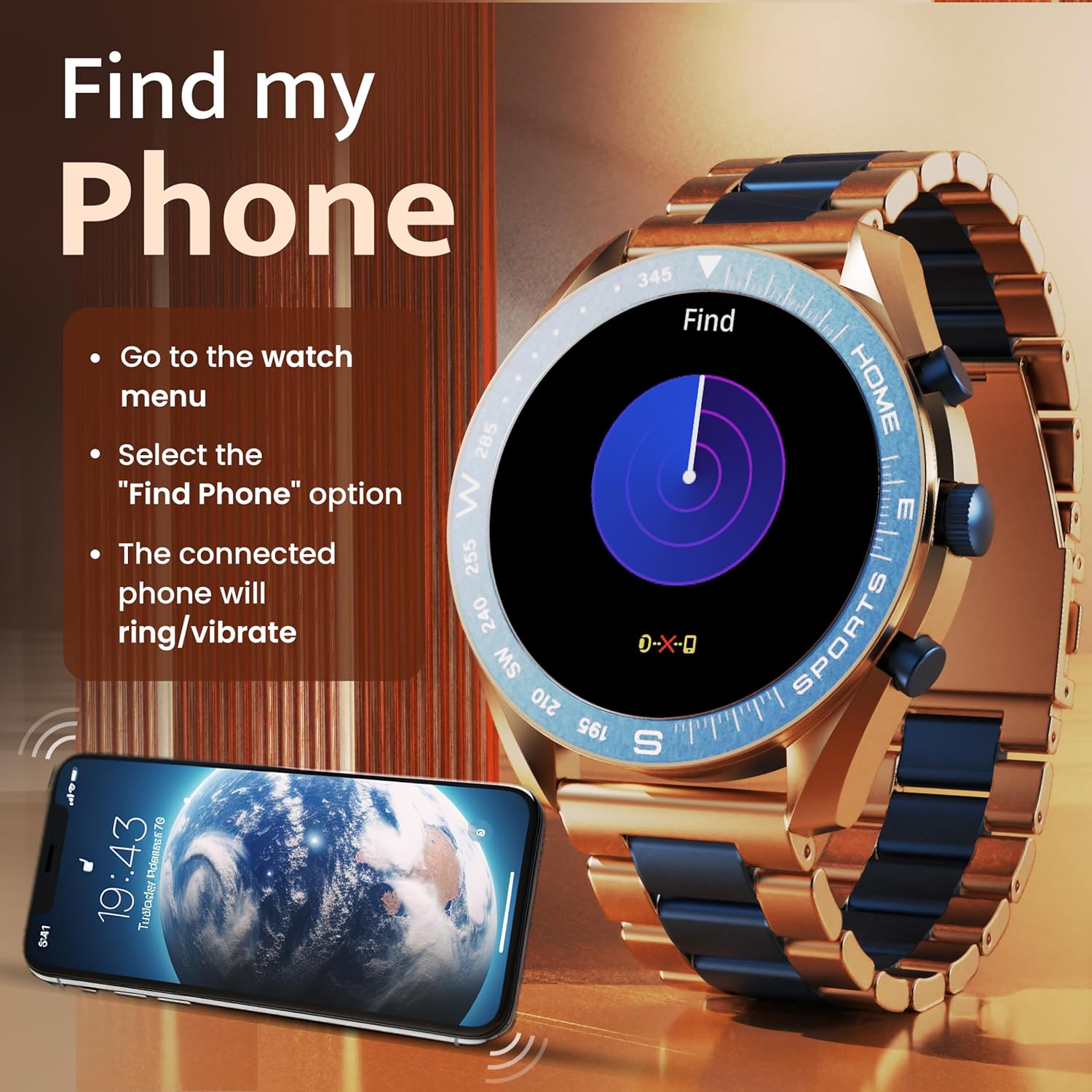
Image: The GOBOULT Mirage Smart Watch connected to a smartphone, illustrating connectivity.
Navodila za uporabo
1. Prikaz in navigacija
The GOBOULT Mirage features a 1.39-inch HD display with 360x360 pixels resolution and 500 nits peak brightness for clear visibility. Navigate the watch interface using touch gestures and the digital crown.
- Digitalna krona: Press to power on/off, switch UIs, and navigate menus. Rotate to scroll through options.
- Stranski gumbi: Use for quick access to specific functions, such as launching sports modes.

Image: GOBOULT Mirage Smart Watch highlighting the digital crown and its various functions.
2. Klicanje prek Bluetootha
With the built-in speaker and microphone, you can make and receive calls directly from your wrist once paired with your smartphone via Bluetooth 5.3.
- To answer a call, tap the green icon on the watch screen.
- To reject a call, tap the red icon.
- To make a call, access the dial pad or contacts through the watch menu.
Image: GOBOULT Mirage Smart Watch showing an incoming call notification.
3. Spremljanje zdravja
The GOBOULT Mirage provides comprehensive health tracking features:
- SpO2 Blood Oxygen Monitor: Meri raven kisika v krvi.
- Monitor srčnega utripa: 24/7 heart rate tracking.
- Monitor spanja: Spremlja vzorce in kakovost spanja.
- Breath Training Mode: Vodi vas skozi dihalne vaje.
- Opomnik za pitje vode: Spodbuja vas, da ostanete hidrirani.
- Sedeči opomnik: Alerts you after periods of inactivity.
- Sledenje dejavnosti: Beleži korake, razdaljo in porabljene kalorije.
- Sledenje menstrualnega ciklusa: Pomaga pri spremljanju menstrualnih ciklov.

Image: GOBOULT Mirage Smart Watch showcasing its complete health suite on the display.
4. Športni načini
Track your performance across over 120 sports modes. Access these modes quickly using the shortcut buttons.
- Examples include Running, Cycling, Yoga, Cricket, Badminton, and Basketball.

Image: GOBOULT Mirage Smart Watch showing the selection of over 120 sports modes.
5. Številčnice za ure
Personalize your watch with over 300 cloud-based watch faces. You can also customize the dial to match your style.

Image: GOBOULT Mirage Smart Watch illustrating the variety of 300+ cloud watch faces.
6. Pametna obvestila
Receive SMS and other smart notifications directly on your watch. Ensure your watch is connected to your phone via Bluetooth for this feature to function.

Image: GOBOULT Mirage Smart Watch showing a push notification from a messaging app.
7. Glasovni asistent z umetno inteligenco
Access an intelligent AI voice assistant for hands-free control. Long press the designated button or use the voice assistant icon on the screen to activate.
8. Poišči moj telefon
If you misplace your connected smartphone, use the 'Find My Phone' feature on your watch:
- Go to the watch menu.
- Select the "Find Phone" option.
- The connected phone will ring or vibrate, helping you locate it.
Image: GOBOULT Mirage Smart Watch showing the 'Find My Phone' interface.
9. Vodoodpornost
The GOBOULT Mirage Smart Watch is IP67 water-resistant, offering protection against dust and temporary immersion in water. It is suitable for daily wear and activities like hand washing or light rain.

Image: GOBOULT Mirage Smart Watch demonstrating its IP67 water resistance.
10. Mini Games
The watch includes several mini-games for entertainment during leisure time.
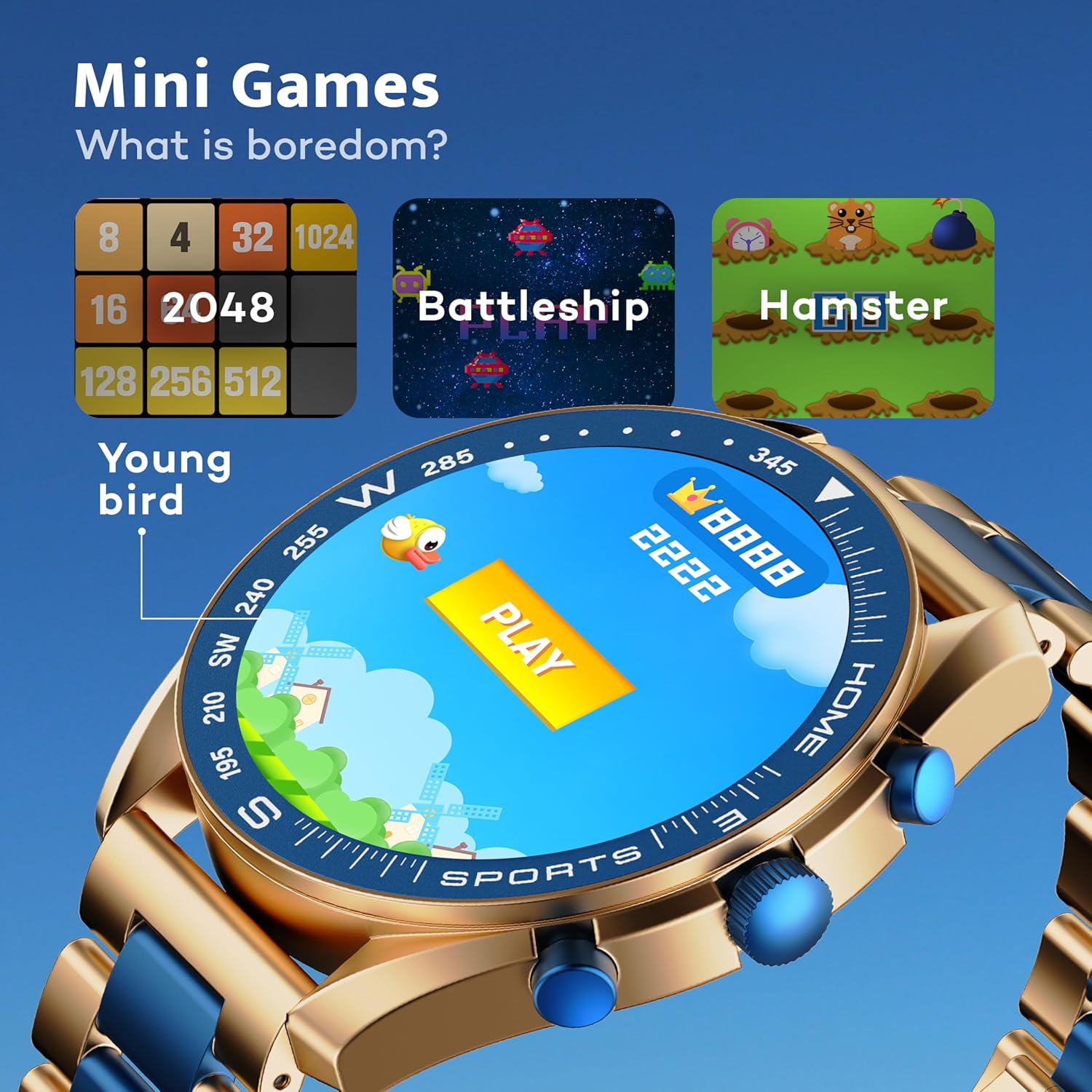
Image: GOBOULT Mirage Smart Watch showing the selection of mini-games.
Vzdrževanje
1. Čiščenje
- Wipe the watch screen and body with a soft, dry cloth.
- Za trdovratno umazanijo uporabite rahlo damp cloth and immediately dry the watch.
- Izogibajte se uporabi agresivnih kemikalij ali abrazivnih materialov, saj lahko poškodujejo premaz.
2. Smernice za vodoodpornost
- The IP67 rating means the watch is protected from dust and can withstand immersion in water up to 1 meter for 30 minutes.
- Do not use the watch for swimming, showering with hot water, or diving.
- Izogibajte se izpostavljanju ure vodi ali pari pod visokim tlakom.
- If the watch gets wet, dry it thoroughly before charging or using any buttons.
Odpravljanje težav
- Ura se ne vklopi: Prepričajte se, da je ura popolnoma napolnjena. Priključite jo na polnilnik za vsaj 30 minut.
- Seznanitev s telefonom ni mogoča: Prepričajte se, da je Bluetooth v telefonu omogočen in da je ura v dosegu. Znova zaženite obe napravi in poskusite znova seznaniti napravo.
- Netočni zdravstveni podatki: Poskrbite, da bo ura tesno prilegala zapestju, ne pretesno ali preohlapno. Redno čistite senzorje.
- Kratka življenjska doba baterije: Zmanjšajte svetlost zaslona, onemogočite nepotrebna obvestila in omejite neprekinjeno spremljanje srčnega utripa, če ni potrebno.
- Težave s prikazom: Restart the watch. If the problem persists, contact customer support.
Specifikacije
| Funkcija | Podrobnost |
|---|---|
| Znamka | GOBOULT |
| Številka modela | 8906133853464 |
| Velikost zaslona | 1.39 palcev |
| Svetlost | 500 gnid |
| Material okvirja | Cinkova zlitina |
| Brezžična vrsta | Bluetooth 5.3 |
| Operacijski sistem | iOS, Android |
| Vodoodpornost | IP67 |
| Čas polnjenja baterije | 120 minute |
| Vrsta baterije | Litijev polimer |
| Teža predmeta | 106 g |
Garancija in podpora
Your GOBOULT Mirage Smart Watch comes with a warranty card included in the box. Please refer to this card for details regarding warranty coverage and terms.
For technical support, troubleshooting assistance, or warranty claims, please contact GOBOULT customer service through their official webspletnega mesta ali kontaktnih podatkov, navedenih na vaši garancijski kartici.


