Uvod
This manual provides essential instructions for the safe and effective use of your himaly IF1010AR USB Rechargeable Bluetooth Body Fat Scale. This digital scale is designed to measure body weight and analyze various body composition metrics, including body fat percentage, muscle mass, and BMI, through its integrated app.
Pred prvo uporabo natančno preberite ta priročnik in ga shranite za poznejšo uporabo.

Slika: The himaly IF1010AR digital scale, black-navy blue, displaying a weight reading, alongside a smartphone showing the 'Moving Life' app interface with body composition data.

Slika: Večview graphic of the himaly Smart Bluetooth Body Fat Scale, detailing its key features including 4 high-precision sensors, HD LCD display, 15 measurement indicators, 0.2-180kg capacity, and compatibility with iOS, Android, and Bluetooth.
Vsebina paketa
- himaly Digital Body Weight Scale
- USB polnilni kabel
- Uporabniški priročnik
Nastavitev
1. Polnjenje tehtnice
The himaly IF1010AR scale features a built-in rechargeable battery. Before initial use, ensure the scale is fully charged.
- Locate the USB charging port on the side or back of the scale.
- Connect the provided USB charging cable to the scale and to a standard USB power adapter (not included) or a computer USB port.
- The display will indicate charging status. Charge until the battery indicator shows full.

Slika: Od blizu view of the himaly scale's USB charging port, highlighting the built-in rechargeable battery feature.
2. Namestitev in seznanjanje aplikacij
To utilize the full body composition analysis features, download and install the "Moving Life" app on your smartphone or tablet.
- Scan the QR code provided in the manual or search for "Moving Life" in the Apple App Store (for iOS devices) or Google Play Store (for Android devices).
- Install the app and create your user profile.
- Prepričajte se, da je Bluetooth v vaši napravi omogočen.
- Step onto the scale to activate it. The scale will automatically attempt to pair with the app via Bluetooth 4.0+.
- Follow the on-screen prompts in the "Moving Life" app to complete the pairing process.

Slika: Diagram illustrating Bluetooth 4.0 connectivity between the himaly scale and the "Moving Life" app, with icons for iOS and Android app stores.
Navodila za uporabo
1. Merjenje
For accurate readings, place the scale on a hard, flat surface. Avoid carpets or uneven flooring.
- Poskrbite, da bodo vaša stopala čista in suha.
- Step onto the scale barefoot, placing your feet on the metal electrodes. Stand still until your weight is displayed and stabilized.
- If the app is open and connected, your measurements will automatically sync.
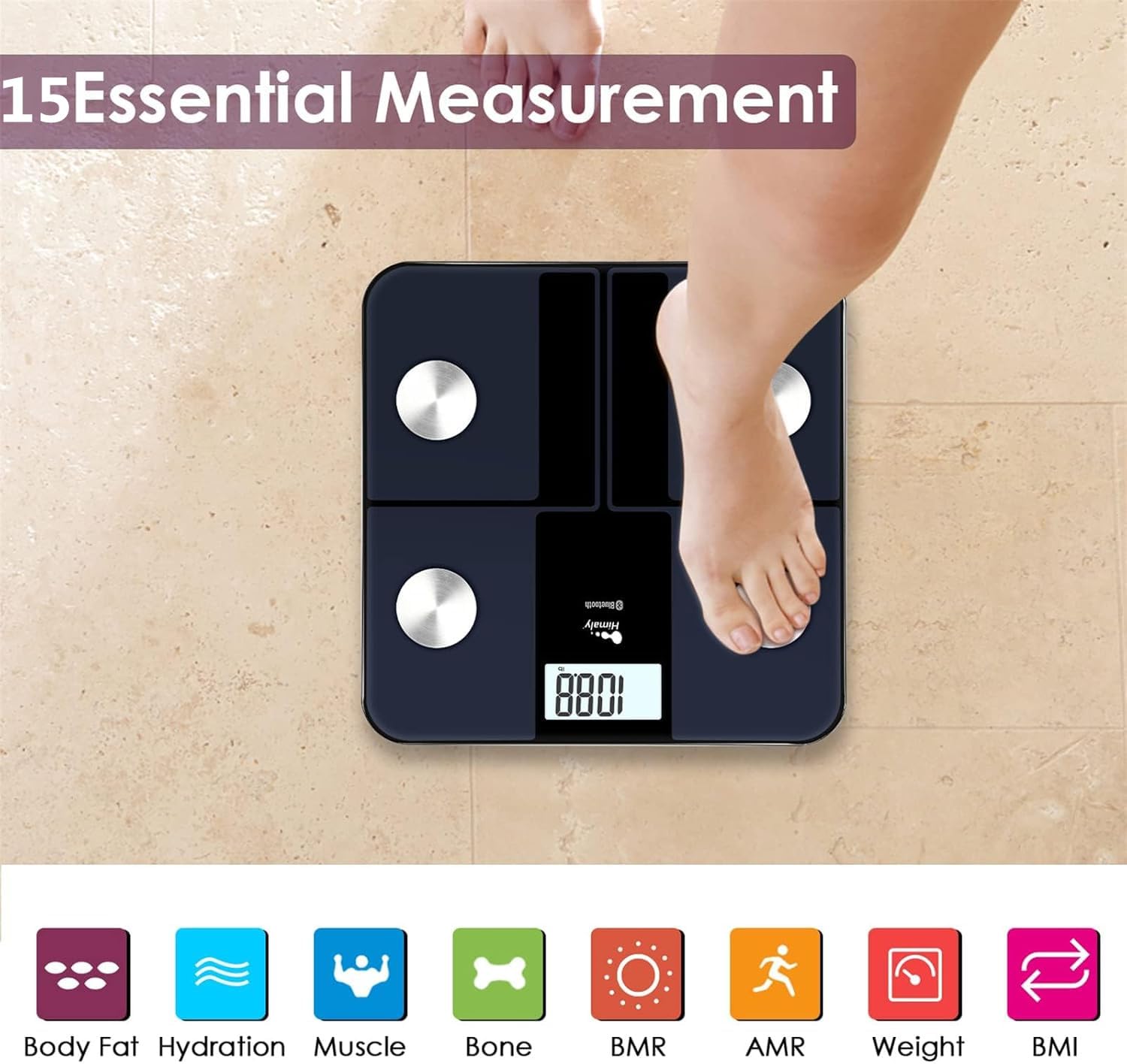
Slika: A person's bare feet positioned on the himaly scale, illustrating the process of taking a measurement for 15 essential body composition metrics.
2. Razumevanje meritev telesne sestave
The himaly scale, in conjunction with the "Moving Life" app, provides 15 essential body composition measurements. These include:
- Telesna teža
- Odstotek telesne maščobetage
- BMI (indeks telesne mase)
- Mišična masa
- Hydration (Water Content)
- Kostna masa
- BMR (osnovni metabolizem)
- AMR (Active Metabolic Rate)
- In več.

Slika: A visual representation of the various body composition metrics measured by the scale, including Body Fat, Hydration, Muscle, Bone, BMR, AMR, Weight, and BMI, depicted with illustrative icons.
The scale's display also uses color-coded indicators to reflect different body fat levels for easy interpretation.

Slika: A person's feet on the himaly scale, with the digital display showing a weight reading and color-coded indicators representing different body fat levels (Thin, Slim, Normal, Heavy, Overweight).
3. App Features and Data Tracking
The "Moving Life" app allows you to:
- Monitor health trends over time (daily, weekly, monthly, yearly).
- Visualize progress through graphs and charts.
- Sync data with other health apps like Fitbit, Apple Health, and Google Fit.
- Upravljanje več uporabnikov profiles za družinske člane.
- Utilize a baby/pet weighing mode.

Slika: A woman looking at her smartphone, which displays a graph of health data from the 'Moving Life' app, demonstrating the 'Results at a Glance' feature.

Slika: A woman performing a plank exercise, with the himaly scale in the foreground and a graphic overlay showing a trend chart of weight and body fat percentage čez čas.

Slika: A graphic illustrating continuous health data tracking and automatic synchronization, with a person performing a yoga pose in the foreground, emphasizing consistent body monitoring.
4. Pretvorba enot
To switch between measurement units (e.g., pounds to kilograms), locate the "UNIT" button on the underside of the scale and press it to toggle.

Slika: The underside of the himaly scale, highlighting the 'UNIT' button for measurement conversion and the non-slip mats for stability.
Vzdrževanje
- Očistite površino tehtnice z adamp krpo in blagim detergentom. Izogibajte se abrazivnim čistilom ali potapljanju tehtnice v vodo.
- Tehtnico shranjujte na suhem mestu pri sobni temperaturi.
- Izogibajte se padcem tehtnice ali njeni izpostavljenosti močnim udarcem.
- Regularly charge the scale to maintain battery health.
Odpravljanje težav
| Težava | Možen vzrok/rešitev |
|---|---|
| Tehtnica se ne vklopi. | Battery is low or depleted. Charge the scale using the provided USB cable. |
| Netočni odčitki. |
|
| Napaka povezave Bluetooth. |
|
| Aplikacija ne sinhronizira podatkov. |
|
Specifikacije
| Funkcija | Podrobnost |
|---|---|
| Številka modela | IF1010AR |
| Znamka | himalija |
| Največja zmogljivost | 400 lbs / 180 kg |
| Prirastki merjenja | 0.2 lb / 0.05 kg |
| Senzorji | 4 High-Precision Sensors |
| Povezljivost | Bluetooth 4.0+ |
| Združljivost aplikacij | "Moving Life" App (iOS & Android), Syncs with Fitbit, Apple Health, Google Fit |
| Vir napajanja | USB polnilna baterija |
| Vrsta zaslona | Digitalni LCD |
| Dimenzije | 11.81 in x 11.81 in (approx. 30 cm x 30 cm) |
| barva | Black-Navy Blue |

Slika: An image showing the physical dimensions of the himaly IF1010AR scale, indicating its length and width as 11.81 inches and thickness as 0.79 inches.
Garancija in podpora
For warranty information and customer support, please refer to the contact details provided with your purchase or visit the official himaly webspletnega mesta. Račun shranite kot dokazilo o nakupu za uveljavljanje garancije.
Proizvajalec: himalija


