1. Uvod
Welcome to the user manual for your new MageGee SKY87 75% Wireless Mechanical Keyboard. This keyboard is designed for versatility and performance, offering multiple connectivity options, customizable features, and a comfortable typing experience. Please read this manual carefully to ensure proper setup and optimal use of your device.

This image displays the MageGee SKY87 75% Wireless Mechanical Keyboard in its Gradient White Blue color scheme, showcasinzaradi kompaktne postavitve in RGB osvetlitve ozadja.
2. Vsebina paketa
Prosimo, preverite, ali so v vašem paketu priloženi vsi spodaj navedeni artikli:
- MageGee SKY87 75% Wireless Mechanical Keyboard
- Kabel USB-C v USB-A
- 2.4GHz USB Receiver (stored in the keyboard's base)
- Izvleček za ključe
- Stikalo Stikalo
- Spare Switches (quantity may vary)
- Uporabniški priročnik (ta dokument)

This image shows the complete contents of the MageGee SKY87 keyboard package, including the keyboard, cables, tools, and documentation.
3. Lastnosti
The MageGee SKY87 keyboard boasts a range of features designed to enhance your typing and gaming experience:
- Povezljivost več naprav: Supports BT5.0, 2.4GHz wireless, and USB wired modes, allowing connection to up to five devices simultaneously.
- Zasnova z možnostjo vroče menjave: Easily replace 3-pin or 5-pin switches without soldering, enabling full customization of your typing feel. Comes with pre-lubed linear switches for smooth operation.
- RGB osvetlitev ozadja: Features 18+ RGB backlight modes and a separate strip light, with N-key rollover for responsive gaming.
- Struktura tesnila: Enhanced resilience and stability with an extended integrated silicone pad and PCB single key slotting, reducing hollow sounds.
- PBT tipkovnice: Durable double-shot PBT keycaps ensure characters remain vibrant and do not fade over time.
- Visoko zmogljiva baterija: Built-in 8000mAh rechargeable battery for extended wireless use.
- Kompaktna 75-odstotna postavitev: 87 keys layout saves desktop space while retaining essential arrow keys and a number area.
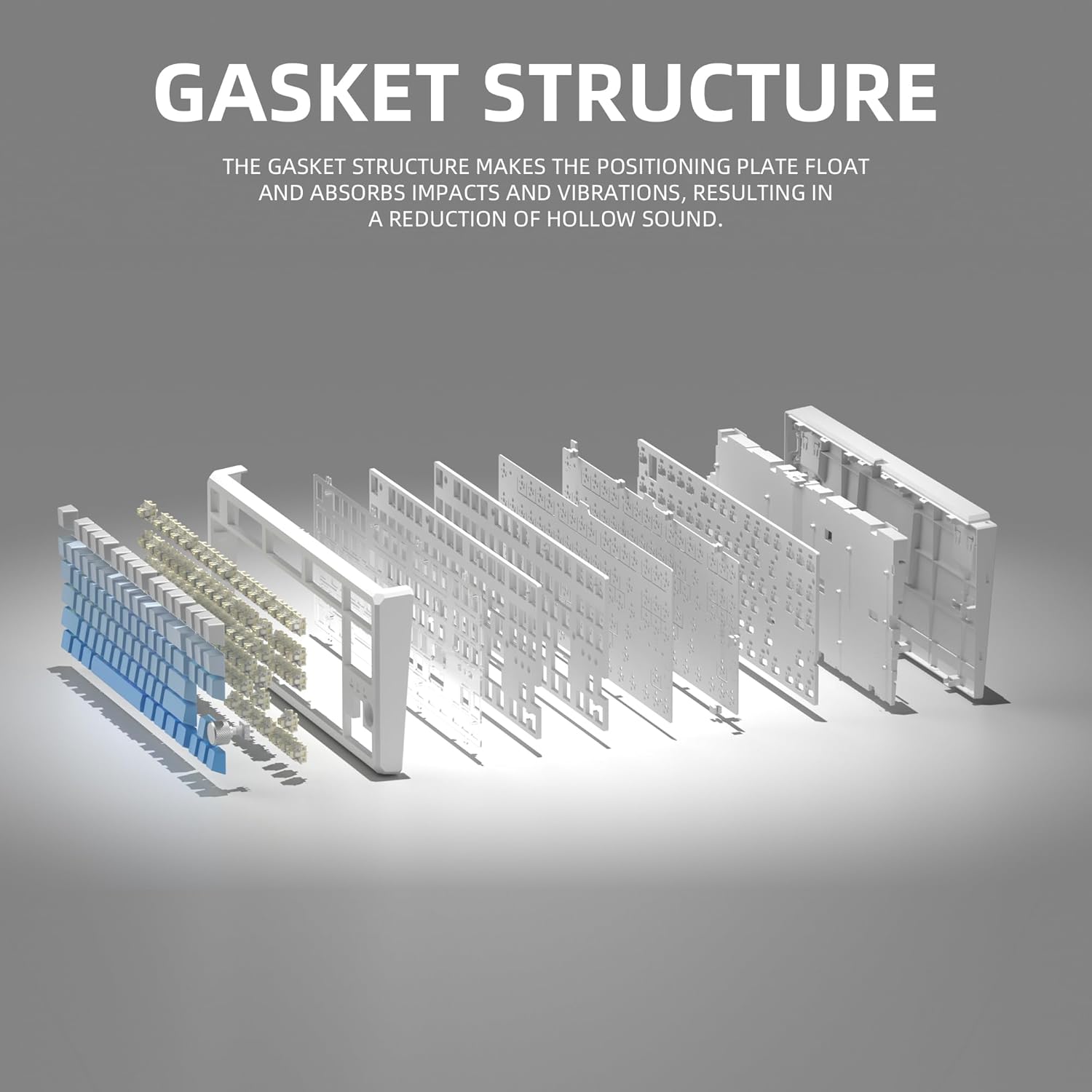
This image illustrates the internal gasket structure of the keyboard, highlighting its components that contribute to a softer and more elastic typing feel.

Eksplodiral je view detailing the various layers and components that form the keyboard's gasket structure, including the top case, keycaps, switches, foam pads, and PCB board.
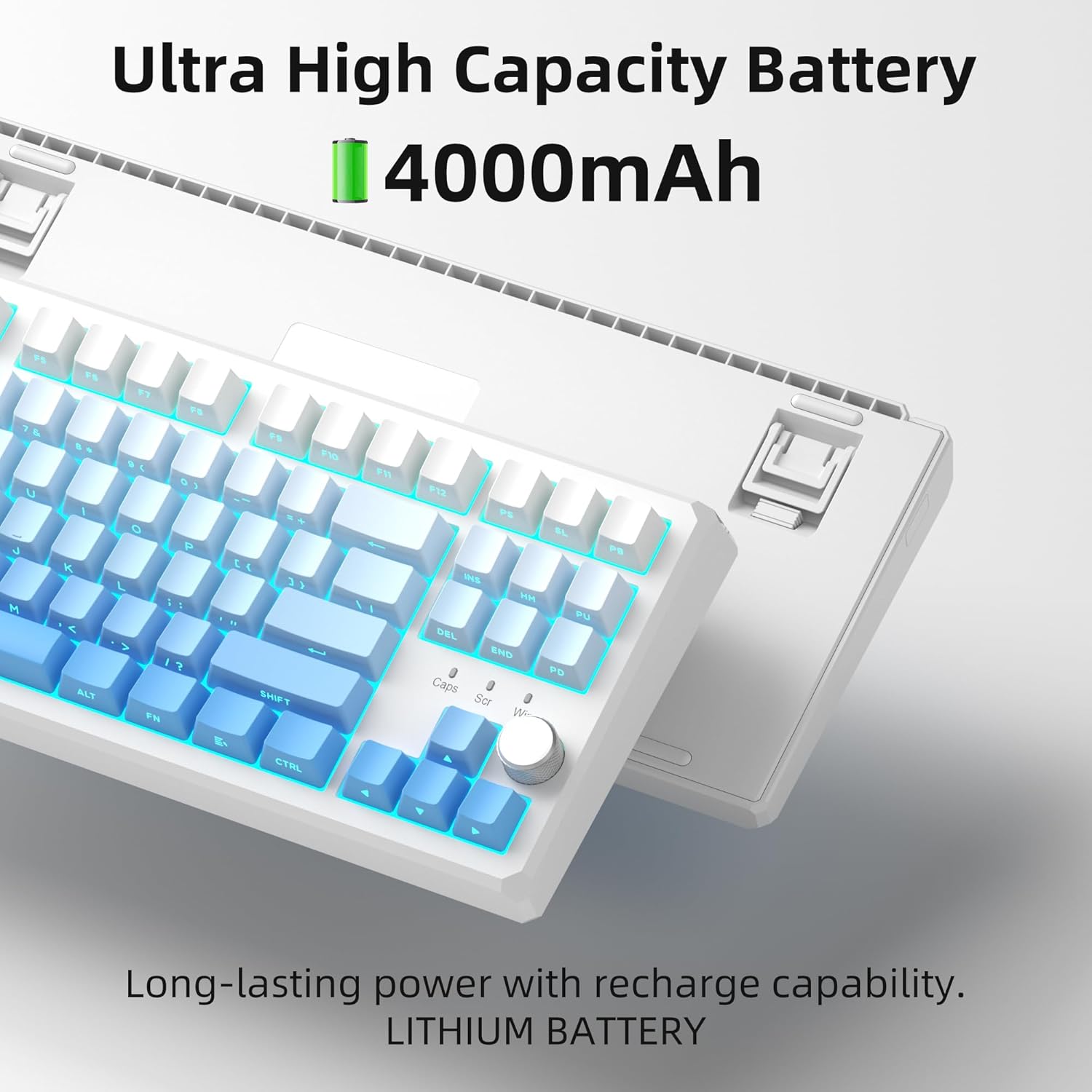
This image highlights the keyboard's internal battery, emphasizing its long-lasting power and rechargeable capability.
4. Nastavitev
4.1 Načini povezljivosti
The SKY87 keyboard supports three connection modes:
- 2.4 GHz brezžični način: For a stable, low-latency connection.
- Način Bluetooth 5.0: For connecting to multiple devices (up to 5) and easy switching.
- Žični način USB: For direct connection and charging.

This image visually explains the three available connection modes for the keyboard: 2.4GHz wireless, Type-C wired, and Bluetooth 5.1, showing how it connects to different devices like a laptop, monitor, and tablet.
4.2 Priključitev tipkovnice
- Brezžična povezava 2.4 GHz:
- Locate the 2.4GHz USB receiver stored in the magnetic compartment on the back of the keyboard.
- Priključite sprejemnik v razpoložljiva vrata USB na vašem računalniku.
- Ensure the keyboard is in 2.4GHz mode (refer to keyboard's mode switch, usually on the back or side).
- Tipkovnica bi se morala samodejno povezati.
- Povezava Bluetooth:
- Turn on the keyboard and switch it to Bluetooth mode.
- On your device (PC, Mac, Xbox, tablet), enable Bluetooth and search for new devices.
- Select 'MageGee SKY87' from the list of available devices to pair.
- You can pair up to 5 Bluetooth devices and switch between them using specific FN key combinations (refer to keyboard's keycap legends or quick guide).
- Žična povezava USB:
- Connect the provided USB-C cable to the keyboard's USB-C port (located on the top edge).
- Connect the other end of the cable to a USB-A port on your computer.
- The keyboard will function in wired mode and charge simultaneously.
4.3 Prilagajanje kota tipkovnice
The keyboard features two-stage adjustable feet on its underside, allowing you to set your preferred typing angle for ergonomic comfort.

This image shows the adjustable two-stage tripod feet on the underside of the keyboard, designed for ergonomic angle adjustment.
5. Navodila za uporabo
5.1 Nadzor osvetlitve RGB
The keyboard features a multi-function knob and dedicated keys for controlling the RGB backlighting:
- Vrtenje gumba: Turn left/right to adjust backlight brightness.
- Kratek pritisk na gumb: Press the knob to cycle through different RGB lighting modes (18+ modes available).
- FN Key Combinations: Use FN + specific keys (refer to keycap legends) to change lighting effects, speed, or color.

This image focuses on the multi-function knob located on the keyboard, indicating its role in controlling the brightness of the RGB lighting.
5.2 Stikala z možnostjo vroče menjave
The SKY87 keyboard allows for easy replacement of switches without soldering:
- Use the provided switch puller to gently remove the existing switch.
- Align the pins of the new 3-pin or 5-pin switch with the holes on the PCB.
- Press firmly until the switch clicks into place.
- Use the keycap puller to remove and replace keycaps as desired.

This image illustrates the hot-swappable sockets on the keyboard's PCB, demonstrating how switches can be easily inserted and removed, supporting both 3-pin and 5-pin switch types.

This image provides detailed specifications for the 'Blue Whale Switch', including its linear type, pre-travel, end force, tactile position, and total travel, along with a force curve graph.
5.3 Preklapljanje med več napravami
When in Bluetooth mode, you can quickly switch between paired devices using the designated FN key combinations (e.g., FN + 1, FN + 2, etc.). Refer to the keyboard's quick guide or keycap legends for specific combinations.
5.4 N-Key Rollover
The keyboard supports N-key rollover, meaning it can accurately register multiple simultaneous key presses. This feature is particularly beneficial for fast-paced gaming and touch typing.
5.5 Uradni videoposnetki izdelkov
Video 5.1: SKY87 Bluetooth Keyboard Overview
Ta videoposnetek ponuja konecview of the SKY87 Bluetooth Keyboard, demonstrating its features, unboxing, and showcasing the typing sound and RGB lighting effects.
Video 5.2: SKY87 Side Printed PBT Keycaps Keyboard
This video offers a closer look at the SKY87 keyboard, focusing on its side-printed PBT keycaps and demonstrating the typing experience.
6. Vzdrževanje
Za zagotovitev dolge življenjske dobe in optimalne zmogljivosti tipkovnice MageGee SKY87 upoštevajte ta navodila za vzdrževanje:
- Čiščenje: Regularly clean the keycaps and keyboard surface with a soft, dry cloth. For deeper cleaning, you can remove keycaps using the provided puller and use compressed air to clear debris from beneath.
- Nega stikala: If replacing switches, handle them carefully to avoid bending the pins. Ensure switches are fully seated to prevent inconsistent key presses.
- Vzdrževanje baterije: Avoid fully discharging the battery frequently. For long-term storage, charge the keyboard to about 50% and store in a cool, dry place.
- Shranjevanje: When not in use, especially for extended periods, consider using a dust cover or the original packaging to protect the keyboard from dust and spills.
7. Odpravljanje težav
If you encounter any issues with your keyboard, please refer to the following common troubleshooting steps:
- Tipkovnica se ne odziva:
- Ensure the keyboard is charged. Connect it via USB-C cable.
- Check the connection mode switch (2.4G/BT/Wired) on the keyboard and ensure it matches your intended connection.
- Pri 2.4 GHz se prepričajte, da je sprejemnik USB varno priključen. Poskusite z drugim vhodom USB.
- Za Bluetooth se prepričajte, da je Bluetooth v vaši napravi omogočen in da je tipkovnica seznanjena. Poskusite znova seznaniti napravo.
- Znova zaženite računalnik/napravo.
- RGB osvetlitev ne deluje/je napačna:
- Prepričajte se, da je tipkovnica vklopljena.
- Rotate or short press the knob to adjust brightness or change lighting modes.
- Check if any FN key combinations have disabled the lighting.
- Ključi se ne registrirajo:
- If specific keys are not working, the switch might be faulty or not properly seated. Use the switch puller to remove and re-insert the switch.
- Prepričajte se, da pod tipkovnico ali stikalom ni nobenih umazanije.
- Connectivity Issues (Lag/Disconnections):
- For wireless modes, ensure there are no strong interferences (e.g., other 2.4GHz devices, large metal objects) between the keyboard and receiver/device.
- Približajte se sprejemniku/napravi.
- Prepričajte se, da baterija tipkovnice ni skoraj prazna.
If the issue persists after trying these steps, please contact MageGee customer support for further assistance.
8. Specifikacije
| Funkcija | Podrobnost |
|---|---|
| Znamka | MageGee |
| Model | NEBO87 |
| Tehnologija povezljivosti | 2.4G Wireless, Bluetooth 5.0, USB-C Wired |
| Razporeditev tipkovnice | 75% (87 Keys), QWERTY |
| Tip stikala | Linear (Hot-swappable 3-pin/5-pin) |
| Material ključavnice | Dvojni vbrizg PBT |
| Osvetlitev ozadja | RGB (18+ modes) |
| Kapaciteta baterije | 8000mAh (za ponovno polnjenje) |
| Združljive naprave | PC, Xbox, MAC |
| Teža predmeta | 2 funtov |
| Dimenzije paketa | 13 x 13 x 1 palcev |
| Proizvajalec | MAGEGEE |
| Prvič na voljo | 31. oktober 2024 |
9. Garancija in podpora
Your MageGee SKY87 Mechanical Keyboard comes with a 1-letna garancija od datuma nakupa.
This warranty covers manufacturing defects and issues arising from normal use. It does not cover damage caused by misuse, accidents, unauthorized modifications, or improper maintenance.
For warranty claims, technical support, or any questions regarding your product, please contact MageGee customer support. You can typically find contact information on the manufacturer's official webspletnem mestu ali prek vašega nakupovalnega mesta.
MageGee aims to respond to inquiries within 12 hours and provide satisfactory solutions.


