Uvod
This manual provides essential information for the safe and efficient installation, operation, and maintenance of your GIGABYTE AORUS Elite P1000W Ice Power Supply. Please read this manual thoroughly before using the product and retain it for future reference.

Slika 1: Pod kotom view of the GIGABYTE AORUS Elite P1000W Ice Power Supply, highlighting the 1000W rating.
Varnostne informacije
Always observe the following safety precautions to prevent injury and damage to your equipment:
- Ensure the power supply is disconnected from the AC outlet before installation or handling.
- Ne odpirajte napajalne enote. Visoka glasnosttagV notranjosti so prisotni deli in ni delov, ki bi jih lahko uporabnik servisiral.
- Napajalnik namestite v dobro prezračevanem prostoru, stran od virov toplote in neposredne sončne svetlobe.
- Uporabljajte samo modularne kable, ki so priloženi temu napajalniku. Uporaba nezdružljivih kablov lahko povzroči škodo.
- Napajalnika ne izpostavljajte vlagi ali ekstremnim temperaturam.
Vsebina paketa
Preverite, ali so v paketu prisotni vsi elementi:
- GIGABYTE AORUS Elite P1000W Ice Power Supply Unit
- Modular Cable Set (including ATX 24-pin, EPS/CPU 8-pin, PCIe 6+2-pin, 12VHPWR, SATA, Peripheral)
- AC Power Cord (EU Plug)
- Montažni vijaki
- Uporabniški priročnik (ta dokument)
Lastnosti izdelka
- ATX 3.0 and PCIe Gen 5.0 ready (ATX 3.1 compatible)
- Certified 80 PLUS Platinum efficiency
- 100% Japanese Capacitors for enhanced reliability
- 120mm Dynamic Fluid Ball Bearing (FDB) Fan for quiet and efficient cooling
- Compact design for easier installation
- Fully modular design for improved cable management
- Powerful single rail +12V output
- Comprehensive protection features: OVP (Over Voltage Protection), OPP (Over Power Protection), SCP (Short Circuit Protection), UVP (Under Voltage Protection), OCP (Over Current Protection), OTP (Over Temperature Protection)
Nastavitev in namestitev
Za namestitev napajalnika sledite tem korakom:
- Pripravite svoj sistem: Ensure your computer case is open and all existing power supply cables are disconnected.
- Namestitev napajalnika: Carefully place the GIGABYTE AORUS Elite P1000W into the power supply bay of your computer case. Secure it with the provided mounting screws.

Slika 2: Na splošno view of the GIGABYTE AORUS Elite P1000W Ice Power Supply. This image shows the main unit with its fan grill and modular cable ports.
- Priključite modularne kable: Identify the necessary cables for your motherboard and components (CPU, GPU, storage drives). Connect the appropriate modular cables to the power supply's output ports.

Slika 3: Podrobno view of the modular cable connectors on the GIGABYTE AORUS Elite P1000W Ice Power Supply. This image illustrates the clearly labeled ports for M/B, CPU/PCI-E, Peripheral, and 12VHPWR connections.
- 24-pinski ATX kabel: Connect to the motherboard's main power connector.
- 8-pin EPS/CPU Cable: Connect to the motherboard's CPU power connector.
- PCIe 6+2-pin Cables: Connect to your graphics card(s) if they require additional power.
- 12VHPWR Cable: Connect to PCIe Gen 5.0 graphics cards that utilize this connector.
- SATA kabli: Povežite se s SSD-ji, trdimi diski in optičnimi pogoni.
- Peripheral (Molex) Cables: Connect to other components requiring Molex power.
- Povežite se s komponentami: Route the connected modular cables neatly to their respective components and plug them in securely.
- Priključite AC napajanje: Ensure the power supply's main switch is in the OFF (0) position. Connect the AC power cord to the power supply and then to a wall outlet.
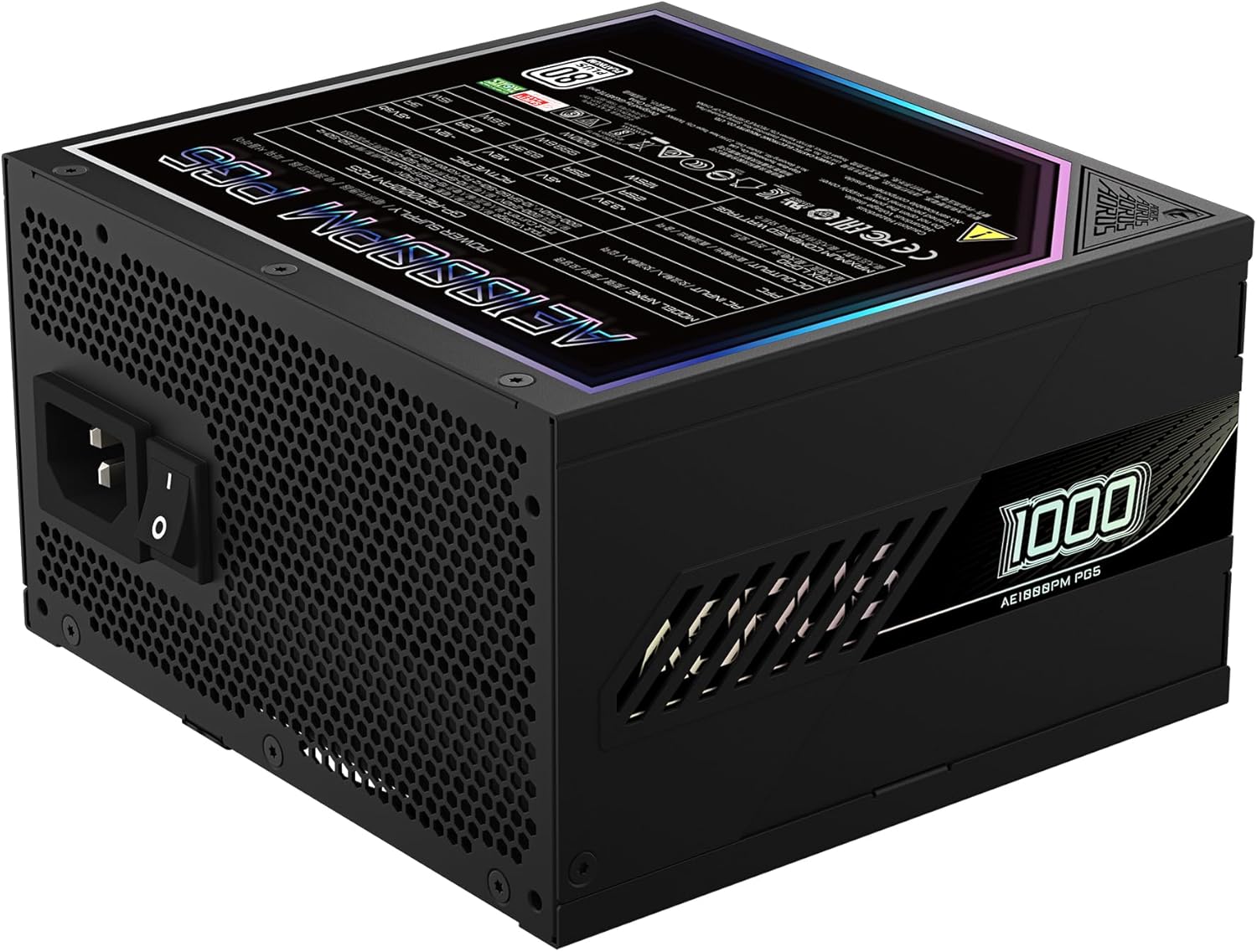
Figure 4: Rear panel of the GIGABYTE AORUS Elite P1000W Ice Power Supply, showing the AC power input and power switch. Ensure the switch is set to '0' before connecting the AC cord.
Navodila za uporabo
After installation, follow these steps to power on your system:
- Vklop: Flip the main power switch on the rear of the power supply to the ON (I) position.
- Zagon sistema: Pritisnite gumb za vklop na ohišju računalnika, da zaženete sistem.
- Ugasniti: To shut down your system, perform a proper shutdown through your operating system. Once the system is off, you may flip the power supply's main switch to the OFF (0) position for complete power disconnection.

Slika 5: Od zgoraj navzdol view of the 120mm fan with the AORUS logo on the GIGABYTE AORUS Elite P1000W Ice Power Supply. The fan provides active cooling during operation.
Vzdrževanje
Redno vzdrževanje pomaga zagotoviti dolgo življenjsko dobo in optimalno delovanje vašega napajalnika:
- Čiščenje prahu: Periodically clean dust from the power supply's fan grill and vents using compressed air. Ensure the power supply is turned off and unplugged before cleaning.
- Upravljanje kablov: Ensure cables are neatly routed and do not obstruct airflow within the computer case.
- Okoljski pogoji: Maintain a cool, dry, and well-ventilated environment for your computer system.
Odpravljanje težav
Če naletite na težave, si oglejte naslednje pogoste korake za odpravljanje težav:
- Brez napajanja:
- Preverite, ali je napajalni kabel varno priključen tako na napajanje kot na stensko vtičnico.
- Ensure the power supply's main switch is in the ON (I) position.
- Verify that all modular cables are correctly seated in both the power supply and the components.
- Preizkusite stensko vtičnico z drugo napravo, da se prepričate, da ima napajanje.
- Sistem se nepričakovano izklopi:
- This could indicate an overload or overheating. Ensure your system's power requirements do not exceed the PSU's 1000W capacity.
- Check for proper ventilation and clear any dust buildup.
- Preverite, ali so vse napajalne povezave varne.
- Nenavadni zvoki:
- A clicking sound might indicate a protective mechanism engaging. Disconnect power and recheck all connections.
- If the fan is making excessive noise, ensure it is free from obstructions.
If issues persist after following these steps, contact GIGABYTE customer support.
Specifikacije

Figure 6: Product label on the GIGABYTE AORUS Elite P1000W Ice Power Supply, displaying electrical specifications and certifications. Refer to this label for detailed electrical ratings.
| Funkcija | Podrobnost |
|---|---|
| Ime modela | AORUS ELITE P1000W |
| Številka modela artikla | GP-AE1000PM PG5 EU |
| Izhodna vattage | 1000 vatov |
| Certifikat 80 PLUS | Platinum |
| Faktor oblike | ATX |
| ATX Version Compatibility | ATX 3.0 (ATX 3.1 compatible) |
| PCIe Version Compatibility | PCIe generacije 5.0 |
| Velikost ventilatorja | 120 mm |
| Vrsta ventilatorja | Dynamic Fluid Ball Bearing (FDB) |
| Kondenzatorji | 100% japonski kondenzatorji |
| Modularna zasnova | Popolnoma modularna |
| Zaščite | OVP, OPP, SCP, UVP, OCP, OTP |
| Mere izdelka (D x Š x V) | 5.51 x 5.91 x 3.39 palcev |
| Teža predmeta | 6.79 funtov (3080 gramov) |
Informacije o garanciji
The GIGABYTE AORUS Elite P1000W Ice Power Supply comes with a 10-letna garancija from the date of purchase. This warranty covers defects in materials and workmanship under normal use. Please retain your proof of purchase for warranty claims. For full warranty terms and conditions, refer to the official GIGABYTE webspletno mesto ali se obrnite na podporo strankam.
Podpora
For technical assistance, troubleshooting beyond this manual, or warranty inquiries, please visit the official GIGABYTE support website or contact their customer service department. You can typically find contact information on the GIGABYTE webspletnem mestu ali na embalaži izdelka.
Uradno podjetje GIGABYTE Webspletno mesto: www.gigabyte.com


