Uvod
This manual provides essential information for the safe and efficient operation of your Panasonic TV-65Z80AEZ 65-inch 4K Ultra HD OLED Smart TV. Please read these instructions thoroughly before using your television and retain them for future reference. This 4K OLED television from the Z80 series features integrated Fire TV, offering a comprehensive entertainment experience.
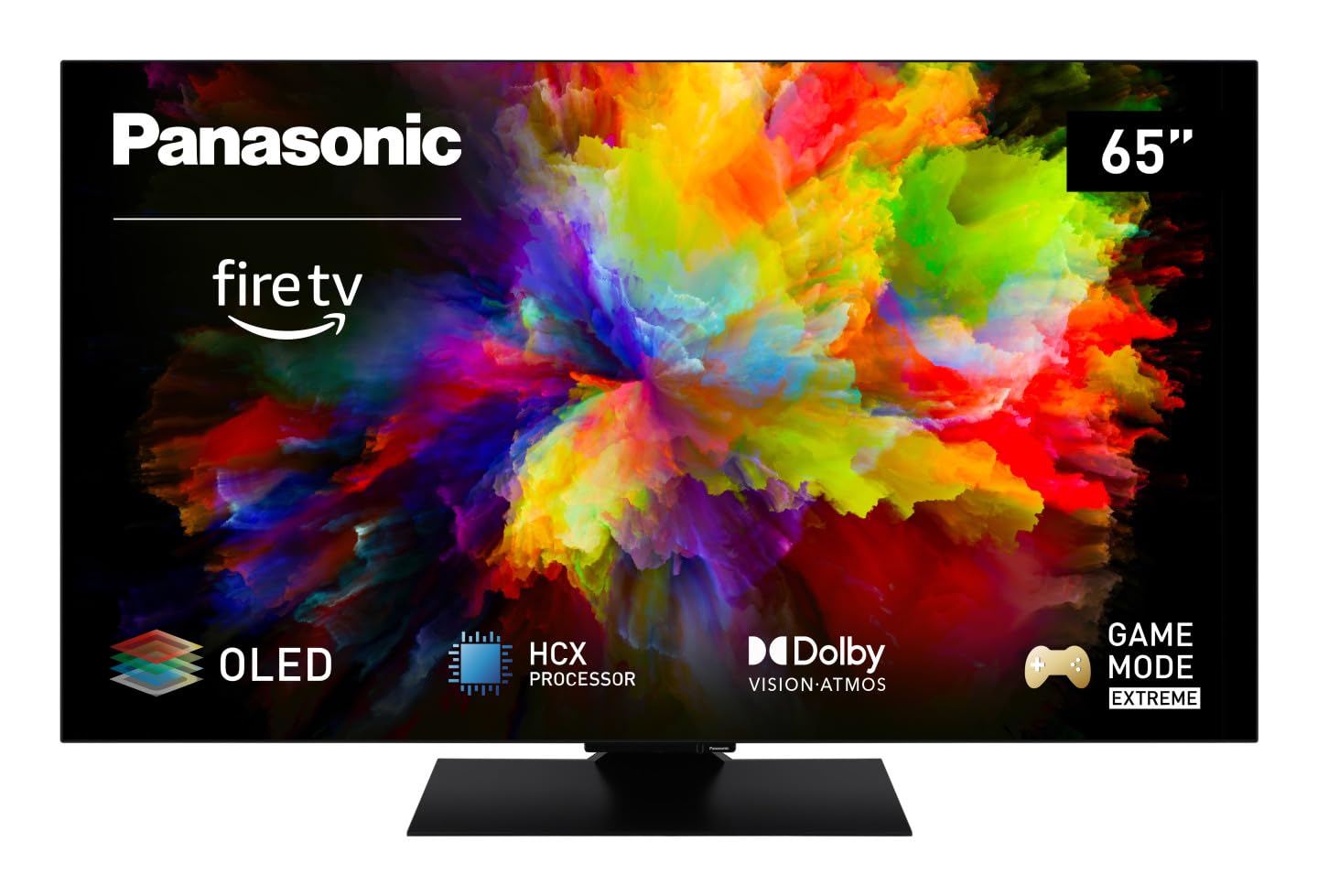
Slika: spredaj view of the Panasonic TV-65Z80AEZ 65-inch 4K OLED Smart TV.
Varnostne informacije
Always follow basic safety precautions when using this television to reduce the risk of fire, electric shock, and injury. Keep the television away from water and moisture. Do not block ventilation openings. Use only attachments/accessories specified by the manufacturer. Refer all servicing to qualified service personnel.
- Napajanje: Prepričajte se, da je napajalnik voltage matches the rating label on the TV.
- Prezračevanje: Do not cover or block any ventilation openings. Allow adequate space around the TV for proper airflow.
- Čiščenje: Pred čiščenjem izključite televizor iz električnega omrežja. Uporabite mehko, suho krpo. Ne uporabljajte tekočih čistil ali aerosolnih čistil.
- Montaža: If wall-mounting, ensure the wall mount is compatible with the TV's VESA standards and can support its weight. Follow the wall mount manufacturer's instructions carefully.
Vsebina paketa
Preverite, ali so v embalaži vsi elementi:
- Panasonic TV-65Z80AEZ 65-inch 4K OLED Smart TV
- Daljinski upravljalnik
- Baterije AAA (2x) za daljinski upravljalnik
- Napajalni kabel
- Komponente TV stojala (če je primerno)
- Vodnik za hiter začetek (ta dokument služi kot celovit vodnik)
Nastavitev
1. Fizična namestitev
Namestitev stojala: If using the included stand, carefully attach it to the television according to the diagrams in the quick start guide. Ensure all screws are securely fastened. Place the TV on a stable, level surface.
Montaža na steno: If wall-mounting, consult a professional installer. Ensure the wall mount is rated for the TV's weight and size. Do not attempt to wall-mount the TV without proper tools and expertise.
2. Povezovanje naprav
Zunanje naprave, kot so kabelski sprejemniki, predvajalniki Blu-ray, igralne konzole in zvočni sistemi, priključite na ustrezna vrata na zadnji strani televizorja.

Slika: Stran view of the Panasonic TV-65Z80AEZ, illustrating the slim profile in povezovalna vrata.
- HDMI: For high-definition video and audio. This TV supports HDMI 2.1 for advanced gaming features.
- USB: For connecting USB storage devices or other peripherals. This TV has 2 USB ports.
- Ethernet: Za žično internetno povezavo.
- Antena/kabel: Za priklop antene ali kabelske televizije.
3. Začetni vklop in nastavitev omrežja
- V daljinski upravljalnik vstavite priložene baterije AAA.
- Napajalni kabel priključite na televizor in nato v električno vtičnico.
- Pritisnite gumb za vklop na daljinskem upravljalniku ali na televizorju.
- Follow the on-screen instructions to select your language, region, and connect to your Wi-Fi network. You can also use a wired Ethernet connection.
4. Fire TV Setup
Your Panasonic TV-65Z80AEZ comes with Fire TV built-in. During the initial setup, you will be prompted to sign in with your Amazon account or create a new one. This enables access to streaming services, apps, and personalized recommendations.
Upravljanje televizorja
1. Osnovne kontrole
Use the remote control to navigate the TV's interface. The remote includes standard buttons for power, volume, channel, input selection, and navigation within the Fire TV interface.
2. Funkcije pametnega televizorja
- Fire TV: The intuitive 4K Fire TV home screen provides instant access to live TV, streaming apps, and personalized recommendations for up to 6 user profiles.
- Glasovni nadzor Alexa: Control your Smart TV using voice commands through the integrated Alexa. Press the microphone button on your remote and speak your command.
- AirPlay: Easily share content from your Apple devices (iPhone, iPad, Mac) to your TV for a seamless viewizkušnje.
3. Kakovost slike
- OLED & HCX Processor: Experience deep blacks and natural colors. The HCX processor ensures a cinematic experience with stunning image quality.
- Multi HDR Support: Enjoy optimized brightness, contrast, and colors scene by scene with support for Dolby Vision, HLG, HDR10, and HDR10+, ensuring exceptional images.
4. Zvočne funkcije
- Prostorski zvok Pro in Dolby Atmos: Dvigni svoje viewing experience with immersive Dolby Atmos and Surround Sound Pro technology, including an integrated subwoofer, for a cinema-worthy audio experience.
5. Extreme Game Mode
This mode is designed for gamers, offering ultra-low latency, Variable Refresh Rate (VRR), 120 Hz refresh rate, and Auto Low Latency Mode (ALLM) via HDMI 2.1. It also supports AMD FreeSync Premium and NVIDIA G-SYNC for fluid and responsive gameplay.
Vzdrževanje
Proper maintenance ensures the longevity and performance of your television.
- Čiščenje zaslona: Zaslon nežno obrišite z mehko krpo, ki ne pušča vlaken. Za trdovratne madeže rahlo obrišiteampKrpo obrišite z vodo ali specializiranim čistilom za zaslone. Tekočine nikoli ne pršite neposredno na zaslon.
- Čiščenje omare: Za čiščenje ohišja televizorja uporabite mehko, suho krpo.
- Odstranjevanje prahu: Redno brišite prah iz prezračevalnih odprtin, da preprečite pregrevanje.
- Napajalni kabel: Periodically check the power cord for any damage. If damaged, replace it immediately with an authorized part.
Odpravljanje težav
Če imate težave s televizorjem, si oglejte naslednje pogoste rešitve:
| Težava | Možna rešitev |
|---|---|
| Brez moči | Prepričajte se, da je napajalni kabel varno priključen v televizor in stensko vtičnico. Preverite, ali vtičnica deluje, tako da priključite drugo napravo. |
| Ni slike, vendar je zvok prisoten | Check the input source. Press the 'Input' or 'Source' button on your remote to cycle through inputs. Ensure connected devices are powered on. |
| Ni zvoka, vendar je slika prisotna | Check the volume level. Ensure 'Mute' is not activated. Check audio cables if using external speakers. Verify audio output settings in the TV menu. |
| Daljinski upravljalnik ne deluje | Zamenjajte baterije. Prepričajte se, da med daljinskim upravljalnikom in infrardečim senzorjem televizorja ni ovir. |
| Ni mogoče vzpostaviti povezave z omrežjem Wi-Fi | Prepričajte se, da je vaš usmerjevalnik Wi-Fi vklopljen in deluje. Ponovno vnesite geslo za Wi-Fi. Poskusite znova zagnati televizor in usmerjevalnik. |
Če težava po poskusu teh rešitev še vedno obstaja, se obrnite na podporo strankam.
Specifikacije
| Funkcija | Podrobnost |
|---|---|
| Znamka | Panasonic |
| Številka modela | TV-65Z80AEZ |
| Velikost zaslona | 65 palcev |
| Tehnologija zaslona | OLED |
| Resolucija | 4K Ultra HD |
| Hitrost osveževanja | 120 Hz |
| Operacijski sistem | FireOS |
| Tehnologija povezljivosti | Bluetooth, HDMI, Wi-Fi |
| Vrata za povezljivost | Ethernet, HDMI, USB |
| Skupno število vrat USB | 2 |
| Posebne lastnosti | OLED, Dolby Vision, Dolby Atmos, Fire TV, Extreme Game Mode |
| Združljive naprave | Laptop, Gaming Console, Smartphone, Tablet, Speakers |
| Razmerje stranic | 16:9 |
| Dimenzije izdelka (DxŠxV) | 4.7D x 144.4Š x 82.4V centimetrov |
| Vključene komponente | Television, Remote Control, Batteries |
Garancija in podpora
Your Panasonic TV-65Z80AEZ is covered by a manufacturer's warranty. Please refer to the warranty card included with your product for specific terms and conditions, including the warranty period and coverage details. For technical support, service, or further assistance, please visit the official Panasonic support website or contact their customer service helpline. Keep your purchase receipt as proof of purchase for warranty claims.


