1. Uvod
Thank you for choosing the EPOMAKER X Aula F99 PRO Wireless Gaming Keyboard. This manual provides essential information for setting up, operating, and maintaining your new keyboard. The F99 PRO is a 96% layout mechanical keyboard designed for gaming and productivity, featuring tri-mode connectivity, hot-swappable switches, and customizable RGB backlighting.

Figure 1: EPOMAKER X Aula F99 PRO Wireless Gaming Keyboard (Black Gradient)
2. Kaj je v škatli
Prosimo, preverite vsebino paketa in se prepričajte, da so prisotni vsi elementi:
- EPOMAKER X Aula F99 PRO Wireless Gaming Keyboard
- USB kabel (tip C do tipa A)
- 2.4 GHz brezžični ključ
- Izvleček za ključe
- Dodatna mehanska stikala
- Uporabniški priročnik (ta dokument)
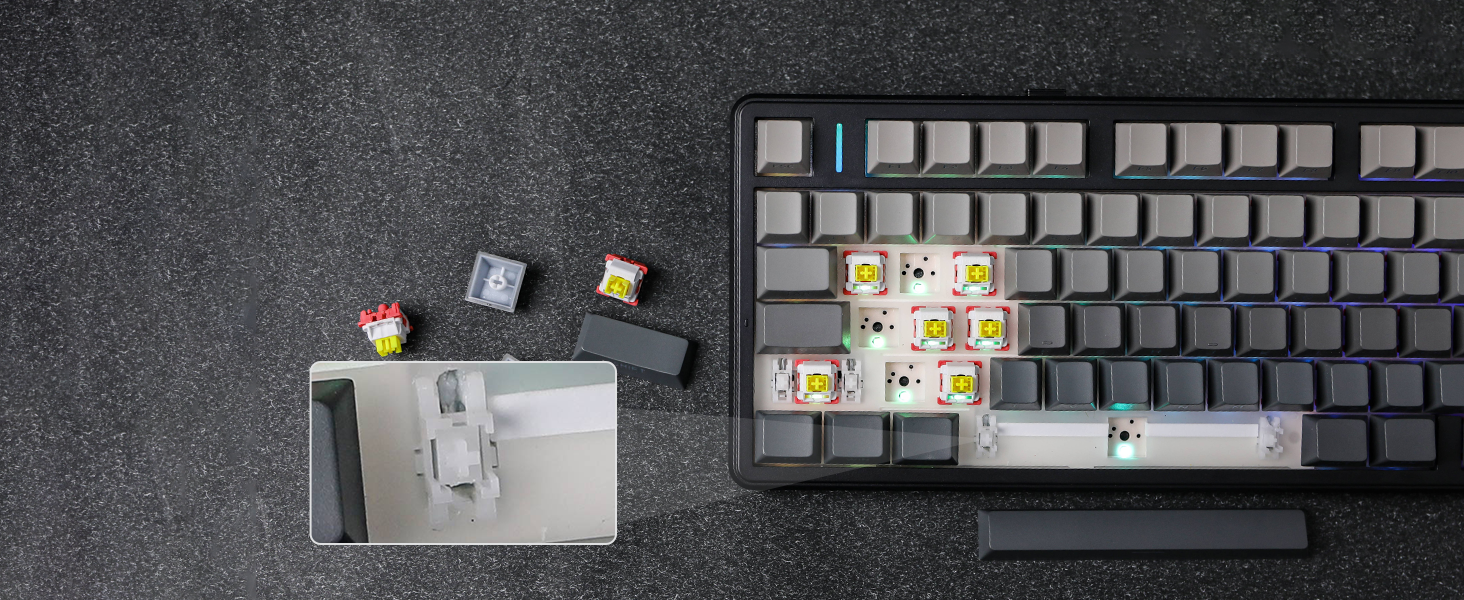
Figure 2: Package Contents and Keyboard Dimensions
Video 1: Unboxing the F99 PRO Gaming Keyboard. This video demonstrates the unboxing process and shows the items included in the package.
3. Nastavitev
3.1 Načini povezljivosti
The F99 PRO supports three connectivity modes: Bluetooth (BT 5.0), 2.4GHz Wireless, and Wired (USB-C). You can switch between modes using the toggle switch located on the back of the keyboard.
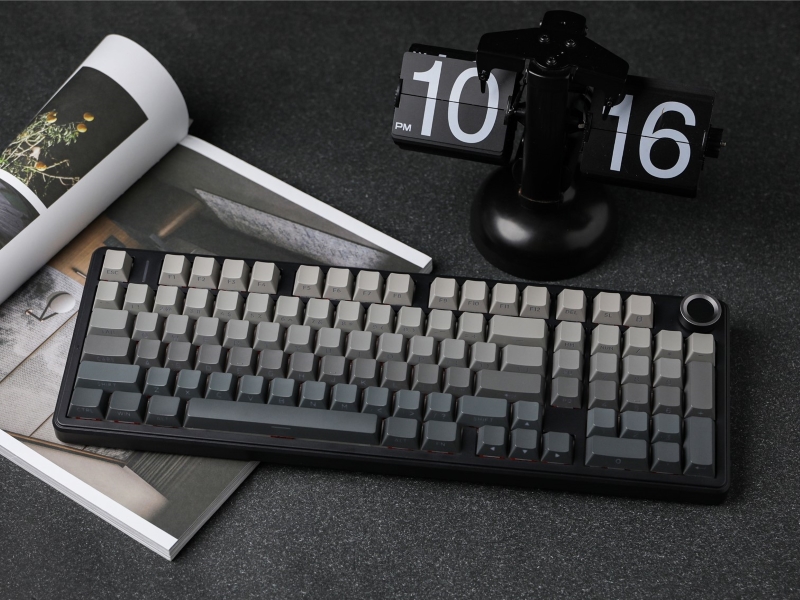
Figure 3: Connectivity Ports and Mode Switch
- 2.4 GHz brezžično: Insert the 2.4GHz USB dongle into your device's USB port. Slide the switch on the keyboard to the '2.4G' position. The keyboard will automatically connect.
- Bluetooth: Slide the switch on the keyboard to the 'BT' position. On your device, search for Bluetooth devices and select 'F99 PRO'. The keyboard can connect to up to five devices simultaneously.
- Žično (USB-C): Connect the provided USB-C cable from the keyboard to your device. Slide the switch on the keyboard to the 'Wired' position.
Slika 4: Tri-modalna povezljivost prekview
3.2 Polnjenje baterije
The F99 PRO is equipped with a robust 8000mAh battery. Connect the USB-C cable to the keyboard and a power source (e.g., computer USB port, USB wall adapter) to charge. The keyboard can be used while charging in wired mode.
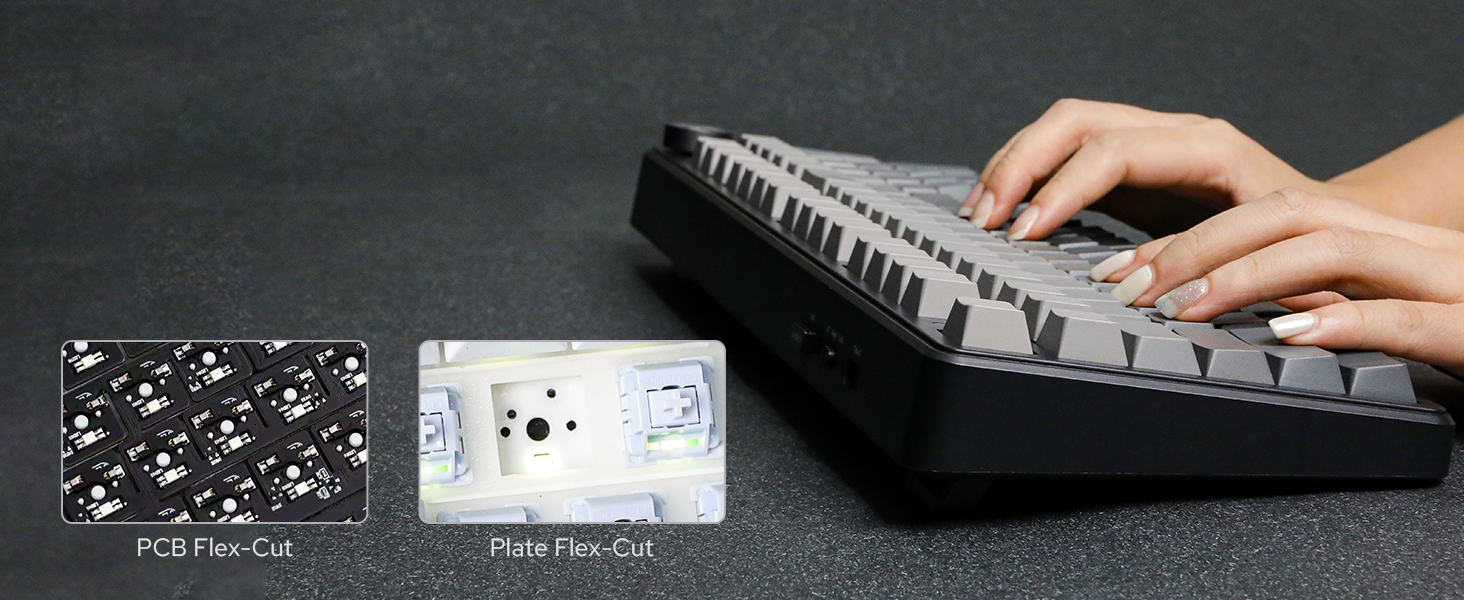
Figure 5: 8000mAh Battery Life Indication
4. Navodila za uporabo
4.1 Gumb za nastavitev glasnosti
The metal knob located on the top right of the keyboard provides easy control over media functions:
- Zasukaj: Adjusts system volume (clockwise for increase, counter-clockwise for decrease).
- Pritisnite: Izklopi/vklopi zvok.
- Pritisnite in držite (5 sekund): Switches the knob function between volume control and backlight brightness control.
Figure 6: Multi-Function Control Knob
4.2 RGB osvetlitev ozadja
The F99 PRO features customizable RGB backlighting. Use the following key combinations to adjust lighting effects:
- FN + \|: Spremeni učinek osvetlitve ozadja.
- FN + Right Shift: Change light bar effect.
- FN + puščica gor: Povečajte svetlost.
- FN + puščica navzdol: Zmanjšajte svetlost.
- FN + puščica levo: Zmanjšajte hitrost učinka.
- FN + puščica desno: Povečaj hitrost učinka.

Figure 7: RGB Backlight Control
Video 2: RGB Backlight Show. This video demonstrates various RGB lighting effects available on the F99 PRO keyboard.
4.3 Stikala z možnostjo vroče menjave
The F99 PRO features a hot-swappable PCB, allowing you to easily change 3-pin or 5-pin mechanical switches without soldering. This enables customization of your typing experience.

Slika 8: Stikala z možnostjo vroče menjave
Figure 9: Removing a Hot-Swappable Switch
Video 3: LEOBOG Nimbus V3 Switch Typing Sound. This short video demonstrates the sound profile of the LEOBOG Nimbus V3 switches.
4.4 Multi-System Compatibility
The F99 PRO is compatible with a wide range of operating systems and devices, including Windows, Mac, Android, PC, laptop, tablet, smartphone, PS, and XBOX. Switch between Mac/iOS and Win/Android layouts using FN + E/R or FN + W/Q oz.

Slika 10: Združljivost več sistemov
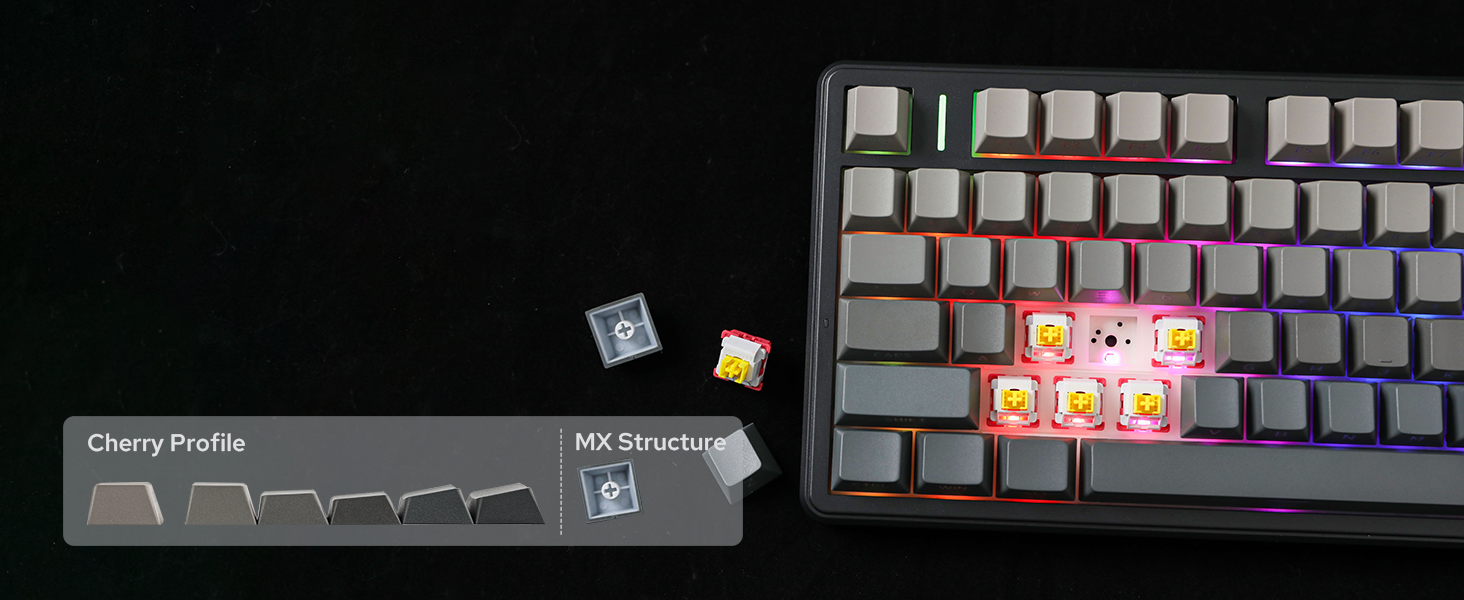
Figure 11: Switching Operating System Layouts
4.5 Customization with AULA Driver
Personalize your F99 PRO keyboard with the AULA Driver software. This software allows you to customize key settings, macros, and lighting effects to match your preferences.

Figure 12: AULA Driver Software Interface
5. Vzdrževanje
- Čiščenje: Use a soft, dry cloth to wipe the keyboard surface. For deeper cleaning, remove keycaps using the provided keycap puller and clean with compressed air or a soft brush.
- Zamenjava stikala: Use the provided switch puller to carefully remove switches. Align new switches with the PCB sockets and press gently until they click into place.
- Shranjevanje: Tipkovnico shranjujte na hladnem in suhem mestu, stran od neposredne sončne svetlobe in ekstremnih temperatur.
6. Odpravljanje težav
6.1 Težave s povezljivostjo
- Keyboard not connecting in 2.4GHz mode: Ensure the dongle is securely plugged into a USB port and the keyboard switch is set to '2.4G'. Try a different USB port.
- Napaka pri povezovanju prek Bluetootha: Ensure the keyboard is in 'BT' mode and discoverable. Remove previous pairings from your device and try pairing again.
- Žična povezava ne deluje: Check if the USB-C cable is properly connected to both the keyboard and your device, and the keyboard switch is set to 'Wired'. Try a different USB-C cable or port.
6.2 Težave z osvetlitvijo ozadja
- Backlight not turning on: Ensure the keyboard is powered on and charged. Adjust brightness using the knob or FN key combinations.
- Inconsistent lighting: Check for any software conflicts or update the AULA Driver software.
6.3 Typing Issues
- Tipke se ne odzivajo: Ensure the keyboard is properly connected and powered. If a specific key is not working, try replacing the switch for that key.
- Zakasnitev ali zakasnjen vnos: For wireless modes, ensure there are no strong interferences nearby. For wired mode, check the cable connection.
7. Specifikacije
| Funkcija | Podrobnost |
|---|---|
| Znamka | EPOMAKER |
| Številka modela | F99 PRO |
| Postavitev | 96% Compact Layout (99 Keys) |
| Povezljivost | 2.4 GHz brezžično, Bluetooth 5.0, USB-C žično |
| Kapaciteta baterije | 8000 mAh |
| Stikala | Hot-Swappable (3-pin/5-pin compatible), LEOBOG Switches |
| Tipkovnice | PBT Keycaps, Cherry Profile |
| Osvetlitev ozadja | RGB |
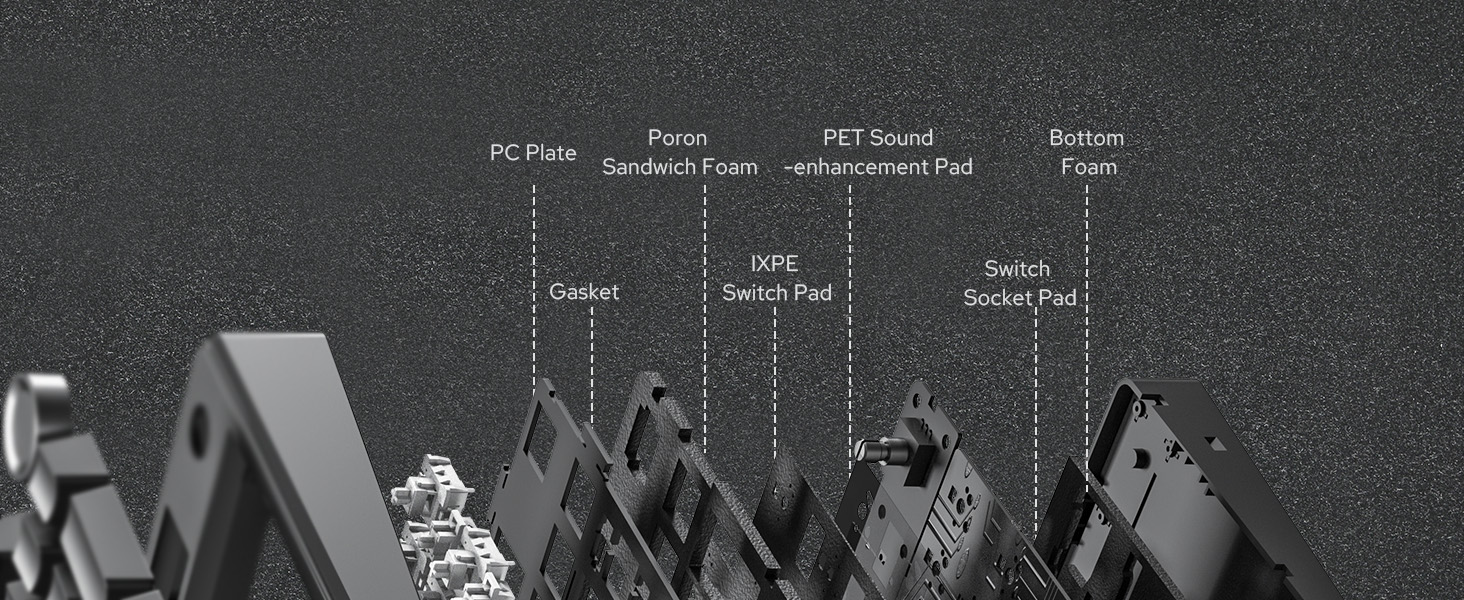
| Posebne lastnosti | Gasket Structure, 5 Layers of Sound-Improving Materials, Flex-Cut PCB and PC Plate, Volume Control Knob, Programmable Keys |
| Združljive naprave | Igralna konzola, prenosnik, računalnik, pametni telefon, tablica |
| Dimenzije izdelka | 15.35 cm D x 5.79 cm Š x 1.3 cm V |
| Material ohišja | Plastika |
8. Garancija in podpora
The EPOMAKER X Aula F99 PRO Wireless Gaming Keyboard comes with a 1-letna garancija od datuma nakupa.
For technical support, warranty claims, or further assistance, please contact EPOMAKER customer service through their official webspletno mesto ali prodajalec, kjer ste izdelek kupili.
Obiščete lahko tudi Trgovina EPOMAKER na Amazonu za več informacij in sorodne izdelke.