1. Uvod
This manual provides detailed instructions for the setup, operation, and maintenance of your FULLJA 32-Inch WiFi Digital Picture Frame. Please read this guide thoroughly to ensure proper use and to maximize your product experience.
The FULLJA Digital Picture Frame allows you to display photos and videos from anywhere, anytime, using its WiFi connectivity and the VPhoto app. It features a 32-inch FHD IPS display, remote control, auto-rotation, and 64GB of built-in storage.
2. Vsebina paketa
Preverite, ali so v paketu vsi elementi:
- 1x FULLJA 32-Inch Digital Picture Frame
- 1x uporabniški priročnik
- 1x napajalnik
- 1x Bracket (for stand or wall mounting)
- 1x daljinski upravljalnik

Image: Contents of the FULLJA Digital Picture Frame retail box.
3. Značilnosti izdelka
- 32-Inch FHD IPS Display: High-resolution screen for clear photo and video display.
- Dual WiFi 2.4G/5G: Stable and fast wireless connectivity for content transfer.
- VPhoto App Integration: Easily send photos and videos from your smartphone.
- 64 GB vgrajenega pomnilnika: Ample storage for a large collection of media.
- Funkcija samodejnega vrtenja: Automatically adjusts display orientation (portrait or landscape).
- Daljinski upravljalnik: Priročno upravljanje na daljavo.
- Zasnova za namestitev na steno: Includes a wall-mounted hole for flexible placement.
- Dodatne funkcije: Slideshow mode, weather station, time alarm, adjustable brightness, auto on/off.

Slika: Konecview of the FULLJA Digital Picture Frame's key features.
4. Navodila za namestitev
4.1 Začetni vklop
- Razpakirajte digitalni fotookvir in vso dodatno opremo.
- Attach the included bracket for desktop placement or prepare for wall mounting.
- Connect the power adapter to the frame and then plug it into a power outlet.
- Okvir se bo samodejno vklopil in prikazal začetni zaslon za nastavitev.
4.2 Omrežna povezava (WiFi)
- On the frame's screen, navigate to "Settings" and select "WiFi".
- Choose your desired 2.4G or 5G WiFi network from the list.
- Enter your WiFi password using the on-screen keyboard or remote control.
- Confirm the connection. Once connected, a WiFi icon will appear on the screen.
4.3 VPhoto App Installation and Pairing
The VPhoto app is essential for sending photos and videos to your frame from a smartphone.
- Prenesite aplikacijo VPhoto:
- Iskanje "VPhoto" in the Apple App Store (for iOS devices) or Google Play Store (for Android devices).
- Alternatively, scan the QR codes displayed on the frame's initial setup screen or in the manual.
- Download VPhoto for iOS
- Download VPhoto for Android
- Open and Sign Up: Open the VPhoto app. If you are a new user, select "Sign Up" and fill in the required information. If you already have an account, log in directly.
- Združi z okvirjem:
- On your FULLJA frame, go to "Settings" > "My Frame" to find the 9-digit connection code or QR code.
- In the VPhoto app, select "Add New Frame" and enter the 9-digit connection code or scan the QR code displayed on your frame.
- Once paired, you can begin sending media to your frame.

Image: Steps for connecting your smartphone to the digital frame via the VPhoto app.
5. Delovanje
5.1 Pošiljanje fotografij in videoposnetkov
- Via VPhoto App: After pairing, open the VPhoto app, select the photos or videos you wish to send, choose your frame, and tap "Send". You can send instant or timed wishes along with your media.
- Prek e-pošte: The frame supports receiving media via email. Refer to the frame's settings for its unique email address.
- Via Cloud Storage: The frame offers free cloud storage. Details on accessing and managing this can be found within the frame's settings or the VPhoto app.

Image: Sharing photos and videos to the frame using the VPhoto app.

Image: The frame's capacity to store a large number of photos (64GB built-in storage).
5.2 Uporaba daljinskega upravljalnika
The included remote control allows for convenient navigation and setting adjustments:
- Navigacija: Use arrow keys to move through menus and select options.
- Predvajanje: Control slideshows, pause, play, and skip media.
- Dostop do nastavitev: Quickly access various settings like brightness, volume, and display modes.
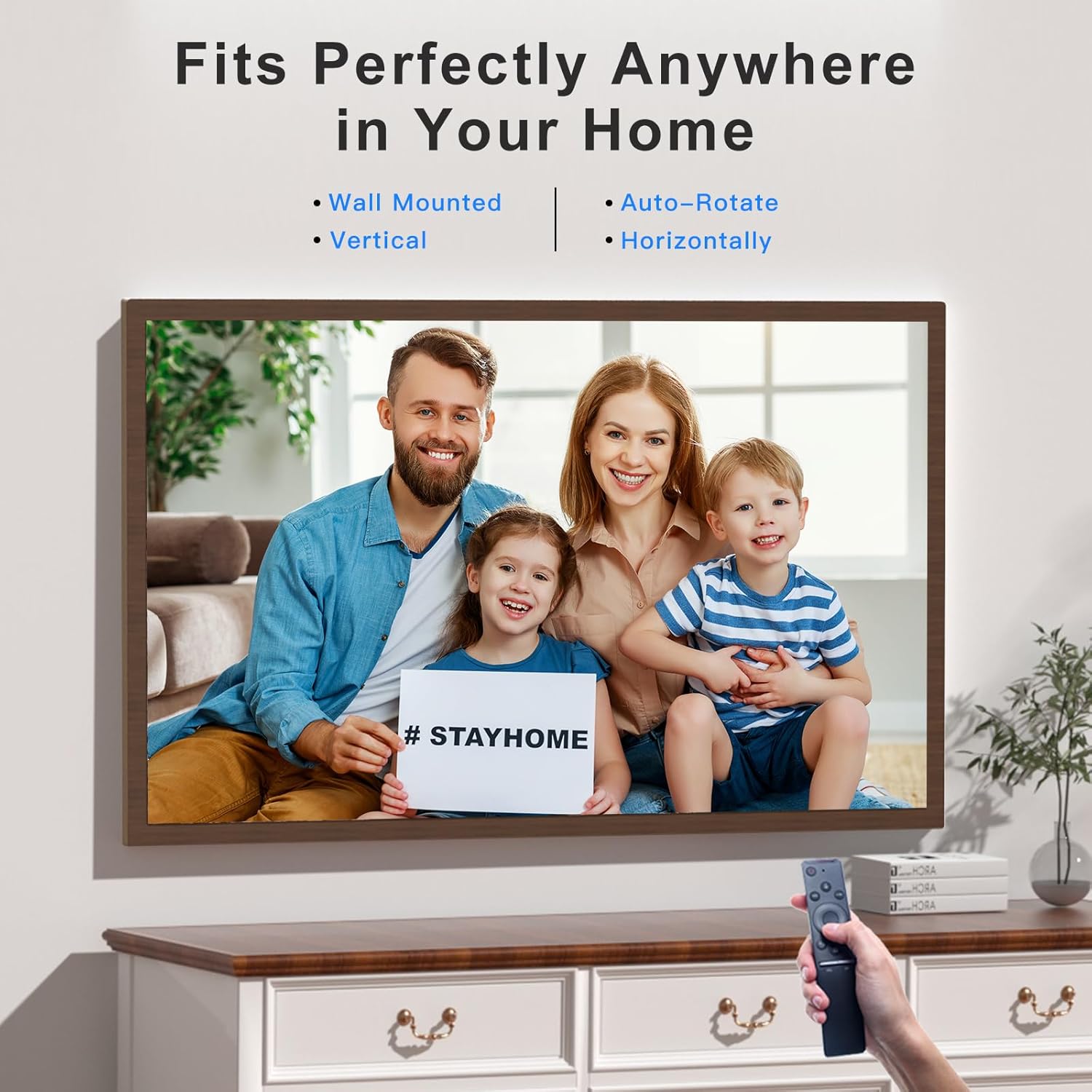
Image: Operating the digital frame with the remote control, showcasing its versatile placement options.
5.3 Načini in nastavitve prikaza
- Način diaprojekcije: Configure the interval and transition effects for your photo slideshows.
- Samodejno zasukaj: The frame automatically detects its orientation (horizontal or vertical) and adjusts the display accordingly.
- Prilagoditev svetlosti: Customize screen brightness to suit your environment.
- Weather Station & Time Alarm: Access these features through the frame's main menu.
- Split-Screen/Screen Mirror: This feature allows mirroring content from your phone to the frame.

Image: Screen Mirroring functionality, allowing content from a smartphone to be displayed on the frame in various orientations.
6. Vzdrževanje
- Čiščenje zaslona: Zaslon nežno obrišite z mehko krpo, ki ne pušča vlaken. Za trdovratne madeže rahlo obrišiteampKrpo sperite z vodo ali raztopino za čiščenje zaslona. Izogibajte se agresivnim kemikalijam.
- Čiščenje okvirja: Zunanjost okvirja obrišite s suho, mehko krpo.
- Shranjevanje: Ko okvirja dlje časa ne uporabljate, ga shranite na hladnem in suhem mestu, stran od neposredne sončne svetlobe in ekstremnih temperatur.
- Posodobitve programske opreme: Periodically check for software updates through the frame's settings to ensure optimal performance and access to new features.
7. Odpravljanje težav
| Težava | Možna rešitev |
|---|---|
| Okvir se ne vklopi. | Prepričajte se, da je napajalnik varno priključen tako na okvir kot v delujočo električno vtičnico. Poskusite z drugo vtičnico. |
| Ni mogoče vzpostaviti povezave z omrežjem Wi-Fi. |
|
| VPhoto app cannot find the frame. |
|
| Photos/videos are not displaying correctly. |
|
| Daljinski upravljalnik se ne odziva. |
|
8. Specifikacije
| Funkcija | Podrobnost |
|---|---|
| Znamka | FULLJA |
| Številka modela | 06942231800827 |
| Velikost zaslona | 32 palcev |
| Resolucija | 1920 x 1080 IPS Display (FHD) |
| Dimenzije izdelka | 17 x 29 x 0.99 palcev |
| Teža predmeta | 12.43 funtov |
| Notranji pomnilnik | 64 GB |
| Povezljivost | Dual WiFi 2.4G/5G |
| Združljive naprave | Osebni računalnik, pametni telefon |
| barva | Dark Wood Grain (Brown) |
| Posebne lastnosti | Remote Control, Auto-Rotate, VPhoto App, Free Cloud Storage, Weather Station, Time Alarm, Slideshow Mode |
9. Garancija in podpora
FULLJA is committed to providing high-quality products and customer satisfaction.
- Podpora strankam: For any questions, technical assistance, or issues, please contact FULLJA customer support. Our team is available to provide 24-hour support. Refer to the product packaging or the official FULLJA webspletno mesto za kontaktne podatke.
- Informacije o garanciji: Specific warranty terms and conditions may vary. Please retain your proof of purchase for warranty claims. For detailed warranty information, visit the official FULLJA webspletno mesto ali se obrnite na podporo strankam.

