Uvod
Thank you for choosing the KLIM K7 Cassette Tape Player and MP3 Converter. This device allows you to enjoy your classic cassette tapes and convert them into digital MP3 files for modern playback. It features a built-in microphone for recording, an integrated speaker, and a rechargeable battery for portability. This manual provides detailed instructions for setup, operation, and maintenance of your KLIM K7.
Konec izdelkaview
Ključne značilnosti
- Cassette to MP3 Converter: Effortlessly convert cassette tapes to digital MP3 files directly onto an SD card.
- Prenosna zasnova: Lightweight and compact for on-the-go listening.
- Vgrajen mikrofon: Record audio directly to the SD card.
- Vgrajeni zvočnik: Share your audio without external devices.
- Akumulatorska baterija: Integrated 1000mAh battery provides extended playback.
- SD Card Player: Predvajaj MP3 files shranjeno na kartici SD.
- 3.5 mm priključek za slušalke: For private listening with included earphones.
Komponente in krmilniki naprave
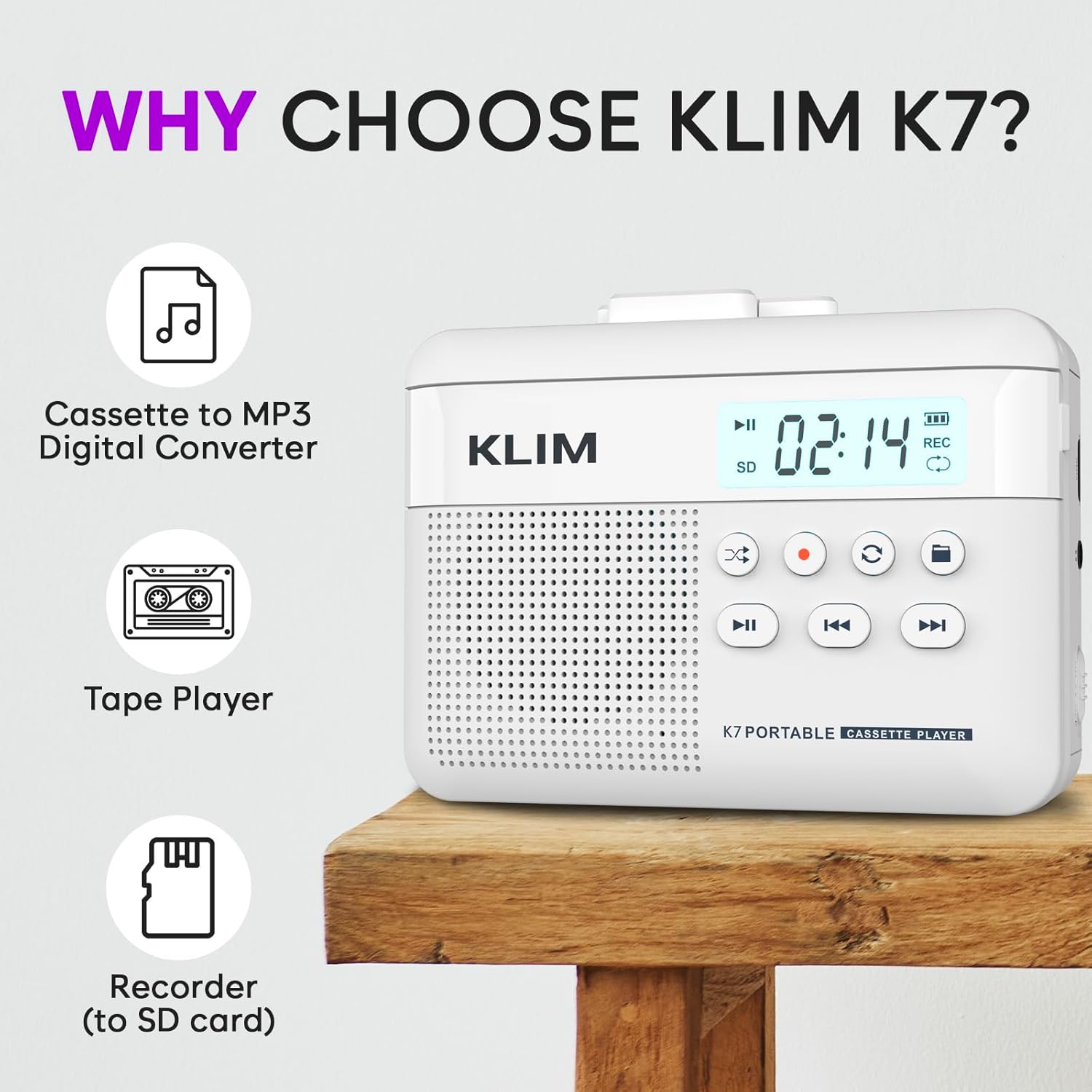
Slika 1: Spredaj view of the KLIM K7 Cassette Player, showing the speaker grille, LCD display, and control buttons (Play/Pause, Rewind, Fast Forward, Stop, Record, Mode, Folder, Loop).
- LCD zaslon: Shows track number, recording status, and battery level.
- govornik: Integriran zvočnik za predvajanje zvoka.
- Gumb za predvajanje/pavzo (►▮): Zažene ali zaustavi predvajanje.
- Rewind Button (◀◀): Rewinds the cassette tape or navigates backward through MP3 tracks.
- Fast Forward Button (►►): Fast forwards the cassette tape or navigates forward through MP3 tracks.
- Gumb za zaustavitev (■): Ustavi predvajanje ali snemanje.
- Record Button (●): Initiates or stops recording.
- Gumb za način (↻): Switches between cassette playback and SD card MP3 playback.
- Folder Button (🖿): Navigates through folders on the SD card.
- Loop Button (⟳): Ponavlja trenutno skladbo ali vse skladbe.

Slika 2: Stran view of the KLIM K7 Cassette Player, highlighting the SD card slot, 3.5mm headphone jack, and On/Off switch.
- Reža za kartico SD: Insert your Micro SD card here for recording and MP3 playback.
- 3.5 mm priključek za slušalke: Connect the included earphones or other standard headphones.
- Stikalo za vklop/izklop: Vklopi ali izklopi napravo.
- Nadzor glasnosti: Prilagodi izhodni nivo zvoka.

Slika 3: Vrh view of the KLIM K7 Cassette Player with the cassette compartment open, showing the tape mechanism.
- Predal za kaseto: Insert your cassette tapes here.
- Cassette Door Release: Odpre predal za kaseto.
Nastavitev
1. Polnjenje baterije
Before first use, fully charge the KLIM K7. The device comes with a 1000mAh rechargeable battery.
- Locate the Type-C USB charging port on the side of the device.
- Connect the included Type-C USB cable to the charging port and the other end to a USB power adapter (not included) or a computer's USB port.
- The charging indicator on the LCD display will show charging status. A full charge typically takes approximately 2 hours.

Slika 4: The KLIM K7 connected to a Type-C USB cable for charging.
2. Vstavljanje SD-kartice
An SD card (16GB included) is required for converting tapes to MP3 and for recording with the built-in microphone.
- Poiščite režo za kartico SD na strani naprave (glejte sliko 2).
- Previdno vstavite kartico Micro SD v režo z zlatimi kontakti obrnjenimi navzdol, dokler se ne zaskoči.
- To remove, push the SD card inward until it clicks, then release, and it will eject.

Slika 5: Inserting the Micro SD card into the KLIM K7.
3. Vstavljanje kasete
- Press the Cassette Door Release button to open the cassette compartment.
- Insert your cassette tape with the open side facing upwards and the tape reels aligned with the player's mechanism.
- Close the cassette compartment door firmly until it clicks.
Navodila za uporabo
1. Predvajanje kaset
- Ensure the device is powered on using the On/Off switch.
- Insert a cassette tape as described in the Setup section.
- Pritisnite Predvajanje/Pavza (►▮) gumb za začetek predvajanja.
- Prilagodite glasnost s pomočjo regulatorja glasnosti.
- Uporabite Rewind (◀◀) in Fast Forward (►►) gumbi za navigacijo po traku.
- Pritisnite Ustavi se (■) gumb za konec predvajanja.
2. Converting Cassette Tapes to MP3
The KLIM K7 allows direct conversion of cassette audio to MP3 files on the inserted SD card, without needing a computer or additional software.
- Prepričajte se, da je SD-kartica vstavljena in da je naprava vklopljena.
- Vstavite kaseto, ki jo želite pretvoriti.
- Pritisnite Predvajanje/Pavza (►▮) button to start playing the tape.
- Dolg pritisk the Record (●) button. The 'REC' indicator on the LCD display will illuminate, indicating that recording has started.
- Če želite ustaviti snemanje, pritisnite Record (●) button again. The 'REC' indicator will turn off. The recorded audio will be saved as an MP3 file na kartici SD.
- You can then remove the SD card and use the included SD card reader to transfer the MP3 files to a computer or other device.

Slika 6: Visual guide for converting cassette audio to MP3 files.
3. Using the Built-in Microphone for Recording
The KLIM K7 can also record audio directly from its built-in microphone to the SD card.
- Prepričajte se, da je SD-kartica vstavljena in da je naprava vklopljena.
- Pritisnite Mode (↻) button until the device is in SD card mode (no cassette playing).
- Dolg pritisk the Record (●) button. The 'REC' indicator will light up, and the device will start recording audio from its microphone.
- Če želite ustaviti snemanje, pritisnite Record (●) button again. The 'REC' indicator will turn off, and the recording will be saved as an MP3 file.

Slika 7: Using the KLIM K7's built-in microphone for recording.
4. Playing MP3 Files from SD Card
- Zagotovite si SD kartico z MP3-jem files is inserted and the device is powered on.
- Pritisnite Mode (↻) button to switch to SD card playback mode. The LCD display will show track information.
- Pritisnite Predvajanje/Pavza (►▮) gumb za začetek predvajanja.
- Uporabite Rewind (◀◀) in Fast Forward (►►) gumbi za preskakovanje skladb.
- The Folder (🖿) button allows navigation through different folders on the SD card.
- The Loop (⟳) Gumb lahko uporabite za ponavljanje trenutne skladbe ali vseh skladb.
- Prilagodite glasnost s pomočjo regulatorja glasnosti.
- Pritisnite Ustavi se (■) gumb za konec predvajanja.

Slika 8: Enjoying audio with the KLIM K7 and included earphones.
Vzdrževanje
Proper maintenance ensures the longevity and optimal performance of your KLIM K7.
- Čiščenje: Za čiščenje zunanjosti naprave uporabite mehko, suho krpo. Ne uporabljajte tekočih čistil ali topil.
- Predal za kaseto: Glave traku in valjčke občasno očistite z vatirano palčko, ki jo rahloampened with isopropyl alcohol to prevent audio quality degradation. Ensure the device is off and dry before use.
- Shranjevanje: Napravo shranjujte na hladnem in suhem mestu, stran od neposredne sončne svetlobe in ekstremnih temperatur.
- Vzdrževanje baterije: Za dolgotrajno shranjevanje baterijo napolnite do približno 50 % vsakih nekaj mesecev, da ohranite njeno zdravje.
Odpravljanje težav
If you encounter any issues with your KLIM K7, please refer to the following common solutions:
| Težava | Možen vzrok | rešitev |
|---|---|---|
| Naprava se ne vklopi. | Baterija je prazna. | Charge the device using the provided Type-C USB cable. |
| No sound during cassette playback. | Volume is too low or headphones are not connected properly. | Increase the volume. Ensure headphones are fully plugged into the 3.5mm jack. |
| Recording to MP3 fails or produces no file. | SD card is full, not inserted correctly, or corrupted. | Check SD card insertion. Ensure sufficient space on the SD card. Try reformatting the SD card (this will erase all data). |
| Poor audio quality from cassette. | Dirty tape heads or worn-out cassette tape. | Clean the tape heads and pinch rollers. Try a different cassette tape to determine if the issue is with the tape itself. |
| Naprava se zamrzne ali se ne odziva. | Začasna programska napaka. | Turn the device off and then on again. If the issue persists, allow the battery to fully discharge and then recharge. |
Specifikacije
- Dimenzije izdelka: 4.76 x 3.61 x 1.56 palcev
- Teža artikla: 9.9 unč
- Baterija: 1 litij-ionska baterija (priložena), 1000 mAh
- Čas polnjenja: Približno 2 ur
- Shranjevanje: Podpira Micro SD kartico (16 GB priložena)
- Avdio izhod: Built-in speaker, 3.5mm headphone jack
- Format snemanja: MP3

Slika 9: Dimensions of the KLIM K7 Cassette Player.
Garancija in podpora
KLIM is committed to producing quality electronics. The KLIM K7 Cassette Tape Player comes with a 5-letno jamstvo. If you encounter any problems with your device, please contact KLIM customer support for assistance.
Za nakup so morda na voljo dodatni zaščitni načrti:
- 2-letni načrt zaščite: 3.99 $ (enkratno)
- 3-letni načrt zaščite: 5.99 $ (enkratno)
- NEW Complete Protect: $16.99 (monthly)
Za dodatno podporo obiščite KLIM Store on Amazon.


