1. Uvod
This manual provides detailed instructions for setting up, operating, and maintaining your THOMSON 40-inch FHD Fire TV. Please read this manual thoroughly before using the television to ensure proper functionality and safety. Keep this manual for future reference.
2. Varnostne informacije
Pri uporabi tega izdelka vedno upoštevajte osnovne varnostne ukrepe, da zmanjšate tveganje požara, električnega udara in poškodb.
- Televizorja ne izpostavljajte dežju ali vlagi.
- Ne blokirajte prezračevalnih odprtin.
- Zagotovite pravilno ozemljitev vtiča.
- Med nevihtami ali če televizorja dalj časa ne uporabljate, ga izključite iz električnega omrežja.
- Za vse servise se obrnite na usposobljeno servisno osebje.
3. Vsebina paketa
Preverite, ali so v paketu vsi elementi:
- THOMSON 40-inch FHD Fire TV
- Daljinski upravljalnik (z baterijami)
- Napajalni kabel
- TV stojalo (2 kosa)
- Vijaki za TV stojalo
- Uporabniški priročnik (ta dokument)

Image: The product box illustrating the TV, remote control, and various features like Fire TV, Alexa, and Dolby Audio.
4. Izdelek je končanview
Familiarize yourself with the components and connections of your THOMSON Fire TV.
4.1 Spredaj View

Image: The front of the TV, showcasing its slim bezel and the Fire TV smart interface with popular streaming applications.
4.2 Stran View in Dimenzije
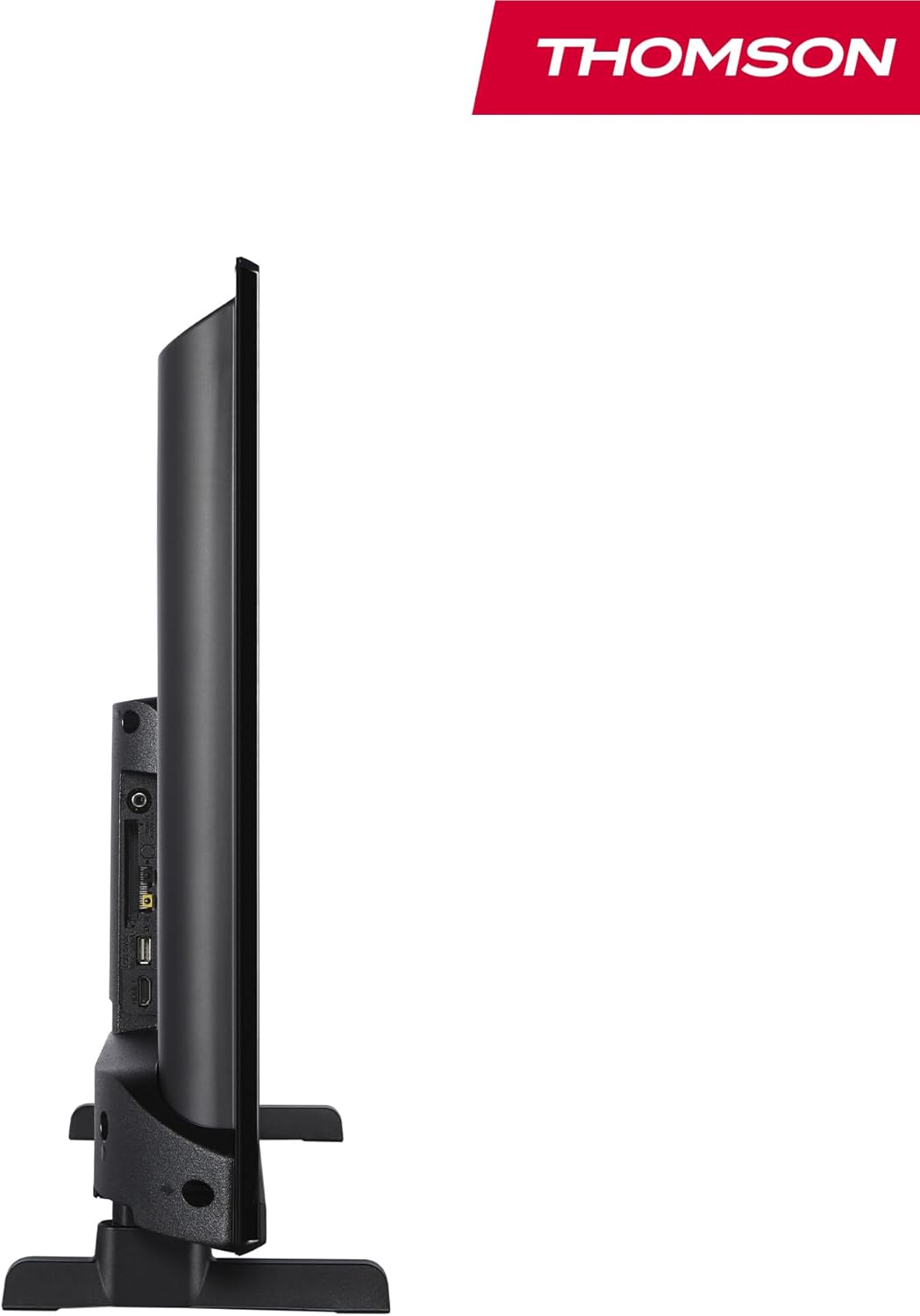
Slika: Stran view of the television, demonstrating its thin profile.

Image: A diagram illustrating the physical dimensions of the TV, including width, height, and depth with the stand.
4.3 zadaj View in pristanišča
The rear panel of your TV features various input and output ports for connecting external devices.

Slika: Podrobna view of the TV's rear panel, highlighting all connectivity ports such as HDMI, USB, Audio Out, CI+, and antenna inputs.
- Zvočni izhod: Za priklop zunanjih avdio sistemov.
- CI+: Common Interface Plus slot for conditional access modules.
- Slušalke: 3.5 mm priključek za zasebno poslušanje.
- AV IN: Za priključitev starejših naprav s kompozitnim videom in stereo zvokom.
- USB 2.0: Za predvajanje medijev z USB-ključkov.
- HDMI 1.4 (x2): High-Definition Multimedia Interface for connecting Blu-ray players, game consoles, etc.
- Antena: For connecting a terrestrial antenna (DVB-T2).
- Satelit: For connecting a satellite dish (DVB-S2).
- LAN: Ethernet vrata za žično omrežno povezavo.
5. Nastavitev
5.1 Pritrditev stojala za televizor
- Televizor previdno položite z zaslonom navzdol na mehko, ravno površino, da preprečite poškodbe zaslona.
- Poravnajte dele stojala z ustreznimi režami na spodnji strani televizorja.
- Stojala pritrdite s priloženimi vijaki.
5.2 Začetni vklop in omrežna povezava
- Priključite napajalni kabel na televizor in v stensko vtičnico.
- Pritisnite gumb za vklop na televizorju ali daljinskem upravljalniku, da ga vklopite.
- Follow the on-screen instructions for initial setup, including language selection and network connection (Wi-Fi or Ethernet).
- Log in with your Amazon account to activate Fire TV features.
5.3 Tuner Setup (Triple-Tuner)
Your TV is equipped with a triple-tuner for DVB-C (cable), DVB-S2 (satellite), and DVB-T2 (terrestrial) reception.

Image: The DVB-T2/C/S2 tuner inputs, allowing connection to various broadcast sources.
- Connect your antenna or satellite cable to the appropriate input on the TV.
- Navigate to the TV settings and select 'Channel Scan' or 'Tuner Setup'.
- Choose your broadcast type (Antenna, Cable, or Satellite) and follow the prompts to scan for available channels.
6. Navodila za uporabo
6.1 Vmesnik za požarno televizijo
The Fire TV interface provides easy access to your favorite streaming services, apps, and live TV.
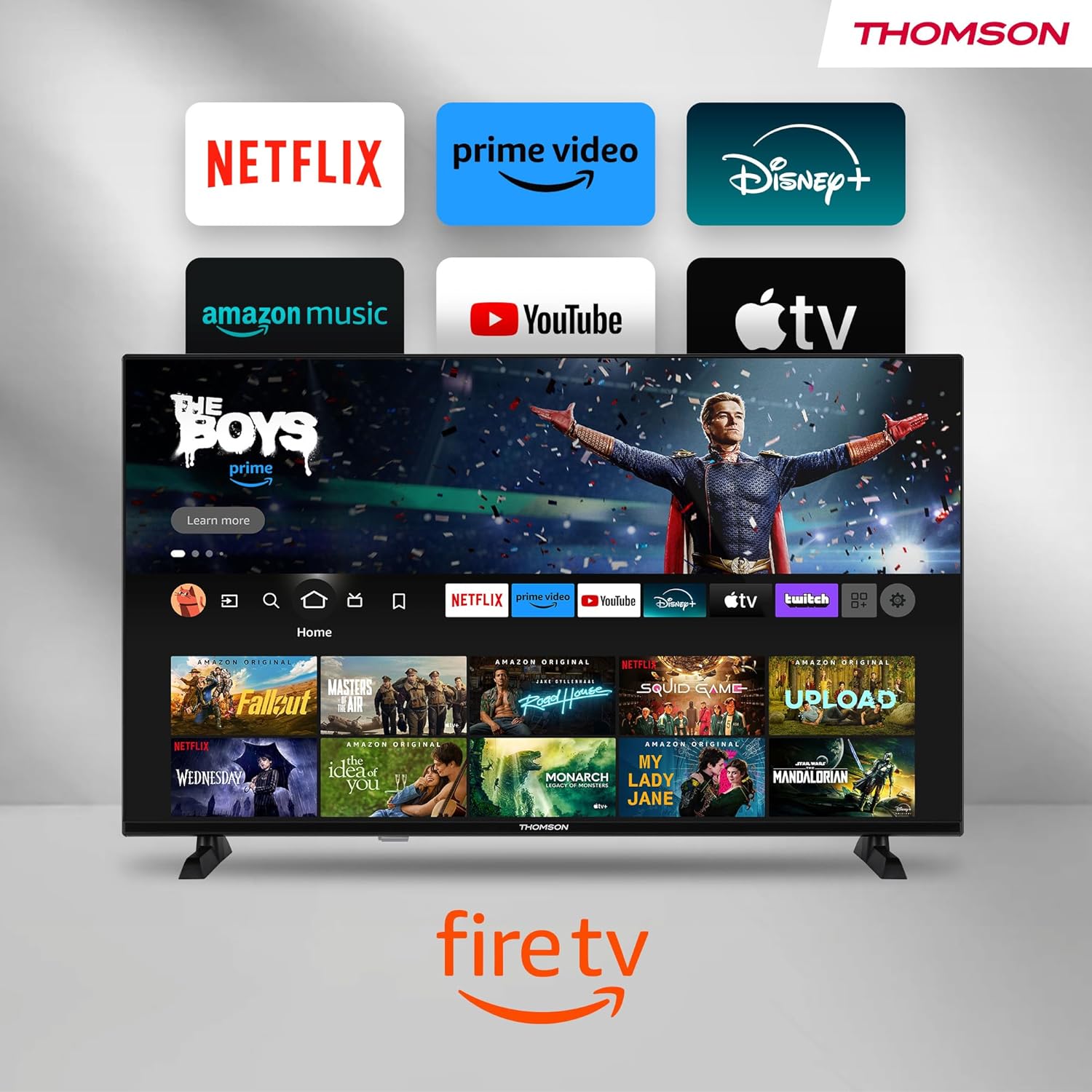
Image: The Fire TV home screen, showing a selection of popular streaming apps and content recommendations.
Navigate using the remote control's directional pad. The home screen provides personalized recommendations and quick access to your installed applications.
6.2 Glasovno upravljanje z Alexo
Use the integrated Alexa voice control for hands-free operation.
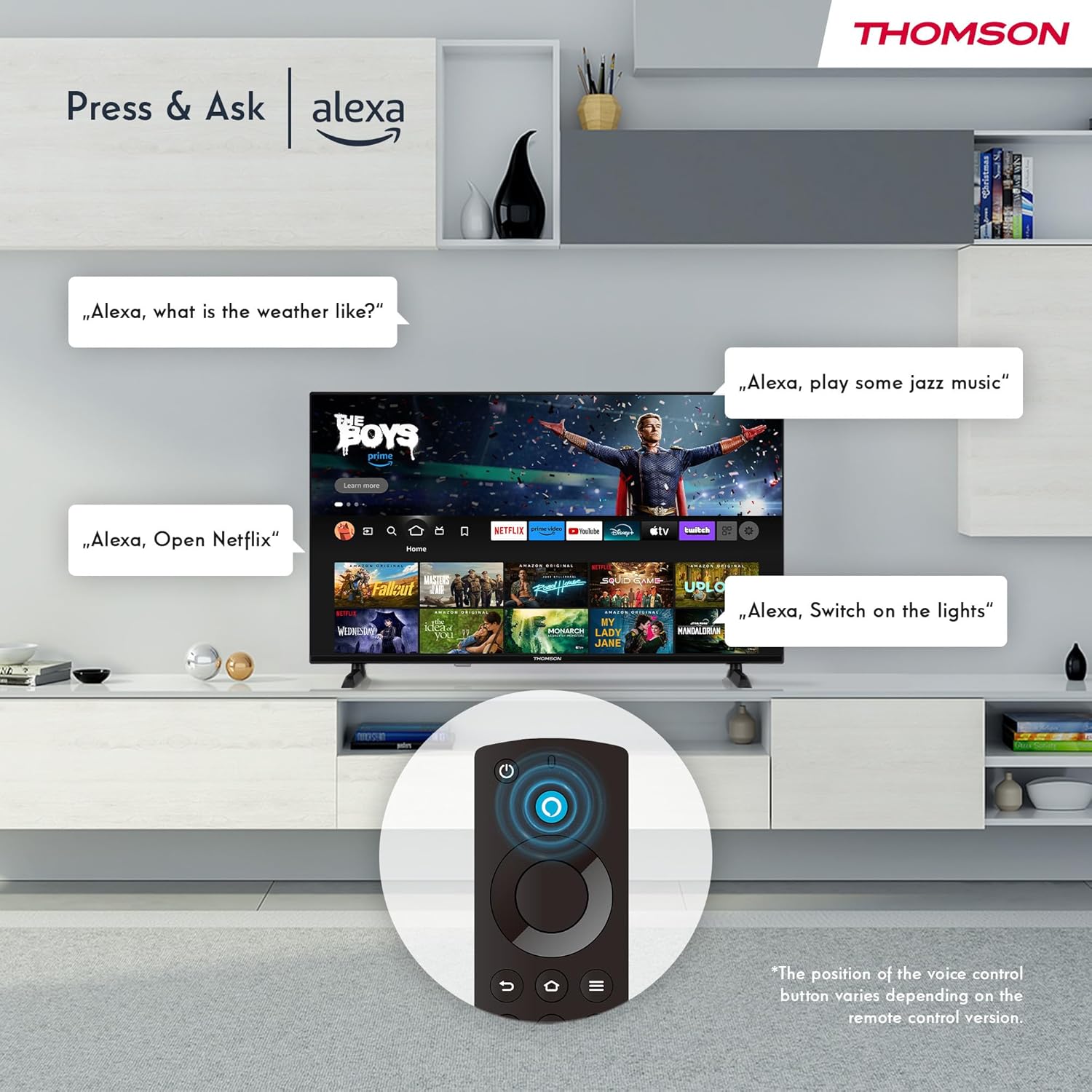
Image: Demonstrating Alexa voice commands for controlling the TV, searching content, and managing smart home devices.
Press the Alexa button on your remote and speak your command. You can ask Alexa to:
- Iskanje filmi ali televizijske oddaje.
- Zagon aplikacij.
- Control playback (pause, play, skip).
- Preverite vreme ali novice.
- Upravljajte združljive pametne domače naprave.
6.3 Integracija pametnega doma
Manage your connected smart home devices directly from your TV's integrated dashboard.

Image: The Smart Home dashboard, providing a centralized control panel for various smart devices in your home.
Access the Smart Home dashboard to monitor and control devices such as cameras, lights, and plugs.
6.4 AirPlay Functionality
Stream content directly from your Apple devices (iPhone, iPad, Mac) to your THOMSON Fire TV using AirPlay.

Image: A demonstration of Apple AirPlay, showing content being mirrored from an iOS device to the television screen.
Ensure both your Apple device and the TV are connected to the same Wi-Fi network. Select the AirPlay icon on your Apple device and choose your THOMSON TV from the list of available devices.
6.5 Creating User Profiles
Ustvarite profesionalca za več uporabnikovfiles for personalized content recommendations and settings.

Image: The user profile selection screen on Fire TV, allowing different users to have their own personalized viewizkušnje.
From the Fire TV home screen, navigate to the profile selection to add or switch profiles. Vsak profile can have its own watch history and app preferences.
6.6 HDR10 and Dolby Audio
Experience enhanced picture quality with HDR10 and immersive sound with Dolby Audio.

Image: A visual comparison demonstrating the improved contrast and color vibrancy offered by HDR10 technology.

Image: A graphic illustrating the immersive sound experience provided by Dolby Audio.
HDR10 provides a wider range of colors and contrasts, while Dolby Audio delivers rich, clear, and powerful sound.
6.7 Daljinski upravljalnik
The ergonomic Bluetooth remote control provides easy navigation and direct access to key features.
- Gumb Alexa: Pritisnite in držite, da aktivirate glasovne ukaze.
- Navigacijska plošča: For moving through menus and selecting items.
- Gumbi Netflix/Prime Video: Neposreden dostop do teh pretočnih storitev.
- Amazon Silk Button: Neposreden dostop do web brskalnik.
7. Vzdrževanje
Za zagotovitev dolge življenjske dobe in optimalnega delovanja vašega televizorja upoštevajte ta navodila za vzdrževanje:
- Čiščenje zaslona: Zaslon nežno obrišite z mehko krpo, ki ne pušča vlaken. Za trdovratne madeže uporabite čistilo za zaslone, posebej zasnovano za televizorje, ki ga nanesite na krpo in ne neposredno na zaslon.
- Čiščenje kabineta: Za brisanje ohišja televizorja uporabite mehko, suho krpo. Ne uporabljajte abrazivnih čistil ali topil.
- Prezračevanje: Prepričajte se, da prezračevalne odprtine na zadnji strani televizorja niso blokirane, da preprečite pregrevanje.
- Napajalni kabel: Redno preverjajte napajalni kabel glede morebitnih poškodb. Če je poškodovan, ga takoj zamenjajte.
8. Odpravljanje težav
Če imate težave s televizorjem, si oglejte naslednje pogoste težave in rešitve:
| Težava | Možen vzrok/rešitev |
|---|---|
| Brez moči | Check if the power cord is securely plugged into the TV and the wall outlet. Ensure the outlet is active. |
| Ni slike, vendar je zvok prisoten | Check input source. Ensure external devices are properly connected and powered on. |
| Ni zvoka, vendar je slika prisotna | Check volume level. Ensure Mute is not activated. Check audio cables for external devices. |
| Daljinski upravljalnik ne deluje | Check batteries. Ensure there are no obstructions between the remote and the TV. Re-pair the Bluetooth remote if necessary. |
| Ni mogoče vzpostaviti povezave z Wi-Fi | Ensure Wi-Fi is enabled on the TV. Check Wi-Fi password. Restart your router. Move TV closer to router. |
| Aplikacije so počasne ali zamrznjene | Restart the TV. Clear app cache or data in settings. Ensure sufficient internet speed. |
Če težava ne izgine, se obrnite na podporo strankam.
9. Specifikacije
| Funkcija | Podrobnost |
|---|---|
| Številka modela | 40FF2S34 |
| Velikost zaslona | 40.0 palcev (100 cm) |
| Tehnologija zaslona | LED |
| Resolucija | 1080p (polna visoka ločljivost) |
| Hitrost osveževanja | 60 Hz |
| Razmerje stranic | 16:9 |
| Povezljivost | Wi-Fi, Bluetooth 5.0, 2x HDMI 1.4, USB 2.0, AV IN, Audio Out, CI+, LAN |
| Uglaševalci | DVB-C, DVB-S2, DVB-T2 |
| Posebne lastnosti | Fire TV, Alexa Voice Control, AirPlay, HDR10, Dolby Audio, Smart Home Dashboard, User Profiles |
| Mere (s stojalom) | 90.2 x 55.4 x 17.5 cm (Š x V x G) |
| Teža | 9 kg |
| Ocena energetske učinkovitosti | E |
| Vključene komponente | Daljinski upravljalnik |
| Podprti jeziki | Spanish, French, English, Italian, Germanic languages |
10. Garancija in podpora
Your THOMSON Fire TV comes with a manufacturer's warranty. Please refer to the warranty card included in your package for specific terms and conditions.
For technical support, troubleshooting assistance, or warranty claims, please visit the official THOMSON support website or contact their customer service line. Keep your purchase receipt and model number (40FF2S34) handy when contacting support.
Spletna podpora: www.thomsonconsumer.com/support


