Uvod
This manual provides instructions for the setup, operation, and maintenance of your RadioShack Wireless Gaming Mouse. Please read this manual thoroughly before using the product to ensure proper function and longevity.
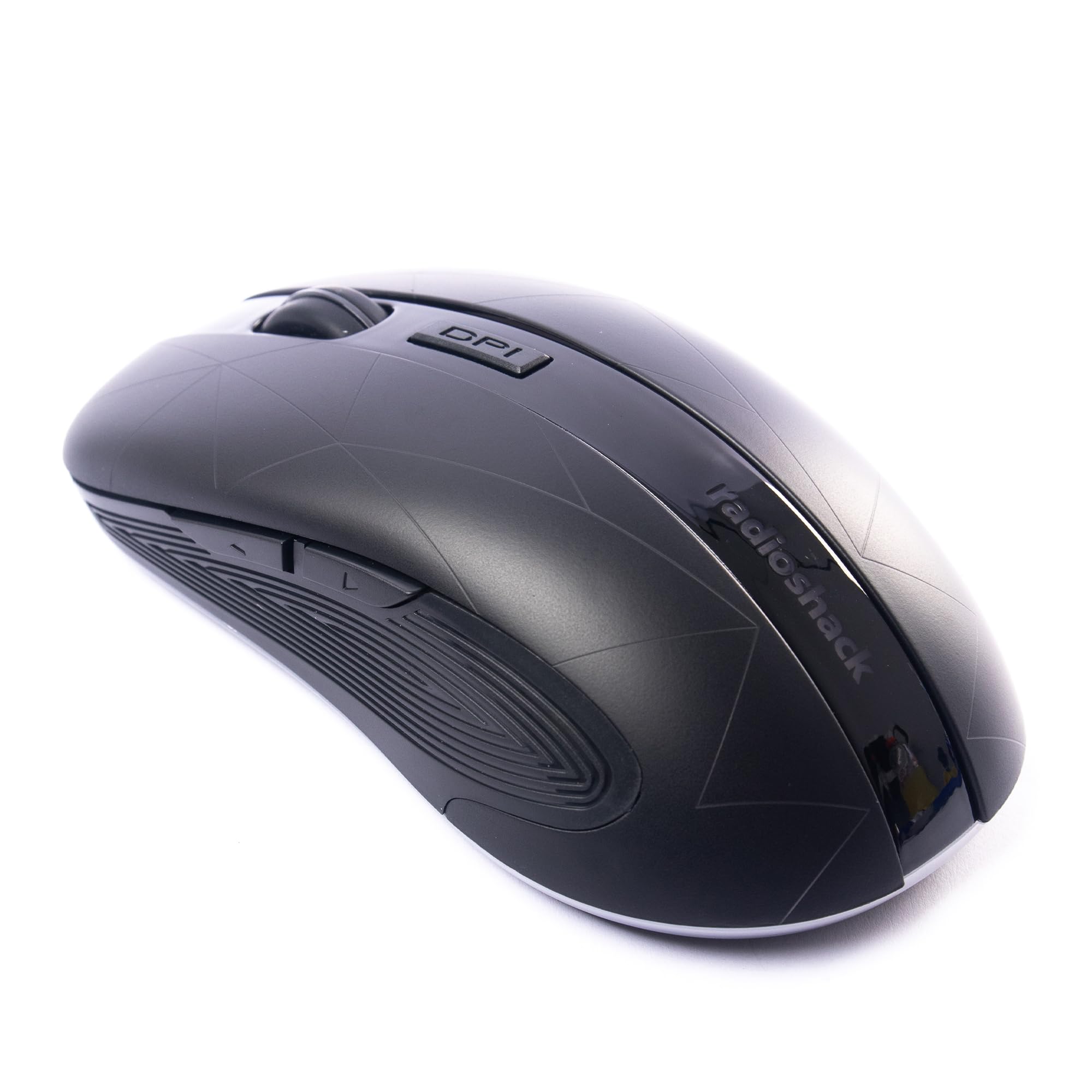
Image: The RadioShack Wireless Gaming Mouse, showcasing njegovo ergonomsko obliko in razporeditev gumbov.
Vsebina paketa
Preverite, ali so v paketu prisotni vsi elementi:
- 1 x RadioShack Wireless Gaming Mouse
- 1 x USB nano sprejemnik
- 1 x polnilni kabel

Image: An infographic detailing the contents of the product package, including the wireless gaming mouse.
Nastavitev
- Napolnite miško: Before first use, connect the mouse to a USB power source using the provided charging cable. The LED indicator will show charging status.
- Locate the USB Nano Receiver: The USB nano receiver is typically stored in a compartment on the underside of the mouse for convenience.
- Povežite sprejemnik: Insert the USB nano receiver into an available USB port on your computer (laptop or desktop).
- Vklop miške: Poiščite stikalo za vklop na spodnji strani miške in ga potisnite v položaj "VKLOP".
- Namestitev gonilnika: The mouse is plug-and-play. Your operating system (Windows, Mac, Linux, Chrome OS) should automatically detect and install the necessary drivers.

Image: The wireless gaming mouse shown alongside its compact USB nano receiver, ready for connection.
Navodila za uporabo
Osnovna funkcionalnost
The mouse operates like a standard wireless mouse. Move the mouse to control the cursor on your screen. Use the left and right click buttons for primary and secondary actions, respectively. The scroll wheel allows for vertical scrolling.
Prilagajanje DPI (občutljivosti)
The mouse features an adjustable DPI setting, allowing you to change cursor sensitivity. Press the gumb DPI located behind the scroll wheel to cycle through available DPI settings (800, 1200, 1600, 2400). Each press will change the sensitivity, indicated by a brief LED flash.

Slika: Stran view of the mouse, illustrating the location of the DPI button for sensitivity adjustments.
Programabilni gumbi
This mouse is equipped with 6 programmable buttons, including customizable side buttons. For advanced customization and macro assignments, you may need to download specific software from the RadioShack support website (if available). Refer to the software's instructions for detailed programming steps.

Image: The wireless gaming mouse from an angle, clearly showing the side buttons which can be programmed for various functions.
Polnjenje miške
The mouse uses a built-in rechargeable Lithium Ion battery. When the battery is low, the LED indicator may flash or change color. Connect the provided charging cable to the mouse's charging port and to a USB power source (e.g., computer USB port, USB wall adapter). The LED will indicate charging status and turn off or change color when fully charged.
A full charge typically provides several hours of use, depending on usage patterns.
Vzdrževanje
- Čiščenje: Za čiščenje miške uporabite mehko, suho krpo. Za trdovratno umazanijo rahloamp lahko uporabite krpo, pri čemer pazite, da v napravo ne vdre vlaga.
- Shranjevanje: When not in use for extended periods, turn off the mouse to conserve battery life. Store the USB nano receiver inside the mouse's compartment to prevent loss.
- Izogibajte se ekstremnim razmeram: Miške ne izpostavljajte ekstremnim temperaturam, neposredni sončni svetlobi ali visoki vlažnosti.
Odpravljanje težav
| Težava | rešitev |
|---|---|
| Miška se ne odziva |
|
| Zakasnitev ali občasna povezava |
|
| Premikanje kurzorja je neenakomerno ali nenatančno |
|
Specifikacije
- Številka modela: 2604789
- Povezljivost: 2.4 GHz brezžično
- Gumbi: 6 (programabilne)
- Nastavitve DPI: 800, 1200, 1600, 2400 (nastavljivo)
- Zaznavanje gibanja: Optični
- Baterija: 1 Lithium Ion (Rechargeable, included)
- Območje delovanja: Do 10 metre
- Združljivost: Windows, Mac, Linux, Chrome OS
- Dimenzije: 4.9 cm x 2.6 cm x 1.5 cm
- Teža: 6.2 unč
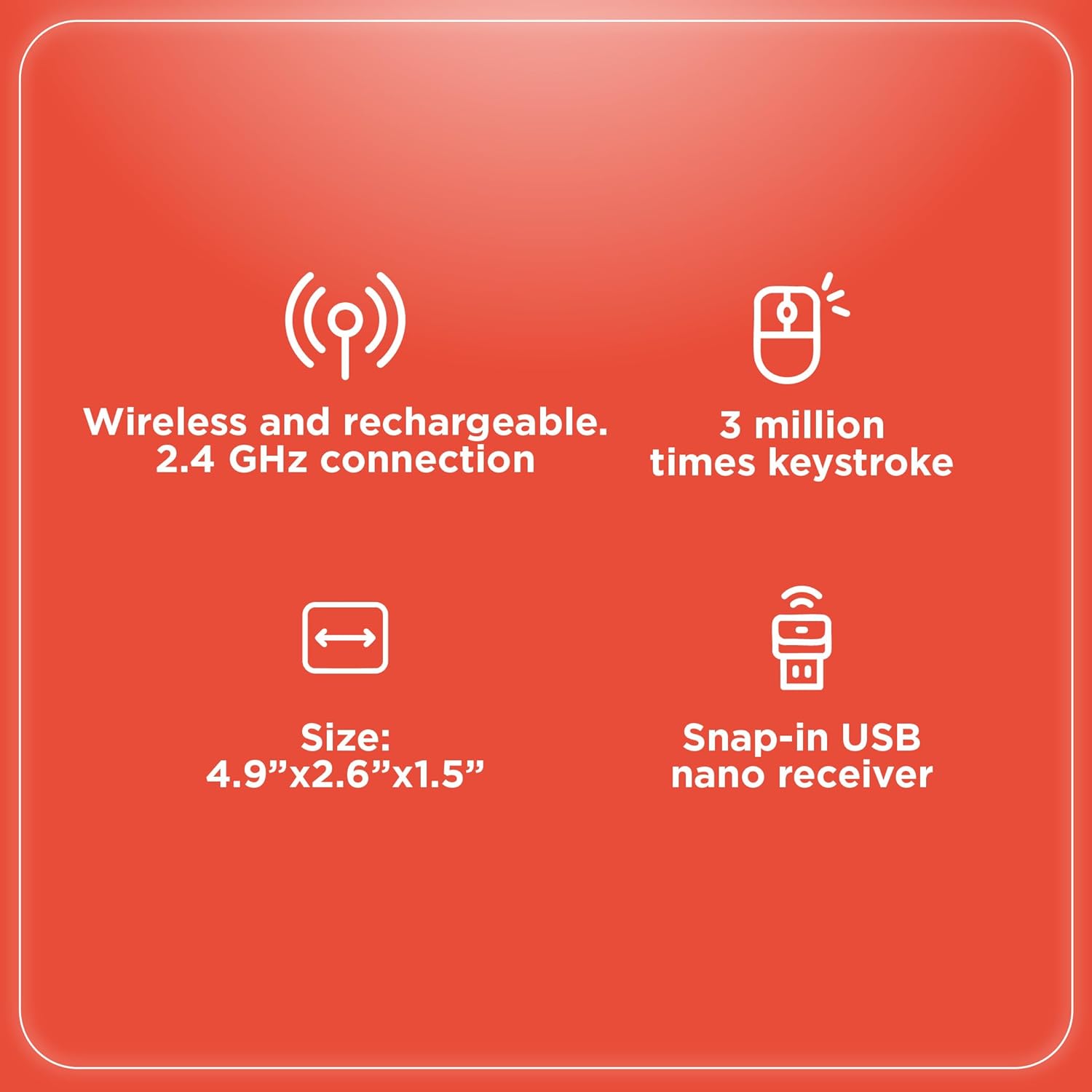
Image: An infographic summarizing key specifications of the wireless gaming mouse, including connectivity, battery, and dimensions.
Garancija in podpora
For warranty information and technical support, please refer to the official RadioShack webspletno mesto ali se obrnite na njihovo službo za stranke. Račun shranite kot dokazilo o nakupu za uveljavljanje garancije.
Proizvajalec: RadioShack
Prvič na voljo: 28. avgust 2024


