1. Uvod
Hvala za nakupasing the Salange HY300Pro Mini Projector. This manual provides essential information for setting up, operating, and maintaining your projector. Please read it thoroughly before use to ensure optimal performance and longevity of your device.
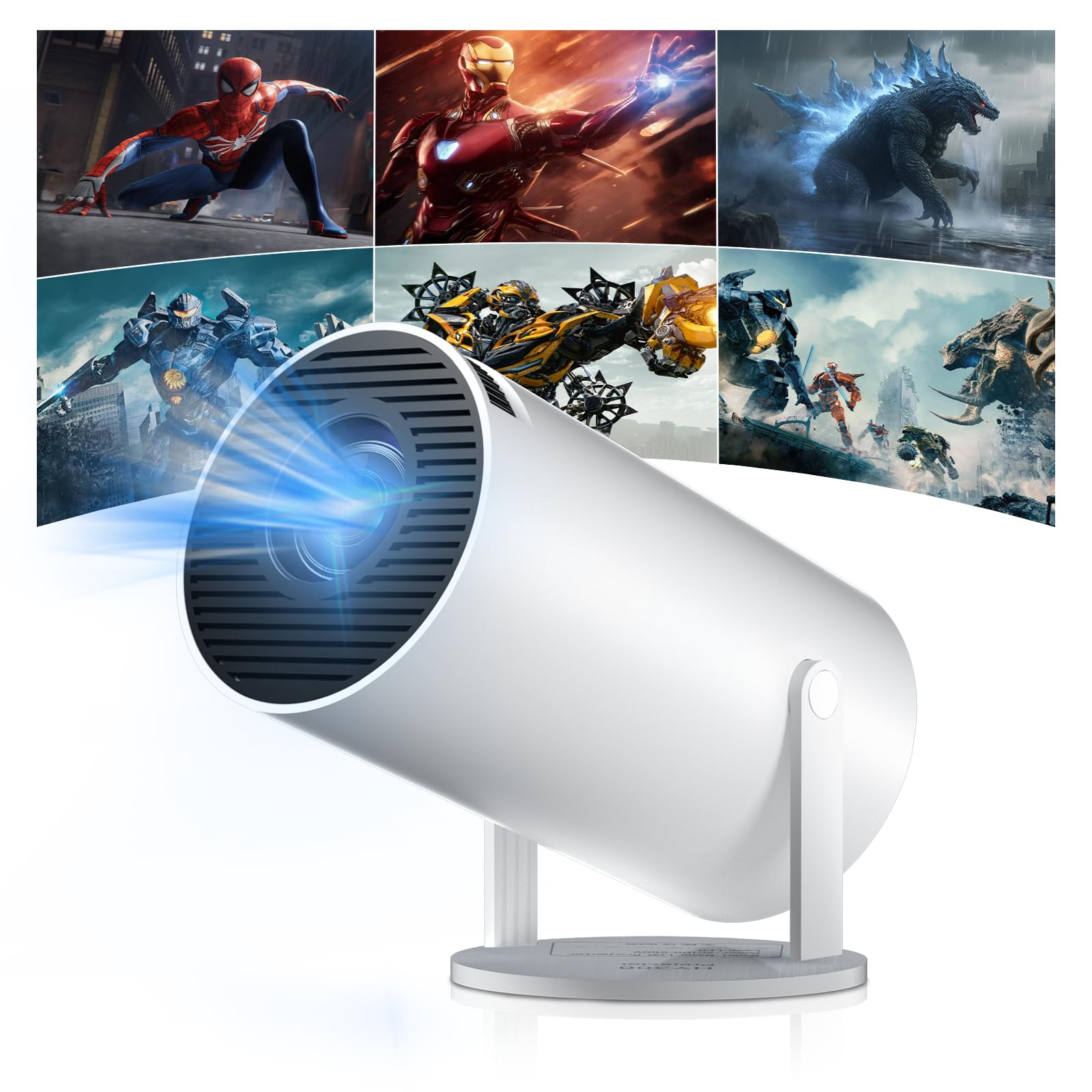
Figure 1: Salange HY300Pro Mini Projector
2. Izdelek je končanview
Ključne značilnosti
- Dual-Band WiFi 6 & Bluetooth 5.4: Ensures fast and stable network connectivity and seamless audio pairing with external speakers or headphones.
- Operacijski sistem Android 11.0: Supports installation of various applications directly on the projector for versatile entertainment and productivity.
- 4K Support & Native 720P Resolution: Delivers clear and vibrant images, supporting 1080P and 4K video playback.
- 180° vrtenje: Flexible projection angles for various setups, including ceiling, wall, or angled surfaces.
- Automatic Keystone Correction & Manual Focus: Intelligently corrects image distortion and allows for fine-tuning clarity.
- Kompakten in prenosen dizajn: Weighs only 700g, making it easy to transport for outdoor activities or different rooms.

Slika 2: Konecview of Salange HY300Pro features including 8K support, WiFi 6, Bluetooth 5.4, 180° rotation, and auto keystone correction.
Kaj je v škatli
- 1 x Salange HY300Pro Projector
- 1 x uporabniški priročnik
- 1 x napajalni kabel
- 1 x daljinski upravljalnik

Figure 3: Contents of the Salange HY300Pro package.
3. Nastavitev
3.1 Razpakiranje in namestitev
- Previdno odstranite vse komponente iz embalaže.
- Projektor postavite na stabilno, ravno površino. Zagotovite zadostno prezračevanje okoli naprave.
- The projector's 180° rotation feature allows flexible placement. Adjust the projector's angle to project onto a wall, ceiling, or screen as desired.

Figure 4: Projector demonstrating 180-degree rotation for various projection surfaces.
3.2 Napajalni priključek
Connect the provided power cable to the projector's power input and then to a power outlet.
3.3 Začetni vklop in nastavitev ostrenja
- Pritisnite gumb za vklop na projektorju ali daljinskem upravljalniku, da vklopite napravo.
- The projector features automatic keystone correction. It will intelligently detect and correct image distortion to ensure a square image.
- For fine-tuning the image clarity, use the manual focus adjustment ring on the projector.

Figure 5: Illustration of automatic keystone correction and manual focus adjustment.
3.4 Omrežna povezava (WiFi)
- Na začetnem zaslonu projektorja pojdite v meni »Nastavitve«.
- Select 'Network & Internet' and enable Wi-Fi.
- Choose your desired Wi-Fi network from the list and enter the password if prompted. The projector supports dual-band 2.4G + 5G WiFi 6 for fast and stable connections.

Figure 6: Visual representation of the projector's WiFi 6 capabilities for ultra-fast streaming.
3.5 Bluetooth seznanjanje
- From the 'Settings' menu, select 'Connected Devices' or 'Bluetooth'.
- Omogočite Bluetooth in poiščite razpoložljive naprave.
- Na seznamu izberite Bluetooth zvočnik ali slušalke za seznanitev.

Figure 7: Projector connected to various Bluetooth audio devices.
3.6 Priključitev zunanjih naprav
The projector supports HDMI and USB connections.
- HDMI: Connect your laptop, game console, Blu-ray player, or TV stick using an HDMI cable. Select the corresponding HDMI input source from the projector's input menu.
- USB: Vstavite pogon USB za predvajanje medijev files directly. Access the files through the media player application on the Android OS.
4. Navodila za uporabo
4.1 Navigacija po operacijskem sistemu Android
The Salange HY300Pro runs on Android 11.0, providing a smart TV experience.
- Use the remote control to navigate through the home screen, applications, and settings.
- The interface is intuitive, similar to an Android smartphone or tablet.

Figure 8: Projector displaying the Android OS home screen with various streaming apps.
4.2 Upravljanje aplikacij
You can install and manage applications directly on the projector.
- Access the app store (e.g., Google Play Store) to download streaming services, games, and productivity tools.
- To uninstall an app, go to 'Settings' > 'Apps' and select the desired app.
4.3 Zrcaljenje zaslona
Mirror your smartphone or tablet screen to the projector wirelessly.
- Prepričajte se, da sta vaša naprava in projektor povezana z istim omrežjem Wi-Fi.
- On the projector, select the screen mirroring function (e.g., 'Miracast', 'AirPlay', or 'Screen Share').
- On your smartphone/tablet, enable screen mirroring and select the projector from the list of available devices.
4.4 Nastavitve slike in zvoka
Adjust various settings to optimize your viewizkušnje.
- Nastavitve slike: Access 'Settings' > 'Display' to adjust brightness, contrast, color, and aspect ratio.
- Nastavitve zvoka: Access 'Settings' > 'Sound' to adjust volume, sound mode, and output device.

Figure 9: Projector displaying a large image, illustrating its ability to create a home cinema experience.
5. Vzdrževanje
5.1 Čiščenje leče
Za nežno brisanje leče projektorja uporabite mehko krpo, ki ne pušča vlaken in je posebej zasnovana za optične leče. Ne uporabljajte abrazivnih čistil ali prekomerne sile.
5.2 Prezračevanje
Ensure the projector's ventilation vents are clear of dust and obstructions. Blocked vents can lead to overheating and reduced performance. Periodically clean the vents with a soft brush or compressed air.
5.3 Shranjevanje
Ko projektorja dalj časa ne uporabljate, ga shranite na hladnem in suhem mestu, stran od neposredne sončne svetlobe in ekstremnih temperatur. Za preprečevanje nabiranja prahu in poškodb uporabite originalno embalažo ali zaščitno torbico.
6. Odpravljanje težav
| Težava | Možen vzrok | rešitev |
|---|---|---|
| Nobena slika ni prikazana | Power cable disconnected; Incorrect input source; Projector in standby mode. | Check power connection; Select correct HDMI/USB input; Press power button to wake up. |
| Slika je zamegljena | Fokus ni nastavljen; Projektor je preveč daleč/blizu platna. | Adjust manual focus ring; Ensure projector is within optimal projection distance. |
| Brez zvoka | Volume too low; Muted; Incorrect audio output selected; Bluetooth device not paired. | Increase volume; Unmute; Check audio settings; Re-pair Bluetooth device. |
| Težave s povezavo Wi-Fi/Bluetooth | Incorrect password; Out of range; Interference. | Verify password; Move closer to router/device; Reduce interference from other electronics. |
| Daljinski upravljalnik ne deluje | Dead batteries; Obstruction; Not paired. | Zamenjajte baterije; Odstranite ovire; Po potrebi ponovno seznanite daljinski upravljalnik. |
7. Specifikacije
| Funkcija | Podrobnost |
|---|---|
| Znamka | Salange |
| Številka modela | X-HY300PRO |
| serija | Salange Mini Beamer |
| barva | Bela |
| Vrsta zaslona | LCD |
| Izvorna ločljivost | 1280 x 720p |
| Največja ločljivost zaslona | 3840 x 2160 (podprto 4K) |
| Tehnologija povezljivosti | Bluetooth, Wi-Fi (WiFi 6) |
| Strojni vmesnik | Bluetooth, HDMI, USB |
| Združljive naprave | Smartphones, Laptops, Game Consoles, Blu-ray Players, Media Players |
| Mere predmeta (D x Š x V) | 9.5 x 9.5 x 15.7 centimetrov |
| Posebne lastnosti | Wi-Fi Compatible, Digital Keystone Correction, Lightweight, Portable, 180° Rotation |
| Priporočene uporabe | Business, Home Cinema, Gaming, Education |
| Faktor oblike | Prenosni |
| Vrsta namestitve | Namizni nosilec |
8. Garancija in podpora
For warranty information and technical support, please refer to the documentation included with your purchase or visit the official Salange webspletnega mesta. Shranite dokazilo o nakupu za uveljavljanje garancije.