1. Uvod
Thank you for choosing the Sheawasy Digital Camera SHXJ-02. This compact and user-friendly camera is designed for beginners, offering 1080P Full HD photo and video capabilities. It features dual screens, a 16X digital zoom, and an LED fill light, making it suitable for capturing everyday moments, selfies, and vlogs. This manual provides essential information for setting up, operating, and maintaining your camera.
2. Izdelek je končanview
Seznanite se s komponentami in upravljalnimi elementi fotoaparata.

Figure 2.1: Camera Components and Controls Diagram
This diagram illustrates the various components and controls of the Sheawasy SHXJ-02 Digital Camera, highlighting the main screen, front screen, lens, LED fill light, and all operational buttons.

Slika 2.2: Spredaj in zadaj View kamere
Celovit view of the Sheawasy SHXJ-02 Digital Camera, displaying its front with the lens and front screen, and its back with the main display and navigation controls.
Lastnosti kamere:
- Dvojni zasloni: 2.4-inch main screen and 1.5-inch front screen for versatile shooting.
- 1080P FHD: High-definition photo and video capture.
- 16-kratni digitalni zoom: Za podrobne posnetke povečajte motive.
- Samodejno ostrenje: Automatically adjusts focus for clear images.
- LED polnilna lučka: Izboljša vidljivost v slabih svetlobnih pogojih.
- Glasbena funkcija: Predvajajte zvok MP3 files directly from the camera.
- Kompaktna zasnova: Lahek in prenosljiv za uporabo na poti.
- Built-in 32GB Storage: Amppusti prostor za fotografije in videe.
3. Nastavitev
3.1 Namestitev in polnjenje baterije
The camera is powered by an included Lithium Polymer battery. Ensure the battery is fully charged before initial use. Connect the camera to a power source using the provided USB cable. The charging indicator will show the charging status.
3.2 Vstavljanje pomnilniške kartice
A 32GB memory card is included with your camera. Locate the memory card slot, typically on the side or bottom of the camera. Insert the memory card gently until it clicks into place. Ensure it is inserted in the correct orientation to avoid damage.
4. Navodila za uporabo
4.1 Vklop/izklop
To power on the camera, press and hold the Power button located on the top of the device. To power off, press and hold the Power button again until the screen turns off.
4.2 Fotografiranje
- Vklopi kamero.
- Frame your shot using either the main rear screen or the front screen for selfies.
- The camera features autofocus. Allow it a moment to adjust for clarity.
- Press the Shutter button firmly to capture the photo.
4.3 Snemanje videoposnetkov
- Vklopi kamero.
- Switch to video recording mode using the Mode button.
- Press the Shutter button once to start recording.
- Ponovno pritisnite gumb Sprožilec, da ustavite snemanje.
4.4 Uporaba dvojnih zaslonov
The camera is equipped with a 2.4-inch main screen on the back and a 1.5-inch front screen. The front screen is particularly useful for:
- Selfiji: Easily compose self-portraits.
- Vlogiranje: Monitor your framing while recording videos of yourself.
- Composition Adjustment: Ensure everyone is in the frame for group shots.
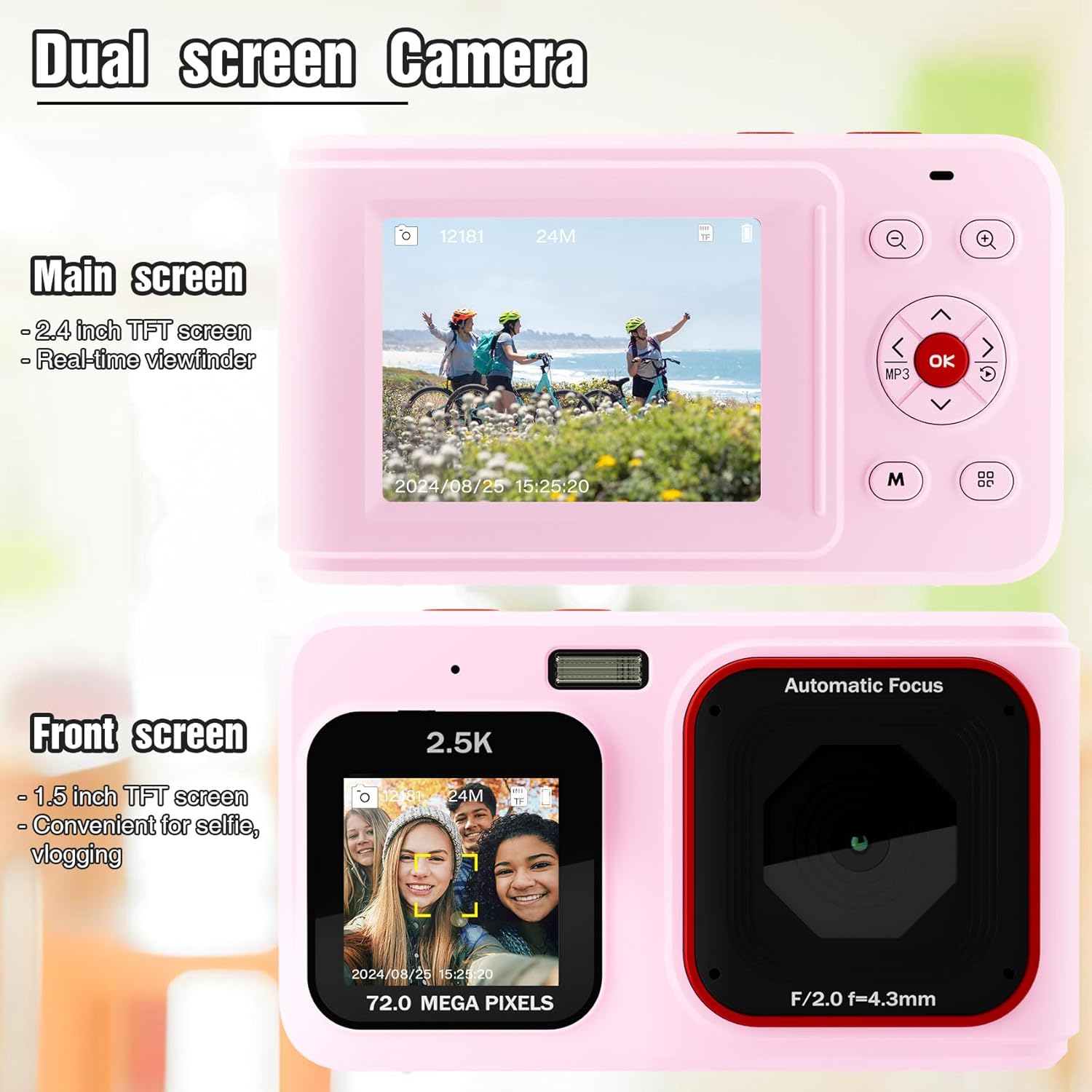
Figure 4.1: Dual Screen Functionality
This image highlights the camera's dual screen feature, with the larger rear screen for general viewing and a smaller front screen ideal for selfies and vlogging.
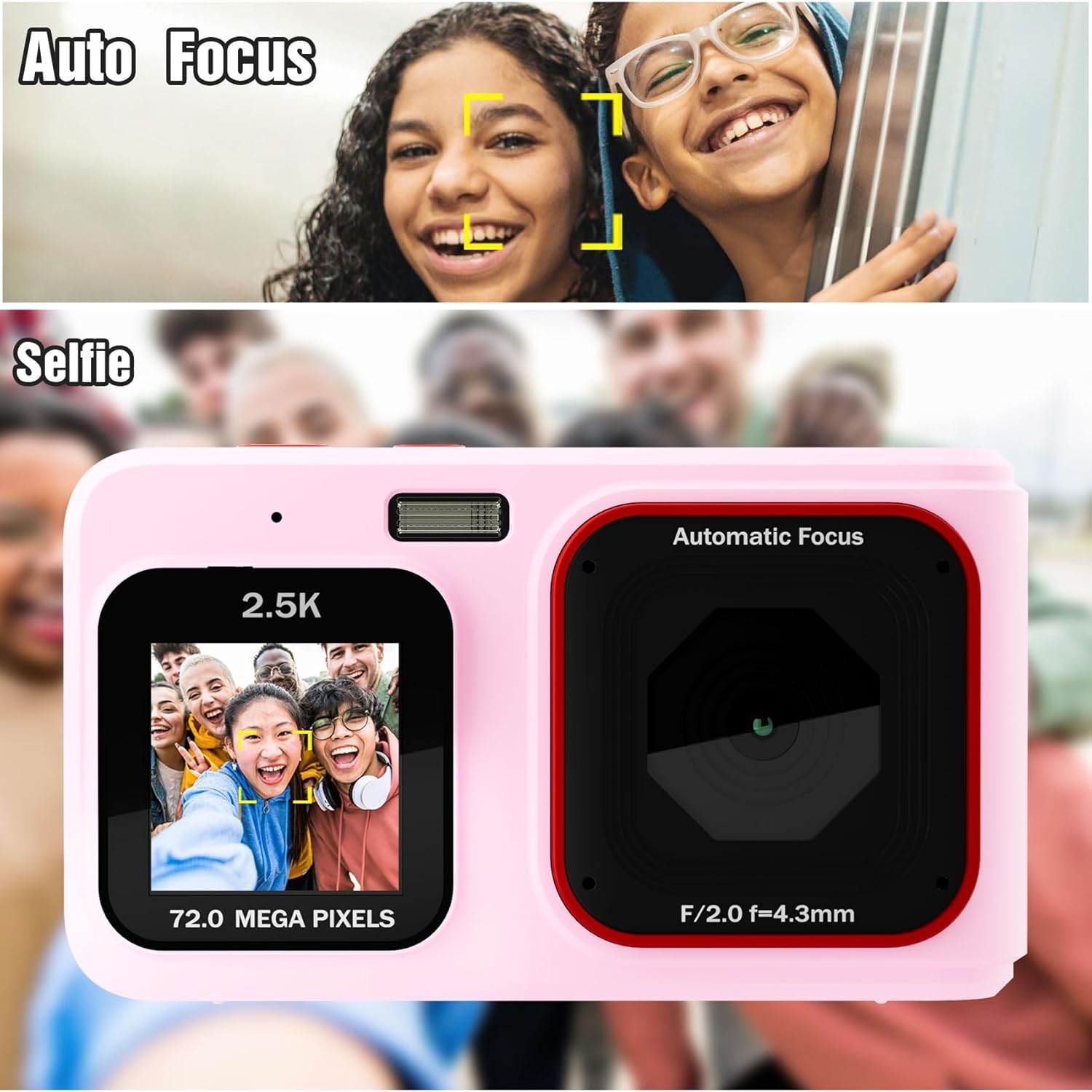
Figure 4.2: Autofocus and Selfie Mode
This visual explains the camera's autofocus capability, which helps in capturing clear subjects, and illustrates its use in selfie mode with the front screen.
4.5 Digitalni zoom
Use the Zoom In (+) and Zoom Out (-) buttons to digitally magnify or reduce your subject. The camera features 16X digital zoom. Note that digital zoom may reduce image quality compared to optical zoom.
4.6 LED Fill Light
For shooting in low-light environments, activate the built-in LED fill light. Refer to the camera's menu or a dedicated button (if available) to toggle this feature on or off.

Figure 4.3: LED Fill Light in Action
This image illustrates the effectiveness of the built-in LED fill light, showing how it improves visibility and detail in low-light photography compared to not using it.
4.7 Music Playback Function
The camera includes a music playback feature. Press the dedicated MP3 button to access music files stored on the memory card. You can connect headphones via the 3.5mm audio jack for private listening.

Figure 4.4: Music Functionality
This image demonstrates the camera's integrated music playback feature, including the 3.5mm audio jack for headphones.
4.8 Način predvajanja
Za ponovnoview your captured photos and videos, switch to Playback mode using the Mode button. Use the navigation buttons to browse through your media. Press the OK button to view izbrani predmet.
5. Vzdrževanje
5.1 Čiščenje fotoaparata
- Za čiščenje ohišja fotoaparata uporabite mehko, suho krpo.
- For the lens and screens, use a specialized lens cleaning cloth and solution to avoid scratches.
- Ne uporabljajte močnih kemikalij ali abrazivnih materialov.
5.2 Shranjevanje
Fotoaparat shranjujte na hladnem in suhem mestu, stran od neposredne sončne svetlobe in ekstremnih temperatur. Če ga shranjujete dlje časa, odstranite baterijo.
6. Odpravljanje težav
- Kamera se ne vklopi: Prepričajte se, da je baterija popolnoma napolnjena in pravilno vstavljena.
- Images are blurry or dark: Check lighting conditions. Use the LED fill light in low light. Hold the camera steady during capture. Note that this is an entry-level camera, and image quality expectations should be set accordingly.
- Ne morem view images on camera: Ensure you are in Playback mode. Navigate through files using the directional buttons.
- Napaka pomnilniške kartice: Reinsert the memory card. If the issue persists, try formatting the card (this will erase all data) or use a different compatible memory card.
- Kamera se zamrzne: Za ponastavitev fotoaparata odstranite in ponovno vstavite baterijo.
7. Specifikacije
| Funkcija | Specifikacija |
|---|---|
| Ime modela | SHXJ-02 |
| Znamka | Sheawasy |
| Video ločljivost | 1080p FHD |
| Učinkovita še vedno ločljivost | 1 MP |
| Digitalni zoom | 16X |
| Tehnologija foto senzorja | CMOS |
| Velikost zaslona | 2.4 Inches (Main), 1.5 Inches (Front) |
| Zmogljivost pomnilnika | 32 GB (vgrajeno) |
| Vrsta baterije | Litijev polimer |
| Tehnologija povezljivosti | USB |
| Podprto File Oblika | AVI (videoposnetek) |
| Samodejno ostrenje | Yes (Contrast Detection) |
| LED lučka za polnjenje | ja |
| Stopnja vodoodpornosti | Ni vodoodporen |
8. Garancija in podpora
For warranty information and technical support, please refer to the documentation included with your purchase or contact Sheawasy customer service. Keep your purchase receipt as proof of purchase for any warranty claims.
For further assistance, please visit the official Sheawasy webspletno mesto ali se obrnite na njihove kanale za podporo.


