1. Uvod
This manual provides essential instructions for the safe and efficient operation, setup, and maintenance of your OMTech 30W MOPA Fiber Laser Engraver with Rotary Axis, Model LYF-30JW(S). Please read this manual thoroughly before operating the machine to ensure proper usage and to prevent damage or injury.
The OMTech 30W MOPA Fiber Laser Engraver is designed for precise and high-speed marking and engraving on various materials, including metals and certain plastics. It features a robust 30W JPT fiber laser source, a 5.9"x5.9" (150x150mm) work area, and comes with a rotary axis for cylindrical object engraving.
2. Varnostna navodila
WARNING: This is a Class 2 laser product. Always wear appropriate laser safety glasses when operating the machine. Never look directly into the laser beam.
- Ensure the machine is properly grounded before use.
- Operate the laser engraver in a well-ventilated area to dissipate fumes and debris.
- Na delovnem območju naj ne bo vnetljivih materialov.
- Med delovanjem stroja ne puščajte brez nadzora.
- Seznanite se z lokacijo in funkcijo gumba za zaustavitev v sili.
- Only trained personnel should operate or maintain the machine.
- Avoid placing reflective materials in the laser path without proper precautions.
3. Sestavni deli izdelka
The OMTech 30W MOPA Fiber Laser Engraver system includes the main laser unit, a rotary axis attachment, and necessary cables and software.

Image 3.1: The OMTech 30W MOPA Fiber Laser Engraver with the rotary axis accessory.
3.1 Main Laser Unit
- Laser Head (Galvo Scanner): Directs the laser beam.
- Delovna platforma: The base where materials are placed for engraving.
- Nadzorna plošča: Includes power switch, emergency stop, and key switch.
- Focusing Column: Adjustable column for setting the correct focal distance.
- Dual Red Dot Locators: Aids in precise material positioning and focusing.
3.2 Rotary Axis
The included rotary axis allows for engraving on cylindrical or irregularly shaped objects.

Image 3.2: The laser engraver shown with the rotary axis connected, ready for cylindrical object engraving.
4. Navodila za namestitev
4.1 Razpakiranje in namestitev
- Previdno odstranite vse komponente iz embalaže.
- Laserski graver postavite na stabilno, ravno površino v dobro prezračevanem prostoru.
- Zagotovite dovolj prostora okoli stroja za delovanje in vzdrževanje.
4.2 Električna povezava
- Connect the power cable to the machine and a grounded electrical outlet.
- Zagotovite voltage ustreza zahtevam stroja.
4.3 Namestitev programske opreme
The engraver is compatible with LightBurn and EZCad software. Install the software on your computer using the provided media or by downloading the latest version from the official OMTech webmesto.
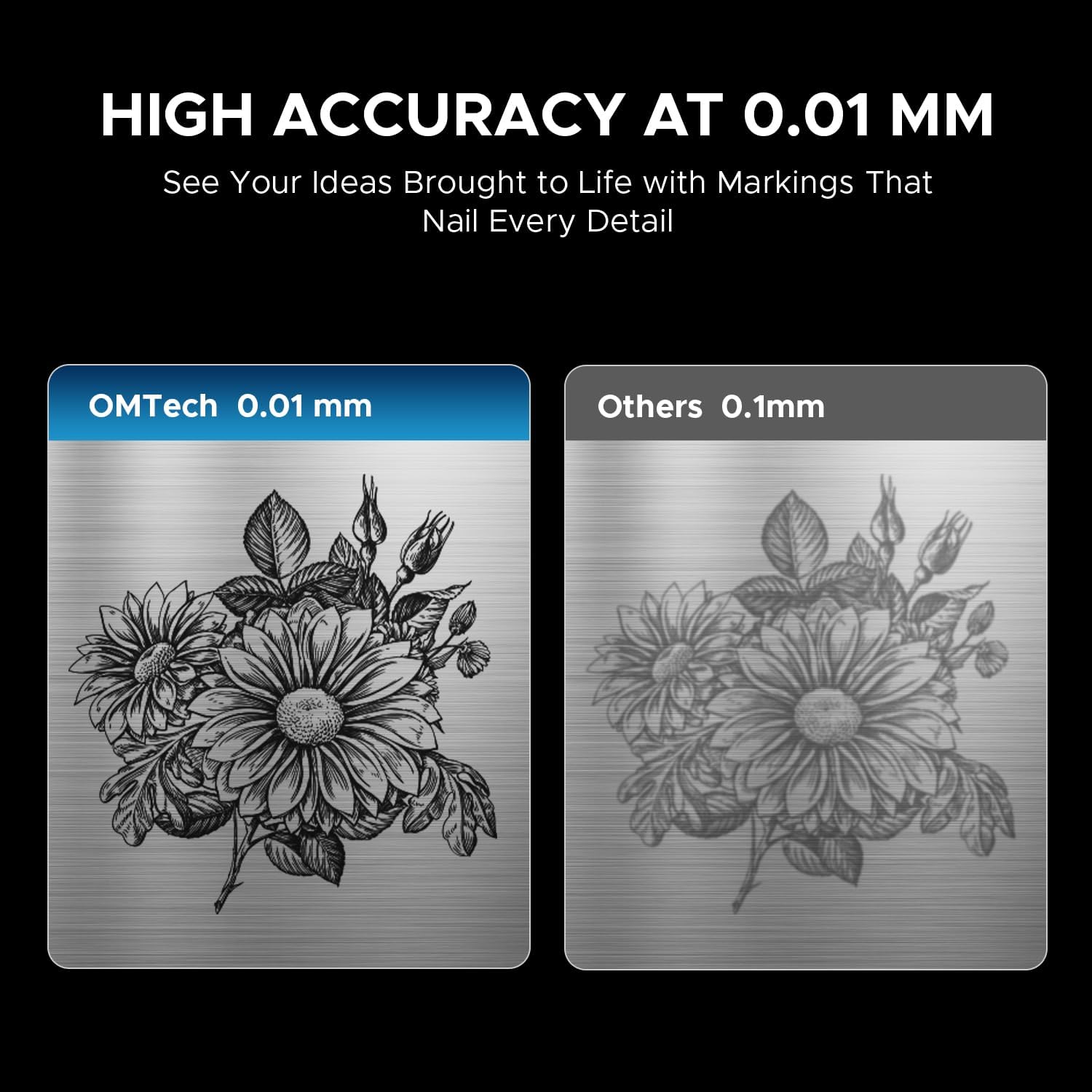
Image 4.1: The laser engraver connected to a computer, illustrating software compatibility and setup.
4.4 Rotary Axis Connection (Optional)
- If using the rotary axis, connect its cable to the designated port on the main laser unit.
- Securely mount the rotary axis to the work platform if required for your application.
5. Navodila za uporabo
5.1 Vklop
- Insert the key into the key switch and turn it to the 'ON' position.
- Pritisnite glavni gumb za vklop.
- The machine will initialize.
5.2 Priprava in namestitev materiala
Ensure your material is clean and free of obstructions. Place the material securely on the work platform or within the rotary axis chuck.
5.3 Fokusiranje laserja
Use the dual red dot locators to achieve the correct focal distance. Adjust the height of the laser head until the two red dots converge into a single, sharp point on the material surface. This ensures optimal engraving quality and depth.
5.4 Software Operation (LightBurn/EZCad)
- Launch the engraving software (LightBurn or EZCad) on your computer.
- Import or create your design.
- Set engraving parameters such as power, speed, frequency, and pulse width according to your material and desired effect. Refer to the software's user manual for detailed parameter guidance.
- Prejview the engraving path to confirm positioning.
5.5 Postopek graviranja
- Ensure all safety precautions are in place, including wearing laser safety glasses.
- Initiate the engraving job from the software.
- Monitor the engraving process. In case of any issue, press the emergency stop button immediately.
- Once complete, wait for the laser to stop before removing the engraved material.
5.6 Združljivi materiali
The OMTech 30W MOPA Fiber Laser Engraver is suitable for marking and engraving a wide range of materials:

Slika 5.1: Primeramples of materials that can be engraved with the OMTech MOPA Fiber Laser.
- Metals: Brass, Gold, Silver, Aluminum, Titanium, Tungsten, Stainless Steel.
- Other Materials: Brick, Tile, Marble, Granite.
5.7 Engraving Performance
The machine offers high speed and precision for various applications.

Image 5.2: Illustration of the high engraving speed capability of fiber lasers compared to other laser types.

Slika 5.3: Primerample of engraving depth, demonstrating the machine's capability for multi-pass cutting up to 0.8 mm.

Image 5.4: Visual comparison highlighting the 0.01 mm engraving accuracy of the OMTech laser.
6. Vzdrževanje
Redno vzdrževanje zagotavlja dolgo življenjsko dobo in optimalno delovanje vašega laserskega graverja.
- Čiščenje leče: Periodically inspect and clean the laser lens using specialized lens cleaning solutions and wipes to prevent dust and debris from affecting beam quality.
- Čiščenje delovnega območja: Keep the work platform and surrounding area clean from engraved material residue.
- Pregled kabla: Redno preverjajte vse kable glede znakov obrabe ali poškodb. Poškodovane kable takoj zamenjajte.
- Zračne reže: Ensure the machine's air vents are clear and unobstructed to maintain proper cooling.
The fiber laser source has an estimated service life of over 100,000 hours, requiring minimal maintenance for the laser source itself.
7. Odpravljanje težav
This section addresses common issues you might encounter. For more complex problems, please contact OMTech support.
- Brez laserskega izhoda:
- Check if the machine is powered on and the key switch is in the 'ON' position.
- Ensure the emergency stop button is not engaged.
- Verify all cables are securely connected. - Slaba kakovost graviranja:
- Re-check the laser focus. The red dots should converge perfectly.
- Clean the laser lens if it appears dirty.
- Adjust engraving parameters (power, speed, frequency, pulse width) for the specific material.
- Ensure the material is flat and securely placed. - Težave s povezavo programske opreme:
- Restart both the machine and the computer.
- Check USB cable connection.
- Reinstall software drivers if necessary. - Rotacijska os ne deluje:
- Ensure the rotary axis is correctly connected to the main unit.
- Verify that the rotary axis settings are enabled and configured in the software.
8. Specifikacije
| Funkcija | Specifikacija |
|---|---|
| Številka modela | LYF-30JW(S) |
| Laserska moč | 30 W |
| Laserski vir | JPT Fiber Laser |
| Laserska valovna dolžina | 1064 nm |
| maks. Hitrost označevanja | 10,000 mm/s |
| Natančnost označevanja | 0.01 mm |
| Največja globina označevanja v enem prehodu | 0.08 mm |
| Frekvenčno območje | 1-4000 kHz |
| Adjustable Pulse Width | 2–500 ns |
| Delovno območje | 5.9" x 5.9" (150 mm x 150 mm) |
| Ocenjena življenjska doba laserja | 100,000+ ur |
| Hladilni sistem | Zračno hlajenje |
| Združljiva programska oprema | LightBurn (Windows 7, 8, 10, 11, macOS), EZCad2 |
| Podprti formati slik | .bmp, .gif, .jpg, .jpeg, .dxf, .dst, .ai |
| Dimenzije (D x Š x V) | 15.8 x 13.4 x 21.3 palcev |
| Neto teža | 40 lb. |
| Certifikati | FDA, CE |
Opomba: Specifikacije se lahko spremenijo brez predhodnega obvestila.
9. Podpora in garancija
9.1 Podpora strankam
For technical assistance, troubleshooting, or any inquiries regarding your OMTech laser engraver, please contact our support team:

Image 9.1: OMTech customer support contact details.
- telefon: +1 (949) 438-4949
- Splošni e-poštni naslov: SUPPORT@OMTECHLASER.COM
- E-pošta tehnične podpore: TECHSUPPORT@OMTLASER.COM
Support is available 24/7.
9.2 Informacije o garanciji
Please refer to the official OMTech website or your purchase documentation for detailed warranty information regarding your OMTech 30W MOPA Fiber Laser Engraver. Warranty terms and conditions may vary.