1. Uvod
The Optex ORT8915-UHD is a state-of-the-art 4K DVB-T2 terrestrial digital television receiver. This device allows you to receive terrestrial digital television programs in stunning 4K quality, providing a high-quality visual and audio experience. It supports HEVC encoding for efficient broadcasting and offers various features to enhance your viewizkušnje.
2. Vsebina paketa
Preden nadaljujete z namestitvijo, preverite, ali so v paketu prisotni vsi elementi:
- Optex ORT8915-UHD 4K DVB-T2 Receiver x1
- Napajalnik x1
- 1.5V Batteries x2
- Uporabniški priročnik x1
- Daljinski upravljalnik x1
- Kabel HDMI x1

Image 2.1: The Optex ORT8915-UHD receiver along with its included accessories: power adapter, batteries, user manual, remote control, and HDMI cable.
3. Izdelek je končanview
3.1 Sprednja plošča
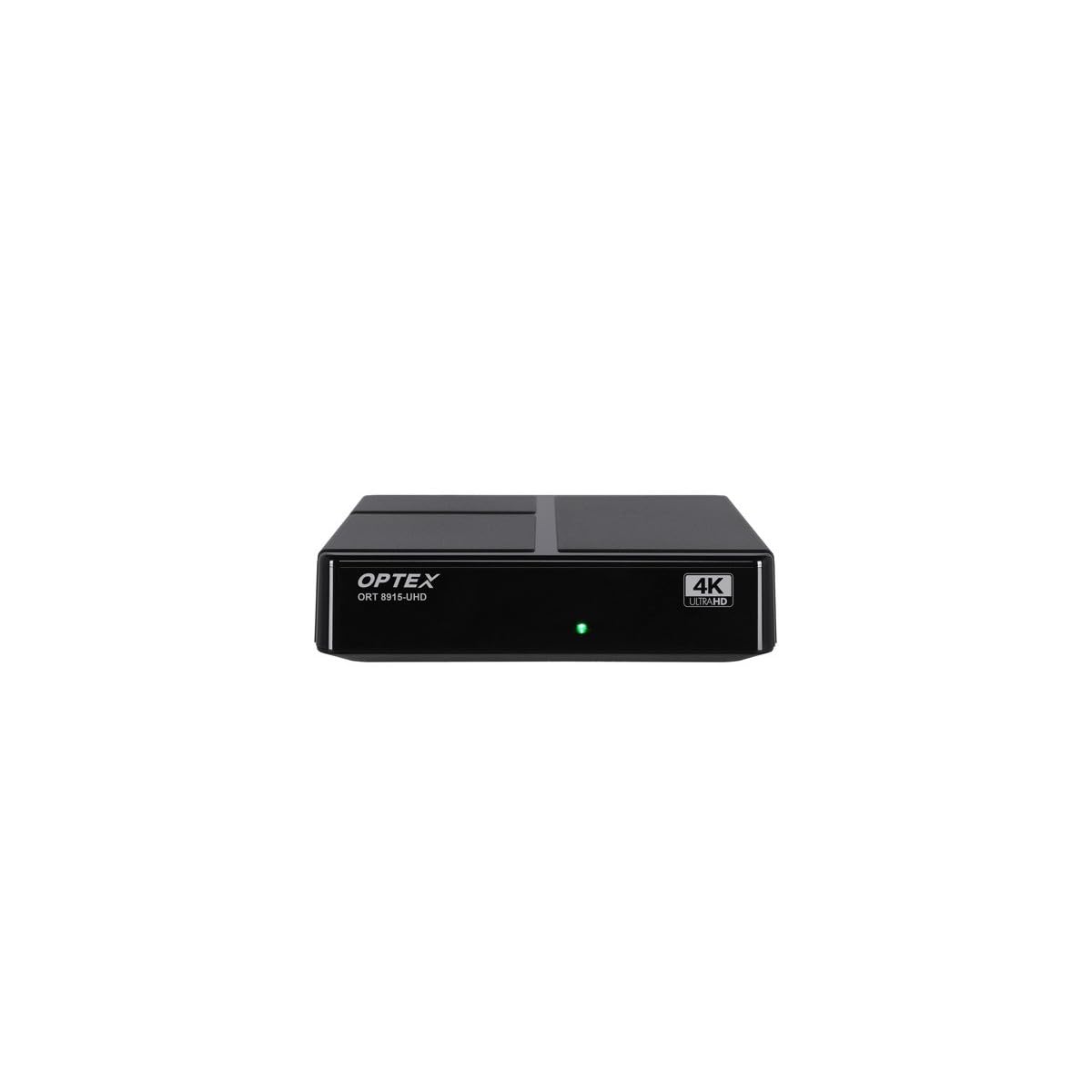
Slika 3.1: Spredaj view of the Optex ORT8915-UHD receiver, showing the USB port and control buttons.
The front panel features a USB port for connecting external storage devices, along with basic control buttons for power, menu navigation, channel selection (CH+/CH-), and volume adjustment (V+/V-).
3.2 Zadnja plošča

Slika 3.2: Zadaj view of the Optex ORT8915-UHD receiver, displaying various input/output ports.
Zadnja plošča vključuje naslednje priključke:
- MRAVLJE V: Za priklop vaše zemeljske antene.
- OPTIC: Optical digital audio output.
- OD: Analog video/audio output.
- HDMI: High-Definition Multimedia Interface output for connecting to a TV.
- DC IN: Power input for the adapter.
3.3 Daljinski upravljalnik

Image 3.3: The remote control for the Optex ORT8915-UHD receiver, featuring various function buttons.
The remote control provides full functionality for navigating menus, changing channels, adjusting volume, accessing program guides, and utilizing special features like Timeshift and USB recording.
4. Nastavitev
- Povežite anteno: Connect your terrestrial antenna cable to the "ANT IN" port on the rear panel of the receiver.
- Povežite se s televizorjem:
- For High-Definition (HD) connection: Use the provided HDMI cable to connect the "HDMI" port on the receiver to an HDMI input on your television.
- For Standard-Definition (SD) connection: Use an AV cable (not included) to connect the "AV" ports on the receiver to the corresponding AV inputs on your television.
- Priključite napajanje: Plug the power adapter into the "DC IN" port on the receiver, then plug the adapter into a power outlet.
- Vstavite baterije v daljinski upravljalnik: Open the battery compartment on the back of the remote control and insert the two 1.5V batteries, ensuring correct polarity.
- Vklop: Press the power button on the receiver or the remote control to turn on the device.
- Izberite TV vhod: On your television, select the correct HDMI or AV input source that corresponds to the connection you made in step 2.
5. Navodila za uporabo
5.1 Začetno skeniranje kanalov
Upon first use or after a factory reset, the receiver will guide you through an initial setup process, including a channel scan. Follow the on-screen prompts to automatically search for available DVB-T2 channels in your region. Ensure your antenna is properly connected for optimal results.
5.2 Osnovne funkcije
- Krmarjenje po kanalih: Uporabite CH+ in CH- buttons on the remote or front panel to change channels.
- Nadzor glasnosti: Uporabite V+ in V- gumbe za prilagajanje glasnosti.
- Dostop do menija: Pritisnite MENI gumb za dostop do glavnega menija za nastavitve in funkcije.
- Programski vodnik (EPG): Pritisnite EPG gumb za view the Electronic Program Guide, which displays broadcast schedules.
- teletekst: Access teletext services by pressing the TTX gumb.
5.3 naprednih funkcij
- Timeshift (Live Control): Connect a USB storage device to the receiver. Press the Časovni zamik button (often a pause/play icon) to pause live TV, allowing you to resume viewkasneje.
- USB Recording (PVR): With a USB storage device connected, you can record live TV programs. Use the REC gumb na daljinskem upravljalniku za začetek snemanja.
- Predvajanje multimedije: Vrata USB podpirajo tudi predvajanje različnih večpredstavnostnih vsebin files (audio, video, images) from a connected USB storage device. Navigate to the multimedia section in the main menu to access this feature.
- Starševski nadzor: Set up parental control features through the menu to restrict access to certain channels or programs based on age ratings.
- Seznami priljubljenih: Create customized lists of your favorite channels for quick access.
6. Vzdrževanje
- Čiščenje: Za čiščenje zunanjosti sprejemnika uporabite mehko, suho krpo. Ne uporabljajte tekočih čistil ali abrazivnih materialov.
- Prezračevanje: Ensure the receiver is placed in a well-ventilated area to prevent overheating. Do not block the ventilation holes.
- Posodobitve programske opreme: Periodically check for software updates via USB to ensure optimal performance and access to new features. Refer to the main menu settings for update options.
7. Odpravljanje težav
| Težava | Možen vzrok | rešitev |
|---|---|---|
| Ni slike ali zvoka | Incorrect TV input selected, loose cable connections, power issue. |
|
| Ni najdenih kanalov | Antenna not connected or positioned correctly, no channel scan performed. |
|
| Daljinski upravljalnik ne deluje | Dead batteries, obstructed signal, remote not paired (if applicable). |
|
| Slaba kakovost slike | Weak antenna signal, incorrect resolution settings. |
|
8. Specifikacije
| Funkcija | Podrobnost |
|---|---|
| Model | ORT8915-UHD |
| Znamka | Optex |
| Vrsta izdelka | 4K DVB-T2 Terrestrial Receiver |
| Video kodiranje | HEVC |
| Združljive naprave | Television, Game Console, Tablet, Personal Computer, Amplifier, Speaker, Smartphone |
| Tehnologija povezljivosti | USB |
| Način avdio izhoda | Stereo |
| Vrsta avdio izhoda | HDMI, optični |
| Konfiguracija kanala za prostorski zvok | 5.1, 7.1, 9.2 |
| Posebna funkcija | Detektor gibanja |
| Skupno število vrat HDMI | 1 |
| Poraba energije (pripravljenost) | <0.5 W |
| Dimenzije (dolžina x širina) | 126.0 mm x 125.0 mm |
| Teža izdelka | 470 g |
9. Garancija in podpora
Za informacije o garanciji in tehnično podporo se obrnite na uradno spletno stran Optex. webspletnega mesta ali se obrnite na lokalnega prodajalca. Račun shranite kot dokazilo o nakupu za morebitne garancijske zahtevke.
Software updates are guaranteed until an unknown date, as per product information. For the latest information, please visit the manufacturer's support page.


