Uvod
Thank you for choosing the Oraimo Traveler Link 20 Power Bank. This device is designed to provide reliable portable power for your electronic devices. With a high capacity of 20000mAh and multiple built-in charging cables, it offers convenient and efficient charging on the go. Please read this manual carefully to ensure proper use and optimal performance.
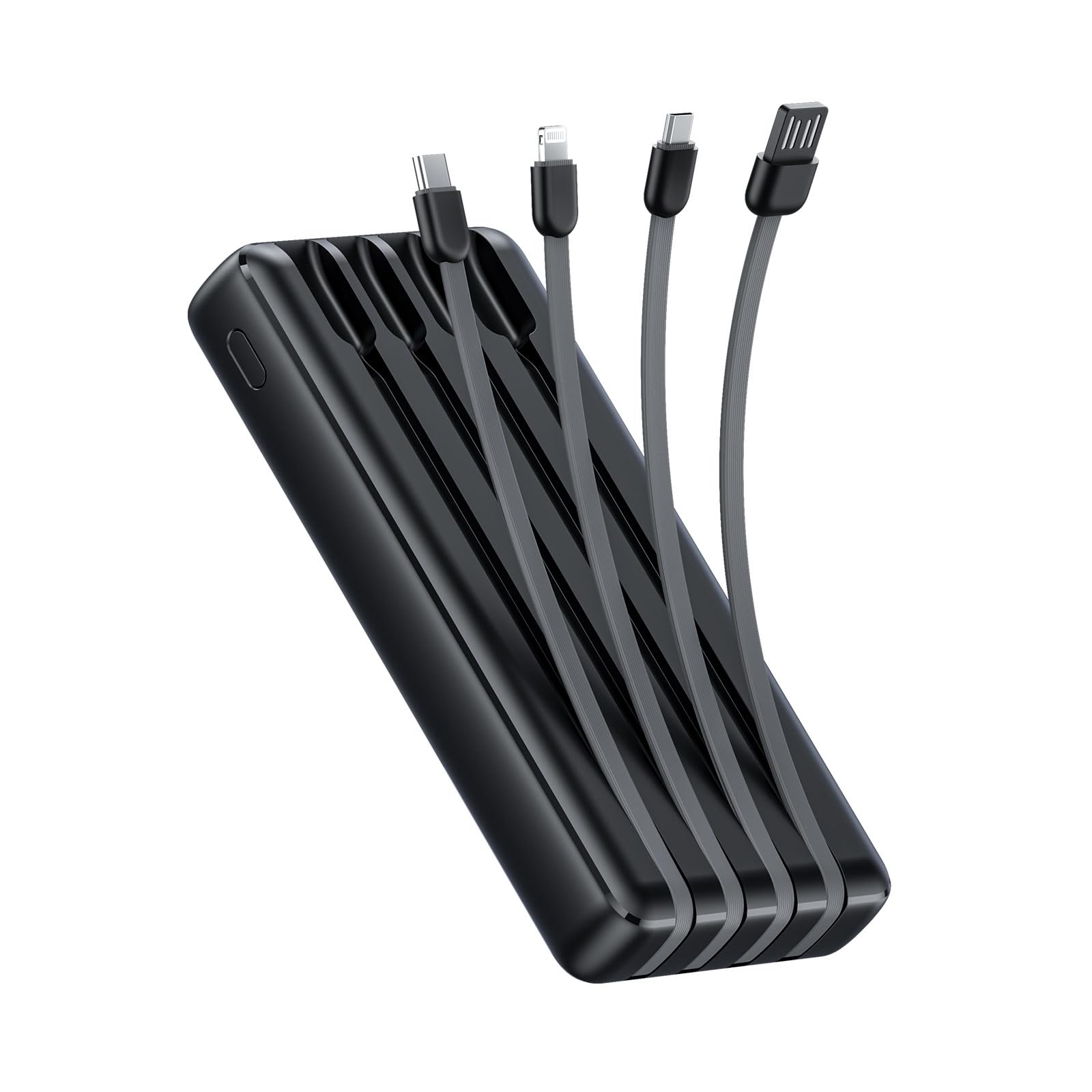
Image: The Oraimo Traveler Link 20 Power Bank, showcasinzaradi svoje kompaktne zasnove in integriranih kablov.
Nastavitev
Začetno polnjenje
Before first use, fully charge your Oraimo Traveler Link 20 Power Bank. This ensures the battery is calibrated and ready for optimal performance.
- Connect the power bank to a power source using one of the built-in recharging cables (USB-A, Type-C, or Micro-USB) or an external USB-A to Type-C/Micro-USB cable.
- LED indikatorji na prenosni bateriji bodo zasvetili, da bi prikazali stanje polnjenja.
- Once all LED indicators are solid, the power bank is fully charged. Disconnect it from the power source.
Prepoznavanje komponent
Familiarize yourself with the power bank's features:
- Built-in Charging Cables: Includes Type-C, Micro-USB, and Lightning cables for charging various devices.
- Built-in Recharging Cable: A USB-A cable is integrated for convenient recharging of the power bank itself.
- Izhodna vrata USB-A: An additional USB-A port for charging devices using your own cable.
- LED indikatorji: Prikažite preostalo raven napolnjenosti baterije in stanje polnjenja.
- Gumb za vklop: Activates the power bank and controls the LED flashlight.
- Svetilka LED: Integrated light for emergency use.
Navodila za uporabo
Polnjenje vaših naprav
The Traveler Link 20 allows you to charge up to four devices simultaneously using its built-in cables and USB-A output port.
- Select the appropriate built-in cable (Type-C, Micro-USB, or Lightning) for your device.
- Kabel priključite na polnilno vtičnico na napravi.
- Alternatively, use your own USB charging cable with the dedicated USB-A output port.
- The power bank will automatically begin charging your device(s). The LED indicators will show the power bank's remaining charge.

Slika: Bližnji posnetek view of the Oraimo Traveler Link 20 showing its integrated Type-C, Micro-USB, and Lightning charging cables.

Image: The power bank simultaneously charging a smartphone, a smartwatch, and a portable toothbrush, demonstrating its multi-output capability.

Image: The Oraimo Traveler Link 20 demonstrating wide compatibility with various devices including iOS smartphones, Android smartphones, and accessories like earbuds.

Image: An illustration highlighting the 20000mAh capacity of the Oraimo Traveler Link 20, capable of fully charging a phone multiple times.
Polnjenje Power Bank
The power bank can be recharged using its built-in USB-A cable or via its Type-C or Micro-USB input ports.
- Using Built-in USB-A Cable: Plug the integrated USB-A cable into a USB wall adapter, computer USB port, or other USB power source.
- Using Type-C or Micro-USB Input: Connect a compatible cable (not included for these inputs) to the respective port on the power bank and then to a power source.
- The LED indicators will flash during charging and remain solid when fully charged.

Image: The power bank being recharged via its built-in USB-A cable connected to a power strip, and also showing an alternative recharge method using a Type-C cable and wall adapter.
Funkcija LED svetilke
The power bank includes a built-in LED flashlight with an SOS light alarm function for emergencies.
- To turn on/off the flashlight: Pritisnite gumb za vklop približno 3 sekundi.
- Če želite aktivirati način SOS: While the flashlight is on, short press the power button to cycle through modes (steady light, SOS flashing).

Image: The Oraimo Traveler Link 20 with its LED flashlight illuminated, demonstrating its emergency lighting capability.
Način polnjenja z nizkim tokom
The power bank automatically detects and switches to low current charging mode for small devices like wireless earbuds or smartwatches, preventing damage from overcurrent.
- Simply connect your low-current device. The power bank will intelligently adjust the output.
Vzdrževanje
To ensure the longevity and safe operation of your Oraimo Traveler Link 20 Power Bank, follow these maintenance guidelines:
- Shranjevanje: Power bank shranjujte na hladnem in suhem mestu, stran od neposredne sončne svetlobe in ekstremnih temperatur.
- Čiščenje: Za čiščenje zunanjosti prenosne baterije uporabite mehko, suho krpo. Ne uporabljajte tekočih čistil ali abrazivnih materialov.
- Izogibajte se telesnim poškodbam: Do not drop, puncture, or disassemble the power bank. Avoid exposing it to water or high humidity.
- Redno polnjenje: Če prenosne baterije ne uporabljate dlje časa, jo napolnite vsaj enkrat na tri mesece, da ohranite njeno zmogljivost.
Odpravljanje težav
Če imate težave s svojo prenosno baterijo, si oglejte naslednje pogoste težave in rešitve:
| Težava | Možen vzrok | rešitev |
|---|---|---|
| Powerbank ne polni naprav. | Low battery; incorrect cable connection; device incompatibility. | Ensure power bank is charged. Check cable connections. Verify device compatibility. |
| Powerbank se ne polni. | Faulty charging cable/adapter; power source issue. | Try a different charging cable and wall adapter. Ensure the power source is active. |
| Počasno polnjenje. | Using a non-fast charging adapter; multiple devices connected; cable quality. | Use a compatible fast-charging adapter. Disconnect other devices. Use high-quality cables. |
| LED svetilka ne deluje. | Incorrect operation; low battery. | Long press the power button for 3 seconds. Recharge the power bank. |
The Oraimo Traveler Link 20 features a multi-protection system (over-current, short-circuit, over-discharge, high/low-temperature charging/discharge, overcharge, output overvoltage) to protect itself and your devices. If the power bank stops functioning, it might be due to one of these protection mechanisms activating. Disconnect all devices and cables, then try again after a few minutes.

Image: Diagram illustrating the multi-protection system of the Oraimo Traveler Link 20, highlighting various safety features.
Specifikacije izdelka
| Funkcija | Podrobnost |
|---|---|
| Ime modela | Traveler Link 20 |
| Številka modela | OPB-P5201 |
| Znamka | Oraimo |
| Kapaciteta baterije | 20000 mAh (litij-ionska) |
| Izhodna moč | Do 12 W (5 V/2.4 A največ) |
| Vhodna voltage | 5V |
| Vrsta priključka | USB Type-C, USB Type-A, Micro USB (built-in cables: Type-C, Micro-USB, Lightning; built-in recharging cable: USB-A) |
| Posebne lastnosti | 4 Built-in Charging & Recharging Cables, Charge up to 4 devices simultaneously, Multi-protection System, LED Flashlight with SOS, Low Current Protection |
| Dimenzije | 20.5 x 3 x 11 cm |
| Teža | 200 gramov |
| barva | Črna |
Garancija in podpora
Oraimo products are manufactured to the highest quality standards. This product is covered by a limited warranty from the date of purchase. Please refer to the warranty card included in your product packaging for specific terms and conditions.
For technical support, troubleshooting assistance, or warranty claims, please contact Oraimo customer service through their official webspletnega mesta ali kontaktne podatke, navedene v dokumentaciji izdelka. Za potrditev garancije shranite dokazilo o nakupu.


