1. Uvod
This manual provides comprehensive instructions for the ShanWan Bluetooth Gamepad Keychain Sized Mini Controller. Please read this manual carefully before use to ensure proper operation and to maximize your gaming experience. This device is designed for use with Android phones and tablets, PS4/Slim/Pro, iPhone, iPad, Nintendo Switch, and Windows PCs.
2. Izdelek je končanview
The ShanWan Mini Controller is a compact and versatile gamepad designed for portability and multi-platform compatibility. It features 17 buttons and a D-Pad, all within a keychain-sized form factor.
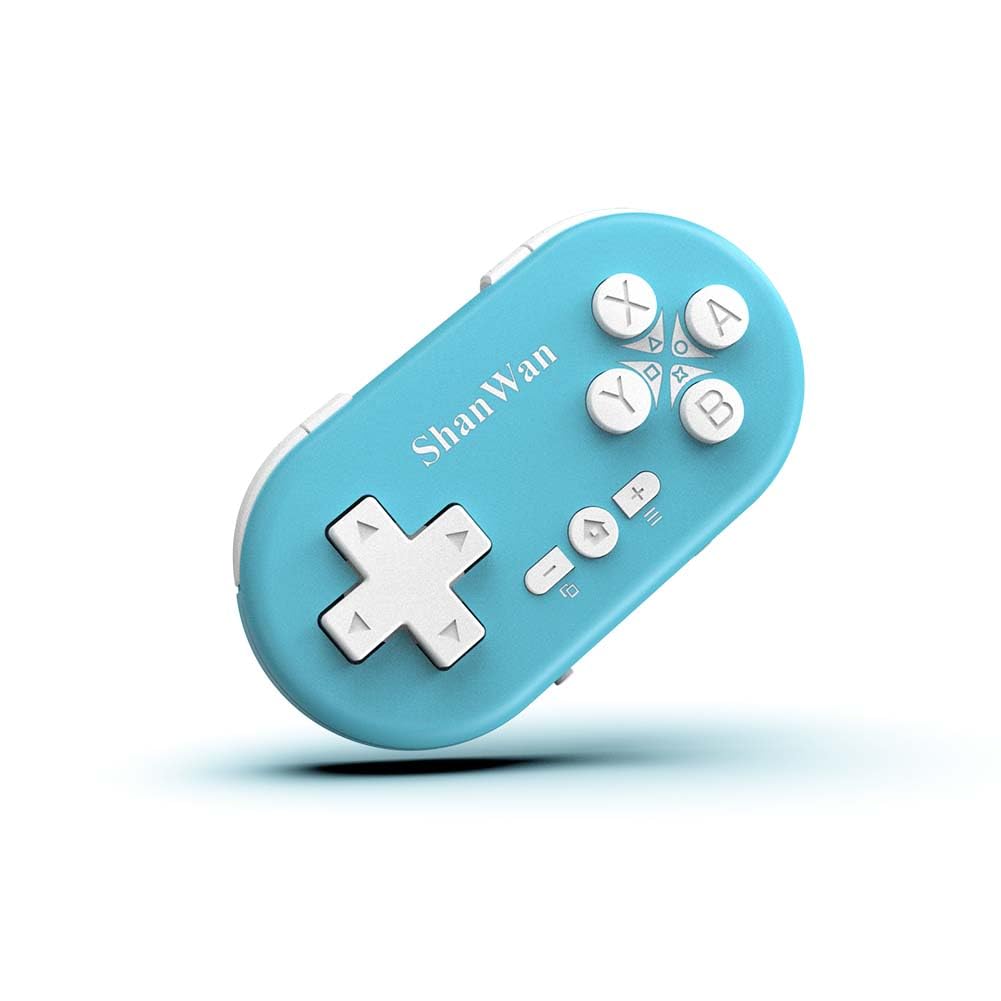
Figure 2.1: ShanWan Mini Bluetooth Gamepad, showcasinzaradi svoje kompaktne zasnove in razporeditve gumbov.

Figure 2.2: Dimensions of the ShanWan Mini Bluetooth Gamepad, measuring 2.83 inches in length, 1.57 inches in width, and 0.55 inches in thickness.
2.1 Vsebina paketa
- ShanWan Bluetooth Gamepad Keychain Sized Mini Controller
- USB polnilni kabel
- Uporabniški priročnik (ta dokument)
3. Specifikacije
| Funkcija | Podrobnost |
|---|---|
| Številka modela | Q36-XPS-KABRILAN |
| Povezljivost | Brezžični Bluetooth |
| Združljivost | Android, iOS, Windows, Nintendo Switch, PlayStation 4 |
| Kapaciteta baterije | 180mAh litij-polimerna baterija (priložena) |
| Čas polnjenja | Približno 1 uro |
| Čas delovanja | Do 5-6 ure |
| Brezžično Domet | Do 10 metrov (33 čevljev) |
| Dimenzije izdelka | 2.83 x 1.57 x 0.55 palcev |
| Teža predmeta | 1.44 unč (približno 41 gramov) |
| Posebne lastnosti | Gyroscope motion sensing, One-button wake-up function |
4. Nastavitev in seznanjanje
4.1 Polnjenje krmilnika
Before first use, fully charge the controller. Connect the provided USB charging cable to the controller's charging port and the other end to a USB power source (e.g., computer, USB wall adapter). The charging indicator light will show the charging status and turn off when fully charged. A full charge typically takes about 1 hour.
4.2 Vklop/izklop
- Vklop: Press and hold the Home button (usually the button with a house icon) for a few seconds until the indicator lights turn on.
- Ugasniti: Press and hold the Home button for approximately 5 seconds until the indicator lights turn off. The controller will also automatically power off after a period of inactivity to conserve battery.
4.3 Navodila za seznanjanje prek Bluetootha
The controller supports multiple platforms. Ensure the mode switch on the controller is set to the correct platform before pairing.
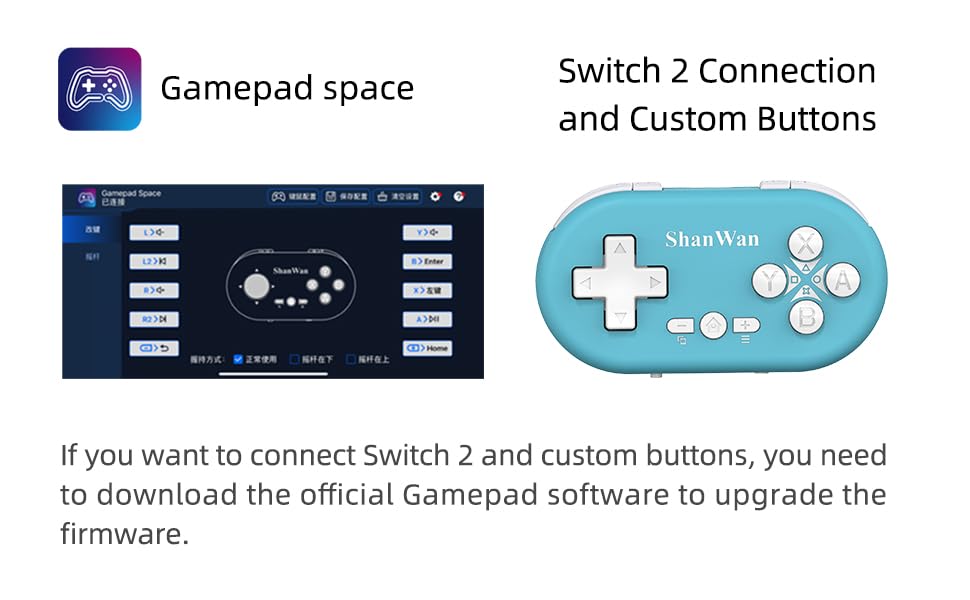
Figure 4.1: The mode switch on the controller, allowing selection between X (Xbox/PC), S (Switch), and P (PlayStation) modes for multi-device compatibility.
4.3.1 Združevanje z Nintendo Switch
- On your Nintendo Switch, navigate to the HOME Menu.
- Select "Controllers" then "Change Grip/Order".
- Set the controller's mode switch to "S" (Switch mode).
- Press and hold the "Pair" button on the controller until the indicator lights begin to blink rapidly.
- The Switch will detect the controller. Once paired, the LED indicator on the controller will remain solid, and the controller will be displayed on the Switch host screen.

Figure 4.2: Visual guide for connecting the controller to a Nintendo Switch, showing menu navigation and the pairing button location.
4.3.2 Pairing with Android/iOS Devices
- Set the controller's mode switch to the appropriate mode (e.g., "X" for Android, or a specific iOS mode if available, refer to device-specific instructions).
- On your Android or iOS device, go to Bluetooth settings.
- Prepričajte se, da je Bluetooth omogočen.
- Press and hold the "Pair" button on the controller until the indicator lights blink rapidly.
- Select "ShanWan Controller" or a similar name from the list of available devices on your phone/tablet.
- Ko je povezava vzpostavljena, bo indikatorska lučka na krmilniku začela neprekinjeno svetiti.
4.3.3 Pairing with PS4
- Set the controller's mode switch to "P" (PlayStation mode).
- On your PS4, go to "Settings" > "Devices" > "Bluetooth Devices".
- Press and hold the "Pair" button on the controller until the indicator lights blink rapidly.
- Select "ShanWan Controller" or a similar name from the list of available devices on your PS4.
- Ko je povezava vzpostavljena, bo indikatorska lučka na krmilniku začela neprekinjeno svetiti.
4.3.4 Pairing with Windows PC
- Set the controller's mode switch to "X" (Xbox/PC mode).
- V računalniku z operacijskim sistemom Windows pojdite na »Nastavitve« > »Naprave« > »Bluetooth in druge naprave«.
- Ensure Bluetooth is enabled and click "Add Bluetooth or other device".
- Select "Bluetooth".
- Press and hold the "Pair" button on the controller until the indicator lights blink rapidly.
- Select "ShanWan Controller" or a similar name from the list of available devices.
- Ko je povezava vzpostavljena, bo indikatorska lučka na krmilniku začela neprekinjeno svetiti.
5. Navodila za uporabo
5.1 Funkcije gumbov
The controller features standard gamepad buttons. Their specific function may vary slightly depending on the platform and game.
- D-pad: Smerni vhod.
- Gumbi A, B, X, Y: Gumbi za dejanja.
- Gumbi L1, L2, R1, R2: Ramenski in sprožilni gumbi.
- Domov gumb: Power on/off, return to home screen (platform dependent).
- Gumba plus (+) / minus (-): Start/Select or menu functions.
- Seznani gumb: Začne seznanjanje prek Bluetootha.
5.2 Posebnosti
5.2.1 One-Button Wake-Up Function
After initial pairing, you can wake up the controller and reconnect it to the last paired device by simply pressing the Home button. This feature allows for quick resumption of gameplay.
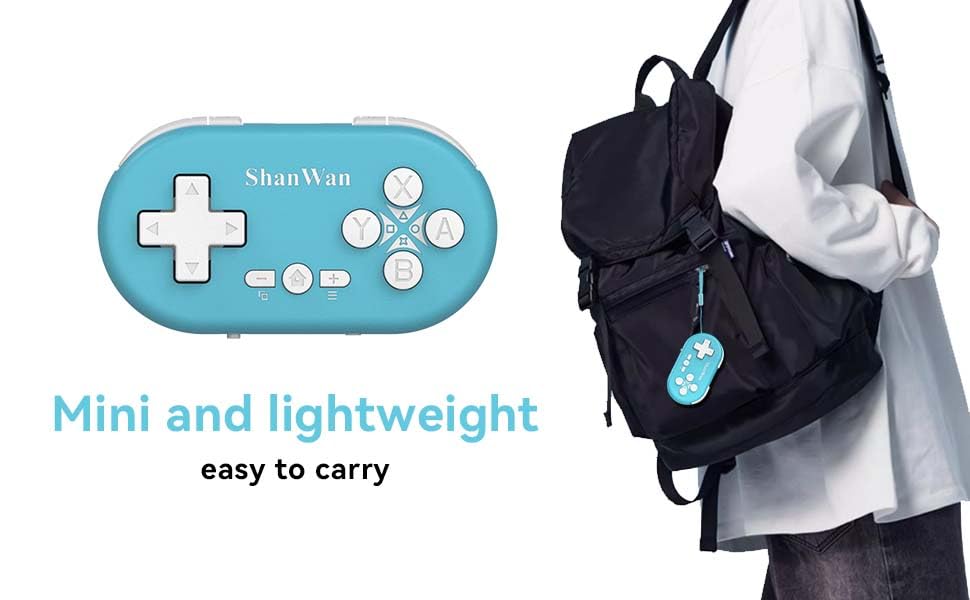
Figure 5.1: Illustration of the one-button wake-up function, highlighting the Home button used to quickly reactivate the controller.
5.2.2 Gyroscope Motion Sensing
The controller is equipped with a gyroscope for motion sensing effects, providing an immersive gaming experience in supported games, particularly on platforms like Nintendo Switch.
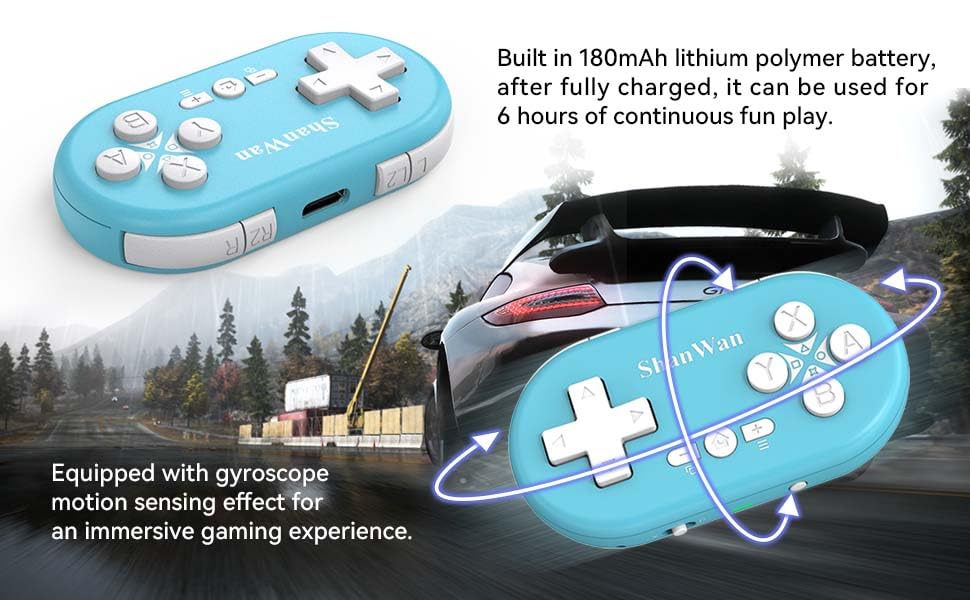
Figure 5.2: Visual representation of the gyroscope motion sensing effect, showing the controller being tilted to influence in-game actions.
5.2.3 Firmware Upgrade for Switch 2 and Custom Buttons
For compatibility with Switch 2 and to customize button mappings, it may be necessary to download the official Gamepad software and upgrade the controller's firmware. Refer to the manufacturer's official webspletno mesto za najnovejšo programsko opremo in navodila.

Figure 5.3: Screenshot illustrating the "Gamepad Space" software interface, used for firmware upgrades and custom button configurations, particularly for Switch 2 compatibility.
6. Vzdrževanje
- Čiščenje: Za čiščenje krmilnika uporabite mehko, suho krpo. Izogibajte se uporabi agresivnih kemikalij ali abrazivnih materialov.
- Shranjevanje: Krmilnik shranjujte na hladnem in suhem mestu, stran od neposredne sončne svetlobe in ekstremnih temperatur.
- Vzdrževanje baterije: Da podaljšate življenjsko dobo baterije, se izogibajte pogostemu popolnemu praznjenju baterije. Redno polnite krmilnik, tudi če ga dalj časa ne uporabljate.
- Izogibajte se udarcem: Do not drop or subject the controller to strong impacts, as this may damage internal components.
7. Odpravljanje težav
7.1 Controller Does Not Power On
- Prepričajte se, da je krmilnik popolnoma napolnjen. Pred ponovnim vklopom ga priključite na vir napajanja in pustite, da se polni vsaj 15 minut.
- Preverite, ali polnilni kabel in vir napajanja delujeta pravilno.
7.2 Unable to Pair Controller
- Ensure the controller is in pairing mode (indicator lights blinking rapidly).
- Check that the mode switch on the controller is set to the correct platform (S for Switch, X for Android/Windows, P for PS4).
- Make sure Bluetooth is enabled on your device (Switch, phone, PC, PS4).
- Move the controller closer to the device you are trying to pair with.
- Remove any previous pairings of the controller from your device's Bluetooth settings and try pairing again.
- Znova zaženite krmilnik in napravo.
7.3 Vhodna zakasnitev ali prekinitve povezave
- Ensure the controller is within the 10-meter wireless range of your device.
- Zmanjšajte motnje drugih brezžičnih naprav (usmerjevalniki Wi-Fi, druge naprave Bluetooth).
- Ensure the controller is fully charged. Low battery can affect connection stability.
- Poskusite znova seznaniti krmilnik z napravo.
- Update the controller's firmware if available (refer to Section 5.2.3).
7.4 Buttons Not Responding Correctly
- Test the controller on a different game or application to determine if the issue is game-specific.
- Ensure the controller's firmware is up to date.
- Perform a factory reset if possible (refer to manufacturer's support for specific instructions, as this model may not have a dedicated reset button).
8. Garancija in podpora
ShanWan products are designed for reliability and performance. For warranty information, technical support, or further assistance, please visit the official ShanWan webspletno mesto ali se obrnite na njihovo službo za stranke. Račun shranite kot dokazilo o nakupu za uveljavljanje garancije.
Official ShanWan Store: ShanWan Store on Amazon
9. Dodatne informacije
The ShanWan Mini Controller's compact and lightweight design makes it highly portable, allowing users to carry it easily and enjoy gaming on the go.

Figure 9.1: The ShanWan Mini Bluetooth Gamepad attached to a backpack, illustrating its keychain-sized portability and ease of transport.

Figure 9.2: The ShanWan Mini Bluetooth Gamepad being used outdoors with a portable screen, demonstrating its ease of transport and use anywhere.


