Uvod
This manual provides detailed instructions for the safe and effective use of your ONNAIS Large Biometric Gun Safe, Model KKNGS009. This safe is designed to secure firearms and valuables using advanced biometric fingerprint technology, a programmable keypad, and traditional key access. It features an internal light for visibility and an emergency power supply for reliable operation.
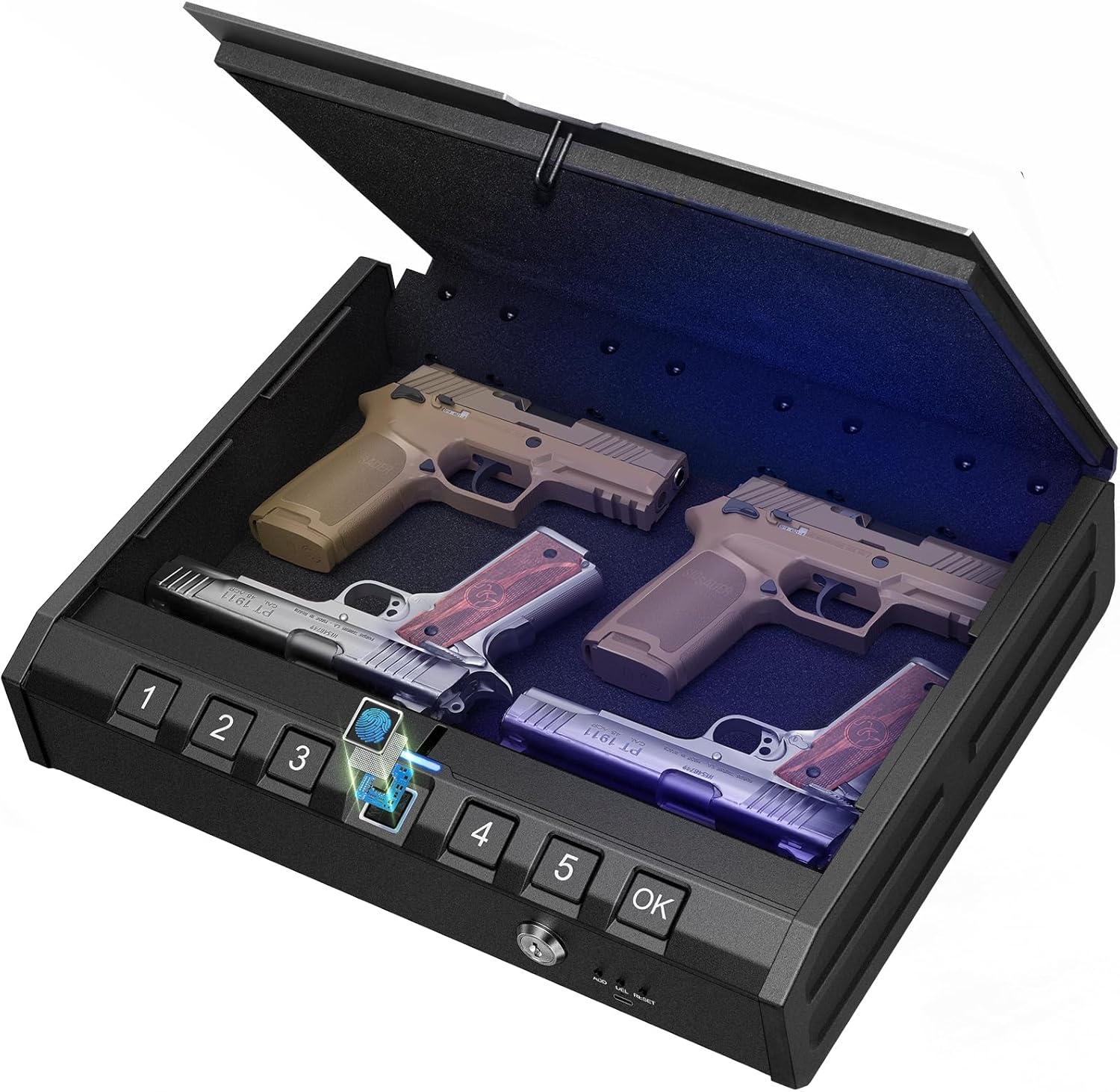
Image: ONNAIS Large Biometric Gun Safe with interior storage.
Vsebina paketa
Preverite, ali so v vašem paketu priloženi vsi spodaj navedeni elementi:
- ONNAIS Large Biometric Gun Safe
- Varnostni kabel
- Mehanski ključi (2)
- Uporabniški priročnik
- Montažni vijaki (4)
- USB-C Emergency Power Cable

Image: All components included in the ONNAIS safe package.
Nastavitev
1. Namestitev baterije
- Locate the battery compartment on the front panel of the safe.
- Odprite pokrov predala.
- Insert 4 AA batteries (not included) according to the polarity indicators.
- Trdno zaprite pokrov prostora za baterije.
2. Initial Unlock
Upon first use, the safe must be opened using the mechanical key.
- Insert one of the provided mechanical keys into the keyhole on the front panel.
- Obrnite ključ v smeri urinega kazalca, da odklenete sef.
- Lift the lid to open the safe.

Image: Manual key access for initial safe opening.
3. Setting a Passcode
The safe must be open to set or change the passcode.
- Locate the 'SET' button inside the safe, usually near the battery compartment.
- Press the 'SET' button once. The keypad will illuminate.
- Enter a 6-digit passcode using the number buttons (1-5).
- Za potrditev pritisnite gumb »V redu«.
- Re-enter the same 6-digit passcode.
- Press the 'OK' button again to finalize. A confirmation sound or light will indicate success.

Image: Keypad for setting and entering passcodes.
4. Registracija prstnih odtisov
The safe must be open to register new fingerprints.
- Locate the 'SET' button inside the safe.
- Press the 'SET' button twice. The fingerprint scanner will illuminate.
- Place your finger firmly on the fingerprint scanner. Lift and repeat 5 times, slightly adjusting the finger position each time to capture different angles.
- A confirmation sound or light will indicate successful registration.

Image: Fingerprint scanner for biometric access.
Navodila za uporabo
1. Odpiranje s prstnim odtisom
- Registriran prst trdno položite na bralnik prstnih odtisov.
- The safe will unlock with a confirmation sound and the lid will open automatically.
2. Opening with Passcode
- Enter your 6-digit passcode using the number buttons.
- Press the 'OK' button. The safe will unlock with a confirmation sound and the lid will open automatically.
3. Opening with Mechanical Key
This method is used for initial setup or in case of battery failure.
- Insert the mechanical key into the keyhole.
- Obrnite ključ v smeri urinega kazalca, da odklenete sef.
- Dvignite pokrov, da se odpre.
4. Emergency Power Supply
If the batteries are completely drained, the safe can be temporarily powered using a USB-C cable.
- Connect a USB-C cable (provided) to the emergency power port on the front panel.
- Connect the other end of the USB-C cable to a power source (e.g., power bank, USB wall adapter).
- Once powered, use your registered fingerprint or passcode to open the safe.
- Replace the internal AA batteries as soon as possible.

Image: Emergency USB-C power port for external power supply.
Varnostne funkcije
1. Security Cable
The included security cable allows you to tether the safe to a fixed object, preventing unauthorized removal.
- Unscrew the end of the security cable.
- Thread the cable around a secure, immovable object (e.g., bed frame, car seat anchor).
- Screw the end of the cable back into the designated port on the safe.
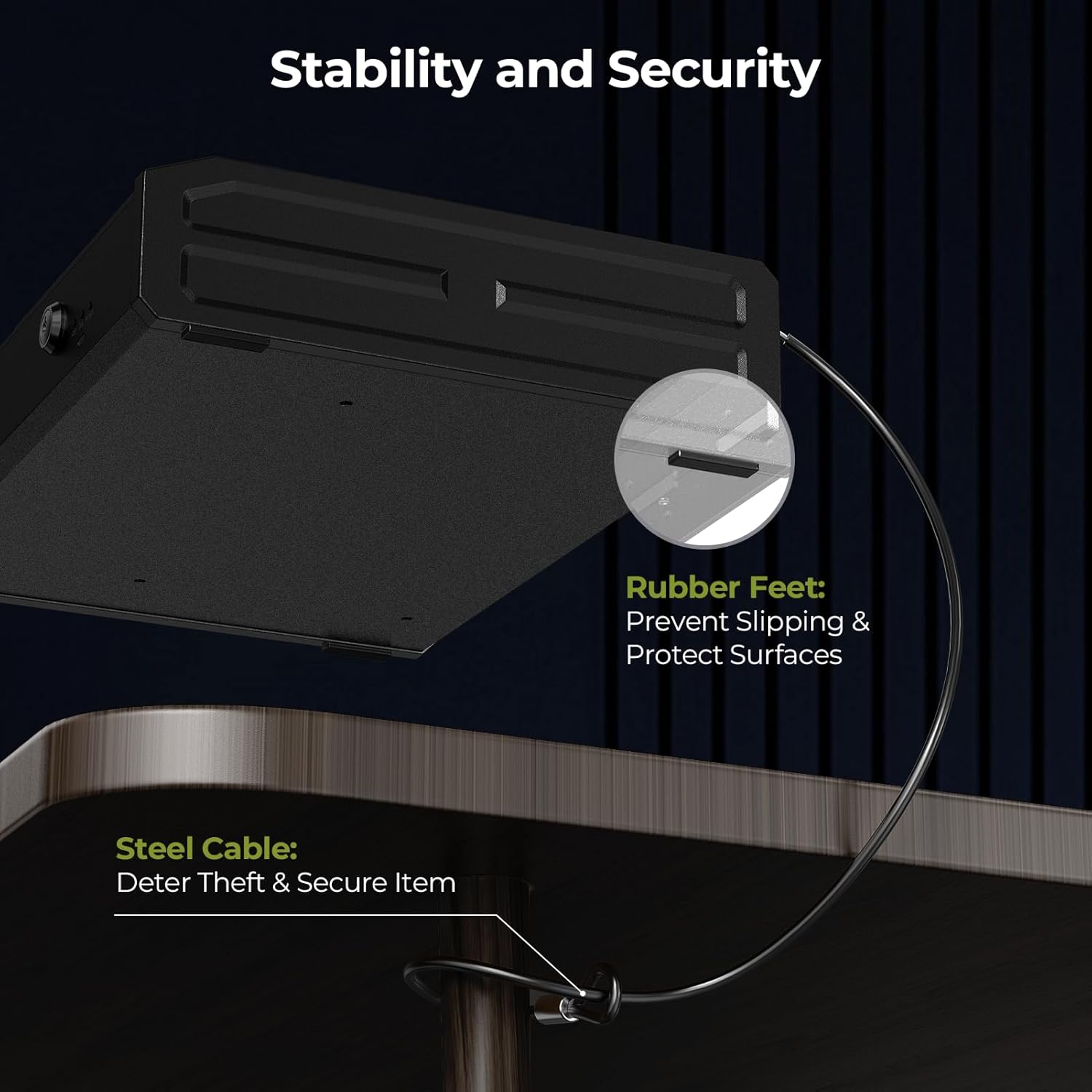
Image: Security cable attached to the safe and a fixed object.
2. Možnosti namestitve
The safe can be permanently mounted to a surface using the provided screws.
- Choose a suitable mounting location (e.g., inside a cabinet, to a wall).
- Mark the drill points using the pre-drilled holes on the bottom of the safe as a template.
- V montažno površino izvrtajte pilotne luknje.
- Secure the safe using the provided mounting screws.

Image: Mounting holes and screws for permanent installation.
Vzdrževanje
- Zamenjava baterije: Replace all 4 AA batteries when the low battery indicator illuminates (usually a red light on the display).
- Čiščenje: Zunanjost obrišite z mehko, suho krpo. Izogibajte se abrazivnim čistilom ali topilom.
- Nadzor vlage: Place a desiccant packet (e.g., silica gel) inside the safe to absorb moisture and protect contents.
Odpravljanje težav
- Safe Not Opening with Fingerprint/Passcode: Check battery level. If low, replace batteries or use emergency power. Ensure correct finger placement or passcode entry.
- Pozabljeno geslo: Use the mechanical key to open the safe, then reset the passcode following the setup instructions.
- Prstni odtis ni prepoznan: Re-register your fingerprint, ensuring proper placement and multiple scans. Ensure your finger is clean and dry.
- Brez napajanja: Replace batteries. If still no power, use the emergency USB-C power supply.
Specifikacije
| Znamka | ONNAIS |
| Številka modela | KKNGS009 |
| Dimenzije izdelka | 3.15"D x 11.81"Š x 15.35"V |
| Vrsta ključavnice | Electronic Combination Lock, Biometric Fingerprint, Mechanical Key |
| Material | Legirano jeklo |
| Teža predmeta | 9.81 funtov |
| Vir napajanja | 4 AA Batteries (not included), USB-C Emergency Power |
| Posebne lastnosti | Anti-Theft, Internal Light, Child-Safe Design |
Garancija in podpora
For warranty information, technical support, or any questions regarding your ONNAIS Large Biometric Gun Safe, please refer to the contact information provided on the product packaging or the official ONNAIS webmesto. Shranite račun za garancijske zahtevke.


