1. Uvod
This manual provides detailed instructions for the proper use and maintenance of your Sandberg Pocket Radio FM+AM Recharge, Model 421-02. Please read this manual thoroughly before operating the device to ensure optimal performance and longevity.
2. Izdelek je končanview
The Sandberg Pocket Radio is a compact, portable device designed for receiving FM and AM radio broadcasts. It features a built-in rechargeable battery and a digital display for easy tuning.
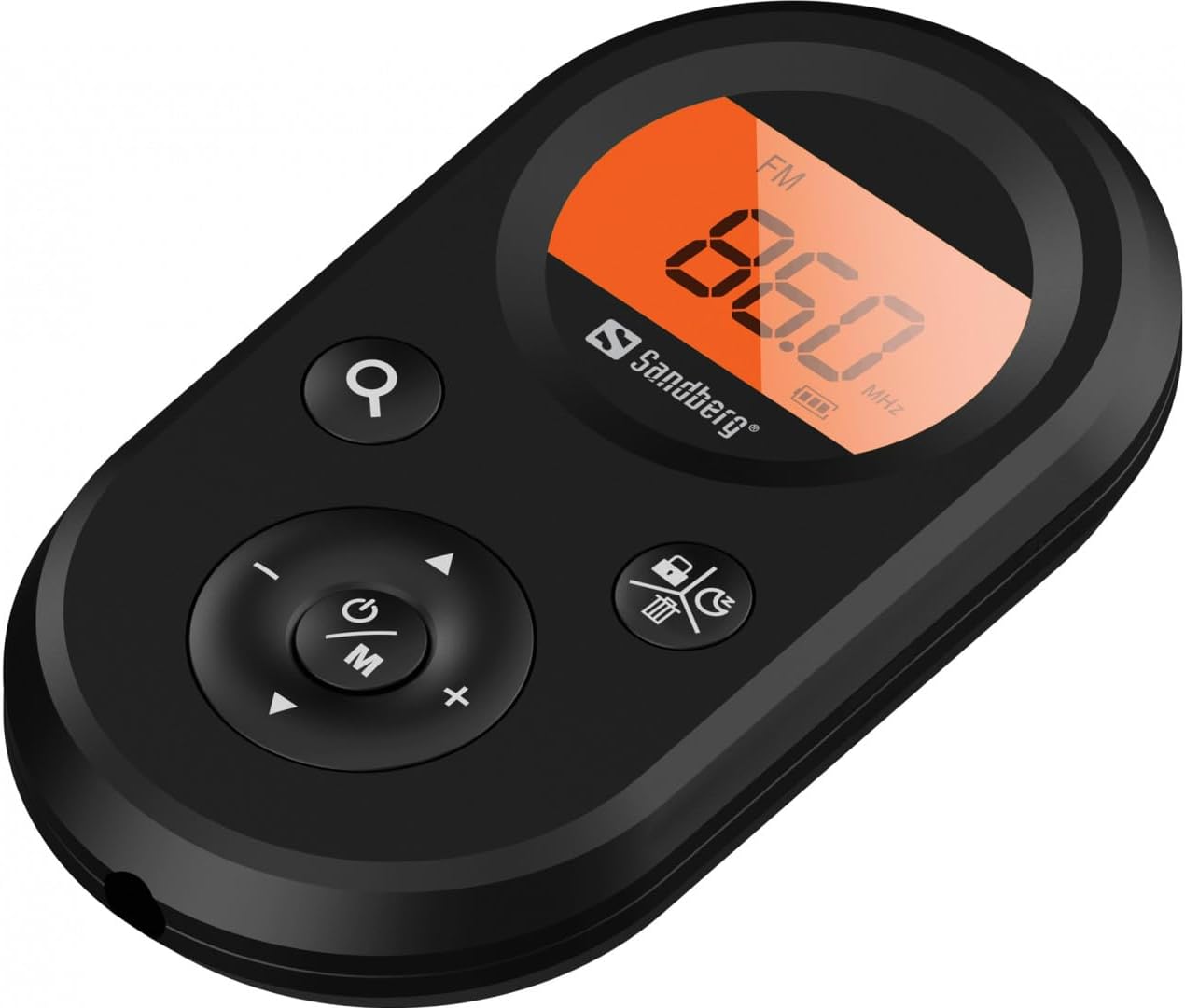
Slika 1: Spredaj view of the Sandberg Pocket Radio, displaying the frequency and controls.
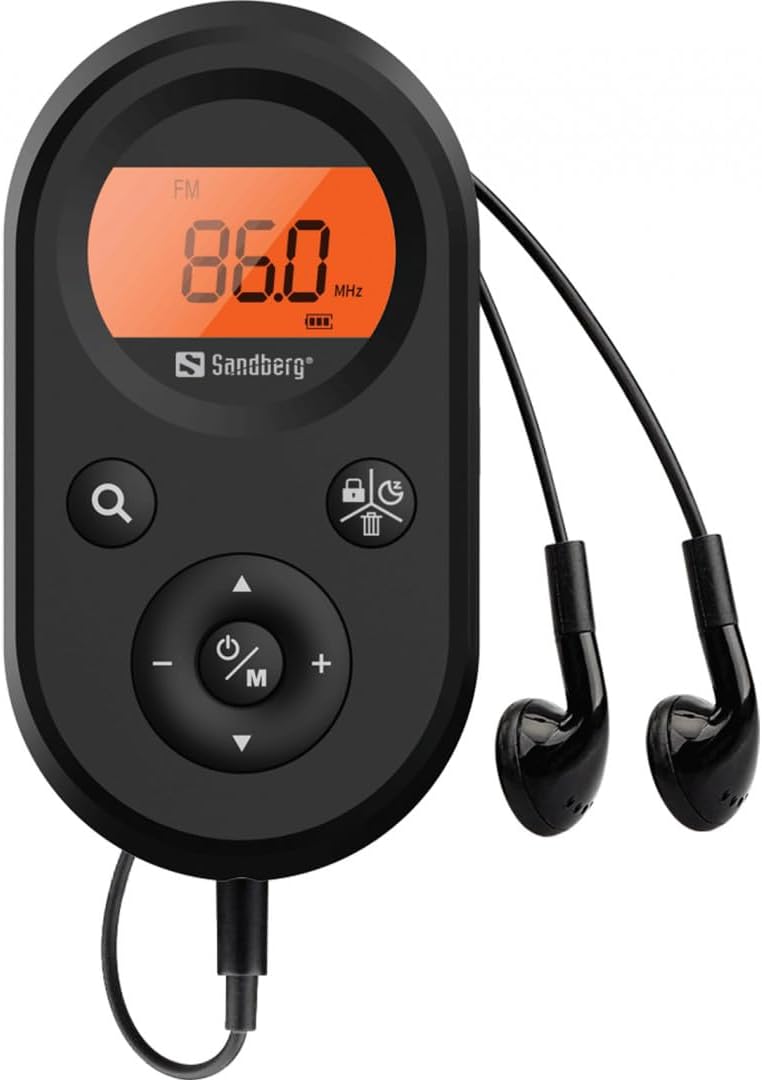
Figure 2: The radio connected to the included earphones, which also function as the FM antenna.
Vsebina paketa:
- 1 x Sandberg Pocket Radio FM+AM Recharge (Model 421-02)
- 1 x slušalka
- 1 x Charging cable (USB-A to USB-C, 50 cm)
3. Nastavitev
3.1 Polnjenje baterije
- Connect the small end of the included USB-C charging cable to the charging port on the radio.
- Connect the standard USB-A end of the cable to a USB power adapter (not included) or a computer's USB port.
- The radio's display will indicate charging status. A full charge typically takes a few hours.
- Disconnect the charging cable once the battery is fully charged.
3.2 Priklop slušalk
The included earphones are essential for operation as they serve as the antenna for FM reception. Without them, FM reception will be severely limited or non-existent.
- Insert the 3.5mm jack of the earphones into the earphone port on the radio.
- Prepričajte se, da je povezava varna.
4. Navodila za uporabo
4.1 Vklop/izklop
- Za vklop radia pritisnite in držite Power/Mode (ⓘ/M) button for approximately 2-3 seconds. The display will light up.
- To power off the radio, press and hold the Power/Mode (ⓘ/M) button again for approximately 2-3 seconds. The display will turn off.
4.2 Mode Selection (FM/AM)
- While the radio is powered on, short press the Power/Mode (ⓘ/M) button to switch between FM and AM radio bands. The current band will be indicated on the display.
4.3 Uglaševanje postaj
- Samodejno skeniranje: To automatically scan for and store available stations, press and hold the Search (⌕) button. The radio will scan through the frequency range and save stations with strong signals.
- Ročna nastavitev: To manually tune to a specific frequency, short press the Gor (▲) or Navpično (▼) buttons to adjust the frequency incrementally.
4.4 Nadzor glasnosti
- Če želite povečati glasnost, pritisnite Povečanje glasnosti (+) gumb.
- Če želite zmanjšati glasnost, pritisnite Znižaj glasnost (-) gumb.
4.5 Prikaz informacij
The digital display shows the current radio band (FM or AM), the tuned frequency, and the battery level indicator.
5. Vzdrževanje
5.1 Čiščenje
- Zunanjost radia obrišite z mehko, suho krpo.
- Ne uporabljajte abrazivnih čistil, topil ali močnih kemikalij, saj lahko poškodujejo površino.
- Izogibajte se vdoru vlage v morebitne odprtine.
5.2 Skrb za baterije
- Da podaljšate življenjsko dobo baterije, se izogibajte pogostemu popolnemu praznjenju baterije.
- Ko radia dlje časa ne uporabljate, ga shranite na hladnem in suhem mestu.
- Če baterijo shranjujete dlje časa, jo redno polnite, da preprečite globoko izpraznitev.
6. Odpravljanje težav
- Brez napajanja: Ensure the battery is charged. Connect the radio to a power source using the USB-C cable.
- Ni zvoka: Check that the earphones are securely plugged in. Adjust the volume using the Povečanje glasnosti (+) gumb.
- Slab FM sprejem: Ensure the earphones are fully plugged in, as they function as the FM antenna. Try repositioning the radio or the earphone cable for better signal.
- Cannot Save Favorite Stations: This model does not support saving favorite radio stations. Stations are found via automatic scan or manual tuning each time.
- Zaslon ne deluje: If the display is blank or flickering, try recharging the battery. If the issue persists, contact customer support.
7. Specifikacije
| Funkcija | Specifikacija |
|---|---|
| Številka modela | 421-02 |
| AM frekvenčni razpon | 522-1710 KHz (9KHz) / 520-170KHz (10KHz) |
| FM frekvenčno območje | 76-108 MHz |
| AM občutljivost | <20mV/m |
| FM Signal to Noise Ratio | > 40 db |
| Največja izhodna moč | 6.5mW |
| Kapaciteta baterije | 5000 mAh, 3.7V (1.85 Wh) |
| Tehnologija povezljivosti | Auxiliary (for earphones/antenna) |
| Vir napajanja | Napajanje na baterije |
| Teža predmeta | 60 gramov (2.12 unč) |
8. Garancija in podpora
Sandberg products are manufactured to high quality standards. For information regarding warranty terms and conditions, or for technical support, please refer to the official Sandberg webspletno mesto ali se obrnite neposredno na njihovo službo za stranke. Shranite račun kot dokazilo o nakupu.


