1. Uvod
This manual provides essential information for the safe and efficient operation of your Haier H65M95EUX 65-inch QD Mini LED 4K UHD Smart TV. Please read this manual thoroughly before using the product and retain it for future reference.
The Haier H65M95EUX is a 65-inch Smart TV featuring QD Mini LED technology for superior brightness and vibrant colors, 4K UHD resolution, and a 144 Hz refresh rate. It integrates Google TV for smart functionalities, Harman Kardon speakers for enhanced audio, and supports Dolby Atmos and Dolby Vision for an immersive viewizkušnje.
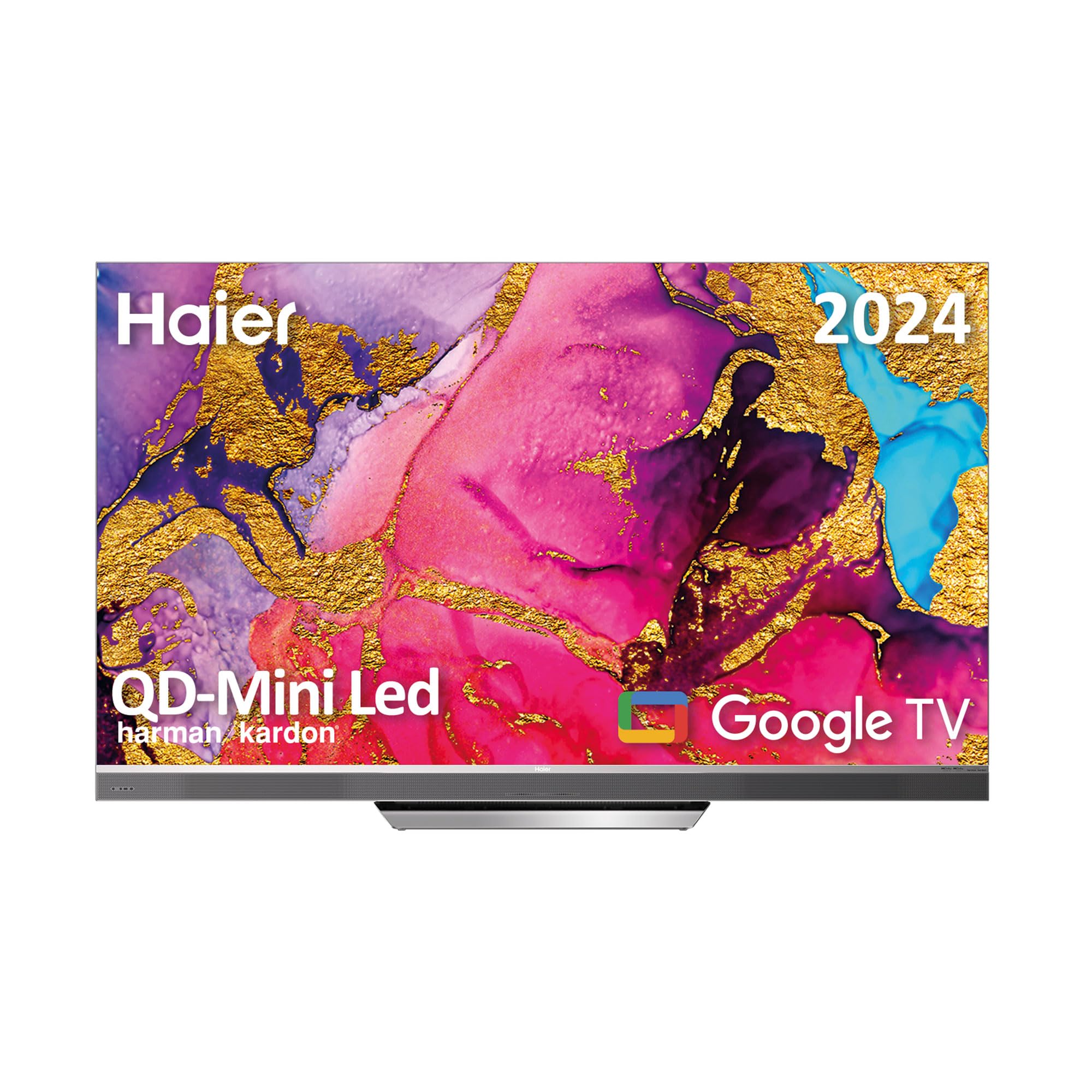
Image 1.1: Haier H65M95EUX 65-inch QD Mini LED 4K UHD Smart TV.
2. Varnostne informacije
Pri uporabi tega televizorja vedno upoštevajte osnovne varnostne ukrepe, da zmanjšate tveganje požara, električnega udara in poškodb.
- vir energije: Connect the TV only to an AC power source as indicated on the label.
- Prezračevanje: Zagotovite ustrezno prezračevanje. Ne blokirajte prezračevalnih odprtin.
- Voda in vlaga: Televizorja ne izpostavljajte dežju ali vlagi. Na televizor ne postavljajte predmetov, napolnjenih s tekočinami.
- Čiščenje: Pred čiščenjem izključite televizor iz stenske vtičnice. Uporabite mehko, suho krpo. Ne uporabljajte tekočih čistil ali aerosolnih čistil.
- Umestitev: Televizor postavite na stabilno, ravno površino. Izogibajte se neposredni sončni svetlobi ali bližini virov toplote.
- Servisiranje: Tega izdelka ne poskušajte servisirati sami. Vsa servisna dela prepustite usposobljenemu servisnemu osebju.
- otroci: Supervise children to ensure they do not play with the television.
3. Vsebina paketa
Verify that all items are present in the packaging before proceeding with the setup.
- Haier H65M95EUX 65-inch QD Mini LED 4K UHD Smart TV
- Pametno daljinsko upravljanje
- Napajalni kabel
- TV Stand (Base)
- Uporabniški priročnik (ta dokument)
- Vijaki za montažo stojala
4. Nastavitev
4.1. Sestavljanje stojala
Place the TV screen face down on a soft, clean surface to prevent damage. Align the stand with the mounting holes on the bottom of the TV. Secure the stand using the provided screws. Ensure the stand is firmly attached before placing the TV upright.
4.2. Stenska montaža (neobvezno)
If you choose to wall mount your TV, refer to the instructions provided with your wall mount kit. Ensure the wall mount is compatible with VESA standards for a 65-inch TV and can support the weight of the television.
4.3. Povezovanje naprav
Your Haier H65M95EUX TV offers various connectivity options.
- HDMI: Connect external devices such as Blu-ray players, gaming consoles, or set-top boxes to the HDMI 2.1 ports (x4).
- USB: Connect USB storage devices for media playback or software updates to the USB ports (x2).
- Ethernet: Za stabilno žično internetno povezavo priključite ethernetni kabel v vrata LAN.
- Wi-Fi: For wireless internet, connect to your home network via the Wi-Fi settings in the TV menu.
- Bluetooth: Seznanite naprave, ki podpirajo Bluetooth, kot so slušalke ali zvočniški moduli.
4.4. Napajalni priključek
Connect the power cable to the TV's power input and then plug it into a wall outlet.
5. Upravljanje televizorja
5.1. Začetna namestitev in Google TV
Upon first power-on, the TV will guide you through the initial setup process. This includes language selection, network connection, and Google account sign-in. Google TV organizes your favorite content from various streaming services into one personalized interface.
- Trgovina Google Play: Access over 10,000 applications, including popular streaming services like Disney+, YouTube, and Netflix.
- Vgrajen Chromecast: Cast content directly from your mobile device to the TV using compatible applications.
- Google Assistant: Use the integrated microphone on the Smart Remote Control to interact with the TV, search for content, and control smart home devices.
5.2 Pametni daljinski upravljalnik
The Smart Remote Control allows for intuitive navigation and voice commands. Refer to the remote's diagram (if provided separately) for button functions.
5.3. Nastavitve zvoka in videa
Your TV features advanced audio and video technologies for an enhanced viewizkušnje.
- QD Mini LED & 4K UHD: Enjoy sharp images with vibrant colors and brightness up to 2,000 nits.
- Hitrost osveževanja 144 Hz: Provides ultra-smooth motion, ideal for fast-paced content and gaming.
- Zvočniki Harman Kardon: Integrated 60W front speakers deliver clear and powerful sound.
- Dolby Atmos in Dolby Audio: Experience immersive, three-dimensional surround sound.
- Dolby Vision & HDR 10: Izboljšan kontrast in natančnost barv za združljivo vsebino.
- DBX TV: Audio calibration technology for optimized sound performance.
6. Vzdrževanje
6.1. Čiščenje zaslona
Zaslon nežno obrišite z mehko krpo, ki ne pušča vlaken. Za trdovratne madeže rahlo obrišiteampen the cloth with water or a specialized screen cleaner (ensure it's safe for TV screens) and wipe gently. Do not apply pressure.
6.2. Čiščenje ohišja
Ohišje televizorja obrišite z mehko, suho krpo. Izogibajte se uporabi abrazivnih čistil ali topil.
6.3. Posodobitve programske opreme
Your Google TV may receive automatic software updates. Ensure your TV is connected to the internet to receive these updates, which can improve performance and add new features. You can also manually check for updates in the TV settings.
7. Odpravljanje težav
Preden se obrnete na podporo strankam, poskusite naslednje rešitve za pogoste težave.
| Težava | Možen vzrok | rešitev |
|---|---|---|
| Brez moči | Power cable disconnected; Power outlet not working | Check power cable connection; Try a different outlet; Press power button on TV or remote. |
| Ni slike, vendar je zvok prisoten | Incorrect input source; Backlight issue | Press the "Input" button on the remote to select the correct source; Contact support if backlight is suspected. |
| Ni zvoka, vendar je slika prisotna | Glasnost je utišana ali prenizka; Težava z zunanjo avdio napravo | Unmute or increase volume; Check connections to external audio devices; Select correct audio output in settings. |
| Daljinski upravljalnik ne deluje | Batteries depleted; Obstruction between remote and TV | Replace batteries; Remove any obstructions; Re-pair remote if it's a Bluetooth remote. |
| Ni mogoče vzpostaviti povezave z Wi-Fi | Napačno geslo; Težava z usmerjevalnikom; TV predaleč od usmerjevalnika | Preverite geslo za Wi-Fi; znova zaženite usmerjevalnik; premaknite televizor bližje usmerjevalniku ali uporabite ethernet. |
8. Specifikacije
Detailed technical specifications for the Haier H65M95EUX Smart TV.
- Številka modela: 36200086
- Velikost zaslona: 65 palcev
- Tehnologija zaslona: QD Mini LED, 4K UHD
- Resolucija: 3840 x 2160 (4K UHD)
- Hitrost osveževanja: 144 Hz
- Svetlost: Do 2,000 nit
- Operacijski sistem: Google TV
- Avdio: Harman Kardon 60W Front Speakers, Dolby Atmos, Dolby Audio, DBX TV
- Video: Dolby Vision, HDR10
- Povezljivost:
- HDMI 2.1 x 4
- USB x 2
- Wi-Fi
- Bluetooth 5.1
- Ethernet (LAN)
- Posebne lastnosti: Google Assistant (via Smart Remote), Chromecast Built-in, Frameless Design
- Dimenzije izdelka (brez stojala): 144.8 cm (Š) x 87.4 cm (V) x 7.7 cm (G)
- Dimenzije izdelka (s stojalom): 144.8 cm (Š) x 91.2 cm (V) x 25.8 cm (G)
- barva: Srebrna

Image 8.1: Haier H65M95EUX TV dimensions with and without stand.
9. Garancija in podpora
Za informacije o garanciji glejte garancijski list, ki je priložen izdelku, ali obiščite uradno spletno stran Haier. webmesto.
If you encounter issues that cannot be resolved using the troubleshooting guide, please contact Haier customer support. Have your model number (H65M95EUX) and serial number ready when contacting support.
- Proizvajalec: Haier
- Model: H65M95EUX
- ASIN: B0D53W4KDL
- Spletna podpora: Visit Haier Official Webmesto


