1. Uvod
Thank you for choosing the THOMSON 24-inch HD Google TV (Model 24HG2S14CW). This manual provides essential information for setting up, operating, and maintaining your new television. Please read these instructions carefully before using the product to ensure safe and optimal performance.
Experience complete entertainment for the whole family with the Thomson 24-inch HD Google TV. Google TV simplifies your entertainment experience by organizing content from your apps and subscriptions per user. Create multiple user profiles and benefit from organized recommendations. Enjoy a wide range of smart features, including access to over 400,000 movies and TV shows from numerous available apps, smart voice control with Google Assistant, and integrated Google Cast for wireless streaming of movies, music, and videos from compatible devices. Its elegant design with a 3-sided bezel-less frame allows you to fully concentrate on the on-screen action. Dolby Audio technology creates a dynamic sound experience. The integrated triple tuner allows reception via satellite antenna, terrestrial antenna, or cable, meaning you can receive all available channels without additional equipment. The ergonomic remote control with backlighting allows you to keep track of everything, even in dim lighting, and a dedicated 'Favorite' button provides quick access to your preferred app.
2. Varnostne informacije
Pri uporabi tega izdelka vedno upoštevajte osnovne varnostne ukrepe, da zmanjšate tveganje požara, električnega udara in poškodb.
- vir energije: Ensure the TV is connected to a power supply that matches the voltage specified on the rating label. For 12V operation, use only the provided 12V adapter.
- Prezračevanje: Ne blokirajte prezračevalnih odprtin. Okoli televizorja pustite dovolj prostora za pravilen pretok zraka, da preprečite pregrevanje.
- Umestitev: Televizor postavite na stabilno, ravno površino. Izogibajte se neposredni sončni svetlobi, bližini virov toplote ali okoljem z visoko vlažnostjo ali prahom.
- Voda in vlaga: Televizorja ne izpostavljajte dežju ali vlagi. Na televizor ne postavljajte predmetov, napolnjenih s tekočinami, kot so vaze.
- Čiščenje: Pred čiščenjem izključite televizor iz električnega omrežja. Uporabite mehko, suho krpo. Ne uporabljajte tekočih čistil ali aerosolnih čistil.
- Servisiranje: Tega izdelka ne poskušajte servisirati sami. Vsa servisna dela prepustite usposobljenemu servisnemu osebju.
3. Vsebina paketa
Prosimo, preverite, ali so v vašem paketu vsi artikli:
- THOMSON 24-inch HD Google TV
- Daljinski upravljalnik (z baterijami)
- Power Adapter (for standard AC outlet)
- 12V Power Cable (for camping/caravan use)
- TV stojala (2 kosa)
- Vijaki za TV stojala
- Vodnik za hiter začetek
- Navodila za uporabo (ta dokument)
4. Nastavitev
4.1 Fizična namestitev
Pritrditev stojal:
- Televizor previdno položite z zaslonom navzdol na mehko, čisto površino, da preprečite poškodbe zaslona.
- Align the stands with the screw holes on the bottom of the TV.
- Stojala pritrdite s priloženimi vijaki. Prepričajte se, da so trdno pritrjena.
The TV offers two stand positions to fit various furniture widths. Refer to the image below for guidance.

Montaža na steno (izbirno):
If you plan to wall mount your TV, please consult a professional installer. Ensure the wall mount is compatible with the TV's VESA mounting pattern and weight.
4.2 Priključitev napajanja
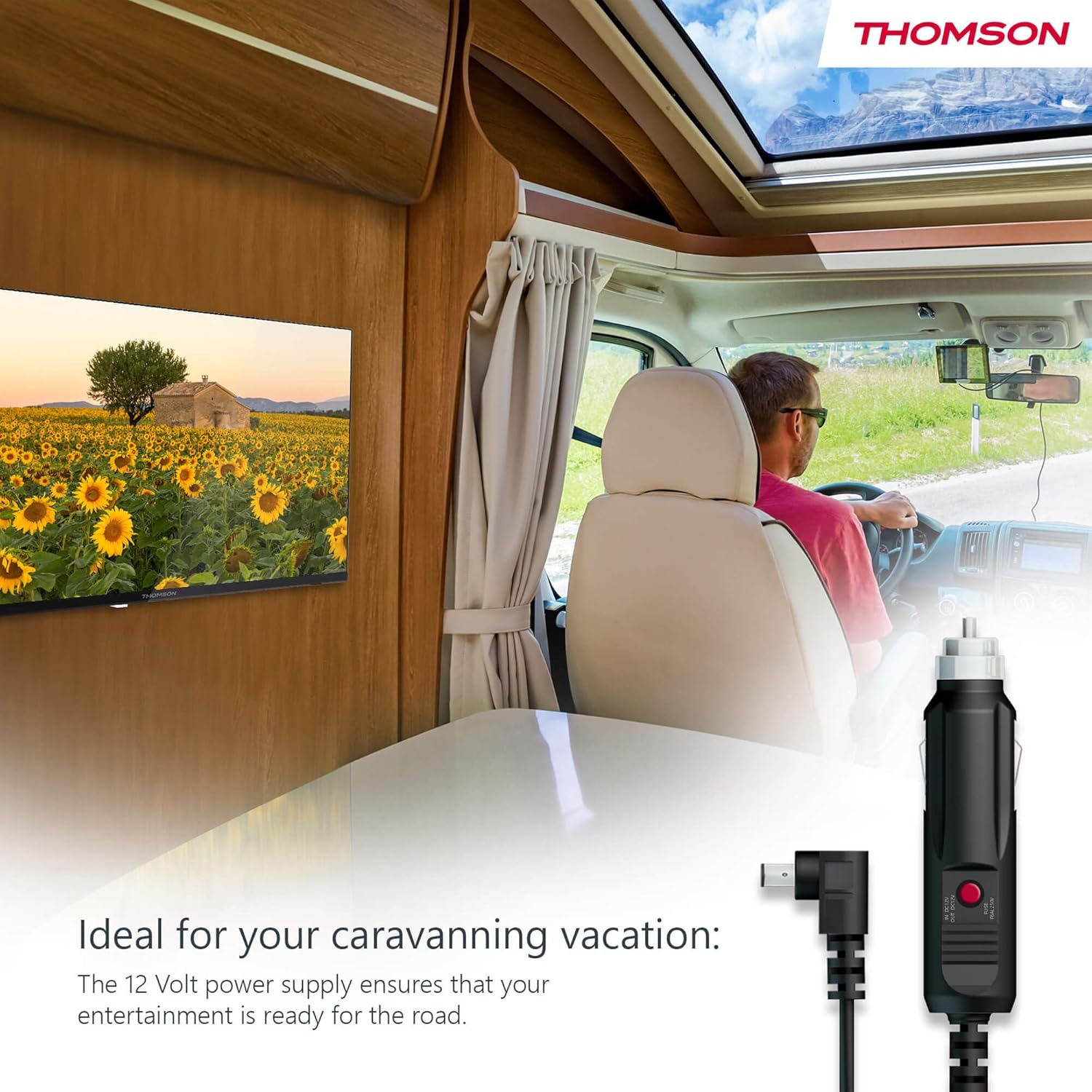
Your THOMSON TV supports both standard AC power and 12V DC power, making it ideal for camping or caravan use.
- Standard AC Power: Connect the provided power adapter to the TV's power input and then plug it into a standard wall outlet.
- 12V DC Power (Camping): For mobile use, connect the 12V power cable to the TV's power input and then to a compatible 12V power source in your vehicle or caravan.
4.3 Connecting Antennas/Cables
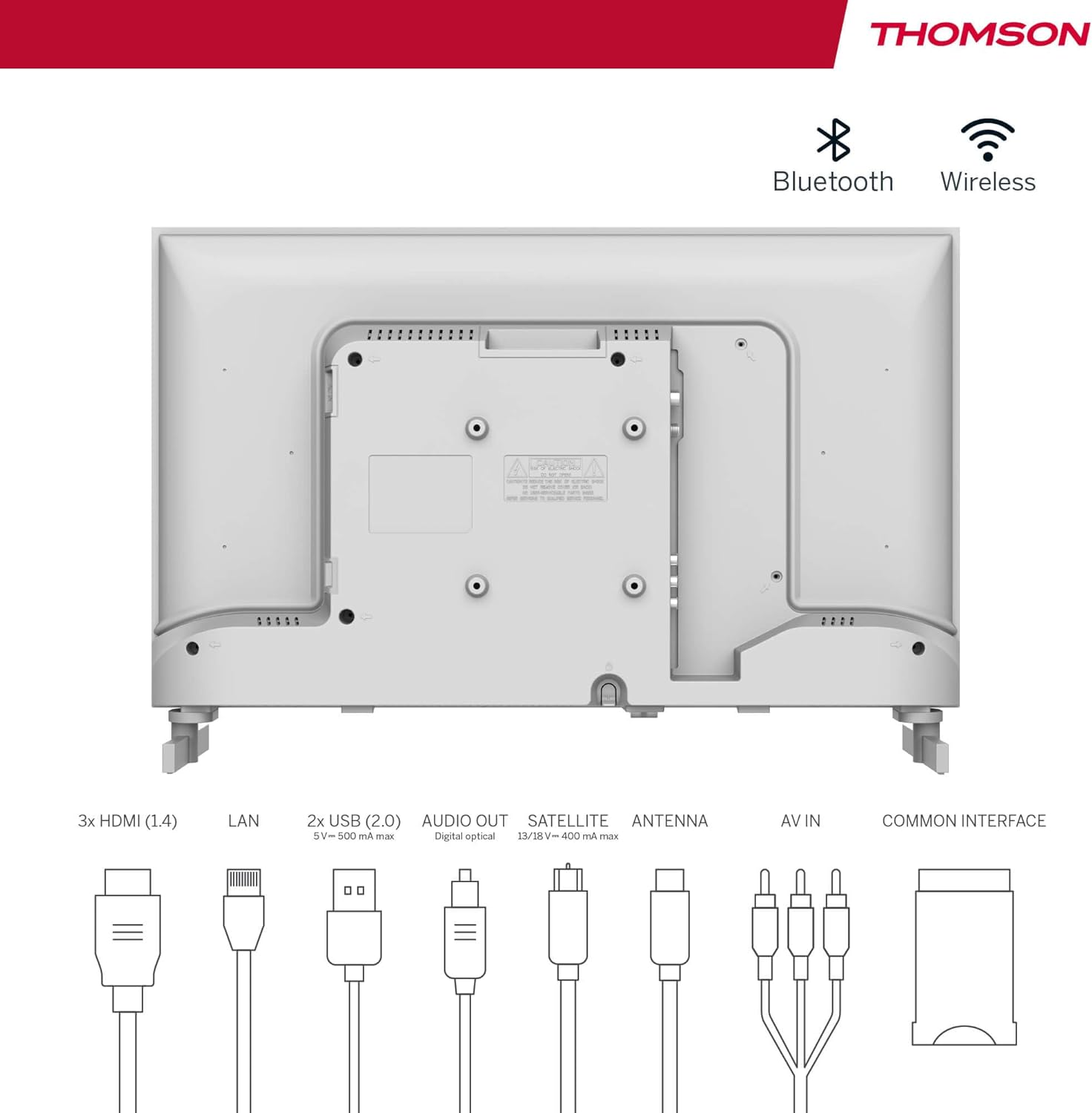
The integrated triple tuner allows reception via DVB-T (terrestrial antenna), cable, or satellite antenna.
- Zemeljska antena: Connect a DVB-T/T2 antenna cable to the 'ANTENNA' input on the TV.
- Kabelska TV: Connect your cable TV coaxial cable to the 'ANTENNA' input on the TV.
- Satelitski krožnik: Connect your satellite dish cable to the 'SATELLITE' input on the TV.
4.4 Priključitev zunanjih naprav
- Naprave HDMI: Connect Blu-ray players, game consoles, or other HDMI devices to the HDMI ports (3 available).
- Naprave USB: Connect USB drives for media playback or software updates to the USB ports (2 available).
- Zvočni izhod: Use the digital optical audio output to connect to a soundbar or home theater system.
- AV vhod: For older devices, use the AV In ports.
- LAN: Za žično internetno povezavo priključite ethernetni kabel v vrata LAN.
- CI+ Module: Insert a CI+ module and smart card (if required by your service provider) into the Common Interface slot.
4.5 Začetna nastavitev (Google TV)
- Power on the TV. The initial setup wizard will guide you through the process.
- Izberite želeni jezik.
- Connect to a Wi-Fi network or use a wired LAN connection.
- Za dostop do funkcij, aplikacij in prilagojenih priporočil Google TV se prijavite s svojim Google Računom.
- Follow the on-screen prompts to set up Google Assistant and tune channels (for antenna/cable/satellite).
5. Upravljanje televizorja
5.1 Daljinski upravljalnik
The included remote control is designed for intuitive navigation of your Google TV.

- Osvetljeni gumbi: The remote features backlighting for easy use in dark environments.
- Glasovni nadzor: Press the Google Assistant button and speak into the remote to control your TV, search for content, or ask questions.
- Gumb za priljubljeno aplikacijo: Use the star button to quickly access your most frequently used application.
- Profile stikalo: Easily switch between different user profiles set up on your Google TV.

5.2 Vmesnik Google TV
Google TV organizes content from your streaming services and apps into a single, easy-to-navigate interface.

- Prilagojena priporočila: The 'For You' tab provides content suggestions based on your viewing habits across all your streaming services.
- Aplikacije: Access a wide range of applications from the Google Play Store, including popular streaming platforms.
- Knjižnica: Find your purchased movies and shows from Google Play.
- Profiles: Create separate user profiles for each family member to get personalized content and recommendations.
5.3 Google Cast
Integrated Google Cast allows you to wirelessly stream movies, music, and videos from compatible devices (smartphones, tablets, computers) directly to your TV screen.
- Ensure your device and TV are connected to the same Wi-Fi network.
- Open a Cast-enabled app on your device (e.g., YouTube, Netflix).
- Dotaknite se ikone Cast (▶) within the app and select your THOMSON TV.
5.4 Dolby Audio
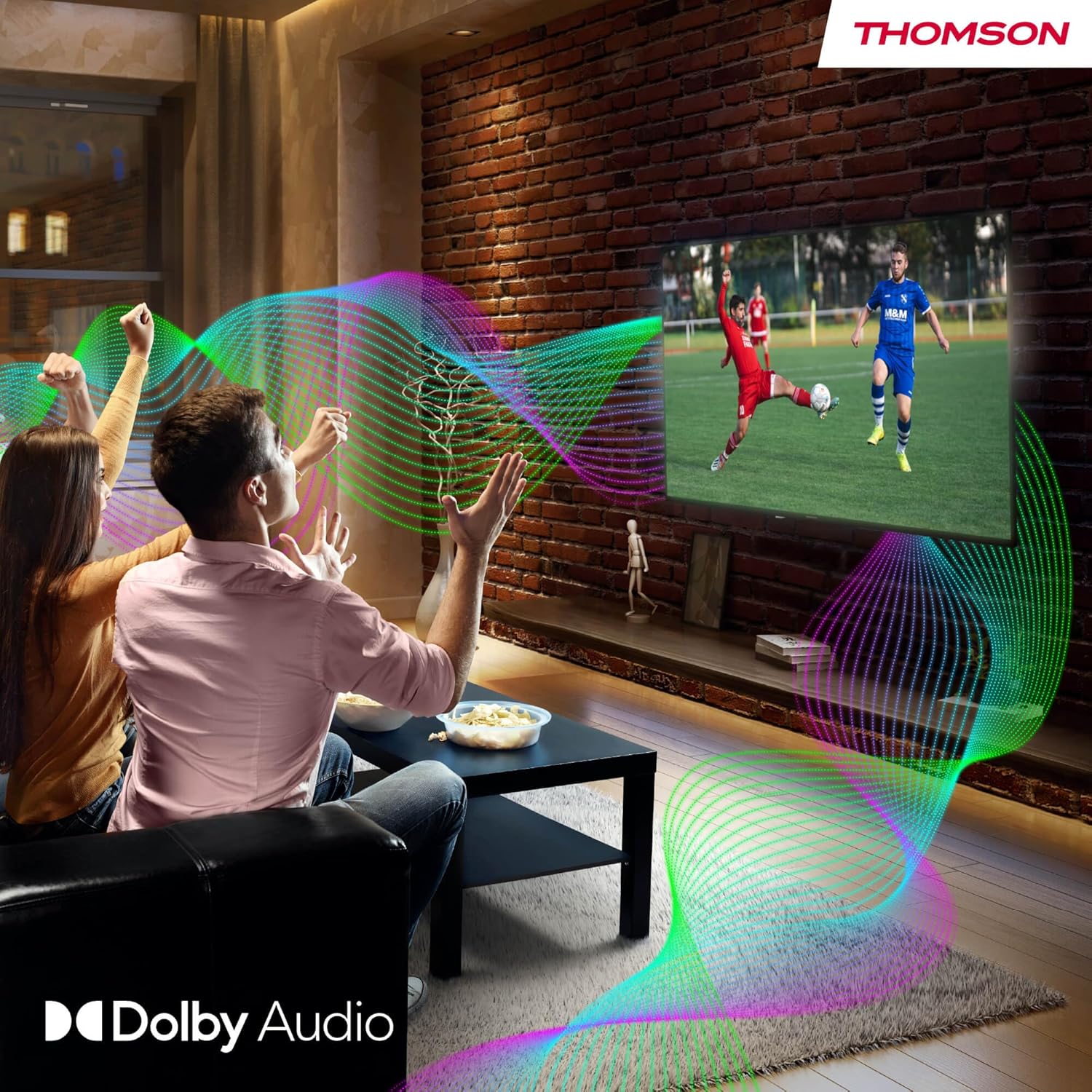
Your TV features Dolby Audio technology for an enhanced sound experience, delivering clear dialogue and immersive audio.
6. Vzdrževanje
- Čiščenje zaslona: Zaslon nežno obrišite z mehko krpo, ki ne pušča vlaken. Za trdovratne madeže rahlo obrišiteampen the cloth with water or a specialized screen cleaner (ensure it's safe for LED screens). Never spray liquid directly onto the screen.
- Čiščenje ohišja televizorja: Use a soft, dry cloth to wipe the exterior of the TV.
- Posodobitve programske opreme: Your Google TV will periodically check for and install software updates. Ensure your TV is connected to the internet for these updates.
- Upravljanje kablov: Keep cables tidy and organized to prevent damage and ensure proper ventilation.
7. Odpravljanje težav
Če imate kakršne koli težave s televizorjem, si oglejte naslednje pogoste težave in rešitve:
| Težava | Možna rešitev |
|---|---|
| Brez moči | Check if the power cable is securely connected to the TV and the power outlet. Ensure the outlet is working. Try a different power source. |
| Ni slike, vendar je zvok prisoten | Preverite vhodni vir. Prepričajte se, da so zunanje naprave pravilno priključene in vklopljene. |
| Ni zvoka, vendar je slika prisotna | Check the volume level. Ensure mute is not activated. Check audio output settings and external audio device connections. |
| Daljinski upravljalnik ne deluje | Check and replace batteries. Ensure there are no obstructions between the remote and the TV. |
| Ni mogoče vzpostaviti povezave z Wi-Fi | Prepričajte se, da je vaš usmerjevalnik vklopljen in deluje. Ponovno vnesite geslo za Wi-Fi. Poskusite znova zagnati televizor in usmerjevalnik. |
| Slaba kakovost slike | Check antenna/cable connections. Adjust picture settings. For streaming content, check internet speed. |
8. Specifikacije
| Funkcija | Podrobnost |
|---|---|
| Znamka | Thomson |
| Številka modela | 24HG2S14CW |
| Velikost zaslona | 24 palcev (60 cm) |
| Resolucija | HD (1366 x 768) |
| Tehnologija zaslona | LED |
| Hitrost osveževanja | 60 Hz |
| Operacijski sistem | Google TV |
| Glasovni nadzor | Google Assistant |
| Avdio tehnologija | Dolby Audio |
| Podpora za HDR | HDR10 |
| Povezljivost | Wi-Fi, Bluetooth 5.1, HDMI (3 ports), USB (2 ports), LAN, Digital Optical Audio Out, AV In, CI+ |
| Vrsta sprejemnika | Triple Tuner (DVB-T/T2, DVB-C, DVB-S/S2) |
| Napajalnik | 12V DC / Standard AC |
| barva | Bela |
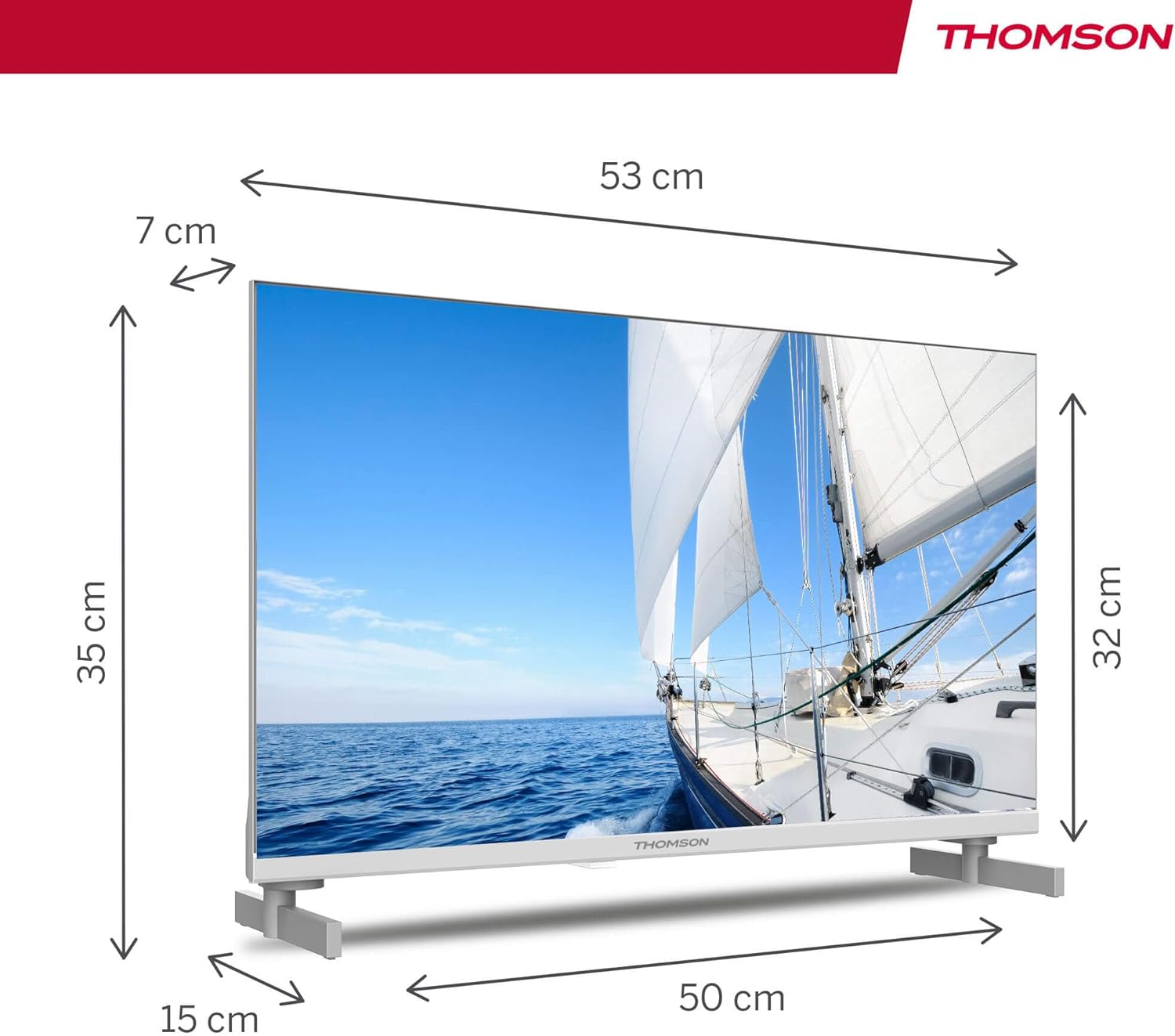
| Mere izdelka (D x Š x V) | 53.48 x 15.05 x 35.32 cm |
| Teža | 3.5 kg |
| Razred energijske učinkovitosti | E |
| Poraba energije (1000 ur) | 18 kWh |

9. Garancija in podpora
THOMSON products are designed and manufactured to the highest quality standards. This product is covered by a manufacturer's warranty. Please refer to the warranty card included in your package for specific terms and conditions, including the warranty period and coverage details.
For technical support, troubleshooting assistance, or warranty claims, please contact THOMSON customer service through their official webspletnega mesta ali kontaktnih podatkov, navedenih v garancijski dokumentaciji.


