1. Uvod
Thank you for choosing the ARENTI Power1Q Wireless Surveillance Camera. This 2K 4 MP camera features a built-in 9600 mAh Li-ion battery, AI-assisted person detection, full duplex audio, and a spotlight for enhanced night vision. Designed for both indoor and outdoor use, it provides reliable security monitoring with easy wireless installation.
This manual provides detailed instructions on how to set up, operate, and maintain your ARENTI Power1Q camera. Please read it thoroughly before use to ensure proper functionality and safety.
2. Varnostne informacije
Da preprečite poškodbe izdelka ali telesne poškodbe, upoštevajte naslednje varnostne ukrepe:
- Use only the provided USB power adapter and cable for charging.
- Ensure the camera is installed within a stable 2.4 GHz Wi-Fi network range. 5 GHz Wi-Fi networks are not supported.
- Do not expose the camera to extreme temperatures outside the operating range of -20 °C to 50 °C (-4 °F to 122 °F).
- While the camera is IP65 rated for weather resistance, avoid submerging it in water or exposing it to high-pressure water jets.
- Fotoaparat in njegove komponente hranite izven dosega otrok.
- Ne poskušajte razstavljati ali spreminjati fotoaparata. S tem boste razveljavili garancijo.
- Test the Wi-Fi signal strength at the intended installation location before permanent mounting.
3. Vsebina paketa
Preverite, ali so v vašem paketu priloženi vsi spodaj navedeni elementi:
- ARENTI Power1Q Battery-Powered Wi-Fi Surveillance Camera
- USB Power Adapter
- USB Type-C kabel
- Vodnik za hiter začetek
- Pritrdilni material (vijaki, stenski vložki)
- Magnetni nosilec
4. Izdelek je končanview
Familiarize yourself with the components of your ARENTI Power1Q camera.

Slika 4.1: Spredaj view of the ARENTI Power1Q camera with its magnetic mount attached. The camera features a lens, a blue status indicator light, and a PIR motion sensor.

Slika 4.2: Bližnji posnetek sprednjega dela view of the ARENTI Power1Q camera, highlighting the main lens, integrated spotlight, and the ARENTI branding.

Slika 4.3: Zgornji del view of the ARENTI Power1Q camera, showing the DC 5V charging port, Reset button, and Power button, protected by a rubber cover.

Slika 4.4: stran view of the ARENTI Power1Q camera, illustrating its compact design and the attachment point for the magnetic mount.
5. Nastavitev
5.1 Začetno polnjenje
Before first use, fully charge the camera's built-in 9600 mAh Li-ion battery. Connect the USB Type-C cable to the camera's DC 5V port (located under the rubber cover on top) and the other end to the USB power adapter. A full charge may take several hours.
5.2 Prenos aplikacije in ustvarjanje računa
Download the official ARENTI app from the App Store (iOS) or Google Play Store (Android). Iskanje "ARENTI".
Once installed, open the app and follow the on-screen instructions to create an account or log in if you already have one.
5.3 Povezovanje z Wi-Fi
- Ensure your smartphone or tablet is connected to a 2.4 GHz Wi-Fi network. The camera does not support 5 GHz Wi-Fi.
- In the ARENTI app, tap "Add Device" or the "+" icon.
- Select the ARENTI Power1Q camera from the list of devices.
- Follow the app's instructions to put the camera into pairing mode (usually by pressing and holding the power button or reset button until a specific indicator light behavior is observed).
- Enter your 2.4 GHz Wi-Fi network name (SSID) and password into the app.
- The app will generate a QR code. Hold your camera's lens facing the QR code on your phone screen at a distance of 15-20 cm (6-8 inches) until you hear a confirmation sound from the camera.
- Ko je povezava vzpostavljena, se bo lučka stanja kamere spremenila in aplikacija bo potrdila uspešno seznanitev.
Pomembno: A stable Wi-Fi connection is crucial for optimal performance. Test the Wi-Fi signal strength at your desired installation location before proceeding with mounting.
5.4 Namestitev fotoaparata
The ARENTI Power1Q camera can be installed wirelessly and offers flexible mounting options:
- Magnetna montaža: The camera comes with a magnetic mount. Attach the camera to the magnetic mount, then secure the mount to a metallic surface. This allows for easy adjustment of the viewvhodni kot.
- Montaža na steno: Use the provided mounting hardware (screws and wall plugs) to securely attach the magnetic mount base to a wall or ceiling. Once the base is fixed, the camera can be magnetically attached and adjusted.
Ensure the camera is positioned to cover the desired area, and its IP65 weather resistance makes it suitable for outdoor use in various weather conditions.
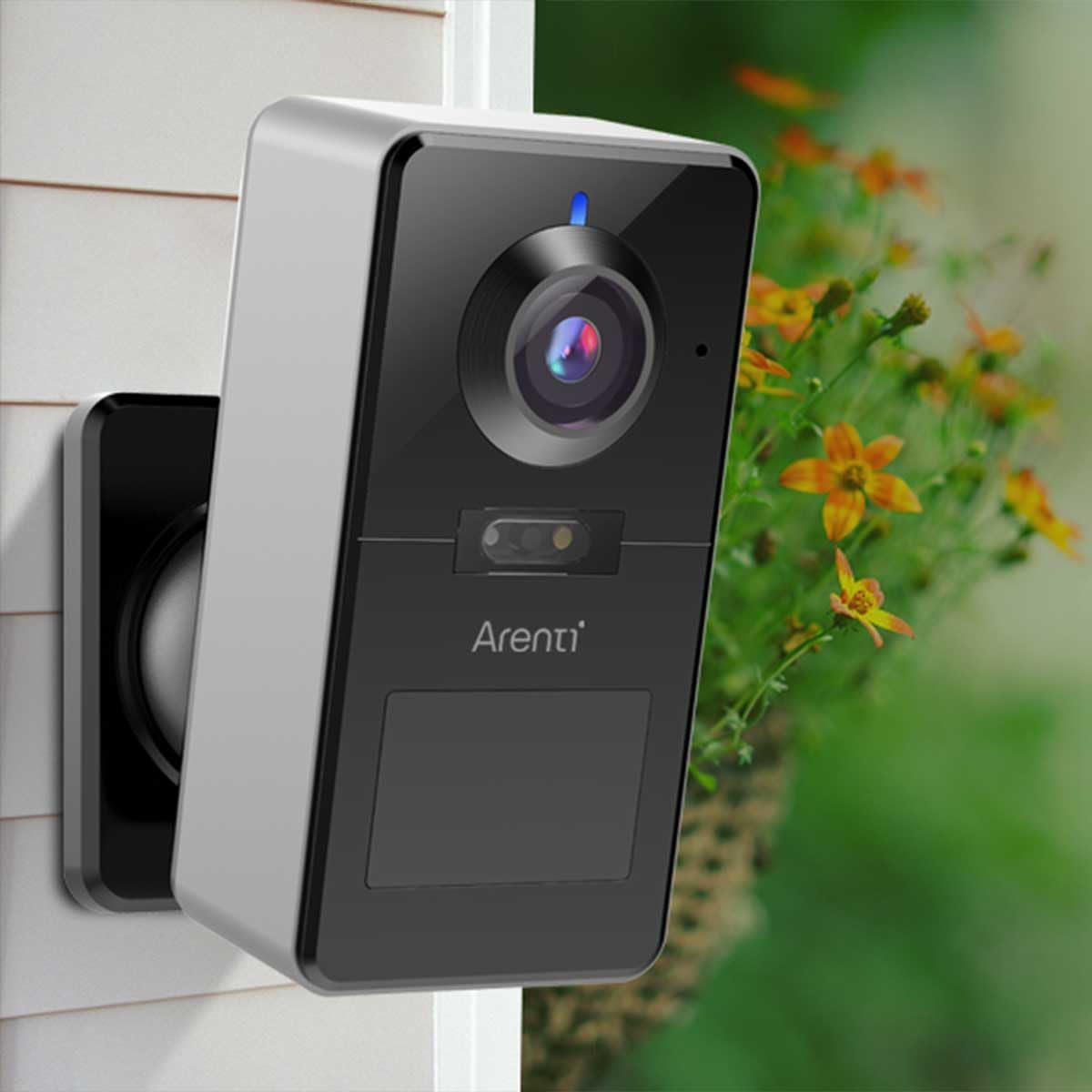
Slika 5.1: Nprample of the ARENTI Power1Q camera installed outdoors, demonstrating its compact size and discreet placement.
6. Navodila za uporabo
6.1 V živo View in Snemanje
Access the live video feed from your camera through the ARENTI app. The camera records in 2K (2560 x 1440 pixels) resolution with H.265 video compression for efficient storage.
Recordings can be stored directly on an optional microSD card (up to 256 GB) inserted into the camera, or via the paid Arenti Cloud service (AWS - Amazon Cloud).
6.2 Motion Detection and AI Person Detection
The camera features an integrated PIR motion sensor with a 120° detection angle and a range of up to 9 meters. It supports AI-based person detection to minimize false alarms caused by pets, falling leaves, or insects.
You can adjust the detection sensitivity and range within the ARENTI app. When motion is detected, you will receive push notifications on your smartphone.
6.3 Nočni vid in žaromet
The ARENTI Power1Q offers versatile night vision capabilities:
- Infrardeči nočni vid: Provides clear black-and-white images up to 10 meters in complete darkness.
- Barvni nočni vid: Utilizes the integrated 3000K warm white LED spotlight to capture full-color video even in low-light conditions. The spotlight can be activated automatically upon motion detection.

Figure 6.1: The ARENTI Power1Q camera with its integrated spotlight actively illuminating the area, enabling color night vision.

Figure 6.2: A smartphone screen displaying a comparison between daytime and nighttime views captured by the camera, showcasing the clarity of both modes.
6.4 Dvosmerni zvok
Communicate with visitors or deter intruders using the built-in microphone and speaker, supporting full duplex (two-way) audio. You can speak and listen simultaneously through the app from anywhere.
6.5 Aktivna obramba
In addition to the spotlight, the camera features an active defense function with a strobe light to deter intruders upon detection.
6.6 Integracija pametnega doma
The ARENTI Power1Q is compatible with Amazon Alexa and Google Assistant. You can stream live video feeds to your smart displays using voice commands.
7. Vzdrževanje
- Čiščenje: Objektiv in ohišje fotoaparata nežno obrišite z mehko, suho krpo. Ne uporabljajte agresivnih kemikalij ali abrazivnih čistil.
- Vzdrževanje baterije: For optimal battery life, avoid completely draining the battery frequently. Charge the camera fully when the battery level is low.
- Posodobitve vdelane programske opreme: Regularly check the ARENTI app for firmware updates. Updates often include performance improvements, new features, and security enhancements.
8. Odpravljanje težav
| Težava | Možen vzrok | rešitev |
|---|---|---|
| Kamera se ne more povezati z omrežjem Wi-Fi. | Incorrect Wi-Fi band (5 GHz not supported), weak signal, incorrect password. | Ensure your router is broadcasting a 2.4 GHz network. Verify Wi-Fi password. Move camera closer to the router or use a Wi-Fi extender. Reset the camera and try pairing again. |
| Pogosti lažni alarmi. | High motion detection sensitivity, environmental factors (e.g., swaying branches, passing cars). | Adjust the motion detection sensitivity and detection zones in the ARENTI app. Ensure AI person detection is enabled. |
| Slaba kakovost videa ali zakasnitev. | Weak Wi-Fi signal, network congestion. | Improve Wi-Fi signal strength. Reduce the number of devices on your network. Check your internet speed. |
| Baterija se hitro izprazni. | Frequent motion detection events, continuous live viewing, extreme temperatures. | Zmanjšajte občutljivost ali frekvenco zaznavanja gibanja. Omejite v živo viewing. Ensure camera operates within recommended temperature range. |
For further assistance, please refer to the Quick Start Guide or visit the official ARENTI support webmesto.
9. Specifikacije
| Ime modela | Arenti POWER1Q |
| Video ločljivost | 2K (2560 x 1440 pixels), 4 MP |
| Stiskanje videa | H.265 |
| Baterija | 9600 mAh Li-ion (rechargeable, included) |
| Brezžična povezljivost | Wi-Fi 2.4 GHz (IEEE802.11b/g/n) |
| Območje nočnega vida | Do 10 metrov (infrardeče) |
| V središču pozornosti | Integrated 3000K LED for color night vision |
| Zaznavanje gibanja | PIR Sensor, 120° detection angle, up to 9m range, AI Person Detection |
| Avdio | Full Duplex Two-Way Audio (built-in microphone and speaker) |
| Možnosti shranjevanja | MicroSD card (up to 256 GB, not included), Arenti Cloud Storage (subscription-based) |
| Združljivost s pametnim domom | Amazon Alexa, Googlov pomočnik |
| Material | Kovina |
| Dimenzije (D x Š x V) | 7.9 x 5.6 x 11.5 cm (3.1 x 2.2 x 4.5 palca) |
| Teža | 361 gramov (0.79 lbs) |
| Vodoodpornost | IP65 (odporen na vremenske vplive) |
| Delovna temperatura | -20 °C do 50 °C (-4 °F do 122 °F) |
10. Garancija in podpora
For warranty information, please refer to the warranty card included in your product packaging or visit the official ARENTI webGarancijski pogoji se lahko razlikujejo glede na regijo.
If you encounter any issues not covered in this manual or require technical assistance, please contact ARENTI customer support through their official webspletnega mesta ali kontaktnih podatkov, navedenih v vašem priročniku za hitri začetek.


