1. Uvod
This manual provides detailed instructions for the setup, operation, maintenance, and troubleshooting of your Koiiko Wireless Gaming Controller Z01. This versatile controller is designed for compatibility across multiple platforms, including iOS, Android, PC, Nintendo Switch, PlayStation 3, and PlayStation 4, offering an enhanced gaming experience with its advanced features.

Slika 1.1: Spredaj view of the Koiiko Wireless Gaming Controller Z01, showcasing its design and illuminated elements.
2. Controller Components
Familiarize yourself with the various buttons and features of your Koiiko Z01 controller:
- Left/Right Analog Sticks (Hall Effect): For precise 3D movement and input, featuring Hall Effect sensors to prevent drift.
- D-pad: Directional pad for digital input.
- Gumbi za dejanja (A, B, X, Y): Standard gaming input buttons, with interchangeable key values.
- Shoulder Buttons (LB, RB) & Triggers (Hall Effect Linear): For additional actions and responsive input, featuring Hall Effect linear triggers.
- Domov gumb: For system menu access and power control.
- Select/Share Button: For various in-game or system functions.
- Start/Options Button: For various in-game or system functions.
- Gumbi M1/M2: Programmable back buttons for custom actions.
- Turbo gumb: Activates continuous input for other buttons.
- Gumb za nastavitev svetlobe: Controls the 7-color RGB breathing light modes.
- Vrata USB-C: Za polnjenje krmilnika.

Slika 2.1: Podrobno zgorajview of the Koiiko Wireless Gaming Controller Z01, highlighting its main features.
3. Ključne značilnosti
- Široka združljivost: Supports iOS (iPhone, iPad), Android (phones, tablets), PC, Nintendo Switch/Switch OLED/Switch Lite, PlayStation 3, and PlayStation 4. Compatible with Steam, Xbox Game Pass, Nvidia GeForce Now, Amazon Luna, Google Stadia, and other cloud gaming services.
- Hall Effect Technology: Equipped with Hall Effect joysticks and linear triggers for enhanced precision, durability, and prevention of stick drift.
- Prilagodljiva RGB osvetlitev: Features a 7-color RGB breathing light with 5 distinct lighting modes on the joysticks, adjustable via a dedicated button.
- Programabilni gumbi: Includes two programmable back buttons (M1, M2) and highly customizable LB, RB buttons, supporting up to 30 action keys.
- Six-Axis Gyro: Built-in 6-axis gyroscope for motion control, supported on PC, PS3, PS4, and Switch.
- Turbo funkcija: Allows for continuous input with a single press, enhancing gameplay for rapid actions.
- Dolgotrajna baterija: Integrated 600mAh lithium battery provides approximately 10-15 hours of continuous use on a single charge.
- Prenosna zasnova: Small and lightweight, making it easy to carry and store.
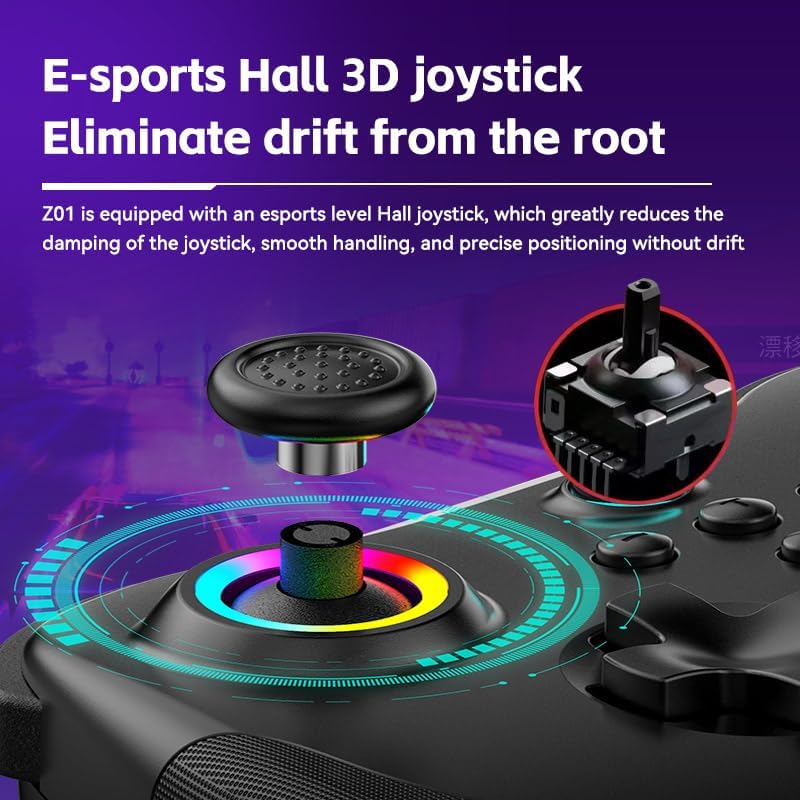
Image 3.1: Illustration of the Hall Effect 3D joystick, highlighting its drift-prevention design.
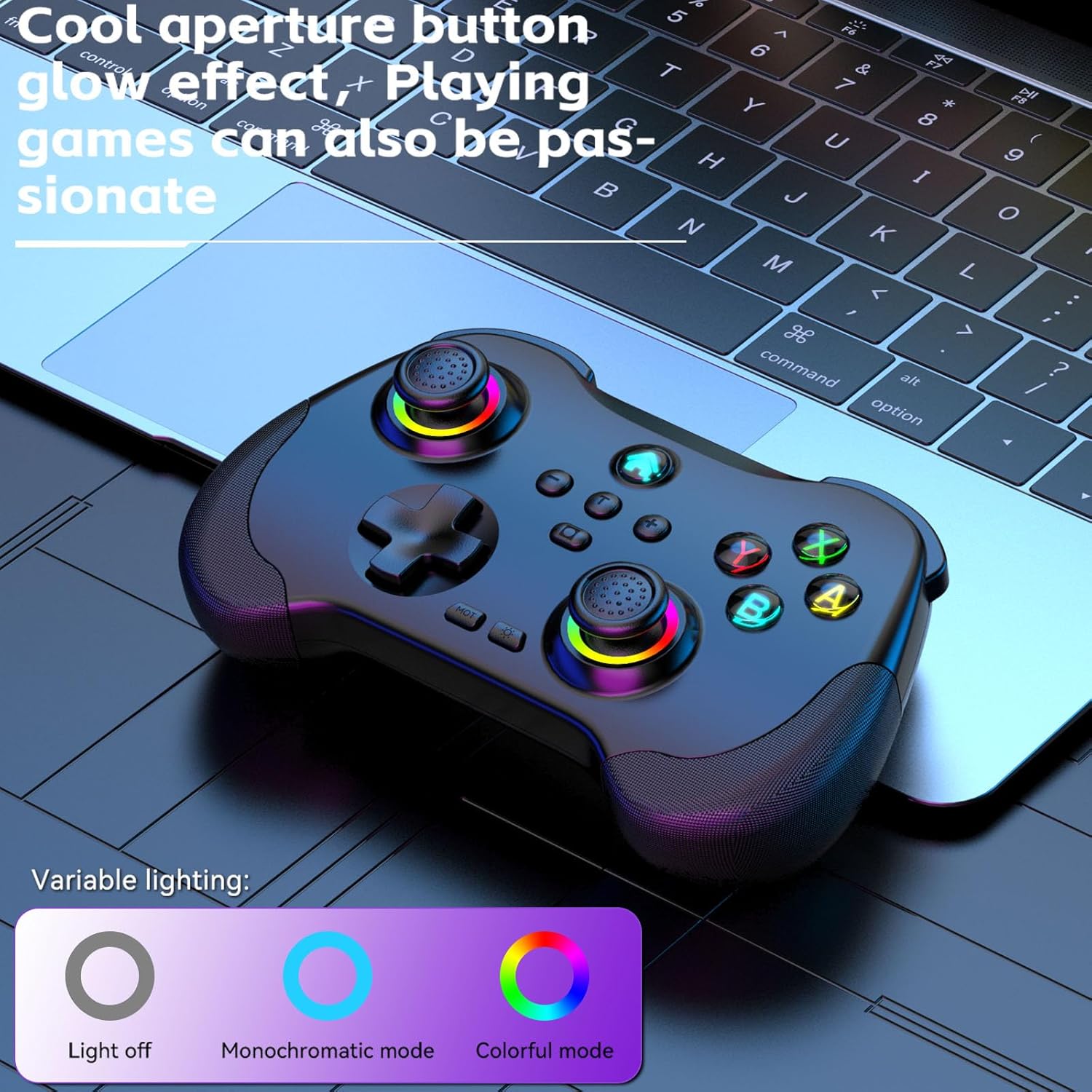
Image 3.2: The controller displaying its customizable RGB lighting on joysticks and buttons.
4. Nastavitev in polnjenje
4.1. Polnjenje krmilnika
Before first use, fully charge the controller. Connect the included USB-C cable to the controller's charging port and the other end to a USB power source (e.g., computer, wall adapter). The LED indicators will show charging status and turn off or change color when fully charged.
- Kapaciteta baterije: 600 mAh
- Čas polnjenja: Približno 2 ur
- Vzdržljivost: Približno 10-15 ur
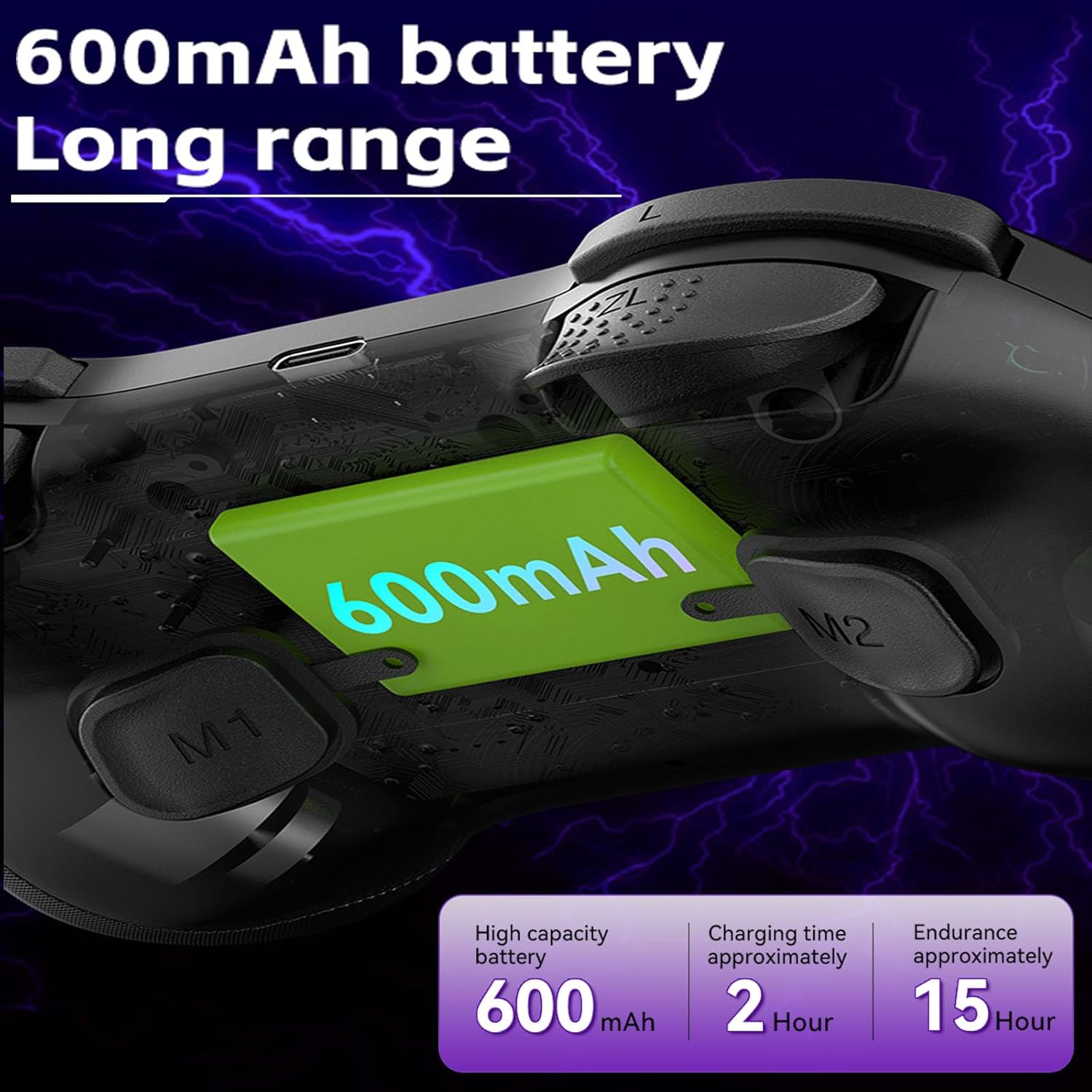
Image 4.1: Diagram illustrating the 600mAh battery capacity and charging specifications.
4.2. Vklop/izklop
- Za vklop: Press and hold the Home button for 1-2 seconds.
- Za izklop: Press and hold the Home button for 3-5 seconds until the indicator lights turn off.
5. Navodila za uporabo
5.1. Povezovanje z napravami
The Koiiko Z01 controller supports various connection modes. The specific button combination to enter pairing mode may vary by platform. Please refer to the included physical user manual for exact button combinations for each mode. Below are general guidelines:
- Splošno seznanjanje prek Bluetootha: Typically involves holding a combination of buttons (e.g., Home + X, Home + A, Home + B) until the indicator lights flash rapidly, indicating pairing mode. Then, search for "Koiiko Z01" or similar on your device's Bluetooth settings and connect.
- Nintendo Switch: Navigate to the 'Controllers' menu on your Switch, then 'Change Grip/Order'. Hold the specific pairing button combination on the controller until it connects.
- PC (Windows): Ensure your PC has Bluetooth enabled. Hold the specific pairing button combination, then go to 'Bluetooth & other devices' in Windows settings and add a new Bluetooth device. The controller will typically connect as an X-Input device.
- iOS/Android: Enable Bluetooth on your mobile device. Hold the specific pairing button combination, then select the controller from the list of available Bluetooth devices.
- PlayStation 3/4: Connect the controller via USB cable first to register it, then it may be used wirelessly. Specific pairing methods may vary; consult your console's instructions.

Image 5.1: Connection guideline for PC.

Image 5.2: Connection guideline for Nintendo Switch.
5.2. Izmenjava ključev in vrednosti ABXY
The controller allows you to switch the ABXY button layout between Nintendo Switch and Xbox settings without physically removing the buttons.
- To Interchange: Pritisnite in držite X + B + HOME keys simultaneously. The controller will switch its ABXY key value. Repeat the combination to revert to the previous setting.

Image 5.3: ABXY key value interchange function.
5.3. Prilagoditev osvetlitve RGB
The controller features customizable RGB lighting around the joysticks and on the buttons.
- Za spremembo načinov: Press the dedicated Light Adjustment button (refer to the controller diagram in your physical manual for location) to cycle through the 5 available RGB light modes, including a mode to turn the lights off.
5.4. Programabilni gumbi za nazaj (M1/M2)
The M1 and M2 buttons on the back of the controller can be programmed to perform specific actions or sequences.
- Koraki programiranja: Refer to your physical user manual for detailed instructions on how to program the M1 and M2 buttons, as the process typically involves entering a programming mode and then inputting the desired button sequence.
5.5. Funkcija Turbo
The Turbo function allows a button to register continuous presses when held down.
- Aktiviranje: Pritisnite TURBO button simultaneously with the desired action button (e.g., TURBO + A).
- Za deaktivacijo: Repeat the activation step (TURBO + A) for the same button.

Slika 5.4: Konecview of advanced functions including macro programming and Turbo mode.
6. Vzdrževanje
Proper care will extend the life of your controller.
- Čiščenje: Za brisanje krmilnika uporabite mehko, suho krpo. Za trdovratno umazanijo rahlo obrišiteampkrpo sperite z vodo. Izogibajte se agresivnim kemikalijam ali abrazivnim čistilom.
- Shranjevanje: Krmilnik shranjujte na hladnem in suhem mestu, stran od neposredne sončne svetlobe in ekstremnih temperatur.
- Vzdrževanje baterije: To maintain battery health, avoid fully discharging the controller frequently. If storing for an extended period, charge it to about 50% every few months.
- Izogibajte se fizičnim vplivom: Krmilnika ne spuščajte in ga ne izpostavljajte močnim udarcem, saj lahko s tem poškodujete notranje komponente.
7. Odpravljanje težav
If you encounter issues with your Koiiko Z01 controller, try the following solutions:
| Težava | Možna rešitev |
|---|---|
| Krmilnik se ne vklopi. | Prepričajte se, da je krmilnik napolnjen. Priključite ga na vir napajanja s kablom USB-C. |
| Povezave ni mogoče vzpostaviti prek Bluetootha. |
|
| Buttons or joysticks are unresponsive or drifting. |
|
| RGB luči ne delujejo. | Press the Light Adjustment button to cycle through modes or turn them on. Ensure the controller is powered on. |
| Krmilnik se pogosto odklopi. |
|
8. Specifikacije
| Funkcija | Podrobnost |
|---|---|
| Model | Z01 |
| Dimenzije izdelka | 2.44 x 6.85 x 4.84 palcev (6.2 x 17.4 x 12.3 cm) |
| Teža predmeta | 12.6 unče (357.2 gramov) |
| Baterija | 1 AA battery required (included) - Note: Product features mention 600mAh Lithium, please refer to product packaging for exact battery type. |
| Kapaciteta baterije | 600mAh (Lithium, built-in) |
| Čas polnjenja | Približno 2 ur |
| Trajanje uporabe | Približno 10-15 ur |
| Razdalja prenosa Bluetooth | ≤ 8 metrov |
| Delovni letniktage | DC3.7V |
| Delovni tok | < 35 mA |
| Proizvajalec | ShenZhen ShanWan Technology Co., Ltd. |
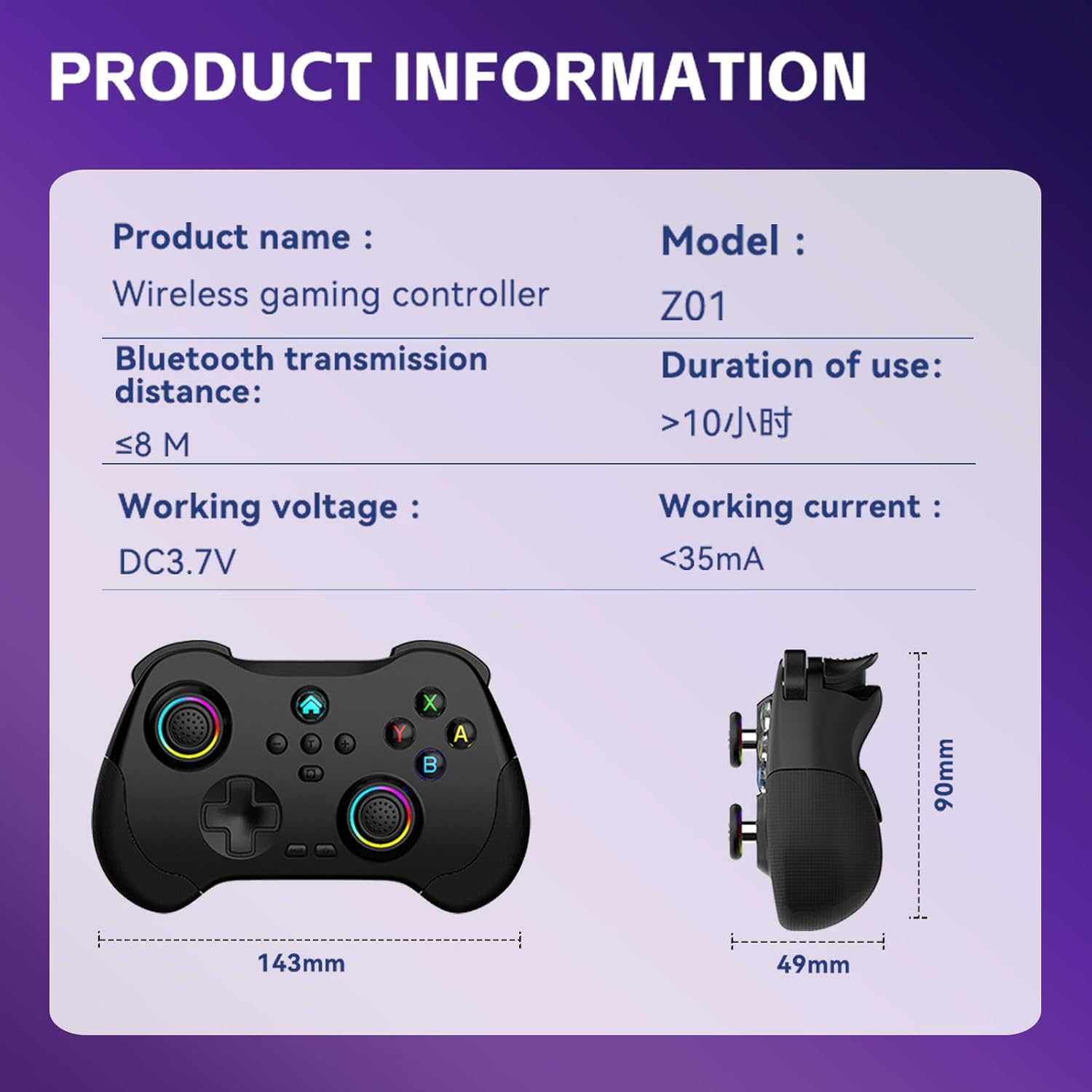
Image 8.1: Product information table with key specifications.
9. Garancija in podpora
Koiiko provides technical support for its products. If you have any questions, encounter issues, or require assistance with your Koiiko Wireless Gaming Controller Z01, please contact our customer support team.
- Kontaktni podatki: Please refer to the contact details provided on your product packaging or the official Koiiko webspletno mesto za najnovejše kanale podpore.
- Garancija: Information regarding product warranty periods and terms can be found on the official Koiiko webspletnem mestu ali v embalaži vašega izdelka.


