1. Uvod
The ASMAX F1 Motorcycle Bluetooth Headset is an advanced communication system designed for motorcyclists. It features Bluetooth 5.3 technology, supporting up to 10 riders with a communication range of up to 1.8km. The F1 offers dual intercom modes (Free and Group Mesh), voice control, superior sound quality with ENC noise reduction, and an IP67 waterproof rating. Its magnetic mounting system and fast-charging capabilities ensure convenience and reliability for all your rides.
2. Varnostne informacije
- Vedno dajte prednost varnosti v cestnem prometu. Naprave ne upravljajte na način, ki bi vas motil od vožnje.
- Pred vožnjo se prepričajte, da so slušalke varno nameščene na čelado.
- Adjust volume levels to ensure you can still hear ambient traffic sounds.
- Naprave ne poskušajte razstavljati ali spreminjati, saj lahko s tem razveljavite garancijo in ogrozite varnost.
- Napravo ne izpostavljajte ekstremnim temperaturam in neposredni sončni svetlobi.
- Napravo polnite samo s priloženim kablom in združljivim virom napajanja.
3. Vsebina paketa
Preverite, ali so v paketu vsi elementi:
- ASMAX F1 Bluetooth Headset Unit(s)
- Speaker and Microphone Kit(s)
- Magnetic Mounting Base(s)
- USB Charging Cable(s)
- Uporabniški priročnik
- Mounting Accessories (e.g., adhesive pads, clips)

Image: ASMAX F1 Headset and included accessories.
4. Izdelek je končanview
4.1 Komponente
The ASMAX F1 unit features a sleek design with an illuminated cross-shaped indicator. It is designed for easy attachment to most motorcycle helmets.

Image: ASMAX F1 Bluetooth Headset units.
4.2 Kontrole in kazalniki
The ASMAX F1 is equipped with intuitive controls and indicators for ease of use while riding.
- Gumb interkoma: Initiates and manages intercom connections.
- Gumbi za glasnost +/-: Prilagodi glasnost zvoka.
- Funkcijski gumb: Multi-purpose button for various operations.
- LED indikator: Displays device status (e.g., power, pairing, charging).
- Glasovni nadzor: Activates functions using voice commands (e.g., "Hi Max").

Image: ASMAX F1 controls and helmet compatibility.
5. Nastavitev
5.1 Namestitev na čelado
The ASMAX F1 features a magnetic mounting system for easy and secure attachment to your helmet.
- Choose a suitable location on the side of your helmet, typically on the left side, ensuring it does not obstruct your vision or helmet functionality.
- Clean the helmet surface thoroughly where the mounting base will be attached.
- Attach the magnetic mounting base to the helmet using the provided adhesive pad or clamp. Ensure it is firmly secured.
- Insert the speakers into the helmet's ear pockets. Ensure they are positioned directly over your ears for optimal sound.
- Route the microphone boom or wired microphone to a position near your mouth, ensuring clear voice pickup and minimal wind noise.
- Connect the speaker and microphone cables to the ASMAX F1 unit.
- Attach the ASMAX F1 unit to the magnetic mounting base. The strong magnet will secure it in place.
5.2 Začetno polnjenje
Before first use, fully charge the ASMAX F1 unit. The 1250mAh battery supports fast charging.
- Connect the provided USB charging cable to the ASMAX F1 unit's charging port.
- Drugi konec kabla priključite na napajalnik USB (ni priložen) ali vrata USB računalnika.
- The LED indicator will show charging status. Once fully charged, the indicator will change (refer to specific LED behavior in the full manual).
- Napravo lahko polnite med uporabo.
6. Navodila za uporabo
6.1 Vklop/izklop
- Vklop: Press and hold the Function Button for approximately 3 seconds until the LED indicator lights up and you hear a voice prompt.
- Ugasniti: Press and hold the Function Button for approximately 3 seconds until the LED indicator turns off and you hear a voice prompt.
6.2 Povezovanje z mobilno napravo prek Bluetootha
The ASMAX F1 uses Bluetooth 5.3 for stable connections.
- With the ASMAX F1 powered off, press and hold the Function Button for approximately 5-7 seconds until the LED indicator flashes rapidly (usually blue/red alternating), indicating pairing mode.
- Na mobilnem telefonu omogočite Bluetooth in poiščite nove naprave.
- Select "ASMAX F1" from the list of available devices.
- Once paired, the LED indicator will change (e.g., slow blue flashes) and you will hear a confirmation tone.

Image: Universal pairing capability of ASMAX F1.
6.3 Intercom Modes
The ASMAX F1 supports various intercom modes for group communication.
- Prosti način: For spontaneous connections within range. Up to 10 riders can join instantly.
- Group Mode (MESH Communication): For private conversations with a team of up to 10 riders. Supports 1-on-1 chats within the group.
- CloudTalk Mode: (Requires app update) Supports cross-brand cloud intercom for up to 50 people, anywhere with a mobile network.

Image: ASMAX F1 10-Rider Mesh Group Intercom.
6.4 Glasovni nadzor
Activate voice commands by saying "Hi Max" followed by your command. This allows for hands-free operation.
- "Hi Max, Music On"
- "Hi Max, Next Track"
- "Hi Max, Volume Up/Down"
- "Hi Max, Answer The Phone"
- "Hi Max, End Intercom"
- "Hi Max, Phone Pairing"
- "Hi Max, Group Mesh"
- "Hi Max, Free Mode"

Image: ASMAX F1 Voice Control feature.
6.5 Zvočna večopravilnost
The ASMAX F1 allows for simultaneous audio streams, such as listening to music while receiving navigation instructions or participating in an intercom conversation.

Image: ASMAX F1 Audio Multitasking.
7. Vzdrževanje
- Čiščenje: Enoto obrišite z mehko, damp krpo. Ne uporabljajte močnih kemikalij ali abrazivnih čistil.
- Shranjevanje: Ko naprave ne uporabljate, jo hranite na hladnem in suhem mestu.
- Vzdrževanje baterije: Za optimalno življenjsko dobo baterije se izogibajte pogostemu popolnemu praznjenju baterije. Redno jo polnite.
- Vodoodpornost: The ASMAX F1 is IP67 waterproof. While it can withstand rain and splashes, avoid prolonged submersion.

Image: ASMAX F1 IP67 Waterproof feature.
8. Odpravljanje težav
| Težava | Možen vzrok | rešitev |
|---|---|---|
| Naprava se ne vklopi. | Nizka baterija. | Napravo popolnoma napolnite. |
| Seznanitev s telefonom ni mogoča. | Naprava ni v načinu seznanjanja; Bluetooth na telefonu je izklopljen. | Ensure device is in pairing mode (flashing LED). Turn on phone's Bluetooth. Forget previous pairings on phone. |
| Težave z interkomsko povezavo. | Out of range; interference; incorrect mode. | Ensure units are within range. Check for obstacles. Verify correct intercom mode (Free/Group). |
| Slaba kakovost zvoka / šum. | Microphone position; speaker placement; high speed. | Adjust microphone closer to mouth. Ensure speakers are aligned with ears. ENC noise reduction works best with visor closed at high speeds. |
| Glasovni ukazi se ne odzivajo. | Težava z mikrofonom; hrupno okolje; napačen ukaz. | Ensure microphone is clear. Speak clearly. Try again in a quieter environment. Refer to voice command list. |
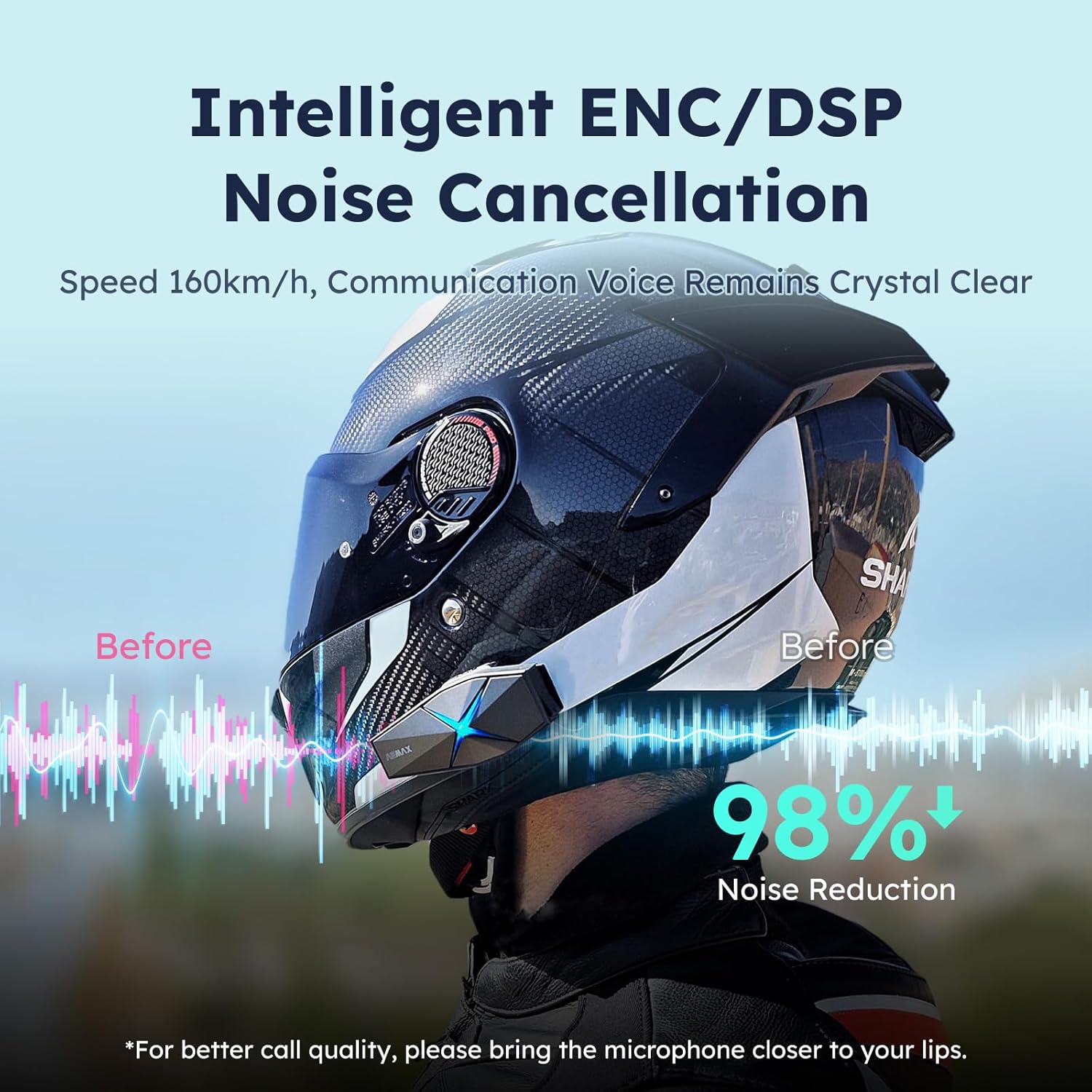
Image: ASMAX F1 Noise Cancellation technology.
9. Specifikacije
| Funkcija | Podrobnost |
|---|---|
| Ime modela | ASMAX F1 (F1 DP) |
| Različica Bluetooth | 5.3 |
| Domofon | Up to 1.8 km (10 riders) |
| Kapaciteta baterije | 1250 mAh |
| Polnjenje | Fast Charging, USB |
| Ocena vodotesnosti | IP67 |
| Nadzor hrupa | Active Noise Cancellation (ENC/DSP) |
| Glasovni nadzor | "Hi Max" commands |
| Avdio funkcije | Audio Multitasking, Superior Sound Quality |
| Dimenzije | Approx. 86mm x 36mm x 23.6mm (unit) |
| Teža | Approx. 50g (unit) |
| Namestitev ušesa | V ušesu |
| Impedanca | 32 Ohm |
| Občutljivost | 105 dB |
| Frekvenčni odziv | 20 Hz (najmanj) |

Image: ASMAX F1 Dual-Chip Octa-Core technology.
10. Garancija in podpora
ASMAX products come with a standard manufacturer's warranty. For specific warranty terms and conditions, please refer to the warranty card included in your product packaging or visit the official ASMAX webmesto.
For technical support, troubleshooting assistance, or any inquiries regarding your ASMAX F1 headset, please contact ASMAX customer service through their official channels. Contact information can typically be found on the ASMAX webmestu ali v embalaži izdelka.
Regularly check the ASMAX website or app for firmware updates to ensure optimal performance and access to new features, such as CloudTalk Mode.