Uvod
This manual provides comprehensive instructions for the Amazon Kindle 16 GB (Newest Model). It covers setup, operation, maintenance, troubleshooting, and specifications to help you maximize your reading experience.
The Amazon Kindle 16 GB is designed to be lightweight and compact, offering an enhanced reading experience with faster page turns and a higher contrast ratio. It features a 6-inch glare-free display with an adjustable front light, now 25% brighter at its maximum setting, and a dark mode for comfortable reading in any environment. With up to 6 weeks of battery life on a single charge and 16 GB of storage, it can hold thousands of books, magazines, and comics, providing a distraction-free reading experience.

Image: The Amazon Kindle 16 GB e-reader, open to a book page, showcasing its clear display and compact design.
1. Nastavitev
Follow these steps to set up your new Amazon Kindle 16 GB:
- Charge Your Kindle: Before first use, connect your Kindle to a power source using the provided USB-C cable. The battery indicator will show charging status.
- Vklop: Press and hold the power button located on the bottom edge of the device until the screen lights up.
- Izberi jezik: Na seznamu izberite želeni jezik.
- Povežite se z Wi-Fi: Select your Wi-Fi network from the available list and enter the password. A stable internet connection is required for initial setup and downloading content.
- Registrirajte svojo napravo: Sign in with your existing Amazon account or create a new one. This links your Kindle to your Amazon library and services.
- Optional: Kindle Unlimited Setup: If your purchase included a Kindle Unlimited subscription, follow the on-screen prompts to activate your 3 months of Kindle Unlimited. This provides access to over 4 million titles and thousands of audiobooks.
- Prenesi vsebino: Once registered, you can browse the Kindle Store or access your existing library to download books.
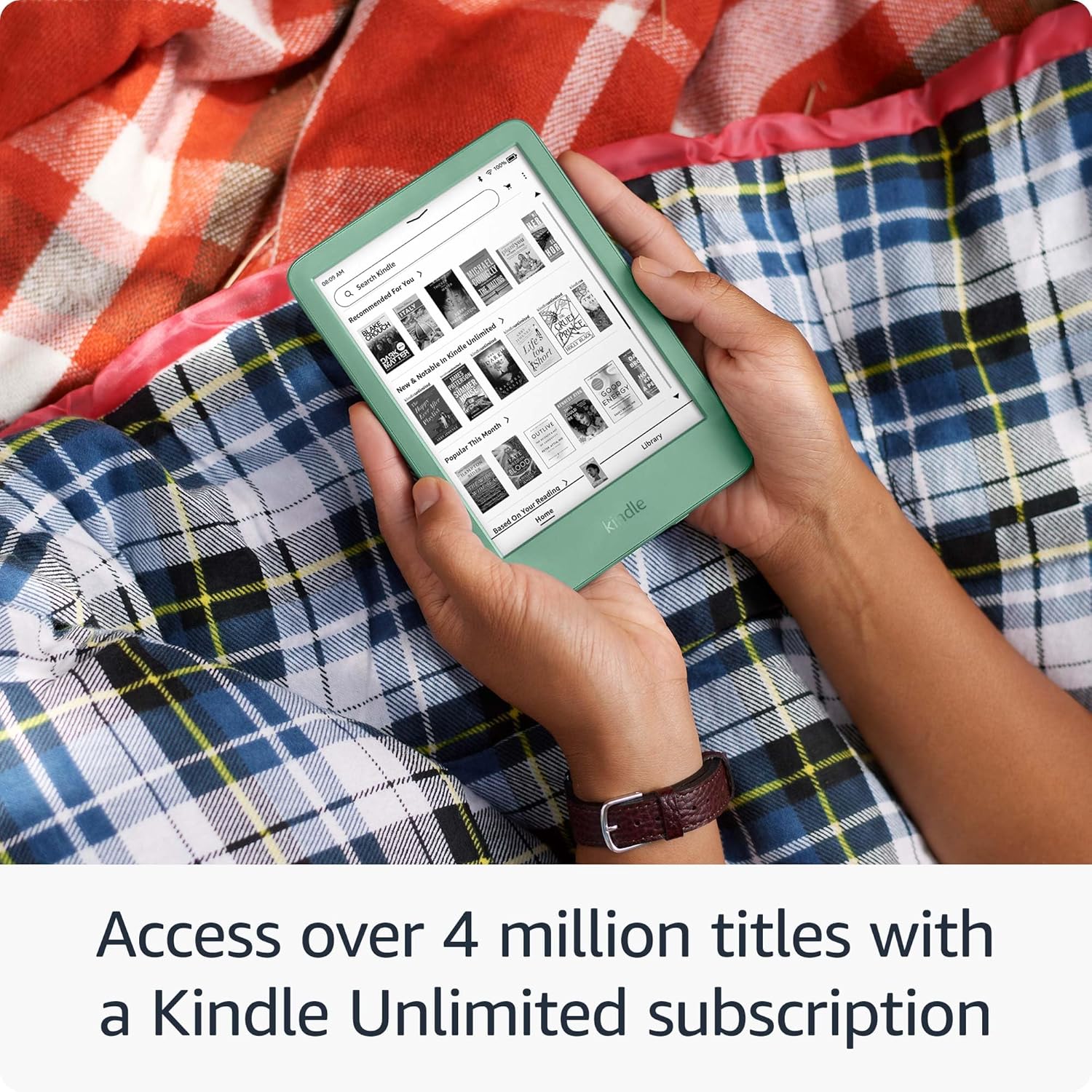
Image: The Amazon Kindle displaying the Kindle Unlimited library, showing various book covers available for download.
2. Upravljanje Kindla
2.1 Osnovna navigacija
- Domači zaslon: Tap the "Home" icon to return to your main library and recommendations.
- Knjižnica: Access all your downloaded books and content by tapping "Library".
- Obrnjene strani: Tap the right side of the screen to turn to the next page, or the left side to go back. Swipe gestures can also be used. The Kindle features faster page turns for a smoother reading flow.
- Iskanje: Use the search bar at the top of the screen to find books, authors, or content within your device or the Kindle Store.
2.2 Bralna izkušnja
The Kindle is designed for a distraction-free reading experience. You can customize your display settings:
- Nastavljiva sprednja luč: Tap the top of the screen to open the quick settings menu. Adjust the brightness slider to your preference. The front light is now 25% brighter at max setting.
- Temni način: Toggle Dark Mode on/off from the quick settings menu for comfortable reading in low-light conditions.
- Velikost pisave in besedila: While reading a book, tap the top of the screen, then select the "Aa" icon to change font style, size, line spacing, and margins.
- Glare-Free Display: The 6-inch glare-free display ensures readability even in direct sunlight.

Image: A close-up of the Amazon Kindle held in hand, highlighting the text on the screen and the improved front light feature.

Image: The Amazon Kindle held by a person, illustrating the device's responsiveness with faster page turns.
3. Vzdrževanje
- Polnjenje: Recharge your Kindle when the battery indicator is low. A full charge provides up to 6 weeks of battery life, depending on usage. Use the provided USB-C cable and a compatible power adapter.
- Čiščenje: Gently wipe the screen and body of your Kindle with a soft, lint-free cloth. Avoid using abrasive cleaners or solvents.
- Posodobitve programske opreme: Your Kindle will automatically download and install software updates when connected to Wi-Fi. Ensure your device is charged during updates.
- Upravljanje shranjevanja: With 16 GB of storage, your Kindle can hold thousands of books. To manage storage, go to "Settings" > "Device Options" > "Storage". You can remove downloaded books to free up space without deleting them from your Amazon account.

Image: A person relaxing in a hammock, reading on the Amazon Kindle, emphasizing its portability and long battery life.
4. Odpravljanje težav
If you encounter issues with your Kindle, try the following solutions:
- Naprava se ne odziva: Če je vaš Kindle zamrznjen ali se ne odziva, pritisnite in držite gumb za vklop 40 sekund, dokler se naprava ne zažene znova.
- Težave s povezavo Wi-Fi:
- Prepričajte se, da je vaš usmerjevalnik Wi-Fi vklopljen in deluje.
- Go to "Settings" > "Wi-Fi & Bluetooth" and try reconnecting to your network.
- Znova zaženite Kindle in usmerjevalnik Wi-Fi.
- Baterija se ne polni:
- Verify the USB-C cable is securely connected to both the Kindle and the power adapter.
- Poskusite z drugim kablom USB-C ali napajalnikom.
- Prepričajte se, da vtičnica deluje.
- Knjige se ne prenašajo:
- Preverite povezavo Wi-Fi.
- Ensure your Kindle is registered to the correct Amazon account.
- Check for available storage space on your device.
For further assistance, refer to the "Warranty and Support" section.
5. Specifikacije
| Ime modela | Amazon Kindle 16 GB (Newest Model) |
| Zaslon | 6-inch glare-free display, adjustable front light, dark mode |
| Shranjevanje | 16 GB (za na tisoče knjig) |
| Življenjska doba baterije | Up to 6 weeks on a single charge (based on 30 minutes of reading per day with wireless off and the light setting at 13) |
| Povezljivost | Wi-Fi |
| Vrata za polnjenje | USB-C |
| Materiali | 75% recycled plastics, 90% recycled magnesium |

Image: A collection of book covers, visually representing the vast library that can be stored on the 16 GB Kindle.
6. Garancija in podpora
Informacije o garanciji: Your Amazon Kindle 16 GB is covered by a limited warranty. For details regarding the warranty period and terms, please refer to the warranty information provided with your device packaging or visit the official Amazon support webmesto.
Vrne: Amazon offers a 30-day return policy for eligible products. Please check your purchase details for specific return instructions.
Podpora strankam: For technical assistance, troubleshooting beyond this manual, or warranty claims, please contact Amazon Customer Service. You can find support contact information on the official Amazon website or through your Amazon account.
Za več informacij obiščite: Podpora za naprave Amazon


