1. Uvod
The BTECH BS-22 Wireless Speaker Microphone is designed to provide seamless and clear communication with your BTECH GMRS-PRO and UV-PRO series radios. This device offers enhanced control and customization of your radio settings, ensuring reliable and uninterrupted communication in various environments. Its rugged, weatherproof design and efficient charging capabilities make it suitable for both outdoor adventures and professional use.
2. Kaj je v škatli
- BS-22 Bluetooth Speaker Mic
- Uporabniški priročnik
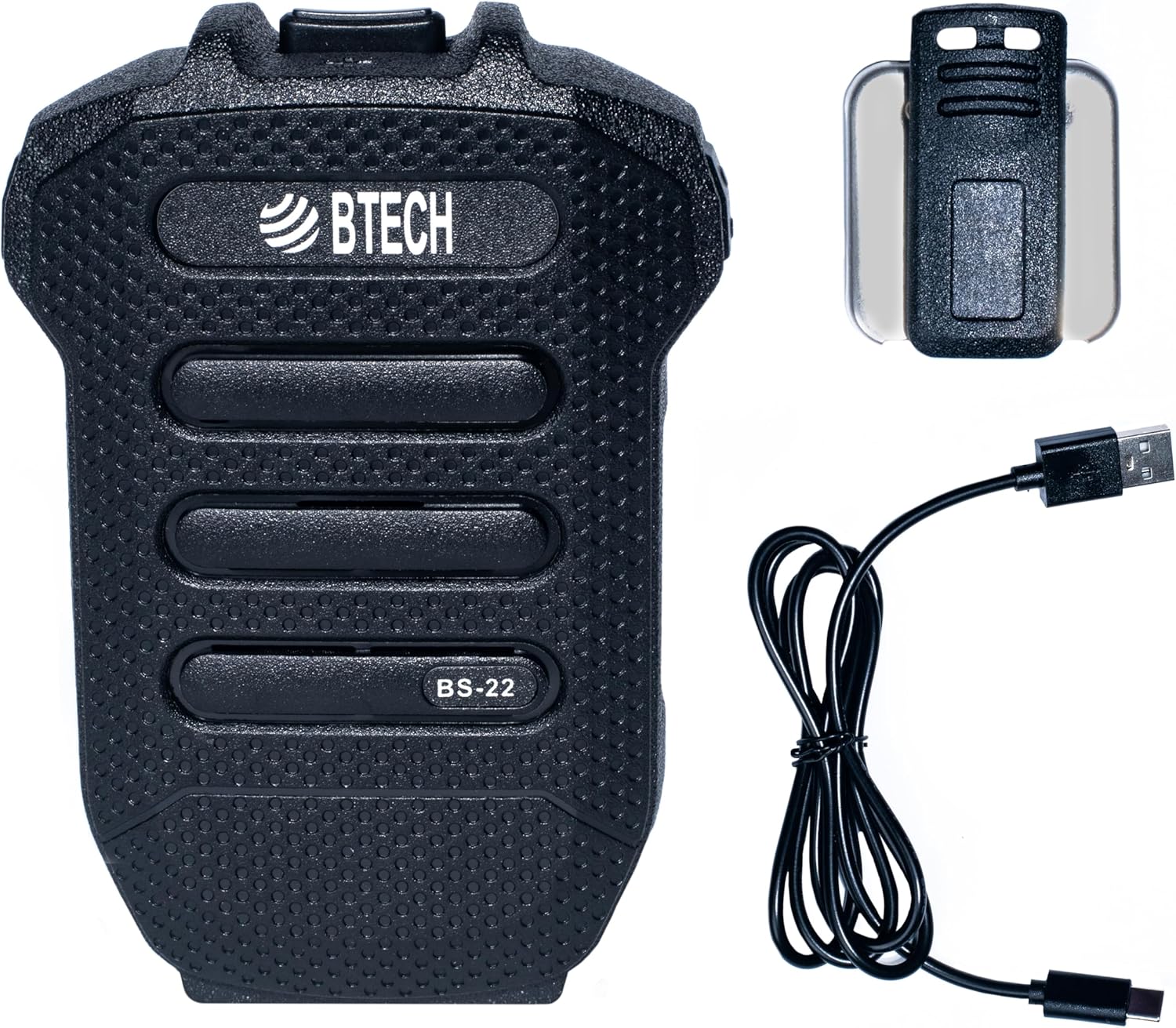
Image 1: BTECH BS-22 Wireless Speaker Mic with included detachable clip and USB-C charging cable.
3. Izdelek je končanview in funkcije
The BS-22 Wireless Speaker Mic integrates several key features for optimal performance:
- Effortless Wireless Integration: Seamlessly connects to BTECH GMRS-PRO and UV-PRO radios via Bluetooth for easy control and communication.
- Hitro polnjenje prek USB-C: Equipped with a USB-C port for quick and efficient power replenishment.
- Kristalno čista komunikacija: Operates via Bluetooth, providing reliable, interference-free communication with clear audio.
- Rugged and Weatherproof: Designed with an IP54 rating, capable of withstanding harsh weather conditions.
- Vgrajena litijeva baterija: Features a 1200 mAh, 3.7V lithium battery for extended use.

Image 2: The BS-22 Wireless Speaker Mic positioned next to a BTECH GMRS-PRO radio, symbolizing their wireless connection.

Image 3: The BS-22 Wireless Speaker Mic shown in splashing water, highlighting its weatherproof (IP54) capabilities.
4. Navodila za nastavitev
4.1. Charging the BS-22
Before initial use, fully charge your BS-22 Wireless Speaker Mic. The device is equipped with a USB-C port for convenient charging.
- Connect the provided USB-C cable to the charging port on the BS-22.
- Drugi konec kabla USB priključite na združljiv vir napajanja USB (npr. stenski adapter, vrata USB računalnika).
- Indikatorska lučka polnjenja bo med polnjenjem svetila rdeče.
- Ko je baterija popolnoma napolnjena, lučka zasveti zeleno.
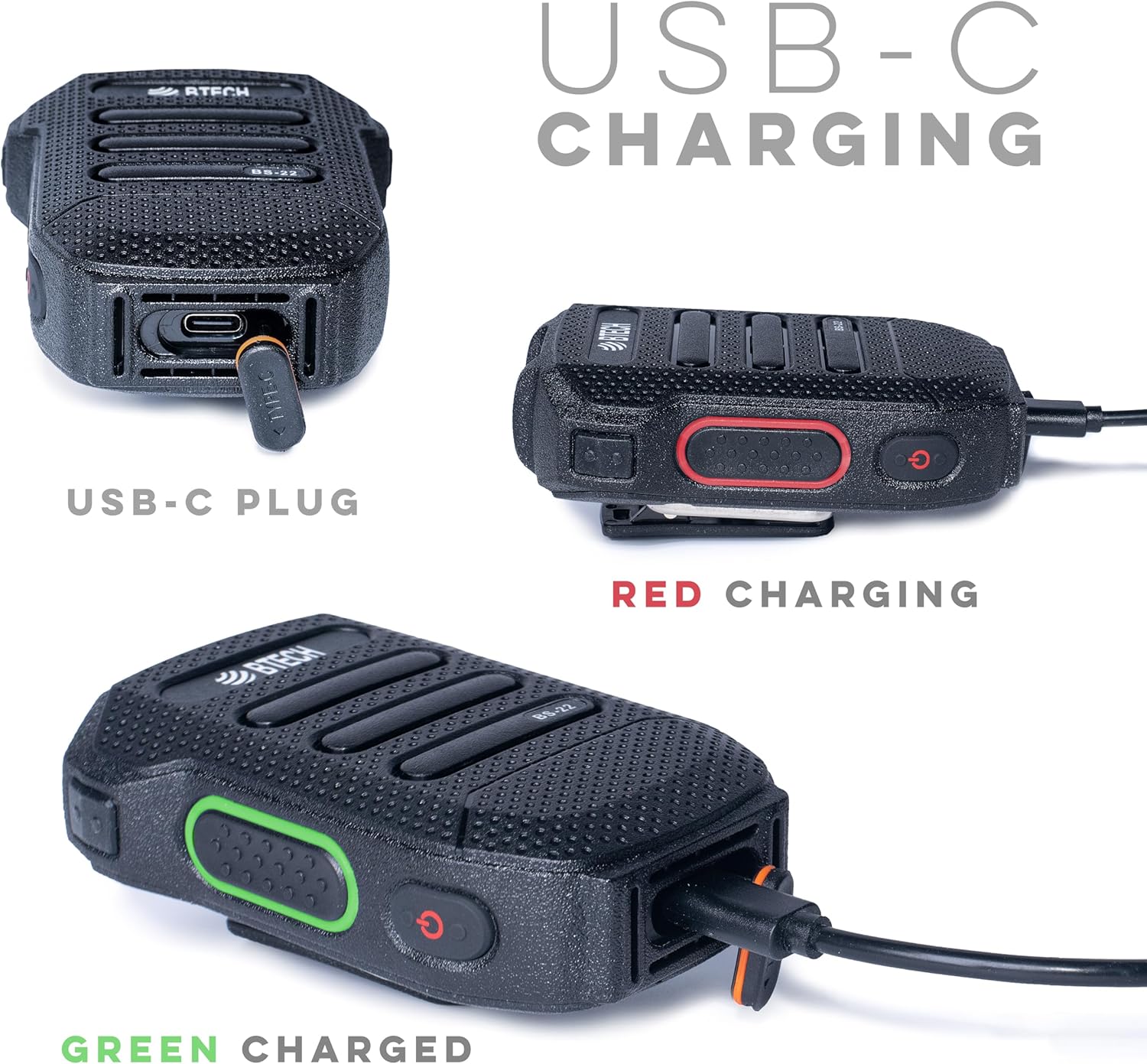
Slika 4: Podrobno views of the USB-C charging port and the red (charging) and green (charged) indicator lights.
4.2. Združevanje z vašim radiom
The BS-22 connects wirelessly to your BTECH GMRS-PRO or UV-PRO radio via Bluetooth.
- Ensure your BTECH radio's Bluetooth feature is enabled and in pairing mode. Refer to your radio's manual for specific instructions on enabling Bluetooth pairing.
- On the BS-22, perform a very quick double press of the side key to activate pairing mode. The device is designed to recognize a rapid double press as a distinct command.
- Look for auditory or visual feedback from the BS-22, such as a beep or a specific light pattern, indicating it has entered pairing mode.
- On your radio, select the BS-22 from the list of available Bluetooth devices to complete the pairing process.
Opomba: If the double press is too slow, the device might not register the command correctly, leading to pairing issues. Ensure the presses are rapid and decisive.
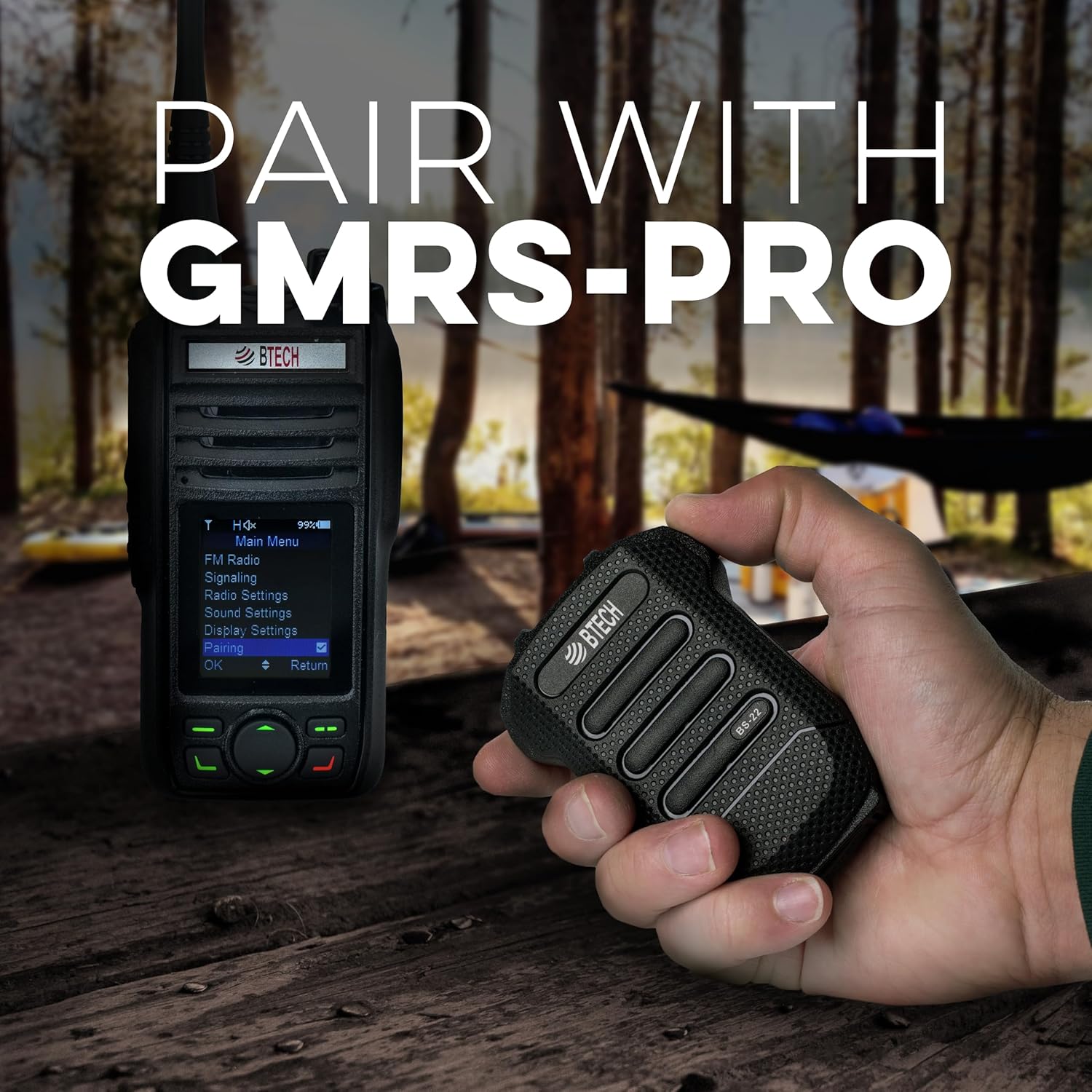
Image 5: Demonstrates the BS-22 being held near a GMRS-PRO radio, with the radio's screen showing the 'Pairing' option.
5. Navodila za uporabo
5.1. Funkcija Pritisni in govori (PTT)
The large button on the front of the BS-22 serves as the Push-to-Talk (PTT) button.
- To transmit, press and hold the PTT button.
- Za prekinitev oddajanja in vrnitev v način sprejemanja spustite gumb PTT.
5.2. Nadzor glasnosti
The BS-22 features dedicated buttons for adjusting the speaker volume.
- Uporabite Glasnost button (typically P2) to increase the audio output.
- Uporabite Zmanjšanje glasnosti button (typically P1) to decrease the audio output.
5.3. Funkcija izklopa/vklopa zvoka
Za izklop ali vklop mikrofona:
- Izvedite a very quick double press of the side key to mute or unmute the microphone. This is the same action used for pairing.
- When the speaker is manually muted, the LED on the PTT button may slowly dim and brighten.
- To unmute the speaker if it was muted, a short click of the Volume Up (P2) button may be required.
6. Vzdrževanje
To ensure the longevity and optimal performance of your BS-22 Wireless Speaker Mic, follow these maintenance guidelines:
- Čiščenje: Napravo obrišite z mehko damp krpo. Izogibajte se uporabi močnih kemikalij ali abrazivnih čistil.
- Shranjevanje: Store the BS-22 in a cool, dry place away from direct sunlight and extreme temperatures.
- Izpostavljenost vodi: While the device is weatherproof (IP54), avoid prolonged submersion in water. Ensure the USB-C port cover is securely closed when not charging to maintain water resistance.
- Vzdrževanje baterije: Za optimalno življenjsko dobo baterije se izogibajte pogostemu popolnemu praznjenju baterije. Napravo redno polnite, še posebej, če jo boste shranili dlje časa.
7. Odpravljanje težav
If you encounter issues with your BS-22, refer to the following common troubleshooting steps:
7.1. Pairing Issues or Microphone Muted
If the device is not pairing or the microphone appears muted:
- Hitri dvojni pritisk: The most common solution is to ensure you are performing a very quick double press of the side key. If the double press is too slow, the device may not register the command for pairing or mute/unmute.
- Auditory/Visual Feedback: Listen for a beep or observe the LED indicator for confirmation that the device has recognized the double press.
- Radio Bluetooth: Confirm that your radio's Bluetooth is enabled and in pairing mode.
7.2. Speaker Mute/Unmute Behavior
If the speaker is muted and the LED is slowly fading on and out:
- A short click of the Volume Up (P2) button may unmute the speaker without changing the volume level.
7.3. Garbled Audio or Disconnection
If audio becomes garbled or the device disconnects:
- Razpon: Bluetooth range can be affected by obstacles and distance. Try reducing the separation between the BS-22 and your radio.
- Cikel moči: If audio remains unintelligible after moving closer, turn the BS-22 off and then on again to re-establish a clear connection.
8. Specifikacije
| Funkcija | Specifikacija |
|---|---|
| Ime modela | BS-22 |
| Tehnologija povezljivosti | Bluetooth, brezžično |
| Vrsta priključka | USB-C |
| Vir napajanja | Baterija (potrebna je 1 litij-ionska baterija) |
| Kapaciteta baterije | 1200 mAh, 3.7 V (Built-in) |
| Faktor oblike mikrofona | Ročni |
| Polarni vzorec | Enosmerno |
| Ocena vremenske odpornosti | IP54 |
| Teža predmeta | 1.5 unč |
| Mere izdelka (D x Š x V) | 53 x 2 x 0.25 palcev |
| UPC | 850004124505 |
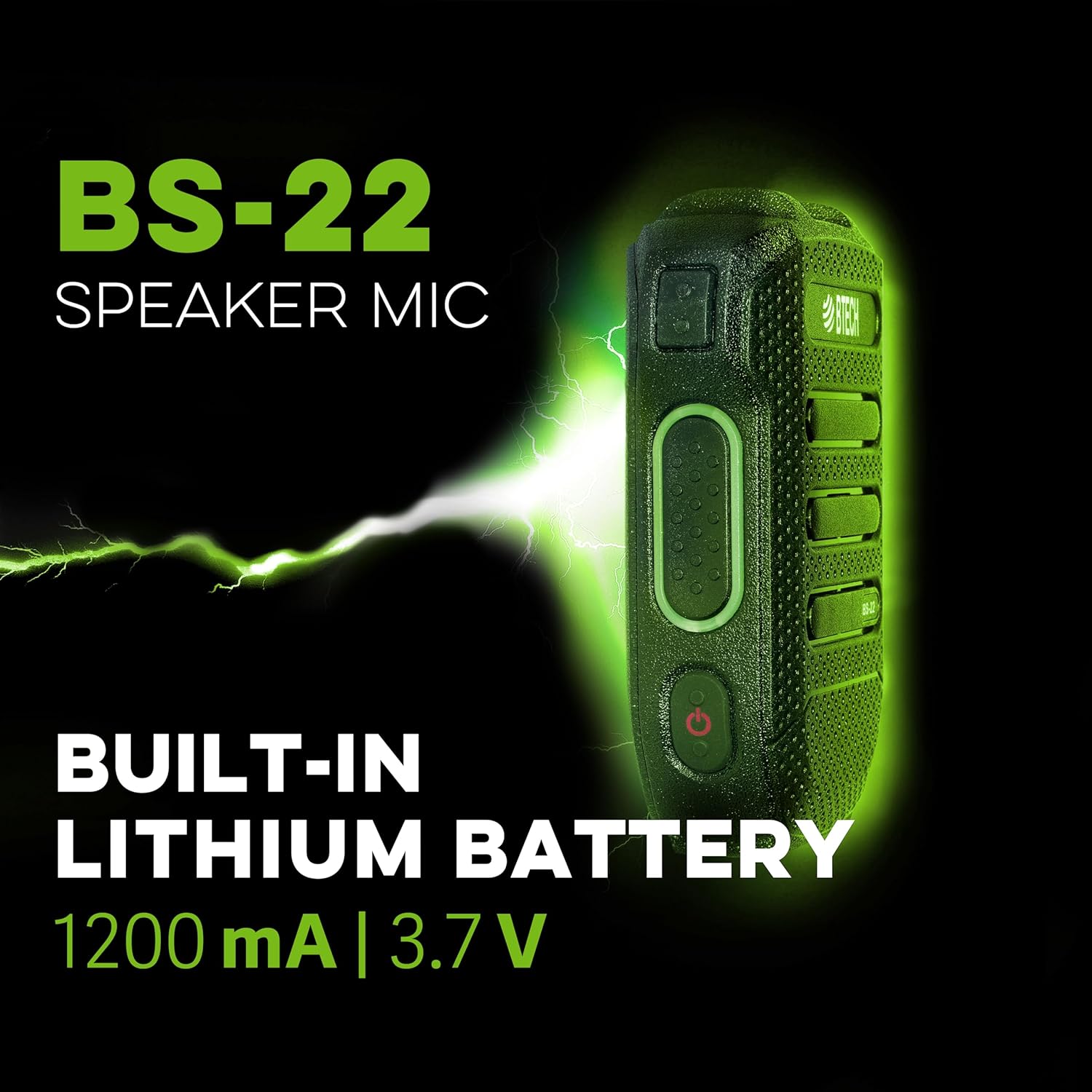
Slika 6: Stranski profesionalecfile of the BS-22 Speaker Mic, emphasizing its internal 1200 mAh, 3.7V lithium battery.
9. Garancija in podpora
BTECH products are designed in the USA (South Dakota) and are backed by a real USA warranty and support. For any issues that may arise, local support is available.
For additional resources, including software downloads and video tutorials, please visit:
- Prenosi programske opreme: https://baofengtech.com/download
- Vadnice na YouTubu: https://www.youtube.com/c/Baofengtechradio


