1. Uvod
This manual provides essential information for setting up, operating, maintaining, and troubleshooting your Svikou 15.6'' 165Hz 2.5K FHD Laptop. Please read this manual thoroughly before using your device to ensure optimal performance and longevity.
The Svikou 15.6'' laptop is designed for high-performance computing, featuring an AMD Ryzen 7 5700U processor, a vibrant 165Hz 2.5K FHD display, 16GB of RAM, and a 512GB NVMe SSD. It comes pre-installed with Windows 11 Pro.

Image 1.1: The Svikou 15.6-inch laptop with a high-resolution display, showcasing njegove vizualne zmožnosti.
2. Začetek uporabe (Nastavitev)
2.1. Vsebina paketa
Preden nadaljujete, se prepričajte, da so v paketu vsi elementi:
- Svikou 15.6'' Laptop x1
- Polnilec x1
- Brezžična miška x1
- English Operation Manual x1 (this document)
- Garancijski list x1
2.2. Začetni vklop
- Connect the charger to the laptop's DC charging port and a power outlet.
- Odprite pokrov prenosnika.
- Pritisnite gumb za vklop, ki se nahaja na tipkovnici.
- Follow the on-screen instructions to complete the Windows 11 Pro setup. This includes selecting your region, language, and setting up your user account.
3. Ključne lastnosti in delovanje
3.1. Zaslon
The laptop features a 15.6-inch 2.5K FHD (2560 x 1440) IPS display with a 165Hz refresh rate. This provides a clear, dynamic visual experience with a 90% screen share and 100% sRGB color gamut.
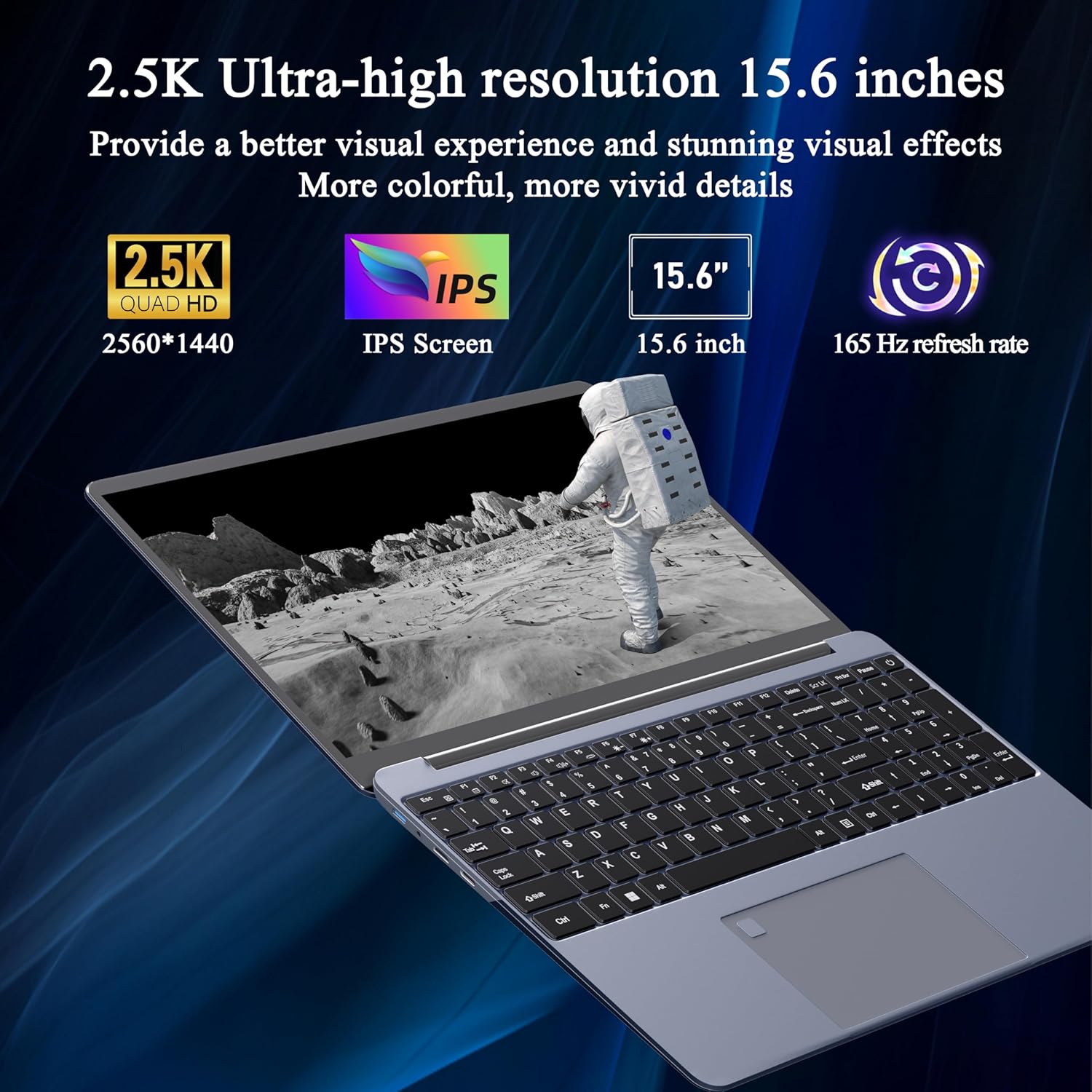
Image 3.1: Visual representation of the laptop's 2.5K Ultra-high resolution 15.6-inch display specifications.
3.2. Procesor
Equipped with an AMD Ryzen 7 5700U eight-core processor, the laptop offers a base frequency of 1.8GHz and can accelerate up to 4.3GHz. This processor is designed for high-performance computing and multitasking.

Slika 3.2: Podrobno view of the AMD Ryzen 7 5700U processor, highlighting its core specifications.
3.3. Pomnilnik in shranjevanje
The laptop features 16GB of DDR4 RAM, enabling smooth multitasking across multiple applications. For storage, it includes a 512GB NVMe SSD, which provides fast startup times and efficient data access with minimal noise.

Image 3.3: The laptop demonstrating its capacity for handling multiple applications with 16GB RAM and 512GB SSD.
3.4. Povezljivost in vrata
The laptop offers versatile connectivity options:
- Brezžično: 5G dual-band WiFi, Bluetooth 4.2
- Pristanišča: 2x USB 3.0, 1x Micro SD card slot, 1x Type-C, 1x Mini HDMI, 1x Headphone Jack, 1x DC charging port

Image 3.4: An illustration detailing the available ports on the Svikou laptop for external device connections.
3.5. Tipkovnica in vnos
The laptop features a backlit keyboard for improved visibility in various lighting conditions. It also includes a fingerprint unlock sensor for enhanced security and convenient access.
- Osvetljena tipkovnica: To toggle the keyboard backlight, press Fn + F5.
- Odklepanje prstnih odtisov: Use the integrated fingerprint sensor for secure login.

Image 3.5: Close-up of the backlit keyboard and the fingerprint unlock feature.
3.6. Baterija
The laptop is equipped with a 5000mAh high-capacity battery, providing up to 5 hours of usage depending on the workload.

Image 3.6: The laptop's design emphasizing its durable battery life.
4. Vzdrževanje
To ensure the longevity and optimal performance of your Svikou laptop, follow these maintenance guidelines:
- Čiščenje: Za čiščenje zaslona in zunanjosti uporabljajte mehko krpo, ki ne pušča vlaken. Izogibajte se agresivnim kemikalijam.
- Posodobitve programske opreme: Regularly update your Windows operating system and drivers to ensure security and performance.
- Vzdrževanje baterije: Avoid fully discharging the battery frequently. For long-term storage, charge the battery to about 50-70%.
- Prezračevanje: Prepričajte se, da prezračevalne odprtine prenosnika niso ovirane, da preprečite pregrevanje. Prenosnik uporabljajte na trdi, ravni površini.
- Shranjevanje: Prenosnik shranjujte na hladnem in suhem mestu, stran od neposredne sončne svetlobe in ekstremnih temperatur.
5. Odpravljanje težav
This section addresses common issues you might encounter with your Svikou laptop.
5.1. Tipkovnica se ne odziva
- Restart the Laptop: Preprost ponovni zagon lahko pogosto odpravi začasne programske napake.
- Preverite gonilnike: Ensure your keyboard drivers are up to date. Go to Device Manager, locate 'Keyboards', right-click your keyboard device, and select 'Update driver'.
- Sistem File Preverite: If issues persist after a Windows update, open Command Prompt as administrator and run
DISM /Online /Cleanup-Image /RestoreHealth. Allow it to complete, then restart your computer.
5.2. Pregrevanje
- Preverite prezračevanje: Ensure the laptop's vents are clear of dust and obstructions. Use compressed air to clean them if necessary.
- Površina: Use the laptop on a hard, flat surface to allow for proper airflow. Avoid using it on soft surfaces like beds or couches.
- Zapri neuporabljene aplikacije: Reduce the workload on the CPU and GPU by closing unnecessary programs.
- Nastavitve napajanja: Adjust power settings to a 'Balanced' or 'Power saver' mode to reduce performance and heat generation.
5.3. Baterija se hitro izprazni
- Prilagodi svetlost zaslona: Lowering screen brightness significantly reduces battery consumption.
- Zapri aplikacije v ozadju: Many applications consume power even when not actively in use. Close them from Task Manager.
- Način napajanja: Switch to 'Battery Saver' mode in Windows settings.
- Onemogočite neuporabljene funkcije: Turn off Wi-Fi, Bluetooth, or other peripherals when not needed.
6. Specifikacije
| Funkcija | Specifikacija |
|---|---|
| Znamka | Švíkou |
| Ime modela | 15AR757 |
| Velikost zaslona | 15.6 palcev |
| Ločljivost zaslona | 2560 x 1440 (2.5K FHD) |
| Hitrost osveževanja | 165Hz |
| Procesor | AMD Ryzen 7 5700U (8-core, 1.8 GHz base, up to 4.3 GHz) |
| RAM | 16 GB LPDDR4X |
| Shranjevanje | 512 GB NVMe SSD |
| Operacijski sistem | Windows 11 Pro |
| Grafična kartica | Integrirana grafika AMD Radeon |
| Brezžična vrsta | 802.11ax (5G Dual-Band WiFi) |
| Bluetooth | Bluetooth 4.2 |
| Vrata USB 3.0 | 2 |
| Druga pristanišča | Type-C, Mini HDMI, Micro SD Card Slot, Headphone Jack, DC Charging Port |
| Baterija | 5000 mAh litij-ionski |
| Teža predmeta | 6.07 funtov |
| Dimenzije izdelka | 14 x 9 x 0.7 palcev |
| barva | siva |
7. Garancija in podpora
Your Svikou laptop comes with a 12-month product quality assurance. If you encounter any discrepancies or issues, particularly regarding Windows 11 Pro certification, please contact our customer service team.
We offer 24-hour email support to assist you with any questions or concerns. Please refer to the warranty card included in your package for specific terms and conditions.
Obrnite se na podporo: For assistance, please refer to the contact information provided on your warranty card or the official Svikou webmesto.