Uvod
This manual provides essential information for setting up, operating, and maintaining your TCL 605 smartphone. Please read this guide thoroughly to ensure optimal performance and longevity of your device.
Kaj je v škatli
Preverite, ali so v paketu izdelka vsi elementi:
- Pametni telefon TCL 605
- USB kabel
- Cell Phone Cover
- 10 W polnilec
- Orodje za izmet pladnja SIM kartice
- Zaščita zaslona
Naprava je končanaview
Familiarize yourself with the physical components of your TCL 605 smartphone.

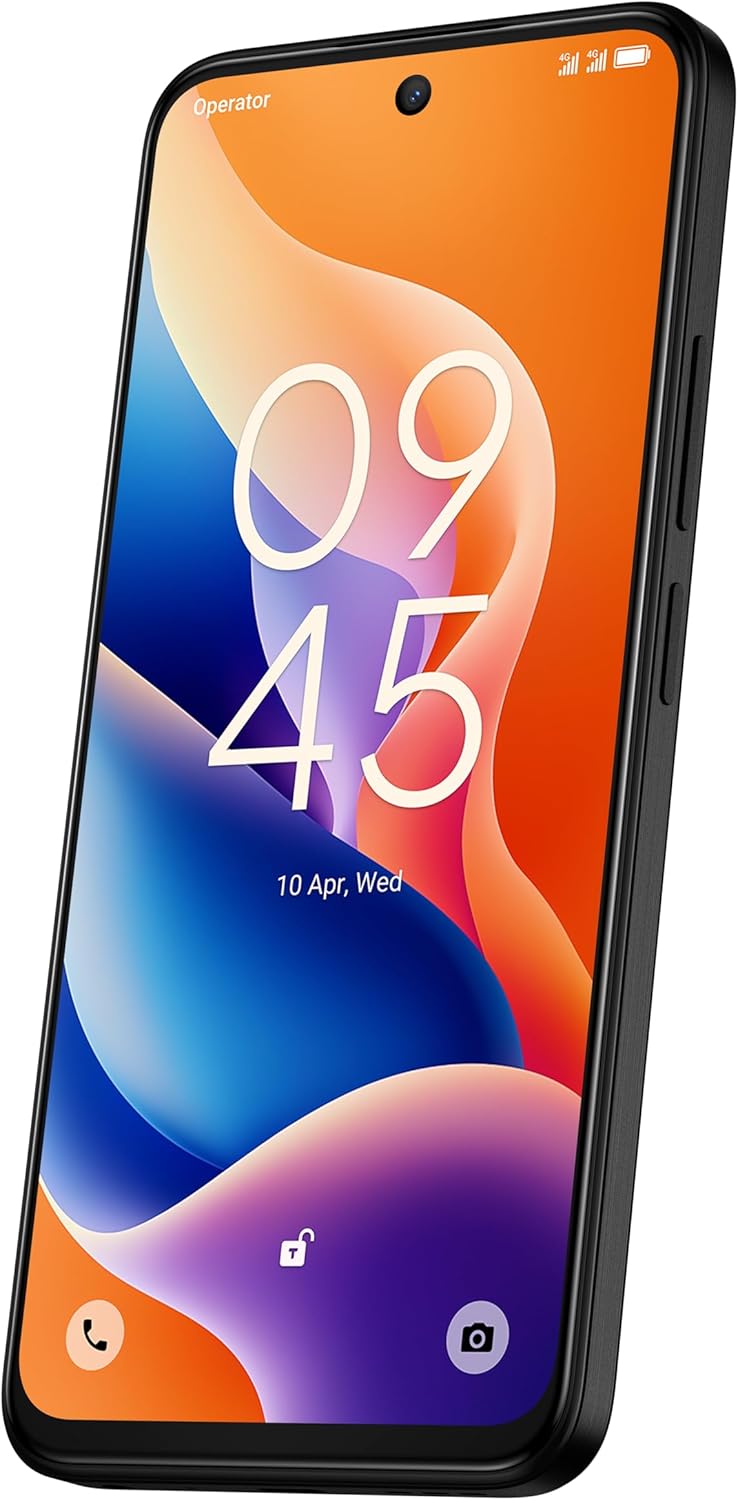
Slika: spredaj view of the TCL 605 smartphone, highlighting its 6.7-inch HD+ display and front camera.

Slika: Stran view of the TCL 605 smartphone, illustrating the placement of the power button and volume controls.
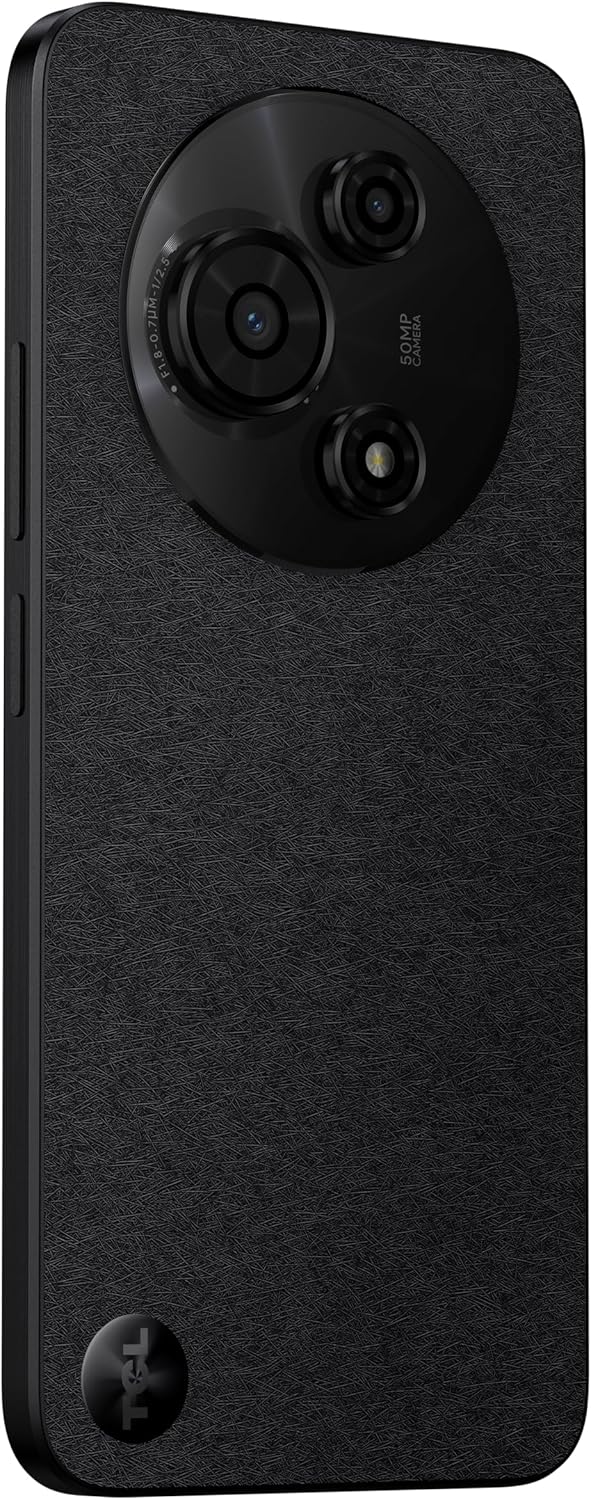
Slika: Nazaj view of the TCL 605 smartphone, showcasing the distinctive circular camera module housing the 50MP main camera.
Nastavitev
1. Vstavljanje SIM kartice
- Poiščite pladenj za kartico SIM na strani naprave.
- Vstavite orodje za izmet pladnja za SIM kartico v majhno luknjo poleg pladnja in nežno pritisnite, da pladenj izskoči.
- Vstavite kartico(-e) Nano-SIM in/ali kartico microSD v reži z zlatimi kontakti obrnjenimi navzdol. Prepričajte se, da so pravilno nameščene.
- Pladenj previdno znova vstavite v napravo.
2. Začetni vklop
- Pritisnite in držite gumb za vklop (nahaja se ob strani), dokler se ne prikaže logotip TCL.
- Sledite navodilom na zaslonu, da dokončate začetno nastavitev, vključno z izbiro jezika, povezavo Wi-Fi in nastavitvijo Google Računa.
3. Polnjenje baterije
Before first use, it is recommended to fully charge your device. Connect the USB cable to the phone's charging port and the other end to the 10W charger. Plug the charger into a power outlet.
Upravljanje vaše naprave
Zaslon in navigacija
The TCL 605 features a 6.7-inch HD+ display with a 90Hz refresh rate for smooth scrolling and improved visual fluidity.
- Poteze na dotik: Use standard Android gestures such as tap, swipe, pinch-to-zoom, and long-press for navigation and interaction.
- Domači zaslon: Prilagodite začetni zaslon s pripomočki, bližnjicami aplikacij in ozadji.
- Obvestila: Za dostop do obvestilne plošče in hitrih nastavitev povlecite navzdol z vrha zaslona.
Zmogljivost in shranjevanje
Your TCL 605 is equipped with an Octa-Core processor and 4GB RAM, expandable up to 14GB with RAM Boost technology, ensuring seamless performance for multitasking. It offers 256GB of internal storage, capable of storing over 100,000 photos.

Image: The TCL 605 smartphone showcasing its 6.7-inch display with a dynamic lock screen, indicating the time and date.
Lastnosti kamere
The TCL 605 features a 50MP hybrid rear camera (main + macro) and a 5MP front camera. It supports HDR mode for vibrant colors.
Snemanje fotografij in videoposnetkov
- Odprite aplikacijo Kamera.
- Izberite želeni način (Fotografija, Video, Portret, Makro itd.).
- Tapnite gumb sprožilca, da posnamete fotografijo ali začnete/ustavite snemanje videa.
- Za prilagoditev povečave uporabite krmilne elemente za povečavo na zaslonu.
Načini kamere
- 50MP glavna kamera: Captures high-resolution images with clarity.
- Makro način: Allows for detailed close-up shots of small objects.
- Način HDR: Enhances dynamic range for more vibrant and balanced photos in challenging lighting conditions.
- 5MP sprednja kamera: Idealno za selfije in video klice.
Slika: Podrobna view of the TCL 605's circular camera module, emphasizing the 50MP main lens and its surrounding sensors.
Upravljanje baterije
The TCL 605 is equipped with a 5200mAh battery, designed for up to 2 days of usage. It supports 18W fast charging.
Nasveti za podaljšanje življenjske dobe baterije
- Zmanjšajte svetlost zaslona.
- Onemogočite Wi-Fi, Bluetooth in GPS, ko jih ne uporabljate.
- Zaprite aplikacije v ozadju.
- Omogočite način varčevanja z baterijo.
Povezljivost
Vaša naprava podpira različne možnosti povezljivosti:
- Wi-Fi: Za dostop do interneta se povežite z brezžičnimi omrežji.
- Bluetooth: Pair with wireless headphones, speakers, and other compatible devices.
- NFC (komunikacija bližnjega polja): Use for contactless payments and quick data transfer with compatible devices.
- USB: Connect to a computer for data transfer or use with a USB-C accessory.
- GPS: Vgrajen GPS za lokacijske storitve in navigacijo.
Vzdržljivost
The TCL 605 features enhanced IP54 durability, proven by a 3-minute water-wash test. This provides protection against dust and splashing water. Note: The phone is not professionally water-resistant but is splash-proof, water-repellent, and dust-proof for everyday use. It has passed a 3-minute water-wash test under specific lab conditions. These features may degrade with daily use. Do not charge the phone in humid conditions. The warranty excludes water damage, including damage from immersion in liquids such as seawater, chlorinated water, or drinks. IP54 rating conditions differ from lab tests.
Lastnosti izdelka Konecview
Video: Prekoračitevview of the TCL 605 smartphone's key features, including its display, storage capacity, seamless performance, camera capabilities, battery life, fast charging, and IP54 durability.
Specifikacije
| Funkcija | Podrobnost |
|---|---|
| Model | TCL 605 (T517J) |
| Operacijski sistem | Android 15 |
| Zaslon | 6.7-inch HD+ 90Hz (720x1600 resolution) |
| Procesor | Octa-Core (MediaTek Helio, 2 GHz) |
| RAM | 4GB (expandable to 14GB with RAM Boost) |
| Notranji pomnilnik | 256 GB |
| Zadnja kamera | 50MP (Main & Macro) + 0.08MP |
| Sprednja kamera | 5 MP |
| Kapaciteta baterije | 5200 mAh (5010 miligramovamp Ure) |
| Polnjenje | 10W Charger included, supports 18W fast charging |
| Povezljivost | Bluetooth, NFC, USB, Wi-Fi, GPS |
| Vrsta kartice SIM | Dvojna kartica SIM |
| Dimenzije | 0.83 x 7.62 x 16.56 cm |
| Teža | 380 g |
| Certificiranje | ANATEL: 01679250760 |
Odpravljanje težav
Pogoste težave in rešitve
- Naprava se ne vklopi: Prepričajte se, da je baterija napolnjena. Priključite polnilnik in počakajte nekaj minut, preden poskusite znova vklopiti napravo.
- Zaslon se ne odziva: Try restarting the device by holding the Power button for approximately 10-15 seconds.
- Aplikacije se sesuvajo: Clear the cache of the problematic app (Settings > Apps > [App Name] > Storage > Clear Cache). If the issue persists, reinstall the app.
- Slaba življenjska doba baterije: Refer to the "Battery Management" section for tips to optimize battery usage.
- Težave s povezljivostjo (Wi-Fi/Bluetooth): Toggle Wi-Fi or Bluetooth off and on. Restart your device and/or the router/paired device.
Za bolj zapletene težave se obrnite na uradno podporo TCL. webspletno mesto ali se obrnite na službo za stranke.
Garancija in podpora
Your TCL 605 smartphone comes with a standard manufacturer's warranty. Please refer to the warranty card included in your package for specific terms and conditions.
For technical support, service, or additional information, please visit the official TCL webspletnega mesta ali se obrnite na njihove kanale za podporo strankam.
To consult product homologation, visit: sistemas.anatel.gov.br/sch


