1. Uvod
This user manual provides essential information for the safe and efficient operation of your Strong 24-inch HD TV, model SRT24HE4023C. Please read this manual thoroughly before using the product and retain it for future reference.
The Strong SRT24HE4023C is a compact and versatile 24-inch (60 cm) HD Ready television, specifically designed for portability with its 12V power input, making it ideal for use in caravans, campers, or other mobile environments. It features a triple tuner for various signal receptions and multiple connectivity options.
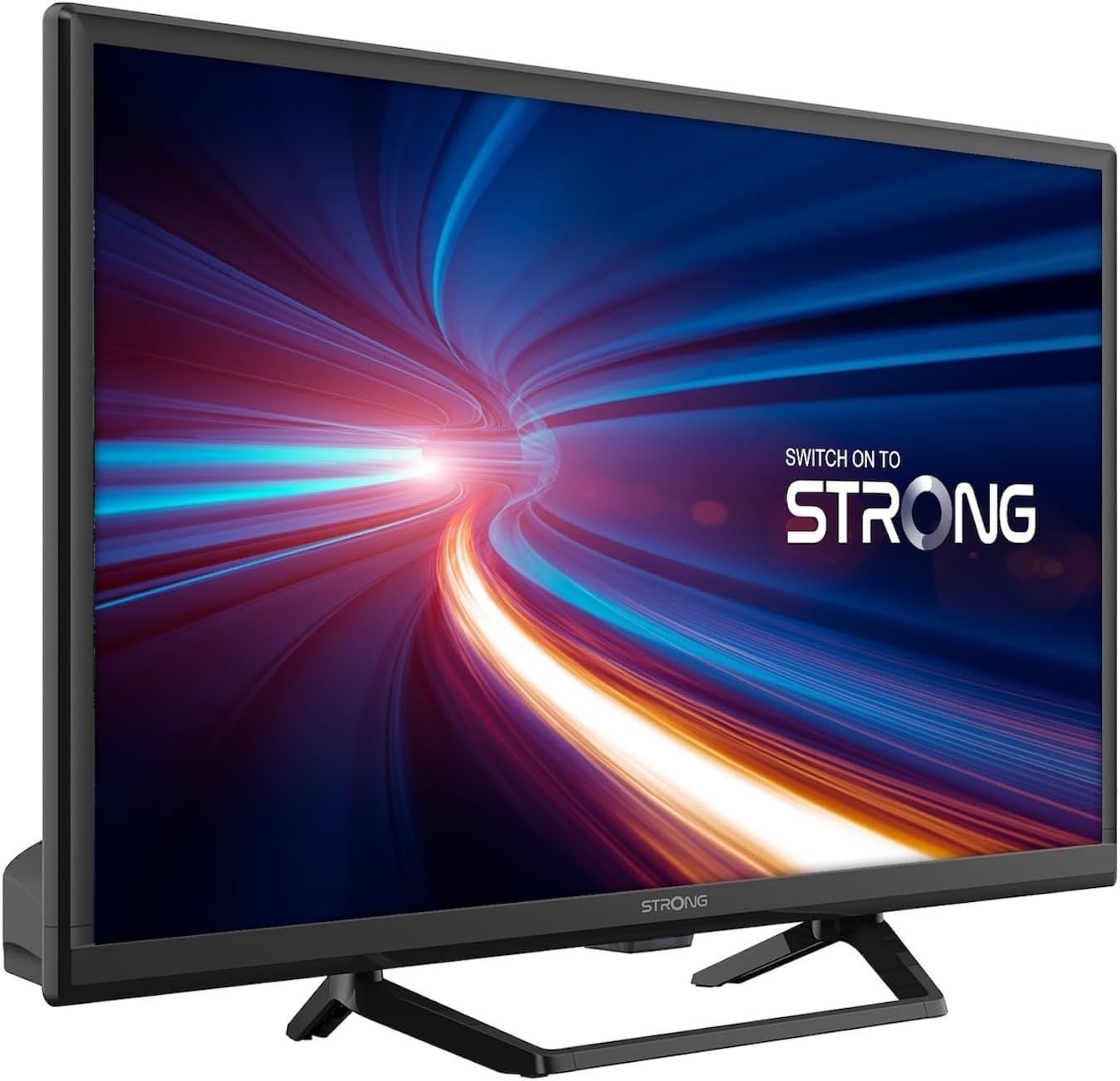
Slika 1.1: Spredaj view of the Strong 24-inch HD TV.
2. Vsebina paketa
Po razpakiranju se prepričajte, da so vsi spodaj navedeni predmeti prisotni in v dobrem stanju. Če kateri koli predmet manjka ali je poškodovan, se nemudoma obrnite na prodajalca.
- Strong 24-inch HD TV (SRT24HE4023C)
- TV stojalo
- Daljinski upravljalnik (potrebni sta 2 bateriji AAA, priloženi)
- Uporabniški priročnik (ta dokument)
3. Nastavitev
3.1. Sestavljanje stojala
Carefully place the TV screen-down on a soft, clean surface to prevent scratches. Attach the provided stand to the base of the TV using the designated screws. Ensure the stand is securely fastened before placing the TV upright.
3.2. Napajalni priključek
This TV operates on a 12V DC power supply, making it suitable for mobile applications. Connect the 12V power adapter to the TV's power input port and then to a compatible 12V power source. Ensure the power source can provide sufficient current for the TV's operation.
3.3. Priključitev zunanjih naprav
Televizor ponuja različne možnosti povezljivosti:
- Vrata HDMI (x2): Connect Blu-ray players, game consoles, or other HDMI-enabled devices. One port supports ARC (Audio Return Channel).
- Vrata USB (x1): For playing multimedia fileiz pomnilniških naprav USB.
- Mini AV vhod: Za priključitev starejših naprav s kompozitnimi video in stereo avdio izhodi.
- Antenna Input (ANT in): Connect a terrestrial antenna for DVB-T/T2 reception.
- Satellite Input (SAT in): Connect a satellite dish for DVB-S/S2 reception.
- Reža za CI: Vstavite modul skupnega vmesnika za šifrirane kanale.
- Izhod SPDIF: For digital audio output to an external sound system.
- Priključek za slušalke: Za zasebno poslušanje.

Slika 3.1: Zadaj view prikaz različnih povezovalnih vrat.
4. Navodila za uporabo
4.1. Prva namestitev
When you power on the TV for the first time, a setup wizard will guide you through initial settings such as language, country, and channel scanning. Follow the on-screen prompts to complete the setup.
4.2. Iskanje kanalov
The TV features a triple tuner (DVB-T/T2, DVB-C, DVB-S/S2) for receiving digital terrestrial, cable, and satellite broadcasts. To scan for channels:
- Pritisnite MENI gumb na daljinskem upravljalniku.
- Pomaknite se do Kanal or Namestitev meni.
- Izberite Samodejno iskanje or Ročno skeniranje depending on your preference and connection type.
- Follow the on-screen instructions to start the scan.
4.3. Using the Electronic Program Guide (EPG)
The EPG provides a schedule of current and upcoming TV programs. To access the EPG, press the EPG button on your remote control. You can browse programs, view details, and set reminders.
4.4. Multimedia Playback via USB
Insert a USB storage device into the USB port. The TV will typically prompt you to open the media browser. You can play various multimedia files, including videos, photos, and music.
4.5. Parental Control and Hotel Mode
The TV includes parental control features to restrict access to certain channels or programs based on age ratings. Hotel mode provides advanced settings for managing TV functions in a multi-unit environment.
5. Vzdrževanje
5.1. Čiščenje televizorja
Before cleaning, always unplug the TV from the power source. Use a soft, dry cloth to wipe the screen and cabinet. For stubborn marks, lightly dampKrpo obrišite z vodo ali blagim, neabrazivnim čistilom za zaslone. Tekočine nikoli ne pršite neposredno na televizor.
5.2. Zamenjava baterije daljinskega upravljalnika
The remote control uses two AAA batteries. If the remote control's range decreases or it stops responding, replace both batteries with new ones, ensuring correct polarity.
6. Odpravljanje težav
Če imate težave s televizorjem, si pred stikom s podporo strankam oglejte naslednje pogoste težave in rešitve.
| Težava | Možen vzrok | rešitev |
|---|---|---|
| Brez moči | Power cable disconnected; no power from source. | Check power cable connection. Ensure 12V power source is active. |
| Ni slike, vendar je zvok prisoten | Incorrect input source selected; loose cable connection. | Pritisnite VIR gumb za izbiro pravilnega vhoda. Preverite povezave kabla HDMI/AV. |
| Ni zvoka, vendar je slika prisotna | Volume too low or muted; audio settings incorrect. | Increase volume. Check mute status. Adjust audio output settings in the menu. |
| Slaba kakovost slike | Weak signal; incorrect resolution. | Check antenna/satellite connection. Perform a channel scan. Adjust picture settings. |
| Daljinski upravljalnik ne deluje | Baterije so prazne ali nepravilno vstavljene. | Replace batteries, ensuring correct polarity. Ensure no obstructions between remote and TV. |
7. Specifikacije
| Funkcija | Podrobnost |
|---|---|
| Model | SRT24HE4023C |
| Velikost zaslona | 24 palcev (60 cm) |
| Tehnologija zaslona | LED, IPS Panel |
| Resolucija | 1366 x 768p (HD Ready) |
| Razmerje stranic | 16:9 |
| Hitrost osveževanja | 60 Hz |
| Odzivni čas | 5 milisekund |
| Uglaševalci | DVB-T/T2, DVB-C, DVB-S/S2 |
| Video kodek | HEVC 265 10-bit |
| Vrata HDMI | 2 (1 with ARC support) |
| Vrata USB | 1 |
| Drugi vhodi/izhodi | Mini AV In, CI Slot, SPDIF Out, Headphone Jack |
| Avdio dekodiranje | DTS |
| Napajalnik | 12 V DC |
| Dimenzije (Š x V x G) | 55.29 x 36.6 x 14.78 cm (s stojalom) |
| Teža | 2.5 kg |
| VESA stenski nosilec | Podprto |
| Razred energijske učinkovitosti | E(View EPREL details) |
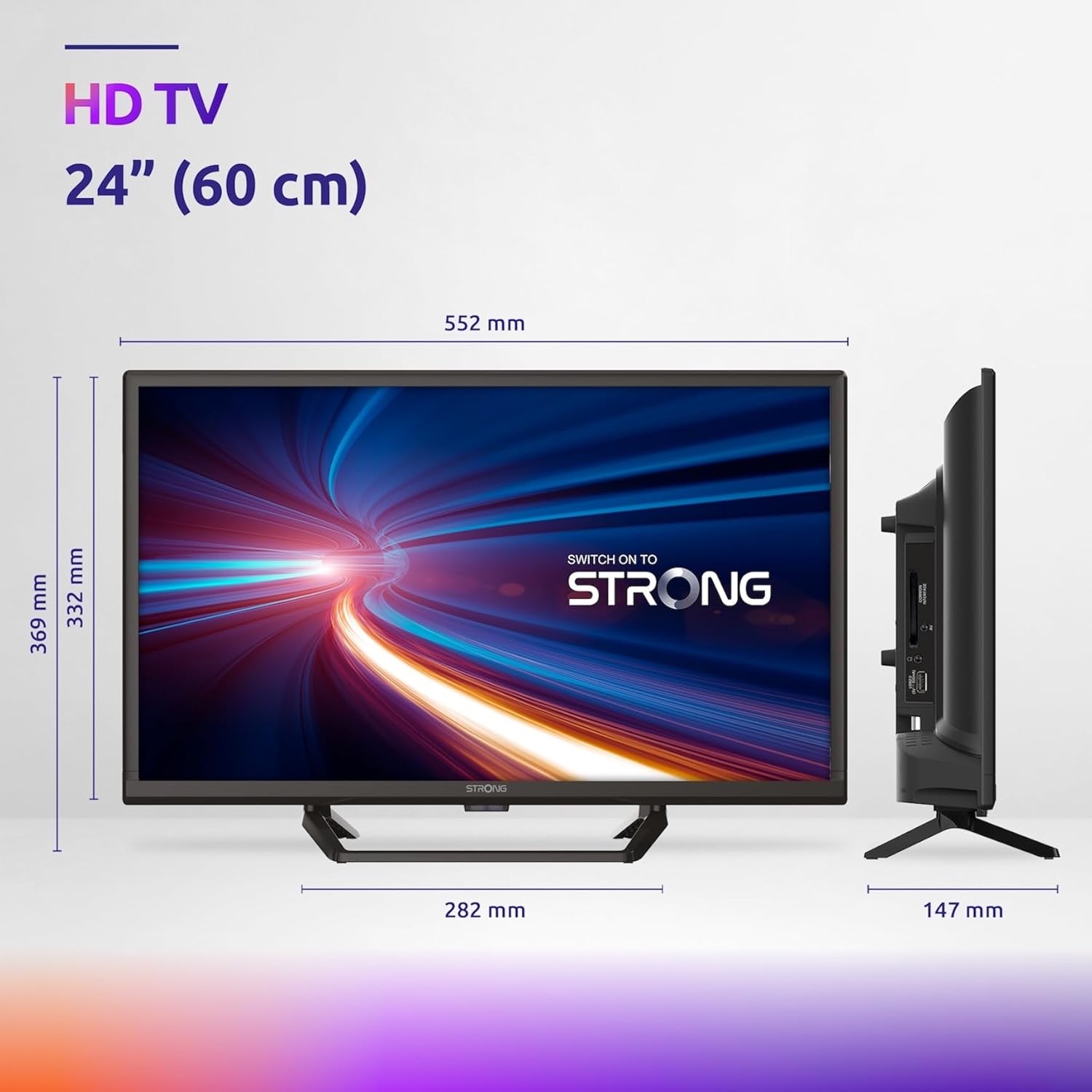
Figure 7.1: Product dimensions of the Strong 24-inch HD TV.

Figure 7.2: Energy efficiency label for the Strong SRT24HE4023C TV.
8. Garancija in podpora
Strong products are designed for reliability and performance. For warranty information and technical support, please refer to the warranty card included with your product or visit the official Strong webspletnega mesta. Račun shranite kot dokazilo o nakupu za uveljavljanje garancije.
Za dodatno pomoč se lahko obrnete tudi na Strong Brand Store on Amazon za dodatne informacije o izdelku in vire.


