Uvod
This manual provides detailed instructions for the setup, operation, maintenance, and troubleshooting of your typecase Keyboard Case for iPad Pro 12.9. Please read this manual thoroughly before using the product to ensure optimal performance and longevity.
The typecase Keyboard Case is designed to enhance your iPad Pro 12.9 experience, offering a versatile keyboard with a trackpad and backlit keys. It is compatible with iPad Pro 12.9-inch (6th, 5th, 4th, 3rd Generation) models.
Vsebina paketa
- 1 x typecase Keyboard Case (for iPad Pro 12.9 6th/5th/4th/3rd Gen)
- 1 x polnilni kabel USB-C
- 1 x uporabniški priročnik
Nastavitev
1. Polnjenje tipkovnice
Before initial use, fully charge the keyboard. Connect the provided USB-C charging cable to the charging port on the side of the keyboard and to a USB power adapter (not included). The charging indicator light will show the charging status.
- Lokacija polnilnega priključka: Typically on the right side of the keyboard.
- Življenjska doba baterije: The keyboard features a built-in rechargeable lithium polymer battery. Battery level can be checked on your iPad (like other connected Bluetooth devices) or via a shortcut key (Fn + Spacebar, if available, to show 1/3, 2/3, 3/3 battery life).
2. Pritrditev iPada Pro
The keyboard case features a magnetic attachment system. Align your iPad Pro 12.9 with the magnetic panel on the case. The magnets will securely hold the iPad in place.
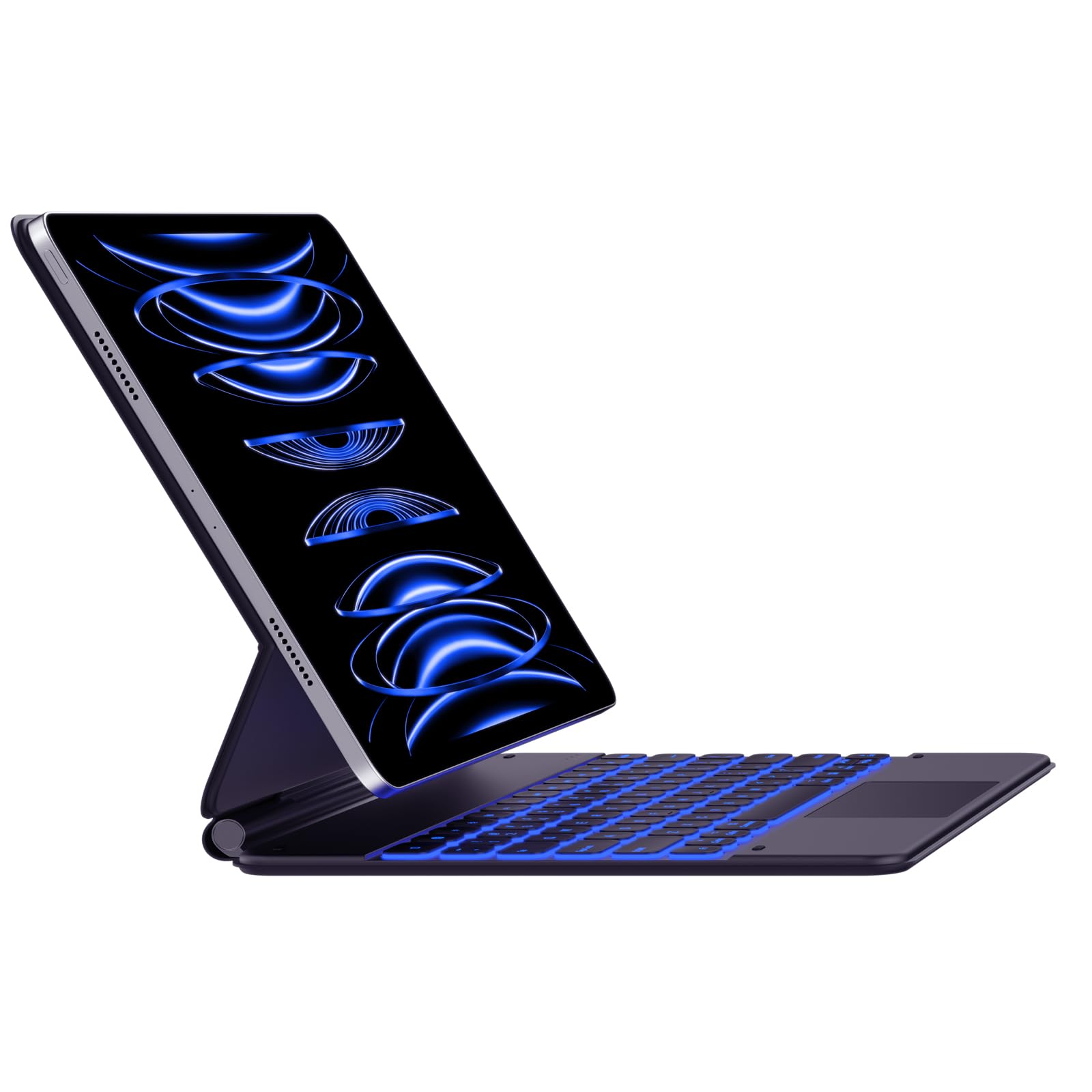
Image: The typecase Keyboard Case with an iPad Pro magnetically attached, displaying blue backlit keys and a vibrant screen.
- Ensure the camera cutout on the case aligns with your iPad's camera.
- The magnetic connection is designed to be strong, but always handle with care.
3. Pairing with Your iPad (Bluetooth Connection)
- Vklop: Locate the power switch on the side of the keyboard and slide it to the "ON" position.
- Aktivirajte način seznanjanja: Pritisnite in držite Povežite se button (or a similar Bluetooth pairing key, often indicated by a Bluetooth icon) on the keyboard. The Bluetooth indicator light will start blinking, indicating it's in pairing mode.
- On Your iPad: Pojdi na nastavitve > Bluetooth.
- Izberite napravo: In the Bluetooth devices list, you should see "typecase Keyboard" or a similar name. Tap on it to connect.
- Potrditev: Once paired, the Bluetooth indicator light on the keyboard will stop blinking and remain solid (or turn off), and your iPad will show the keyboard as "Connected."
Note: The keyboard will automatically attempt to reconnect to the last paired device when powered on. If connection issues occur, repeat the pairing steps.
Navodila za uporabo
Keyboard Layout and Function Keys
The keyboard features a standard QWERTY layout with an additional row of function keys at the top for quick access to iPad features.
- Escape (Esc): Functions as a Home button.
- Brightness Keys: Adjust iPad screen brightness.
- Keyboard Backlight Keys: Adjust backlight color and brightness.
- Tipke za upravljanje medijev: Predvajanje/pavza, prejšnja skladba, naslednja skladba.
- Tipke za glasnost: Utišanje, Zmanjšanje glasnosti, Povečanje glasnosti.
- Lock Key: Zaklene zaslon iPada.
- Ključ globusa: Used for switching between keyboard languages or emoji keyboard (functionality may vary based on iPadOS settings).
Nadzor osvetlitve ozadja
The keyboard offers 11 backlight colors and 3 levels of brightness. Use the dedicated backlight keys (often marked with a light bulb icon or similar) in the function row to cycle through colors and adjust brightness.
- Press the backlight key once to change color.
- Press the brightness key (often combined with backlight key or separate) to cycle through brightness levels.
Uporaba sledilne ploščice
The integrated trackpad supports multi-touch gestures, similar to a laptop trackpad. Ensure your iPadOS is updated to support trackpad functionality.
| Gesta | Akcija |
|---|---|
| Single Finger Tap | Click, select item. |
| Two Fingers Swipe | Scroll up/down/left/right. |
| Two Fingers Pinch | Povečaj/pomanjšaj. |
| S tremi prsti povlecite navzgor | Pojdi na začetni zaslon. |
| Povlecite s tremi prsti levo/desno | Preklapljajte med odprtimi aplikacijami. |
Note: Trackpad precision and responsiveness are optimized for general use. For specific settings or advanced gestures, refer to your iPad's accessibility settings.
Funkcija samodejnega spanja
The keyboard case is designed with an auto-sleep feature to conserve battery. If inactive for a period, the keyboard will enter sleep mode. Press any key to wake it up and reconnect to your iPad.
Vzdrževanje
- Čiščenje: Uporabite mehko, damp, lint-free cloth to clean the keyboard and case. Avoid harsh chemicals or abrasive materials.
- Shranjevanje: When not in use, close the case to protect both the iPad and the keyboard. Store in a cool, dry place away from direct sunlight.
- Vzdrževanje baterije: Da podaljšate življenjsko dobo baterije, se izogibajte pogostemu praznjenju tipkovnice. Redno jo polnite, tudi če ni popolnoma izpraznjena.
- Magnetna zaponka: Ensure the magnetic clasp is free from debris to maintain a secure closure.
Odpravljanje težav
- Tipkovnica se ne povezuje:
- Prepričajte se, da je tipkovnica vklopljena in napolnjena.
- Check that Bluetooth is enabled on your iPad.
- Forget the device in your iPad's Bluetooth settings and re-pair it.
- Znova zaženite tipkovnico in iPad.
- Tipke se ne odzivajo:
- Verify the keyboard is connected via Bluetooth.
- Ensure the keyboard is not in sleep mode.
- Preverite, ali so pod tipkami kakšne fizične ovire.
- Težave s sledilno ploščico:
- Confirm the keyboard is connected.
- Preverite nastavitve iPadOS za delovanje sledilne ploščice.
- Očistite površino sledilne ploščice.
- iPad Slipping from Magnetic Mount:
- Ensure the iPad is correctly aligned with the magnetic panel.
- Check for any debris between the iPad and the magnetic surface.
- Avoid excessive force or sudden movements that could dislodge the iPad.
Specifikacije
| Funkcija | Podrobnost |
|---|---|
| Številka modela | KB206129 |
| Združljivost | iPad Pro 12.9-inch (6th, 5th, 4th, 3rd Gen) |
| Povezljivost | Bluetooth |
| Vrsta baterije | Litijev polimer (vključen) |
| Vrata za polnjenje | USB-C |
| Osvetlitev ozadja | 11 Colors, 3 Brightness Levels (RGB support) |
| Posebne lastnosti | Backlit, Lightweight, Integrated Trackpad, Magnetic Clasp |
| Material | Akrilonitril butadien stiren |
| Teža predmeta | 1.13 kilogramov |
| Dimenzije paketa | 30.48 x 25.4 x 3.56 cm |
Garancija in podpora
Your typecase Keyboard Case is covered by a limited warranty against manufacturing defects. For specific warranty terms and conditions, please refer to the documentation included with your purchase or visit the official typecase webmesto.
For technical support, troubleshooting assistance, or warranty claims, please contact typecase customer service through their official support channels. Contact information can typically be found on the product packaging or the brand's webmesto.


