1. Uvod
This manual provides essential information for the safe and efficient use of your GOBOULT Y1 Wireless Ear Buds. Please read it thoroughly before using the product and retain it for future reference.
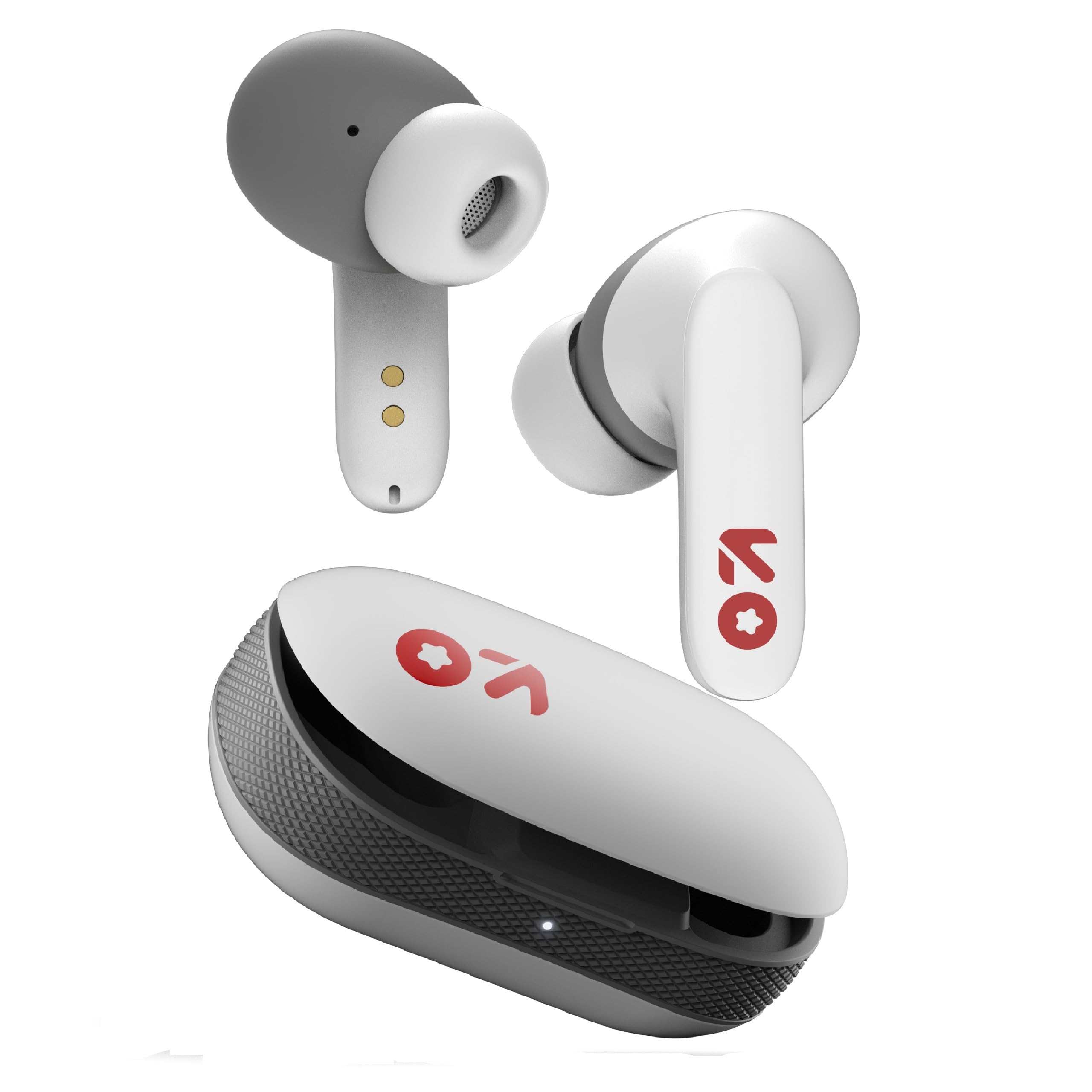
Image: GOBOULT Y1 Wireless Ear Buds and their charging case. The earbuds are white with grey tips and red GOBOULT logos, resting beside the matching white charging case.
2. Kaj je v škatli
Preverite, ali so v embalaži vsi elementi:
- Y1 Earphones (Left and Right)
- Y1 Charging Case
- USB polnilni kabel tipa C
- Dodatni ušesni nastavki (različne velikosti)
- Uporabniški priročnik (ta dokument)
3. Nastavitev
3.1 Začetno polnjenje
Before first use, fully charge the ear buds and the charging case.
- Place the ear buds into the charging case. Ensure they are correctly seated.
- Connect the provided USB Type-C cable to the charging port on the case and to a compatible USB power source (e.g., wall adapter, computer USB port).
- The indicator light on the charging case will show charging status. A full charge typically takes approximately 90 minutes.
- A 10-minute charge provides approximately 100 minutes of playtime.

Image: GOBOULT Y1 Ear Buds and their charging case, illustrating the Type-C fast charging port and cable connection. Text indicates "10 mins = 100 mins playtime".
3.2 Bluetooth seznanjanje
The GOBOULT Y1 Ear Buds feature Blink & Pair™ Bluetooth 5.3 for fast and stable connection.
- Prepričajte se, da so slušalke napolnjene.
- Open the lid of the charging case. The ear buds will automatically enter pairing mode, indicated by flashing LED lights.
- Na svoji napravi (pametnem telefonu, tablici, prenosniku) omogočite Bluetooth.
- Iskanje "GOBOULT Y1" in the list of available Bluetooth devices.
- Select "GOBOULT Y1" to connect. Once connected, a voice prompt will confirm successful pairing, and the LED lights on the ear buds will stop flashing.
- For subsequent use, the ear buds will automatically connect to the last paired device when removed from the case.

Image: GOBOULT Y1 Ear Buds and case with a smartphone displaying music, highlighting Bluetooth v5.3, Blink & Pair, Stable Connection, and Power efficient features.
4. Navodila za uporabo
4.1 Kontrole na dotik
The GOBOULT Y1 Ear Buds feature intuitive touch controls on each ear bud. The specific functions are as follows:

Image: A detailed diagram showing the touch control functions for the GOBOULT Y1 Ear Buds. It illustrates single taps, double taps, triple taps, and long presses for various actions like music playback, call management, and voice assistant activation.
- Single Tap (Left/Right Bud): Predvajanje/zaustavitev glasbe, sprejemanje klicev
- Double Tap (Left Bud): Prejšnja pesem
- Double Tap (Right Bud): Naslednja pesem
- Triple Tap (Left Bud): Zmanjšanje glasnosti
- Triple Tap (Right Bud): Glasnost
- Long Press (Left/Right Bud): Activate Voice Assistant (Google Assistant/Siri), Reject Call, End Call
- Four Taps (Left/Right Bud): Activate Combat Mode (Low Latency Gaming)
4.2 Glasovni pomočnik
Activate your device's voice assistant (Google Assistant or Siri) by long-pressing either ear bud.
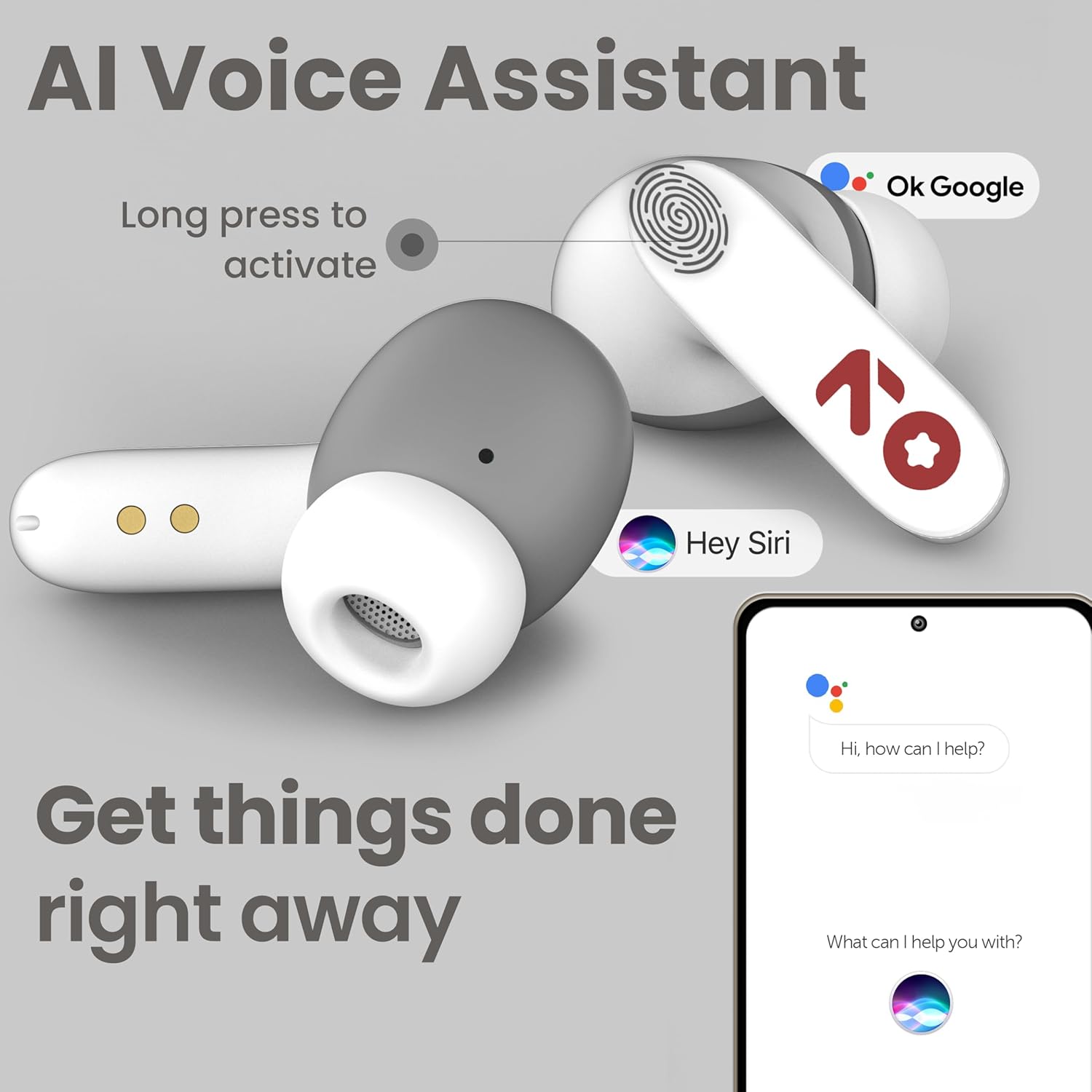
Image: GOBOULT Y1 Ear Buds with an illustration of a long press gesture activating a voice assistant like Google Assistant or Siri on a smartphone.
4.3 Calling with Zen ENC Mic
The GOBOULT Y1 Ear Buds are equipped with a Zen ENC (Environmental Noise Cancellation) microphone for clear call quality.
- Sprejmi klic: Single tap either ear bud.
- Zavrni klic: Long press either ear bud.
- Končaj klic: Long press either ear bud during a call.

Image: A diagram illustrating how Environmental Noise Cancellation (ENC) works, showing a user's voice being filtered from environmental noise for clear communication. A detailed view of an earbud highlights the ENC microphone.
4.4 Igralni način z nizko zakasnitvijo
Activate Combat Mode for a low-latency gaming experience, ensuring audio sync with minimal delay.
- Aktivirajte igralni način: Four taps on either ear bud.
- Deaktiviranje igralnega načina: Four taps on either ear bud again.
5. Vzdrževanje
5.1 Čiščenje
Za ohranjanje optimalne učinkovitosti in higiene:
- Gently wipe the ear buds and charging case with a soft, dry, lint-free cloth.
- Ne uporabljajte abrazivnih čistil, topil ali aerosolnih razpršil.
- Odstranite ušesne nastavke in jih po potrebi ločeno očistite z blagim milom in vodo, pri čemer se pred ponovno namestitvijo prepričajte, da so popolnoma suhi.
- Clean the charging contacts on both the ear buds and the case periodically with a dry cotton swab.
5.2 Vodoodpornost (IPX5)
The GOBOULT Y1 Ear Buds are IPX5 water-resistant, meaning they are protected against low-pressure water jets from any direction. This makes them suitable for workouts and light rain.

Image: GOBOULT Y1 Ear Buds shown with water droplets, indicating IPX5 water resistance. Icons for sweatproof, rainproof, and splashproof are also displayed.
Pomembno:
- Do not submerge the ear buds in water.
- Ohišje za polnjenje ni vodoodporno.
- Avoid exposing the ear buds to saltwater, chlorinated water, or other chemicals.
- If the ear buds get wet, dry them thoroughly before placing them back in the charging case.
6. Odpravljanje težav
| Težava | Možna rešitev |
|---|---|
| Ear buds not pairing |
|
| Brez zvoka ali nizke glasnosti |
|
| Ear buds not charging |
|
| Težave s kakovostjo klicev |
|
7. Specifikacije
| Funkcija | Podrobnost |
|---|---|
| Znamka | GOBOULT |
| Ime modela | Y1 (also referred to as Airbass) |
| Različica Bluetooth | 5.3 |
| Bluetooth obseg | Do 10 metrov (33 čevljev) |
| Namestitev ušesa | V ušesu |
| Vrsta zvočnega gonilnika | Dynamic Driver (10mm Bass Drivers) |
| Impedanca | 32 Ohmov |
| Frekvenčni odziv | 20 Hz |
| Občutljivost | 117 dB |
| Nadzor hrupa | Odpravljanje hrupa v okolju (ENC) |
| Življenjska doba baterije (skupna) | Do 51 ur (s polnilno škatlico) |
| Čas polnjenja baterije | Pribl. 90 minut |
| Vrata za polnjenje | USB Type-C |
| Vodoodpornost | IPX5 (Ear Buds only) |
| Nadzorna metoda | Dotik, glas |
| Združljive naprave | Android, Cellphones, Desktops, Laptops, Tablets |
| Material | Plastika |
| Weight (Carrying Case) | 65 gramov |
| Država izvora | Indija |
8. Garancija in podpora
8.1 Garancija proizvajalca
The GOBOULT Y1 Wireless Ear Buds come with a 1-letna garancija proizvajalca od datuma nakupa. Ta garancija krije proizvodne napake. Za uveljavljanje garancije shranite dokazilo o nakupu.
For warranty service or support, please contact the manufacturer or authorized service center.
8.2 Kontaktni podatki
Proizvajalec: Exotic Mile Private Limited
Naslov: B-67 Wazirpur Industrial Area, New Delhi 110052, India
Uvoznik: Exotic Mile Pvt. Ltd.
For further assistance, please refer to the contact details provided on the product packaging or the official GOBOULT webmesto.


