Uvod
This manual provides detailed instructions for the operation and maintenance of your RadioShack Portable Bluetooth Speaker. This versatile audio device offers multiple connectivity options and features to enhance your listening experience.

Slika 1: Spredaj view of the RadioShack Portable Bluetooth Speaker, showcasing its black fabric grille and red accent symbols.
Vsebina paketa
Preden nadaljujete, se prepričajte, da so v paketu vsi elementi:
- RadioShack Portable Bluetooth Speaker
- USB polnilni kabel tipa C
- Auxiliary 3.5mm Cable (Note: Some packages may not include this cable, as per customer feedback.)
- Nosilni trak

Figure 2: The speaker shown with its included USB Type-C charging cable and an auxiliary cable.
Nastavitev
1. Polnjenje zvočnika
Before first use, fully charge the speaker. The speaker is equipped with a 3000 mAh battery, providing up to 6 hours of playback on a full charge. A complete charge typically takes approximately 3 hours.
- Locate the USB Type-C charging port on the speaker. This is usually found on the top panel near the control buttons.
- Priloženi kabel USB Type-C priključite na polnilno vtičnico zvočnika.
- Drugi konec kabla USB priključite na združljiv napajalnik USB (ni priložen) ali vrata USB računalnika.
- Indikatorska lučka polnjenja bo med polnjenjem svetila in se izklopila ali spremenila barvo, ko bo popolnoma napolnjena.
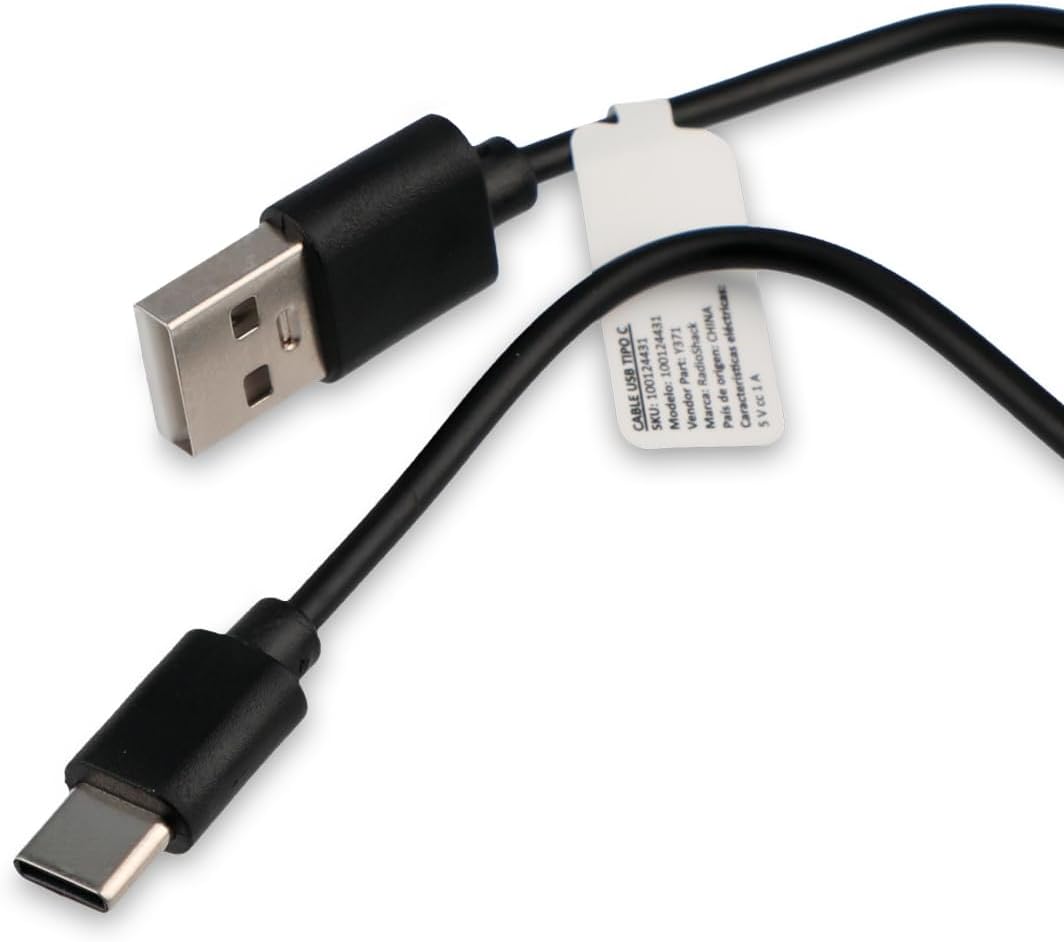
Figure 3: Close-up of the USB Type-C charging cable included with the speaker.
2. Začetni vklop
Press and hold the Power button (usually marked with a power symbol) on the speaker's control panel until you hear an audible prompt or see an indicator light illuminate.
Navodila za uporabo
Nadzorna plošča je končanaview

Figure 4: Top panel of the speaker, displaying the control buttons and various input ports (AUX, TF, USB, Type-C).
The control panel on the top of the speaker features several buttons and ports for various functions:
- Gumb za vklop: Vklopi/izklopi zvočnik.
- Gumb za način: Cycles through input modes (Bluetooth, USB, SD, AUX, FM Radio).
- Gumb za predvajanje/pavzo: Predvaja ali začasno ustavi predvajanje zvoka.
- Gumb za povečanje glasnosti/naslednja skladba: Increases volume (short press) or skips to the next track (long press).
- Gumb za zmanjšanje glasnosti/prejšnja skladba: Decreases volume (short press) or goes to the previous track (long press).
- Gumb za svetlobni način: Changes or turns off the RGB LED lighting effects.
- Vrata AUX: For 3.5mm auxiliary cable connection.
- Reža za kartico TF (Micro SD): Za predvajanje zvoka z mikro SD kartice.
- Vrata USB: Za predvajanje zvoka z USB ključka.
- Vrata tipa C: Za polnjenje zvočnika.
1. Bluetooth povezava
This speaker supports wireless audio streaming via Bluetooth, compatible with smartphones, tablets, and computers.
- Vklopite zvočnik. Samodejno bo preklopil v način seznanjanja Bluetooth, kar bo označila utripajoča LED lučka ali zvočni signal.
- V svoji napravi omogočite Bluetooth in poiščite razpoložljive naprave.
- Select "RadioShack Speaker" (or similar name) from the list of found devices.
- Once paired, the speaker will confirm with an audible sound, and the LED indicator will become solid.
2. USB predvajanje
Vstavite bliskovni pogon USB z zvokom files (MP3, WAV, etc.) into the USB port. The speaker will automatically switch to USB mode and begin playback.
3. Predvajanje s kartice SD
Vstavite kartico Micro SD (TF) z zvokom files into the TF card slot. The speaker will automatically switch to SD card mode and begin playback.
4. Pomožni (AUX) priključek
Za naprave brez Bluetootha uporabite 3.5 mm pomožni vhod.
- Connect one end of a 3.5mm audio cable (not always included) to the AUX port on the speaker.
- Drugi konec priključite na vtičnico za slušalke ali avdio izhod vaše naprave.
- Press the Mode button on the speaker until it switches to AUX mode.
5. Funkcija FM radia
Za uporabo vgrajenega FM radia:
- Press the Mode button until you hear the FM radio mode activated.
- Pritisnite gumb Predvajaj/Pavza za samodejno iskanje in shranjevanje razpoložljivih radijskih postaj.
- Za navigacijo med shranjenimi postajami uporabite gumba za povečanje/zmanjšanje glasnosti (dolgi pritisk).
6. RGB LED Lighting
The speaker features an RGB LED light panel that adds visual ambiance. The light panel is located on one side of the speaker.

Slika 5: stran view of the speaker, highlighting the transparent panel designed for RGB lighting effects.
Press the Light Mode button (often indicated by a sun or lightbulb icon) on the control panel to cycle through different lighting modes or to turn the lights off.
Vzdrževanje
Čiščenje
Za ohranitev videza in funkcionalnosti zvočnika:
- Zunanjost obrišite z mehko, suho krpo, ki ne pušča vlaken.
- Ne uporabljajte abrazivnih čistil, voskov ali topil.
- Pazite, da vlaga ne pride v odprtine. Zvočnik ni vodoodporen.
Shranjevanje
When not in use for extended periods, store the speaker in a cool, dry place away from direct sunlight and extreme temperatures. It is recommended to charge the battery at least once every three months to preserve its lifespan.
Odpravljanje težav
| Težava | Možen vzrok | rešitev |
|---|---|---|
| Zvočnik se ne vklopi. | Baterija je prazna. | Zvočnik napolnite s priloženim kablom USB Type-C. |
| Iz zvočnika ni zvoka. | Glasnost je prenizka ali utišana. Napačen način vnosa. | Increase volume on both speaker and connected device. Press the Mode button to select the correct input source (Bluetooth, USB, SD, AUX, FM). |
| Seznanitev prek Bluetootha ni mogoča. | Zvočnik ni v načinu seznanjanja. Naprava je predaleč. Motnje. | Ensure speaker is in Bluetooth pairing mode (flashing LED). Move device closer to speaker (within 10 meters). Turn off other Bluetooth devices. |
| USB/SD kartica se ne predvaja. | Nepodprto file format. Kartica/pogon ni pravilno vstavljen. | Zagotovite zvok fileso v podprti obliki (npr. MP3). Ponovno trdno vstavite pogon USB ali kartico SD. |
| Statični FM radio. | Šibek signal. | Zvočnik premaknite na mesto z boljšim sprejemom. |
Specifikacije
| Funkcija | Podrobnost |
|---|---|
| Številka modela | 100124431 (Y371) |
| Dimenzije (D x Š x V) | 9.6 cm x 22.7 cm x 8.2 cm |
| Teža | 500 gramov |
| Material | Kovina, silikon |
| Tehnologija povezljivosti | Bluetooth, USB, SD Card, 3.5mm Auxiliary |
| Bluetooth obseg | Do 10 metre |
| Izhodna moč zvočnika | 10 vatov |
| Frekvenčni odziv | 80 KHz |
| Kapaciteta baterije | 3000 mAh litij-ionski |
| Življenjska doba baterije | Do 6 uri |
| Čas polnjenja | Približno 3 uri |
| Vhodna voltage | 5 volta |
| Posebne lastnosti | Portable, RGB LED Light, FM Radio |
| Vodotesen | št |
Informacije o garanciji
This RadioShack product comes with a limited warranty. For specific terms and conditions, including warranty duration and coverage details, please refer to the warranty card included with your product packaging or contact RadioShack customer support. Keep your purchase receipt as proof of purchase for warranty claims.
Podpora uporabnikom
For further assistance, technical support, or warranty inquiries, please contact RadioShack customer service. Contact information can typically be found on the product packaging, the official RadioShack webspletnem mestu ali prek vašega nakupovalnega mesta.
Prosimo, shranite ta priročnik za prihodnjo uporabo.