1. Uvod
Thank you for choosing the Cherry KW 7100 Mini Multi-Device Compact Keyboard. This manual provides essential information for setting up, operating, and maintaining your new keyboard. Designed for versatility and portability, this keyboard offers seamless connectivity across multiple devices.
2. Kaj je v škatli
- Cherry KW 7100 Mini Multi-Device Compact Keyboard
- USB-C to USB-A Charging/Connection Cable
- 2x AAA baterije
- 2.4 GHz Wireless Nano Receiver (stored magnetically in the keyboard)
- Torbica za prenašanje
- Navodila za uporabo

Slika 1: Od zgoraj navzdol view of the Cherry KW 7100 Mini Keyboard.
3. Nastavitev
3.1. Namestitev baterije
- Poiščite predal za baterije na spodnji strani tipkovnice.
- Odprite pokrov predala za baterije.
- Vstavite dve bateriji AAA in pazite na pravilno polarnost (+/-).
- Trdno zaprite pokrov prostora za baterije.
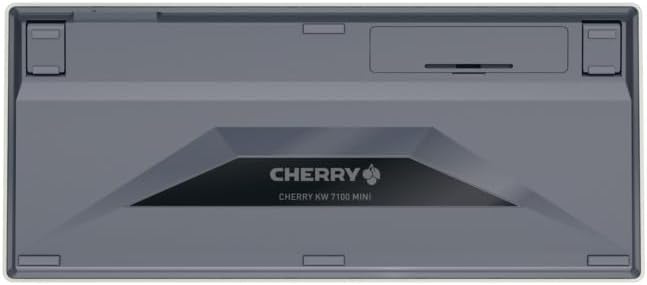
Figure 2: Underside of the keyboard with the battery compartment.
3.2. Priključitev tipkovnice
The Cherry KW 7100 Mini supports three connection methods: Bluetooth, 2.4 GHz Wireless, and Wired USB-C.
3.2.1. Povezava Bluetooth (do 3 naprave)
- Vklopite tipkovnico s stikalom za vklop ob strani.
- Press and hold one of the Bluetooth channel keys (F1, F2, or F3) for 3-5 seconds until the corresponding LED indicator blinks rapidly. This indicates pairing mode.
- On your device (laptop, smartphone, tablet), navigate to Bluetooth settings and search for available devices.
- Select "Cherry KW 7100" from the list to pair. The LED will stop blinking and remain solid for a few seconds upon successful connection.
- Repeat for up to two additional devices using the other Bluetooth channel keys (F1, F2, or F3).
3.2.2. Brezžična povezava 2.4 GHz
- Locate the 2.4 GHz wireless nano receiver, typically stored magnetically in a slot on the underside of the keyboard.
- Insert the nano receiver into an available USB-A port on your computer.
- Vklopite tipkovnico s stikalom za vklop. Tipkovnica se mora samodejno povezati s sprejemnikom.
3.2.3 Žična povezava USB-C
- Connect one end of the provided USB-C cable to the USB-C port on the keyboard.
- Connect the other end of the USB-C cable to an available USB-A port on your computer.
- The keyboard will function as a wired keyboard.
Video 1: Demonstrating the setup and typing experience of the Cherry KW 7100 Mini Keyboard.
4. Upravljanje tipkovnice
4.1. Preklapljanje med povezanimi napravami
To switch between paired Bluetooth devices, simply press the corresponding Bluetooth channel key (F1, F2, or F3) that your device is paired to. The keyboard will automatically connect to the selected device.
4.2. Funkcijske tipke (FN)
The keyboard features a dedicated FN key, typically located near the right Shift key. This key, in combination with other keys, activates secondary functions such as media controls, screen brightness, and other system commands. Refer to the keycap legends for specific FN key combinations.
4.3. LED indikatorji
LED indicators on the keyboard provide information about its status:
- Bluetooth Channel LEDs (F1, F2, F3): Indicate the currently active Bluetooth connection or pairing mode.
- LED-lučka za Caps Lock: Sveti, ko je tipka Caps Lock aktivna.
- LED indikator stanja baterije: Označuje nizko raven baterije.
4.4. Nastavljive noge
The keyboard is equipped with stable, fold-out feet on the underside. These allow you to adjust the typing angle for improved ergonomics and comfort.
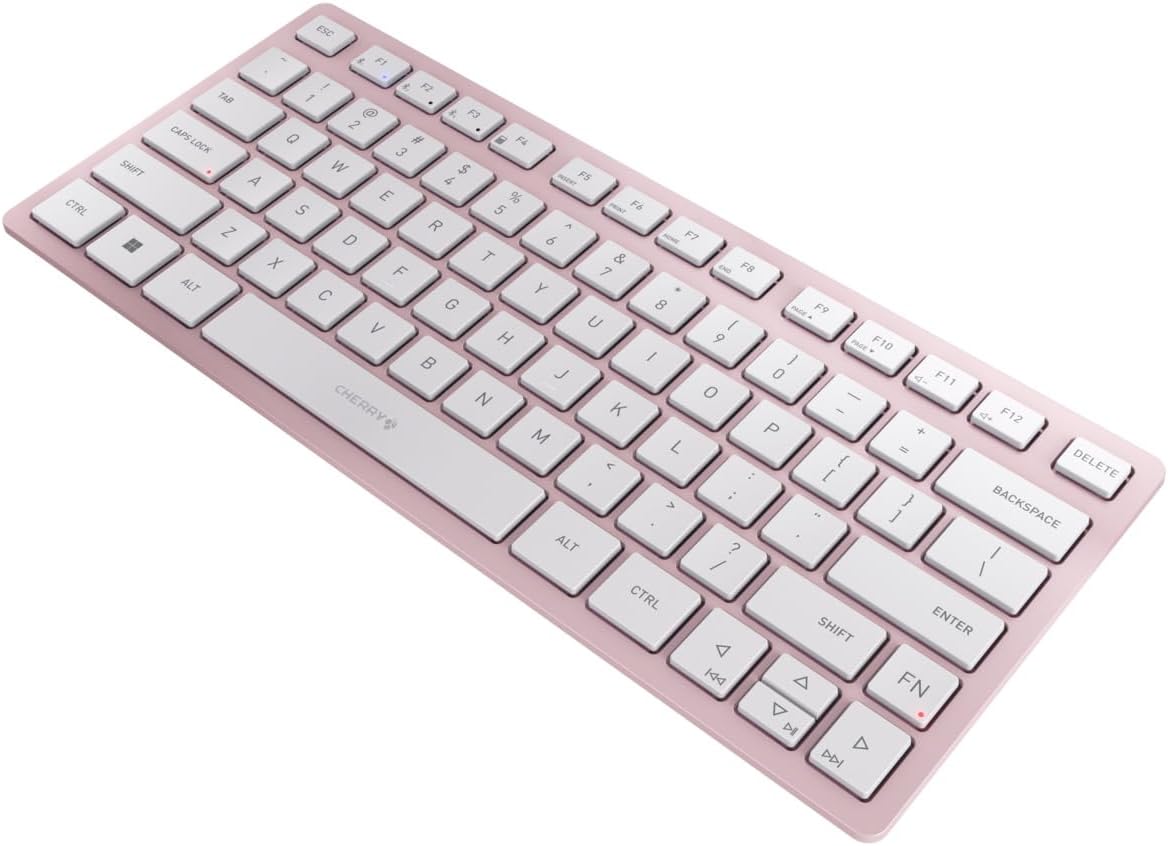
Slika 3: Pod kotom view of the keyboard, highlighting its slim profile.

Slika 4: stran view showing the adjustable feet extended for an ergonomic typing angle.
5. Vzdrževanje
5.1. Čiščenje
To clean your keyboard, gently wipe the keycaps and surface with a soft, lint-free cloth. For stubborn dirt, slightly dampKrpo obrišite z vodo ali blago, neabrazivno čistilno raztopino. Izogibajte se prekomerni vlagi in čistil ne pršite neposredno na tipkovnico.
5.2. Shranjevanje
When not in use, especially during travel, store the keyboard in its included carrying case to protect it from dust, scratches, and minor impacts.

Figure 5: The keyboard stored in its protective carrying case.
6. Odpravljanje težav
6.1. Tipkovnica se ne povezuje
- Prepričajte se, da je tipkovnica vklopljena.
- Preverite baterije in jih po potrebi zamenjajte.
- For Bluetooth, ensure the correct channel (F1, F2, or F3) is selected and the keyboard is in pairing mode (blinking LED).
- For 2.4 GHz wireless, ensure the nano receiver is securely plugged into a USB-A port.
- Try connecting via the USB-C cable to rule out wireless issues.
- Znova zaženite napravo in znova poskusite seznaniti.
6.2. Tipke se ne odzivajo
- Check the connection as described above.
- Prepričajte se, da pod tipkami ni umazanije.
- If using a wired connection, try a different USB port or cable.
6.3. Kratka življenjska doba baterije
- Prepričajte se, da uporabljate sveže, visokokakovostne baterije AAA.
- Turn off the keyboard when not in use to conserve battery power.
7. Specifikacije
| Funkcija | Specifikacija |
|---|---|
| Ime modela | KW 7100 |
| Številka modela artikla | JK-7100US-19 |
| Znamka | Češnja |
| Tehnologija povezljivosti | Bluetooth 5.1 (3 channels), 2.4 GHz Wireless, USB-C Wired |
| Združljive naprave | Prenosnik, pametni telefon, tablica |
| Opis tipkovnice | Compact, Multi-Device |
| Ključni mehanizem | Škarjasti mehanizem CHERRY SX |
| Vir napajanja | 2x AAA baterije |
| Šifriranje | AES-128 |
| Dimenzije izdelka | 11.6 x 5.1 x 0.6 palcev |
| Teža predmeta | 1.4 funtov |
| Material | Kovina, plastika |
| barva | Češnjev cvet |
8. Garancija in podpora
This product is covered by Cherry's standard manufacturer warranty. For detailed warranty information, technical support, or service inquiries, please visit the official Cherry webspletno mesto ali se obrnite neposredno na njihovo podporo strankam.
Proizvajalec: Češnja
Webspletno mesto: www.cherry.de


