
Uvod
This manual provides comprehensive instructions for the operation and maintenance of your ATTOP X-PACK 18 Drone with Camera. Please read this manual thoroughly before operating the drone to ensure safe and optimal performance. The ATTOP X-PACK 18 is a foldable drone equipped with a 1080P 120° wide-angle FPV Wi-Fi camera, offering features like one-key take-off/landing, headless mode, 3-speed modes, 360° flip, emergency stop, one-key return, and various APP-controlled functions including gesture, voice, and gravity control, as well as flight path mode.

Image: ATTOP Drone with remote control, batteries, and carrying case.
Kaj je v škatli
Preverite, ali so v paketu prisotne vse komponente:
- ATTOP X-PACK 18 Drone
- Daljinski upravljalnik
- 2 x 3.7V / 1100mAh Rechargeable Batteries
- Torbica za prenašanje
- Rezervna rezila
- USB polnilni kabel
- Izvijač
- Držalo za telefon

Image: Visual representation of the drone, remote, batteries, and accessories included in the package.
Vodnik za namestitev
Odpiranje drona
Carefully unfold the drone arms until they are fully extended. Ensure all arms click into place securely.

Image: Illustration of the drone's foldable design and dimensions.
Namestitev baterije
Insert the fully charged battery into the designated compartment on the drone. Ensure it is securely latched.
Telefon Clamp Installation (for Remote Control)
Pritrdite telefonsko klamp to the remote control. Secure your smartphone into the clamp for FPV viewing and APP control.
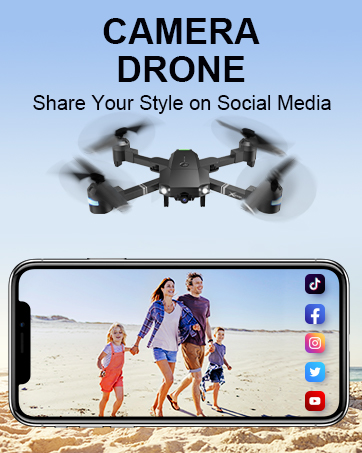
Image: Close-up of the remote control with a smartphone mounted in the clamp.
Vklop
Press and hold the power button on the drone until the indicator lights illuminate. Power on the remote control.
Seznanjanje
After powering on both the drone and remote, push the left control stick on the remote fully up and then fully down to pair the devices. The drone lights will stop flashing once paired.
Umerjanje
If playing for the first time, press the calibration button on the remote control. This ensures stable flight.
Prenos in povezava APP
Download the "ATTOP CLUB" APP from your device's app store. Connect your phone to the drone's Wi-Fi network (e.g., "X-PACK 18-XXXXXX"). Open the APP and select "X-PACK 18" to connect and access advanced features and FPV view.
Video: Demonstrates the ATTOP CLUB APP download, Wi-Fi connection, and interface display for the X-PACK 18 drone.
Navodila za uporabo
Familiarize yourself with the drone's controls and features for an optimal flight experience.
Video: Comprehensive guide demonstrating drone setup, basic flight controls, and advanced features like 360° stunts and headless mode.
Osnovne kontrole leta:
- Vzlet/pristanek z enim ključem: Press the dedicated button on the remote or APP for automatic take-off or landing.
- Ascend & Descend: Use the left control stick to adjust the drone's altitude.
- Altitude Holding: The drone maintains a stable hover at a set altitude, ideal for capturing steady photos and videos.
- Obrezovanje: Adjust the drone's flight path to correct any drifting.
- Flying Forward/Backward: Use the right control stick to move the drone in the desired direction.
- Zavijanje levo/desno: Rotate the drone left or right using the left control stick.
- Levi/desni let: Move the drone sideways using the right control stick.
Napredne funkcije:
- 360° Stunt (Flip): Execute impressive aerial flips with a single button press.
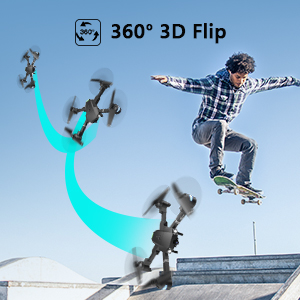
Image: Sequence showing the drone executing a 360-degree flip.
- Načini hitrosti: Switch between 3 different speeds (30%, 60%, 100%) to match your skill level and environment.
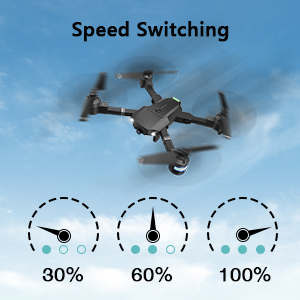
Image: Visual representation of the three-speed modes (30%, 60%, 100%).
- Brezglavi način: Simplifies flight by orienting the drone relative to the pilot, regardless of the drone's actual front direction.
- Krožna muha: The drone can perform circular flight patterns.
- Taking Pictures & Videos: Use the dedicated buttons on the remote or APP to capture 1080P HD photos and videos.
Image: Close-up of the drone's 1080P HD camera.
- Ustavitev v sili: Instantly stop the drone in case of an emergency to prevent damage or injury.
- Vrnitev z enim ključem: The drone will automatically return to its take-off point.
APP-Controlled Functions:
- Nadzor s kretnjami: Izvedite določene gibe z rokami, da sprožite fotografiranje ali snemanje videoposnetkov.
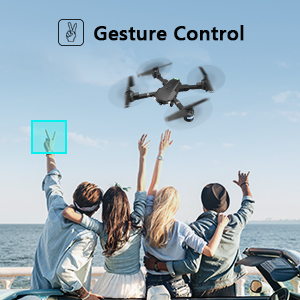
Image: People making a "V" gesture to activate the drone camera.
- Glasovni nadzor: Command the drone using voice commands for various flight actions (e.g., "Take off", "Landing", "Forward").

Slika: npramples of voice commands like "Take off" and "Right side" for drone control.
- Nadzor gravitacije: Control the drone's movement by tilting your smartphone, utilizing its built-in G-sensor.
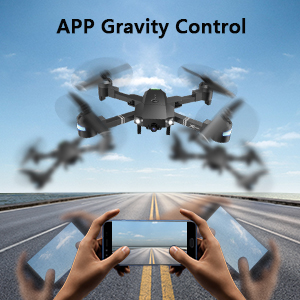
Image: Hands holding a smartphone, demonstrating how tilting controls the drone's direction.
- Flight Path Mode: Draw a desired flight path on your smartphone screen, and the drone will automatically follow it.
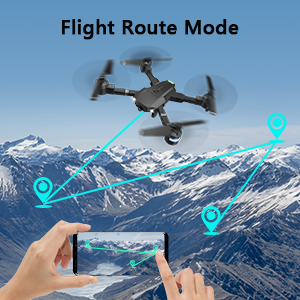
Image: A smartphone screen displaying a drawn flight path for the drone to follow.
- Način VR: Compatible with VR glasses for an immersive first-person view flight experience.
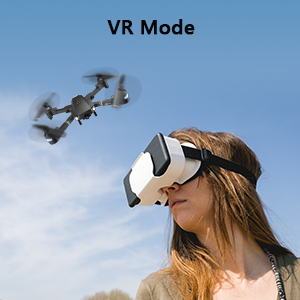
Image: A person wearing VR glasses, experiencing the drone's first-person view.
Vzdrževanje
Redno vzdrževanje zagotavlja dolgo življenjsko dobo in optimalno delovanje vašega drona.
- Čiščenje: Za čiščenje ohišja drona in objektiva kamere uporabite mehko, suho krpo. Izogibajte se uporabi agresivnih kemikalij.
- Pregled propelerja: Redno preverjajte propelerje glede morebitnih poškodb (razpok, upogibanja). Poškodovane propelerje takoj zamenjajte z uporabo priloženih rezervnih rezil in izvijača.
- Vzdrževanje baterije: Baterije shranjujte na hladnem in suhem mestu. Ne prepolovljajte ali praznite preveč. Če jih shranjujete dlje časa, jih napolnite do približno 50 % kapacitete.
- Nega motorja: Keep motors free from dust and debris. Avoid operating in sandy or dusty environments.
- Shranjevanje: When not in use, fold the drone and store it in its carrying case to protect it from dust and physical damage.
Odpravljanje težav
| Težava | Možen vzrok | rešitev |
|---|---|---|
| Dron se ne odziva na daljinski upravljalnik. | Not paired, low battery, interference. | Ensure drone and remote are powered on and paired correctly. Recharge batteries. Move away from sources of interference. |
| Dron med letom lebdi v zraku. | Not calibrated, uneven surface for take-off, wind. | Perform calibration on a flat surface. Use trimming functions to correct drift. Avoid flying in strong winds. |
| Camera not working or FPV feed is unstable. | Wi-Fi not connected, APP issue, low drone battery. | Ensure phone is connected to drone's Wi-Fi. Restart APP and drone. Charge drone battery. |
| Kratek čas letenja. | Baterija ni popolnoma napolnjena, stara baterija. | Fully charge batteries before each flight. Consider replacing old batteries. |
| Dron se pogosto sesuje. | Lack of experience, environmental factors, damaged propellers. | Practice in open areas. Avoid obstacles. Check and replace damaged propellers. |
Specifikacije
| Funkcija | Podrobnost |
|---|---|
| Znamka | ATTOP |
| Ime modela | X-PAKET 18 |
| Posebne lastnosti | 360 Degree Flip, Speed Adjustment, Foldable, First Person View (FPV), Long Battery Life |
| Starostna skupina (opis) | 96 mesecev in več |
| barva | Jet Black |
| Ločljivost zajema videa | 1080p |
| Tehnologija povezljivosti | Wi-Fi |
| Stopnja spretnosti | Vse |
| Kapaciteta baterije | 1100 mAh (na baterijo) |
| Čas letenja | Do 20 minut (z 2 baterijama)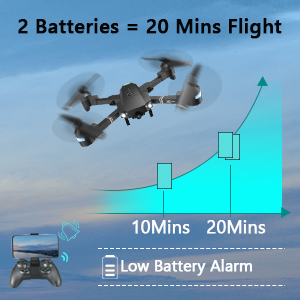 Image: Graph showing flight time with two batteries. |
| Format za zajem videa | MP4 |
| Tehnologija daljinskega upravljanja | Wi-Fi |
| Vrsta nadzora | Daljinski upravljalnik |
| Največji doseg | 80 metrov |
| Material | Plastic or Reinforced Plastic |
| Dimenzije izdelka | 13.8 cm D x 12.6 cm Š x 2.76 cm V |
| Teža predmeta | 1.76 funtov |
| Datum izdaje | 12. november 2023 |
Garancija in podpora
ATTOP provides customer support and assistance for your drone. For any questions or to inquire about extended warranty, please refer to the following:
- Podpora po e-pošti: support@aptoptoys.com
- Spletna podpora: Skenirajte spodnjo kodo QR ali obiščite attop.afterservice.vip za pomoč in informacije o garanciji.

Image: QR code for quick access to ATTOP customer service and extended warranty information.


