Uvod
The MILLENNIUM M815 ChessGenius PRO is an intelligent chess computer designed for players of all levels, from beginners to advanced. It serves as a comprehensive chess trainer, offering various training options and adaptable difficulty levels to enhance your chess skills. This manual provides essential information for setting up, operating, and maintaining your ChessGenius PRO.
Varnostne informacije
Opozorilo:
- Ni primerno za otroke mlajše od 4 let.
- Uporabljati samo pod nadzorom odrasle osebe.
Kaj je v škatli
Upon unpacking your MILLENNIUM M815 ChessGenius PRO, please ensure all components are present:
- Electronic Chess Board
- 34 Chess Pieces (including 2 extra queens)
- Torba za shranjevanje
- Vodnik za hiter začetek
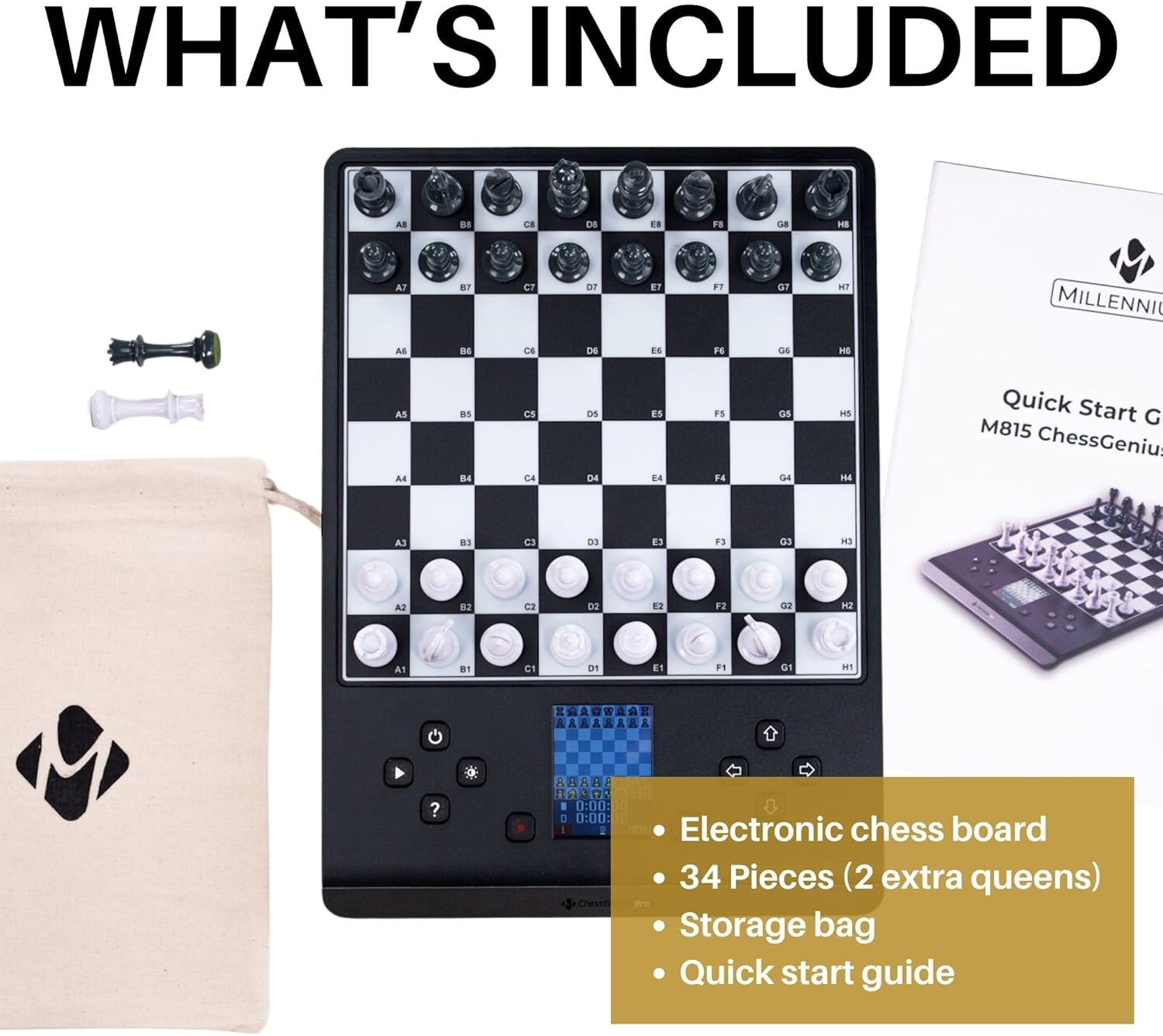
Figure 1: Included components of the ChessGenius PRO. The package contains the electronic chess board, a full set of chess pieces with two additional queens, a fabric storage bag for the pieces, and a quick start guide.
Nastavitev
Napajanje naprave
The ChessGenius PRO can be powered by batteries for portability or an optional AC adapter for continuous play.
Namestitev baterije
- Locate the battery compartment on the underside of the chess board.
- Odprite pokrov prostora za baterije.
- Vstavite 4 baterije AA/LR06 (niso priložene) in pazite na pravilno polarnost (+/-).
- Trdno zaprite pokrov prostora za baterije.
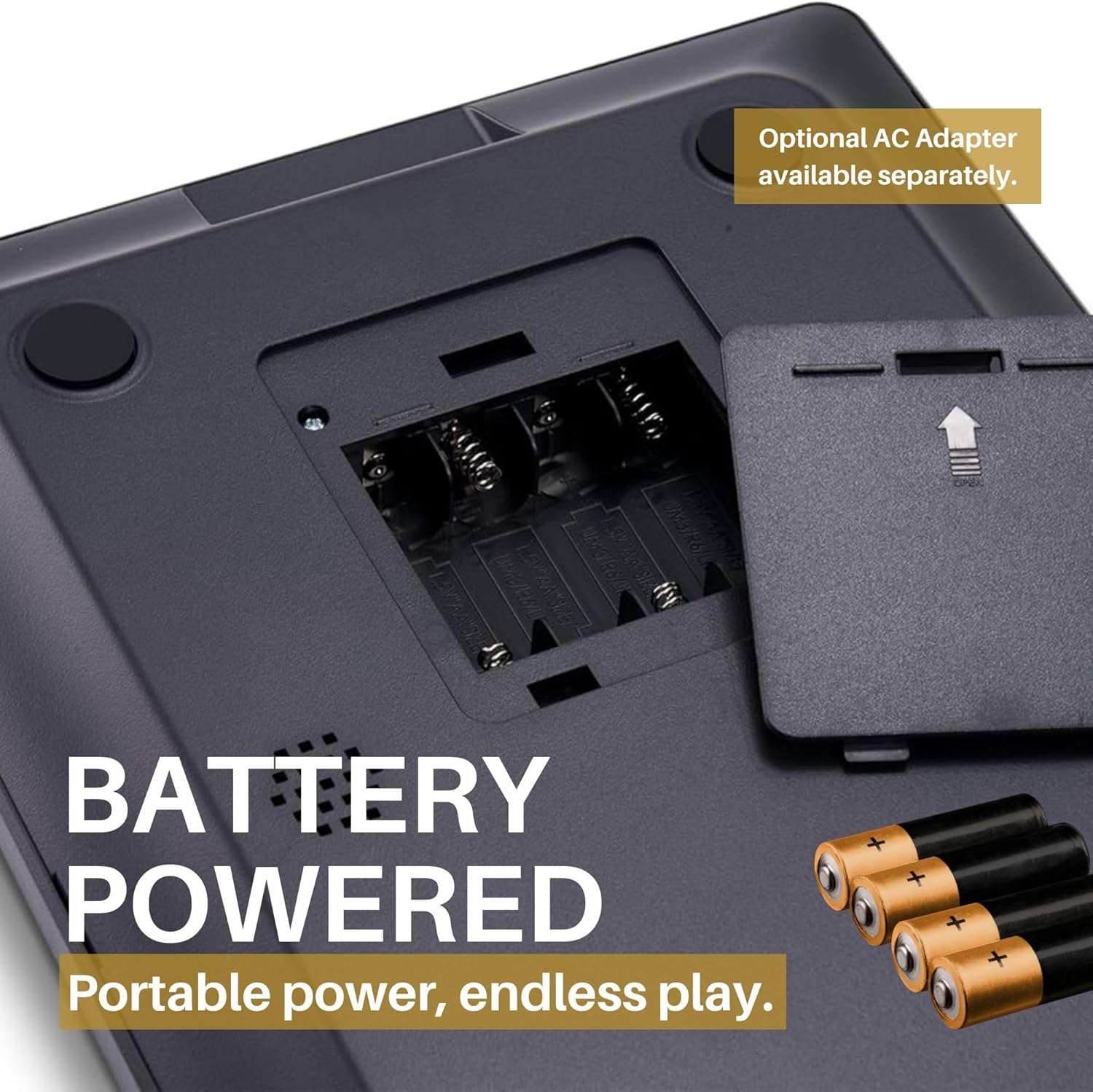
Figure 2: Battery compartment. The device requires four AA/LR06 batteries for operation, which are not included in the package. Ensure correct battery orientation during installation.
Using an AC Adapter (Optional)
An optional AC adapter can be purchased separately for direct power from a wall outlet. Connect the adapter to the designated port on the device.

Figure 3: Power flexibility. The ChessGenius PRO can be powered by 4 AA/LR06 batteries for portable use or via an optional AC adapter for home use.
Placing the Chess Pieces
Place the magnetic chess pieces on their starting positions on the board. The magnetic base ensures pieces remain stable during play, even when moving the board.

Figure 4: Magnetic pieces. The chess pieces are magnetic, ensuring they stay firmly in position on the board during play or transport.
Navodila za uporabo
Zagon igre
The intuitive menus and the dedicated PLAY button allow for quick game initiation. You can choose to play as White, Black, engage in a 2-player mode, or set up a game from a specific position.

Figure 5: Intuitive controls. The ChessGenius PRO features an intuitive menu system and a dedicated PLAY button for easy game setup and navigation.
Razumevanje zaslona
The integrated LCD color display shows your moves, the current board state, and provides visual cues for various functions.

Figure 6: LCD color display. The display provides clear visual feedback on the game state and prompts for your next move.
Playing Against the Computer
The AI adapts to your playing level, offering a realistic training partner with a playing strength of up to 2200 ELO. You can adjust the difficulty to match your skill, from beginner to master.

Figure 7: Practice strategies. The ChessGenius PRO allows users to practice and develop their chess strategies against an adaptive AI opponent.
Način za dva igralca
In two-player mode, the computer acts as an arbiter, ensuring adherence to chess rules. This is ideal for playing with a friend while still benefiting from the computer's rule enforcement.

Figure 8: Game modes. The ChessGenius PRO supports playing against the computer and a two-player mode where the computer enforces rules.
Features and Training Options
The ChessGenius PRO is equipped with various features to assist and train players:
- Move Suggestions: Receive hints for optimal moves.
- Bad Move Warnings: The computer alerts you to potentially poor moves, helping you learn from mistakes.
- Take-back Options: Undo moves to explore different strategies or correct errors.
- Gumb za pomoč: Press the '?' button to get assistance or suggestions during a game.
- Opening Names Display: The screen can display the names of chess openings as they occur, aiding in learning opening theory.

Figure 9: Help function. The '?' button provides immediate assistance and suggestions during gameplay.

Figure 10: AI learning functions. The ChessGenius PRO acts as a chess trainer, providing warnings for bad moves, suggesting optimal moves, and displaying opening names to optimize playing technique.
Vzdrževanje
To ensure the longevity and optimal performance of your ChessGenius PRO, follow these maintenance guidelines:
- Čiščenje: Ploščo in dele obrišite z mehko, suho krpo. Izogibajte se uporabi abrazivnih čistil ali topil.
- Shranjevanje: When not in use, store the chess pieces in the provided storage bag to prevent loss and damage. Keep the device in a cool, dry place away from direct sunlight and extreme temperatures.
- Vzdrževanje baterije: If the device will not be used for an extended period, remove the batteries to prevent leakage and potential damage to the electronics.
Odpravljanje težav
This section addresses common issues you might encounter with your ChessGenius PRO.
| Težava | Možen vzrok | rešitev |
|---|---|---|
| Naprava se ne vklopi. |
|
|
| Pieces do not register on the board. |
|
|
| Zaslon je temen ali neberljiv. |
|
|
Specifikacije
| Znamka | TISOČLETJE |
| Model | M815 ChessGenius Pro 2024 |
| Priporočena starost | 3 leta in več (priporoča proizvajalec) |
| Število igralcev | 2 |
| Jeziki | Spanish, English, Polish, German, Portuguese, French, Italian |
| Vir napajanja | 4 x AA/LR06 batteries (not included) or optional AC adapter |
| Glavni material | Plastika |
| barva | Črna |
| Dimenzije izdelka | 30L x 22W centimeters |
Garancija in podpora
MILLENNIUM products are designed for durability and performance. For any issues or inquiries, please refer to the following information:
- Razpoložljivost rezervnih delov: Rezervni deli so na voljo 1 leto od datuma nakupa.
- Podpora strankam: For technical assistance or warranty claims, please contact MILLENNIUM customer support through their official webspletnega mesta ali kontaktnih podatkov, navedenih na embalaži izdelka.
Uradni videoposnetki izdelkov
Trenutno za ta izdelek ni na voljo uradnih videoposnetkov izdelka prodajalca.


