1. Uvod
The RADEKLY Instant Print Camera for Kids is designed to provide an engaging and creative photography experience for children. This digital camera features instant black and white printing, 1080P HD video recording, and a variety of fun filters and games. This manual provides essential information for setting up, operating, and maintaining your camera.
2. Kaj je v škatli
Upon unboxing your RADEKLY Instant Print Camera, you should find the following components:
- 1 x RADEKLY Instant Print Camera (Model 681)
- 3 x Rolls of Thermal Print Paper (one pre-loaded)
- 1 x polnilni kabel USB Type-C
- 1 x vrvica
- 1 x 32 GB Micro SD kartica (prednameščena ali priložena posebej)
- 6 x Colorful Pens
- 1 x Sheet of Decorative Stickers
- 1 x uporabniški priročnik

Figure 2.1: All components included with the RADEKLY Instant Print Camera.
Video 2.1: Overview of the RADEKLY Instant Print Camera and its included accessories, demonstrating the unboxing process and initial setup steps.
3. Nastavitev
3.1. Polnjenje kamere
Before first use, fully charge the camera. Connect the provided USB Type-C cable to the camera's charging port and the other end to a compatible USB power adapter (not included) or computer. The charging indicator light will illuminate during charging and turn off when fully charged. A full charge provides approximately 2.5 hours of continuous usage.

Figure 3.1: Charging the RADEKLY Instant Print Camera via its Type-C port.
3.2. Loading Print Paper
The camera uses thermal print paper for instant black and white photos. One roll is typically pre-loaded. To load or replace paper:
- Gently push up the side of the camera where the lens is located to open the paper slot.
- Insert a new roll of thermal paper into the compartment, ensuring the paper feeds out towards the top of the camera.
- Close the camera securely until it clicks into place. A small portion of paper should protrude from the top.

Figure 3.2: Steps for loading thermal print paper into the camera.
3.3. Vstavljanje kartice Micro SD
The 32GB Micro SD card is typically pre-installed. If not, locate the SD card slot (usually on the side or bottom of the camera) and insert the card with the gold contacts facing down until it clicks into place. This card stores color photos and videos.
4. Navodila za uporabo
4.1. Vklop/izklop
Press and hold the Power/Mode button (usually marked with a power icon or 'M') for a few seconds to turn the camera on or off. The screen will display a welcome message upon startup.
4.2. Taking Photos and Instant Printing
Za fotografiranje:
- Ensure the camera is in photo mode (indicated by an icon on the screen).
- Kadrirajte posnetek z 2.4-palčnim zaslonom.
- Press the Shutter button (often a large, central button) to capture the image.
The camera will instantly print a black and white version of the photo. A color version will be saved to the Micro SD card. You can also select previously taken photos from the gallery and print them again.
4.3. Video snemanje
Za snemanje videa:
- Switch to video mode using the Mode button.
- Press the Shutter button to start recording. Press it again to stop.
Videos are recorded in 1080P HD quality and saved to the Micro SD card.
4.4. Digital Zoom and Flash
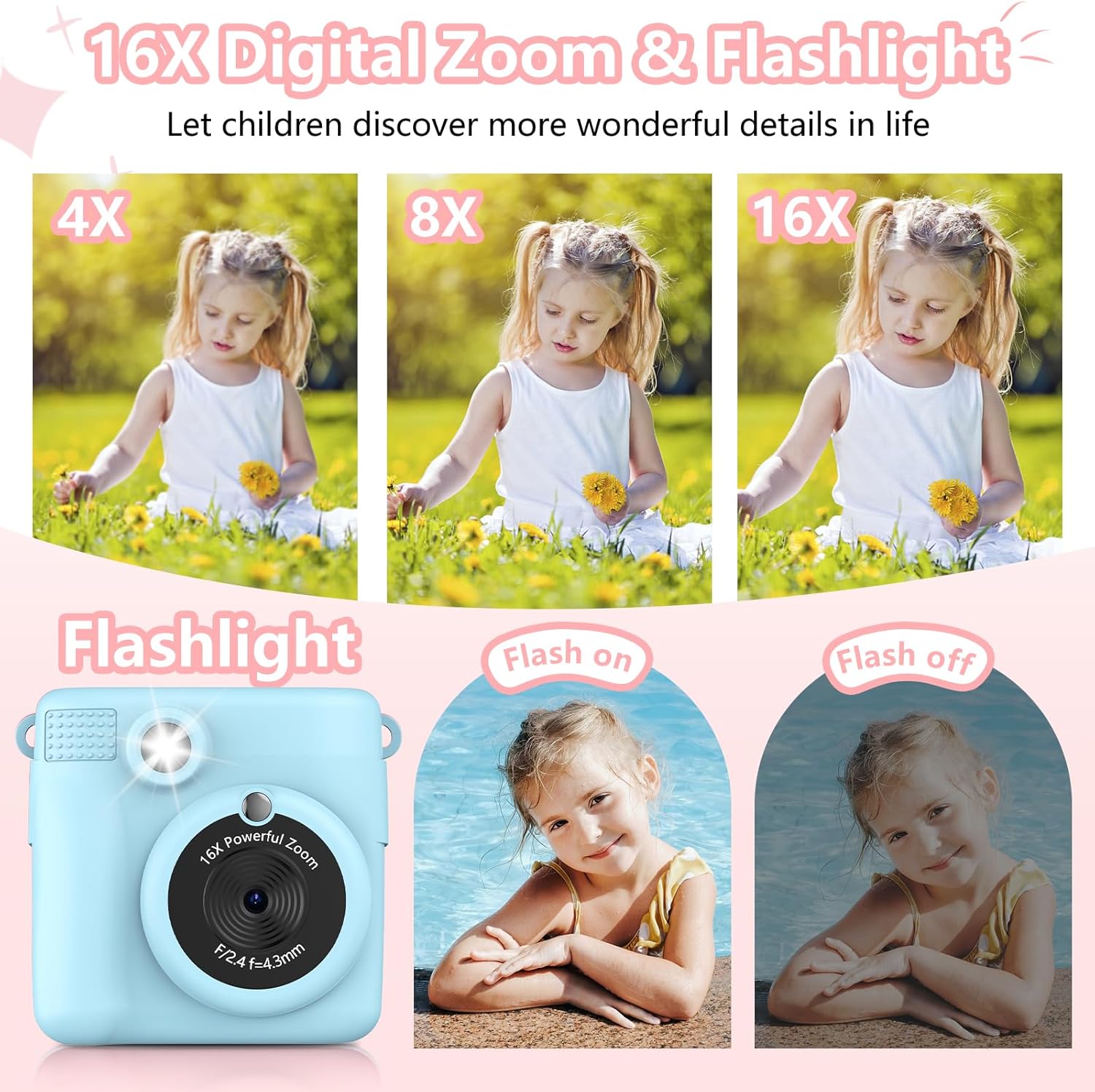
The camera features 16X digital zoom. Use the 'Previous/Zoom In' and 'Next/Zoom Out' buttons to adjust the zoom level. The built-in flash can be activated for low-light conditions.

Figure 4.1: Demonstrating the 16X digital zoom and flash features.
4.5. Filters, Frames, and Stickers
Enhance your photos with 15 scene filters and 16 sticker options. These can be applied before taking a photo or during playback. The camera also supports various photo frames.
Slika 4.2: Npramples of filters, mirror effects, and photo frames.
4.6. Games and MP3 Player
The camera includes built-in games for entertainment. It also functions as an MP3 player, allowing children to listen to music. Refer to the on-screen menu for game selection and MP3 playback controls.
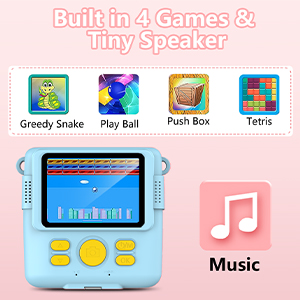
Figure 4.3: Built-in games and MP3 player interface.
4.7. Deleting Photos
To delete photos from the Micro SD card, navigate to the gallery or playback mode. Select the photo you wish to delete and follow the on-screen prompts, usually by long-pressing the 'OK' button to confirm deletion.
5. Funkcije nadview
- Instant Print Function: Produces black and white thermal prints immediately after capture.
- Video visoke ločljivosti: Records videos in 1080P resolution.
- Velik zaslon: Features a 2.4-inch screen for viewin navigacijo.
- Digitalni zoom: Up to 16X digital zoom for capturing distant subjects.
- Creative Options: Includes 15 scene filters, 16 sticker options, and various photo frames.
- Zabava: Built-in games and an MP3 player.
- Prenosna zasnova: Compact and lightweight with a lanyard for easy carrying.
- Akumulatorska baterija: 1000mAh Lithium Polymer battery for extended use.
- Shranjevanje: Comes with a 32GB Micro SD card for storing color photos and videos.

Figure 5.1: Key features of the RADEKLY Instant Print Camera.
6. Vzdrževanje
- Čiščenje: Use a soft, dry cloth to clean the camera body and screen. Avoid abrasive cleaners or solvents.
- Shranjevanje papirja: Store thermal print paper in a cool, dry place away from direct sunlight to preserve its quality.
- Vzdrževanje baterije: Charge the camera regularly, even if not in frequent use, to maintain battery health. Avoid extreme temperatures.
- SD kartica: Periodically back up important photos and videos from the Micro SD card to a computer or other storage device.
7. Odpravljanje težav
If you encounter issues with your RADEKLY Instant Print Camera, refer to the following common solutions:
- Kamera se ne vklopi: Ensure the battery is charged. Connect the camera to a charger and try again.
- Slaba kakovost tiskanja: Check if the thermal paper is loaded correctly and is not damaged. Ensure the paper roll is not depleted.
- Zastoj papirja: Open the paper compartment and carefully remove any jammed paper. Re-insert the paper roll correctly.
- Shranjevanje fotografij/videoposnetkov ni mogoče: Verify that the Micro SD card is properly inserted and has sufficient free space.
- Kamera se ne odziva: Locate the small reset button (often a pinhole) and gently press it with a thin object (like a paperclip) to restart the camera.
8. Specifikacije
| Funkcija | Specifikacija |
|---|---|
| Dimenzije izdelka | 3.54 x 3.54 x 2 palcev |
| Teža predmeta | 4.8 unče (135 grama) |
| Številka modela | 681 |
| Baterija | 1 litijeva polimerna baterija (priložena) |
| Posebna funkcija | Takojšnji tisk |
| Vrsta formata filma | Instant |
| Vključene komponente | Ohišje fotoaparata in dodatki |
| Združljive naprave | Kamera |
9. Garancija in podpora
Za informacije o garanciji ali tehnično podporo glejte embalažo izdelka ali se obrnite neposredno na proizvajalca. Račun shranite kot dokazilo o nakupu.


