KDYGPDCT J-C Controllers User Manual
Model: TL09
Uvod
Thank you for choosing KDYGPDCT J-C Controllers. These wireless L/R controllers are designed to be compatible with Nintendo Switch and Switch Lite consoles, offering an enhanced gaming experience with features like vibrant light gradients, dual shock vibration, and motion sensing. This manual provides detailed instructions for setup, operation, maintenance, and troubleshooting to ensure optimal performance and longevity of your controllers.
Vsebina paketa
Preden začnete, preverite, ali so v paketu vsi elementi:
- 1 x Left J-C Controller
- 1 x Right J-C Controller
- 1 x USB polnilni kabel
- 1 x Uporabniški priročnik (ta dokument)

Image: The KDYGPDCT J-C controllers, showing their vibrant light effects, alongside their retail packaging and a Nintendo Switch console.
Nastavitev in povezava
1. Začetno polnjenje
It is recommended to fully charge the controllers before first use. The controllers have a 450mAh battery capacity.
- Connect the provided USB charging cable to the charging port on each controller.
- Connect the other end of the USB cable to a USB power source (e.g., Nintendo Switch dock, USB wall adapter, computer USB port).
- The charging indicator lights on the controllers will show charging status.
- Čas polnjenja za popolno napolnjenost je približno 1-2 ur.

Image: Illustration showing the controllers connected to a Nintendo Switch console, with text indicating a charging time of 1-2 hours and a full battery life of 4-6 hours.
2. Združevanje z Nintendo Switch
These controllers support both direct attachment and wireless Bluetooth connection.
A. Attaching to the Console (Wired Mode)
- Slide each J-C controller along the rails on the sides of your Nintendo Switch console until you hear a click.
- The console will automatically recognize the controllers.
B. Brezžična povezava Bluetooth
- V meniju Nintendo Switch HOME izberite »Krmilniki« > »Spremeni oprijem/vrstni red«.
- On the controllers, press and hold the SYNC button (small round button on the side rail) for a few seconds until the indicator lights begin to flash rapidly.
- Once paired, the player indicator lights on the controller will light up solid.
- The controllers support "Plug and Play" functionality for easy wireless connection.

Image: An illustration highlighting the Bluetooth connection and "Plug and Play" features of the KDYGPDCT J-C controllers, showing a Bluetooth symbol and wireless signal icons.
Upravljanje krmilnikov
Postavitev in funkcije gumbov

Image: A detailed diagram labeling all buttons on both the Left and Right KDYGPDCT J-C controllers, including L/R Buttons, +/- Buttons, Left/Right Joysticks, Direction Button, A/B/X/Y Buttons, Screenshot Button, and Home Button.
- Levi krmilnik: Left Joystick, Direction Button, L Button, - Button, Screenshot Button.
- Desni krmilnik: Right Joystick, A/B/X/Y Buttons, R Button, + Button, Home Button.
Ključne značilnosti
- Funkcija bujenja: Pritisnite gumb Domov, da prebudite konzolo iz načina spanja.
- Zaznavanje gibanja: Built-in gyroscope provides precise motion control for compatible games.
- Vibracijske povratne informacije: Dual motors provide immersive HD vibration feedback.
- Light Gradient: The controllers feature dynamic RGB light effects.
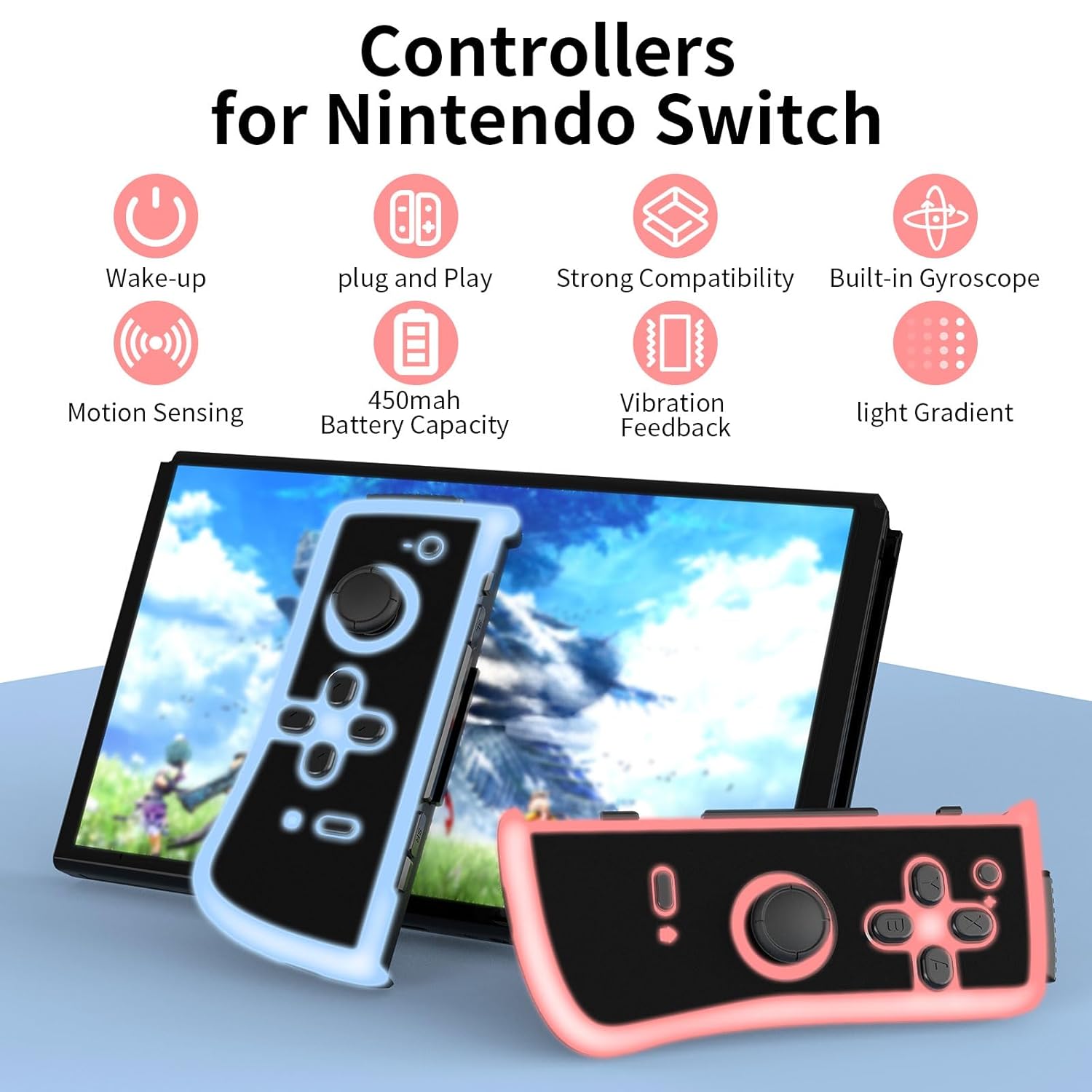
Image: An infographic illustrating the main features: Wake-up, Plug and Play, Strong Compatibility, Built-in Gyroscope, Motion Sensing, 450mAh Battery Capacity, Vibration Feedback, and Light Gradient.

Image: Visual representation of the dual shock and motion control capabilities, emphasizing accurate Nintendo motion sensor and dynamic game experience through HD vibration.
Vzdrževanje
- Čiščenje: Use a soft, dry cloth to clean the surface of the controllers. Avoid using harsh chemicals or abrasive materials.
- Shranjevanje: Krmilnike shranjujte na hladnem in suhem mestu, stran od neposredne sončne svetlobe in ekstremnih temperatur.
- Vzdrževanje baterije: To prolong battery life, avoid fully discharging the controllers frequently. Charge them regularly, even if not in constant use. If storing for an extended period, charge them to about 50% every few months.
Odpravljanje težav
| Težava | Možen vzrok | rešitev |
|---|---|---|
| Controllers not connecting wirelessly. | Low battery, out of range, pairing issue. | Ensure controllers are charged. Move closer to the console. Re-attempt pairing via "Change Grip/Order" menu. |
| Krmilniki se ne polnijo. | Faulty cable, power source issue, dirty port. | Poskusite z drugim kablom USB ali virom napajanja. Nežno očistite polnilno vtičnico. |
| Buttons or joysticks unresponsive. | Napaka programske opreme, fizična poškodba. | Restart the Nintendo Switch console. Disconnect and reconnect controllers. If issue persists, contact customer support. |
| Lights not working or flickering. | Low battery, internal issue. | Charge the controllers fully. If the problem continues, it may indicate a hardware issue. |
Specifikacije
- Številka modela: TL09
- Povezljivost: Brezžično (Bluetooth)
- Kapaciteta baterije: 450mAh per controller
- Čas polnjenja: 1-2 ur
- Življenjska doba baterije: 4–6 ure (približno, odvisno od uporabe)
- Dimenzije: 4.72 x 4.72 x 1.37 inches (each controller, approximate)
- Teža: 5.61 ounces (total for pair, approximate)
- Proizvajalec: KDYGPDCT
Garancija in podpora
For any product-related inquiries, technical support, or warranty claims, please contact KDYGPDCT customer service through the retailer's platform or the official brand webspletno mesto. Prosimo, shranite dokazilo o nakupu za potrditev garancije.
Za več informacij obiščite KDYGPDCT Store on Amazon.


