1. Uvod
This user manual provides detailed instructions for the setup, operation, and maintenance of your FULLJA 10.1-Inch WiFi Digital Photo Frame. Please read this manual thoroughly before using the device to ensure proper functionality and to maximize your experience.
2. Vsebina paketa
Preverite, ali so v paketu prisotni vsi elementi:
- 1x FULLJA 10.1-Inch Digital Photo Frame
- 1x uporabniški priročnik
- 1x napajalnik
- 1x Frame Stand/Bracket
3. Izdelek je končanview
The FULLJA 10.1-Inch WiFi Digital Photo Frame is designed to display your cherished memories with ease. It features a high-resolution IPS touch screen and various smart functions.
Ključne značilnosti:
- 10.1-Inch IPS HD Touch Screen: For clear and vibrant photo display.
- WiFi povezljivost: For easy photo and video sharing via app or email.
- 32 GB notranjega pomnilnika: Stores thousands of photos and videos.
- Senzor gibanja: Automatically turns the frame on/off.
- Samodejno vrtenje: Adjusts display orientation automatically.
- Dodatne funkcije: Alarm clock, weather station, sleep mode.

Slika 1: Konecview of the digital photo frame's key features.
4. Nastavitev
4.1 Vklop in začetna konfiguracija
- Priključite napajalnik na okvir in ga vključite v električno vtičnico. Okvir se bo samodejno vklopil.
- Follow the on-screen prompts to select your preferred language, time zone, and connect to your Wi-Fi network.
4.2 Namestitev in seznanjanje aplikacij
To share photos and videos remotely, download the VPhoto app on your iOS or Android smartphone.
- Iskanje "VPhoto" in the App Store (iOS) or Google Play Store (Android) and install the application.
- Open the VPhoto app and create an account or log in.
- On your digital photo frame, navigate to the settings and locate the "Add Friend" or "Connect App" option to generate a unique code.
- In the VPhoto app, select "Add Device" and enter the code displayed on your frame to pair your smartphone with the frame.

Figure 2: Steps to connect your frame using the VPhoto App.
5. Upravljanje okvirja
5.1 Deljenje fotografij in videoposnetkov
You can share photos and videos to your frame using the VPhoto app, email, or external storage devices.
Via VPhoto App:
Once paired, select photos or videos from your smartphone's gallery within the VPhoto app and send them directly to your frame. You can also invite friends and family to share their photos to your frame.
Prek e-pošte:
The frame has a unique email address. Send photos and videos as attachments to this email address, and they will appear on your frame.
Via TF Card or USB Drive:
Vstavite kartico TF ali USB pogon, ki vsebuje vaše medije files into the designated slot on the frame. The frame will detect the storage and allow you to import files.

Figure 3: Sharing photos and videos to the frame.
5.2 Nastavitve diaprojekcije
Prilagodite svojo izkušnjo prikaza fotografij:
- Display Interval: Adjust how long each photo is displayed in the slideshow.
- Prehodni učinki: Choose from various transition styles between photos.
- Vrstni red prikaza: Set photos to display chronologically, randomly, or by date received.
- Napisi: Enable or disable captions for your photos.
5.3 Senzor gibanja
The built-in motion sensor can automatically turn the frame on when motion is detected and off after a period of inactivity, saving energy.
- To enable/disable: Go to Settings > Display > Motion Sensor.
- Adjust sensitivity and inactivity time as needed.

Slika 4: Funkcija zaznavanja gibanja v delovanju.
5.4 Auto Rotate
The frame automatically detects its orientation (landscape or portrait) and adjusts the display accordingly. This allows for flexible placement.

Figure 5: Automatic rotation for landscape and portrait display.
5.5 dodatnih funkcij
Explore other useful features in the settings menu:
- Budilka: Nastavite alarme za opomnike.
- vremenska postaja: Display local weather information.
- Spanje: Schedule specific times for the frame to automatically turn off and on.
5.6 How to Send Photos and Videos (Video Guide)
Video 1: This official video demonstrates the process of sending photos and videos to your digital photo frame using the dedicated app. It covers selecting media, adding captions, choosing recipients, and adjusting video length for optimal display.
6. Shranjevanje
Your FULLJA Digital Photo Frame comes with 32GB of built-in memory, capable of storing thousands of high-resolution photos and videos.
- Razširljiv prostor za shranjevanje: If you require more space, you can easily expand the storage using TF cards or USB drives.
- Varnostno kopiranje v oblaku: Enjoy unlimited free cloud backup for all your precious moments, ensuring your memories are safe and accessible.
7. Možnosti namestitve
The frame offers versatile placement options to suit your home or office decor.
- Uporaba stojala: Attach the included stand to the back of the frame to place it on any flat surface, such as a desk, shelf, or nightstand. The auto-rotate feature will adjust the display.
- Montaža na steno: The frame is equipped with mounting holes on the back, allowing you to securely hang it on a wall. Ensure you use appropriate screws and wall anchors for your wall type.
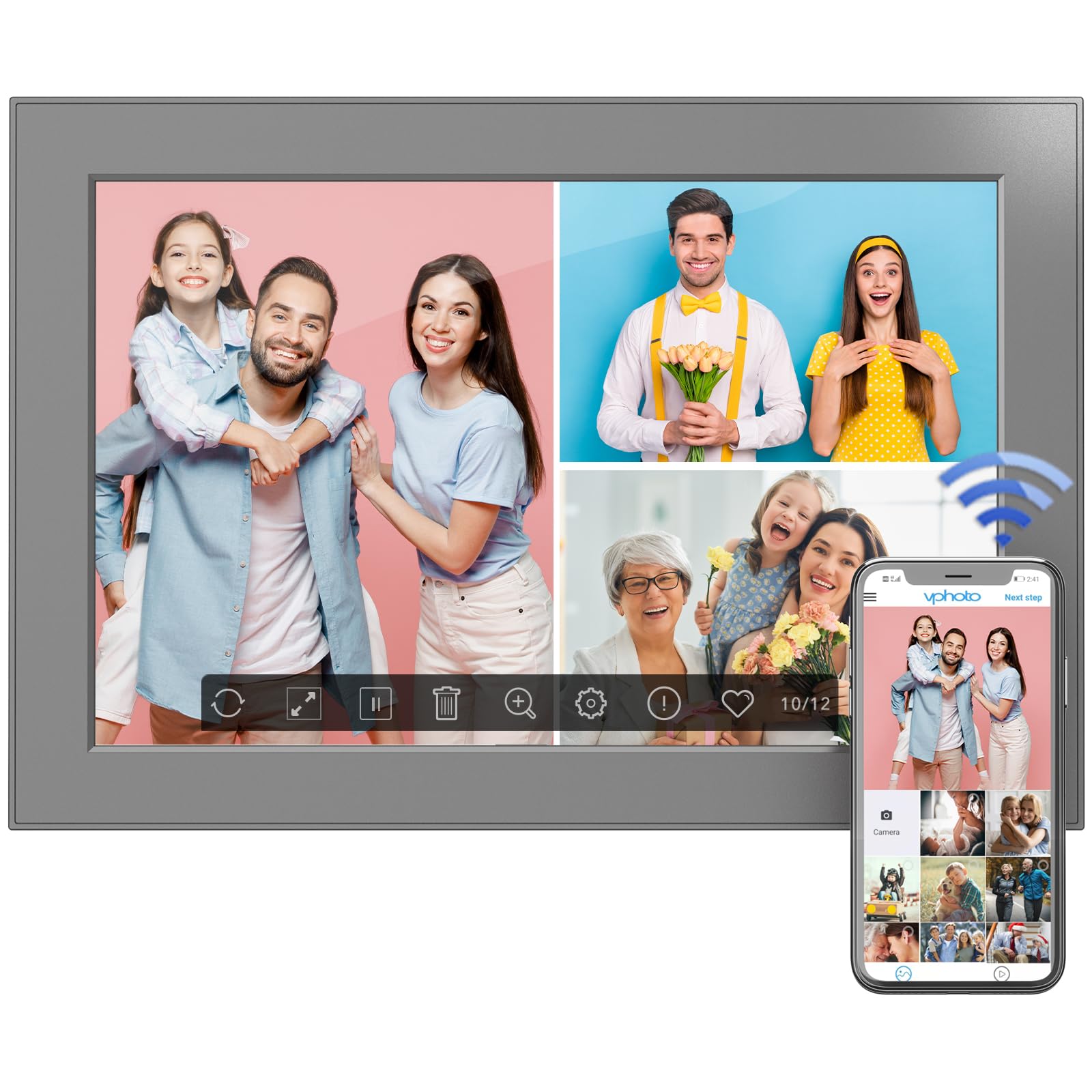
Figure 6: Digital photo frame displayed on a surface using its stand.
8. Vzdrževanje
To ensure the longevity and optimal performance of your digital photo frame, follow these maintenance guidelines:
- Čiščenje zaslona: Zaslon nežno obrišite z mehko krpo, ki ne pušča vlaken. Za trdovratne madeže rahlo obrišiteampKrpo sperite z vodo ali raztopino za čiščenje zaslona. Izogibajte se agresivnim kemikalijam.
- Čiščenje okvirja: Zunanjost okvirja obrišite s suho, mehko krpo.
- Posodobitve programske opreme: Periodically check for software updates in the frame's settings menu to ensure you have the latest features and improvements.
- Ugasniti: If not in use for an extended period, power off the frame and unplug it from the power source.
9. Odpravljanje težav
If you encounter any issues with your FULLJA Digital Photo Frame, refer to the following common solutions:
- Okvir se ne vklopi:
- Prepričajte se, da je napajalnik varno priključen tako na okvir kot v delujočo električno vtičnico.
- Preverite, ali vtičnica deluje, tako da vanjo priključite drugo napravo.
- Ni mogoče vzpostaviti povezave z Wi-Fi:
- Verify that your Wi-Fi network is active and within range.
- Dvakrat preverite geslo za Wi-Fi.
- Restart your Wi-Fi router and the digital photo frame.
- Fotografije/videoposnetki se ne prikazujejo:
- Ensure the frame is connected to Wi-Fi if sharing via app or email.
- Check your VPhoto app or email client for successful upload confirmation.
- If using a TF card/USB drive, ensure it is properly inserted and the fileso v podprti obliki.
- Zaslon se ne odziva na dotik:
- Gently clean the screen to remove any dirt or debris.
- Ponovno zaženite okvir tako, da izključite in ponovno priključite napajalnik.
Če težave ne odpravite, se za nadaljnjo pomoč obrnite na podporo strankam.
10. Specifikacije
| Funkcija | Podrobnost |
|---|---|
| Dimenzije izdelka | 6.97 x 10.2 x 0.99 palcev |
| Teža predmeta | 1.3 funtov |
| Velikost zaslona | 10.1 palcev |
| Resolucija | 1280 x 800 (WXGA) |
| Notranji pomnilnik | 32 GB |
| Povezljivost | WiFi |
| barva | Črna |
| Številka modela | 101-Z |
11. Garancija in podpora
This electronic photo frame comes with a one-year warranty from the date of purchase.
If you experience any issues or have questions regarding your FULLJA Digital Photo Frame, please contact our customer support team. We are committed to ensuring your satisfaction.
- Podpora strankam: Refer to the contact information provided in your product packaging or on the official FULLJA webmesto.


