1. Uvod
This manual provides detailed instructions for the setup, operation, maintenance, and troubleshooting of your STRONG 4GMIFI150D CAT4/4G LTE Mobile Hotspot. Please read this manual carefully before using the device to ensure optimal performance and safety.
The STRONG 4GMIFI150D is a portable 4G LTE mobile hotspot designed to provide high-speed internet access on the go. It allows you to share a 4G/3G connection with up to 32 Wi-Fi enabled devices, including tablets, mobile phones, laptops, and gaming consoles.
2. Vsebina paketa
Preverite, ali so v paketu prisotni vsi elementi:
- 1x STRONG 4G Portable Hotspot 150D
- 1x USB cable for power supply
- 1x Vodnik za hitro namestitev
- 1x Safety instructions and warranty card

Image: Contents of the STRONG 4G Portable Hotspot 150D package, including the device, its retail box, a USB charging cable, a quick installation guide, and safety/warranty information.
3. Naprava je končanaview
Familiarize yourself with the physical features and display indicators of your mobile hotspot.

Slika: spredaj view of the STRONG 4GMIFI150D Mobile Hotspot. It features a central display screen and a power button below it. The screen shows indicators for 4G signal, LTE Hotspot status, battery level, Wi-Fi signal, SMS reception, current time, and data usage.

Slika: Podrobna view of the STRONG 4GMIFI150D's screen display, illustrating icons for 4G signal strength, battery level, SMS reception information, Wi-Fi signal level, and a section for displaying time and downloaded data.

Slika: Različno views of the STRONG 4GMIFI150D Mobile Hotspot, showing its front with the display, side profiles, top, and bottom, highlighting its compact and sleek design.
4. Nastavitev
4.1. Vstavljanje SIM kartice
The STRONG 4GMIFI150D requires a 4G SIM card to establish an internet connection. Ensure the device is powered off before inserting or removing the SIM card.
- Poiščite režo za kartico SIM na napravi.
- Carefully insert your 4G SIM card into the slot until it clicks into place. Ensure the SIM card is oriented correctly according to the diagram on the device or in the quick installation guide.
- Po potrebi zaprite pokrov reže za kartico SIM.
4.2. Polnjenje naprave
Before first use, fully charge the device. The 2100 mAh battery provides up to 8 hours of intensive use.
- Connect the provided USB cable to the micro-USB port on the hotspot.
- Drugi konec kabla USB priključite na napajalnik USB (ni priložen) ali na vrata USB računalnika.
- The battery indicator on the display will show charging progress.
5. Navodila za uporabo
5.1. Vklop/izklop
- Za vklop: Pritisnite in držite gumb za vklop, dokler se zaslon ne prižge.
- To power off: Press and hold the power button until the device shuts down.
5.2. Connecting Devices to the Hotspot
Once the hotspot is powered on and has established a 4G connection, you can connect your Wi-Fi enabled devices.
- On your Wi-Fi enabled device (e.g., smartphone, laptop), open the Wi-Fi settings.
- Poiščite razpoložljiva omrežja Wi-Fi.
- Select the network name (SSID) of your STRONG 4GMIFI150D hotspot. The SSID and default password (WPA/WPA2) are typically found on a sticker inside the battery compartment or on the device's screen.
- Ob pozivu vnesite geslo za Wi-Fi.
- Vaša naprava bi morala biti zdaj povezana z internetom prek dostopne točke.
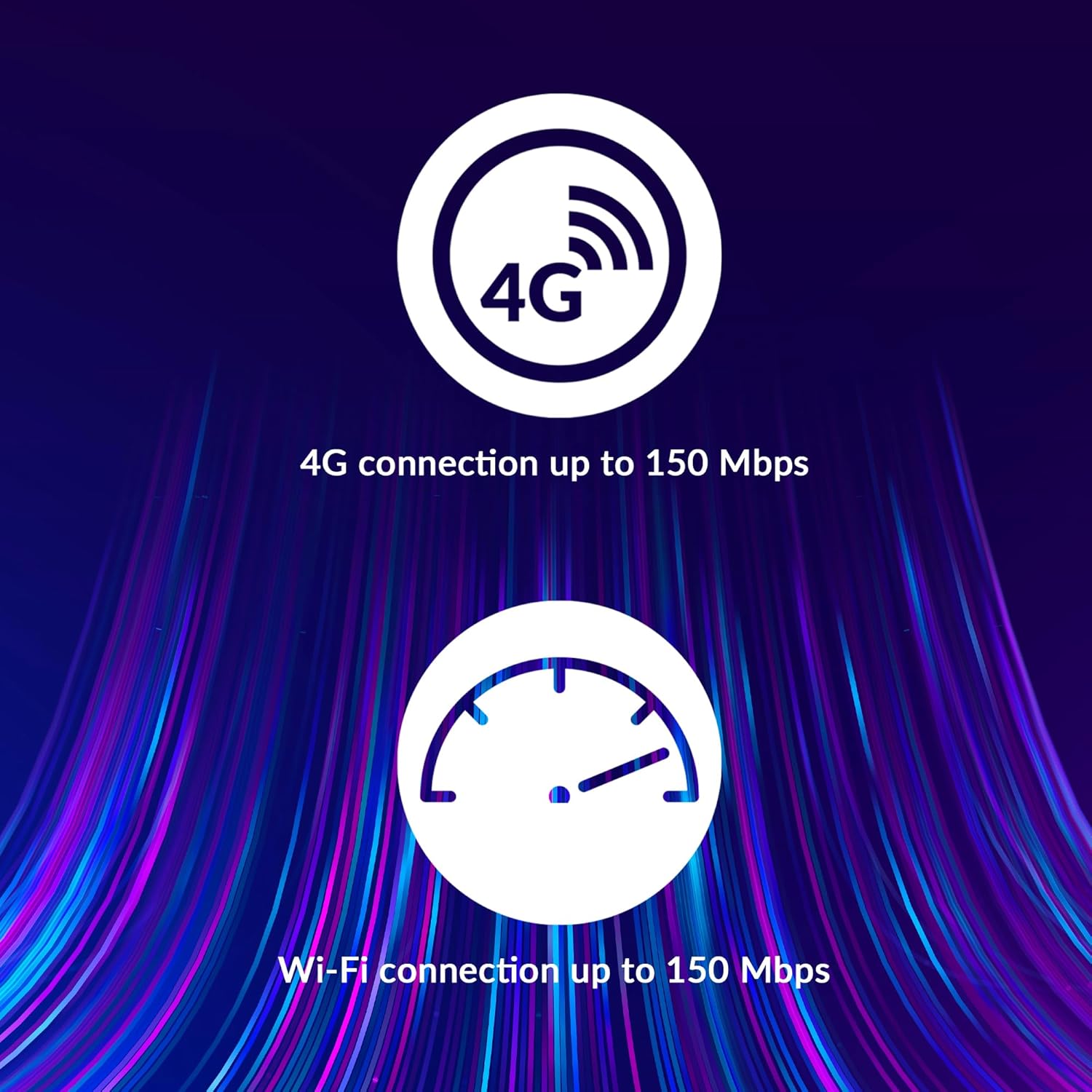
Image: A user holding the STRONG 4GMIFI150D Mobile Hotspot, demonstrating the QR code feature on its screen. This QR code can be scanned by compatible devices to quickly connect to the Wi-Fi network without manually entering the password.
For quick access, you can scan the QR code displayed on the hotspot's screen using a compatible device. This will automatically configure the Wi-Fi connection.
Example QR code content (for reference, actual values vary): WIFI:S:STRONG_XXXX_2.4GHz;T:WPA;P:XXXXXXXXXX;;
5.3. Web Upravljalni vmesnik
Za napredne nastavitve in spremljanje dostopite do web upravljalni vmesnik:
- Povežite svojo napravo z omrežjem Wi-Fi dostopne točke.
- Odpri a web browser and enter the default IP address (usually 192.168.0.1 or 192.168.1.1) found in the Quick Installation Guide or on the device.
- Enter the default username and password (e.g., admin/admin).
- From here, you can manage Wi-Fi settings, security protocols (WPA/WPA2), PIN code management, and view stanje povezave.
6. Zmogljivost
The STRONG 4GMIFI150D offers robust performance for various internet activities.
- 4G Connection Speed: Up to 150 Mbps download speed.
- Wi-Fi Connection Speed: Up to 150 Mbps.
- Podpora za naprave: Connect up to 32 Wi-Fi devices simultaneously.
- Življenjska doba baterije: Up to 8 hours of intensive use with the 2100 mAh battery.

Image: A graphic representation highlighting the performance capabilities of the hotspot, showing a 4G connection speed of up to 150 Mbps and a Wi-Fi connection speed of up to 150 Mbps.

Image: A person working on a laptop outdoors with the STRONG 4GMIFI150D Mobile Hotspot placed on the table next to them, illustrating the device's portability and suitability for remote work or travel.
7. Vzdrževanje
7.1. Čiščenje
Napravo obrišite z mehko, suho krpo. Ne uporabljajte tekočih čistil ali aerosolov.
7.2. Skrb za baterijo
- Izogibajte se izpostavljanju baterije ekstremnim temperaturam.
- Charge the battery regularly, even if the device is not in use, to maintain its lifespan.
- Če naprave ne boste uporabljali dlje časa, jo shranite delno napolnjeno (približno 50 %).
7.3. Posodobitve vdelane programske opreme
Občasno preverite proizvajalčeve website or the device's web vmesnik za upravljanje razpoložljivih posodobitev vdelane programske opreme za zagotavljanje optimalne zmogljivosti in varnosti.
8. Odpravljanje težav
| Težava | Možen vzrok | rešitev |
|---|---|---|
| Ni internetne povezave | No SIM card inserted, incorrect APN settings, no 4G signal, data plan exhausted. | Ensure SIM card is correctly inserted. Check APN settings via web interface. Move to an area with better signal. Check data plan with your mobile operator. |
| Ni mogoče vzpostaviti povezave z Wi-Fi | Incorrect Wi-Fi password, hotspot is off, too many devices connected. | Verify Wi-Fi password. Ensure hotspot is powered on. Disconnect some devices if 32 devices are already connected. |
| Počasna hitrost interneta | Weak 4G signal, network congestion, distance from hotspot, too many connected devices. | Relocate the hotspot for better signal. Reduce the number of connected devices. Move closer to the hotspot. |
| Naprava se ne vklopi | Battery drained, faulty battery/charger. | Charge the device for at least 30 minutes. Try a different USB cable or power adapter. |
9. Specifikacije
| Funkcija | Podrobnost |
|---|---|
| Model | 4GMIFI150D |
| Znamka | Močna |
| Vrsta povezljivosti | Wi-Fi, 4G LTE |
| Brezžični standard | 802.11b |
| Hitrost 4G | Do 150 Mbps (prenos) |
| Hitrost Wi-Fi | Do 150 Mbps |
| Podprte naprave | Up to 32 Wi-Fi devices |
| Kapaciteta baterije | 2100 mAh litij-ionski |
| Življenjska doba baterije | Up to 8 hours (intensive use) |
| Dimenzije izdelka | 19 x 5.7 x 14 cm |
| Teža predmeta | 189 g |
| Varnost | WPA/WPA2, PIN code management |
| Operacijski sistem | RouterOS (internal) |
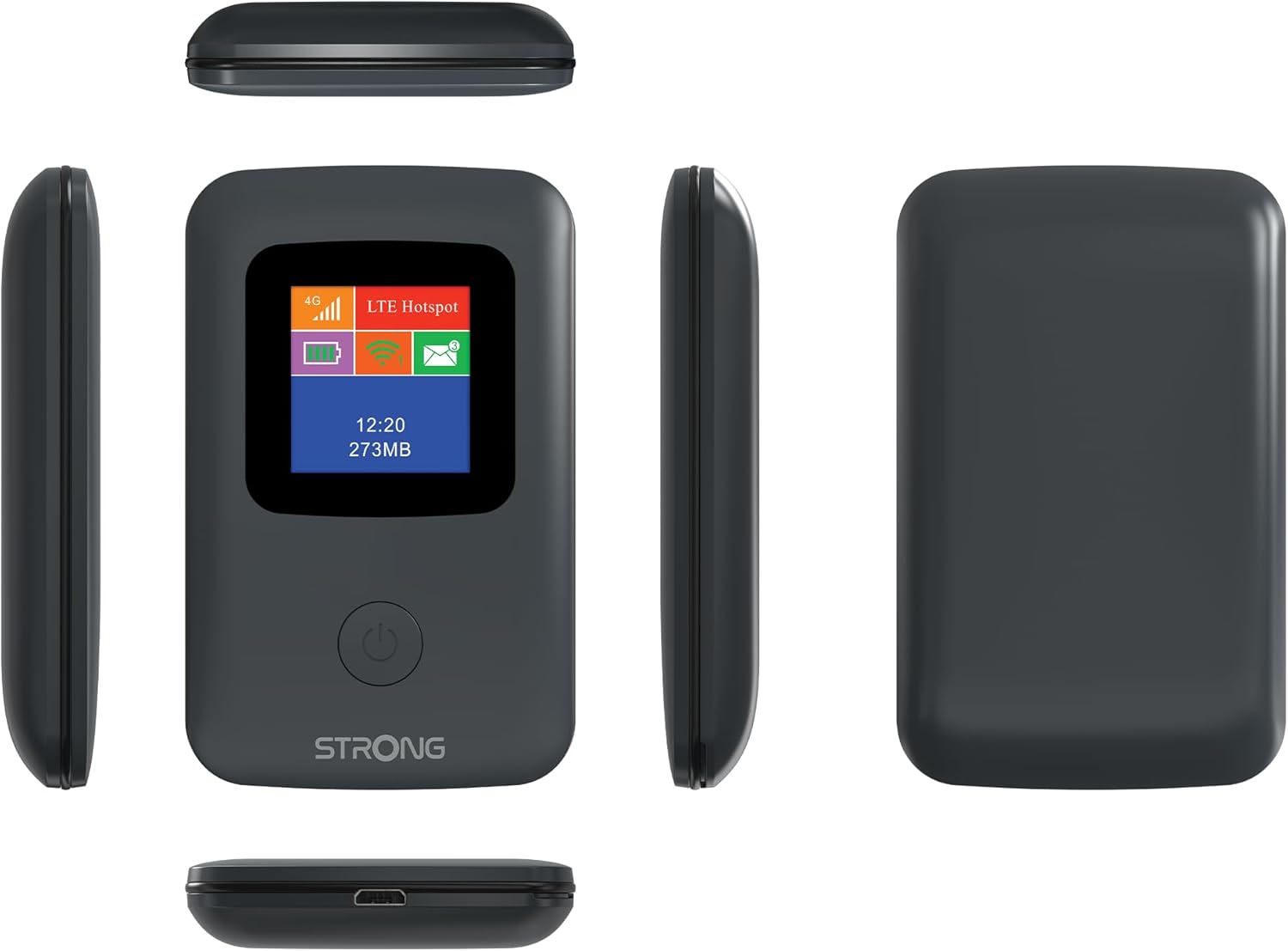
Image: A size comparison showing the STRONG 4GMIFI150D Mobile Hotspot next to a standard credit card, indicating its compact dimensions (92mm height, 58mm width) relative to a credit card (86mm height, 54mm width).
10. Garancija in podpora
This product comes with a warranty as detailed in the included warranty card. For technical support, troubleshooting assistance beyond this manual, or warranty claims, please refer to the contact information provided in your product packaging or visit the official Strong webmesto.
Prosimo, shranite dokazilo o nakupu za namene garancije.
11. Varnostne informacije
- Naprave ne izpostavljajte vodi ali prekomerni vlagi.
- Izogibajte se padcem ali izpostavljanju naprave močnim udarcem.
- Naprave ne poskušajte razstavljati ali popravljati sami. Obrnite se na usposobljeno servisno osebje.
- Uporabljajte samo priloženo ali priporočeno dodatno opremo.
- Napravo in njeno baterijo odvrzite odgovorno v skladu z lokalnimi predpisi.


