1. Uvod
This manual provides detailed instructions for the proper use and maintenance of your Arlec Remote SS3136. This remote control is specifically designed to operate the Arlec Wall Fan AWDC001HA, offering convenient and effortless control over your fan's functions. Please read this manual thoroughly before first use to ensure optimal performance and longevity of your device.
2. Značilnosti izdelka
- Enostaven nadzor: Utilizes Infrared technology for seamless communication with your Arlec Wall Fan AWDC001HA from up to 10 meters away.
- Dolgotrajna moč: Requires 3 alkaline batteries for extended use.
- Eleganten dizajn: Finished in a sophisticated black color.
- Vsestranska združljivost: Designed to control Arlec Wall Fans, specifically model AWDC001HA.
- Preprosto delovanje: Features 3 intuitive buttons for easy fan control.
3. Vsebina paketa
Preverite, ali so v paketu prisotni vsi elementi:
- 1 x Arlec Remote SS3136
- 1 x Wall Mount Holder
- 2 x pritrdilni vijaki
- 2 x stenski čepi
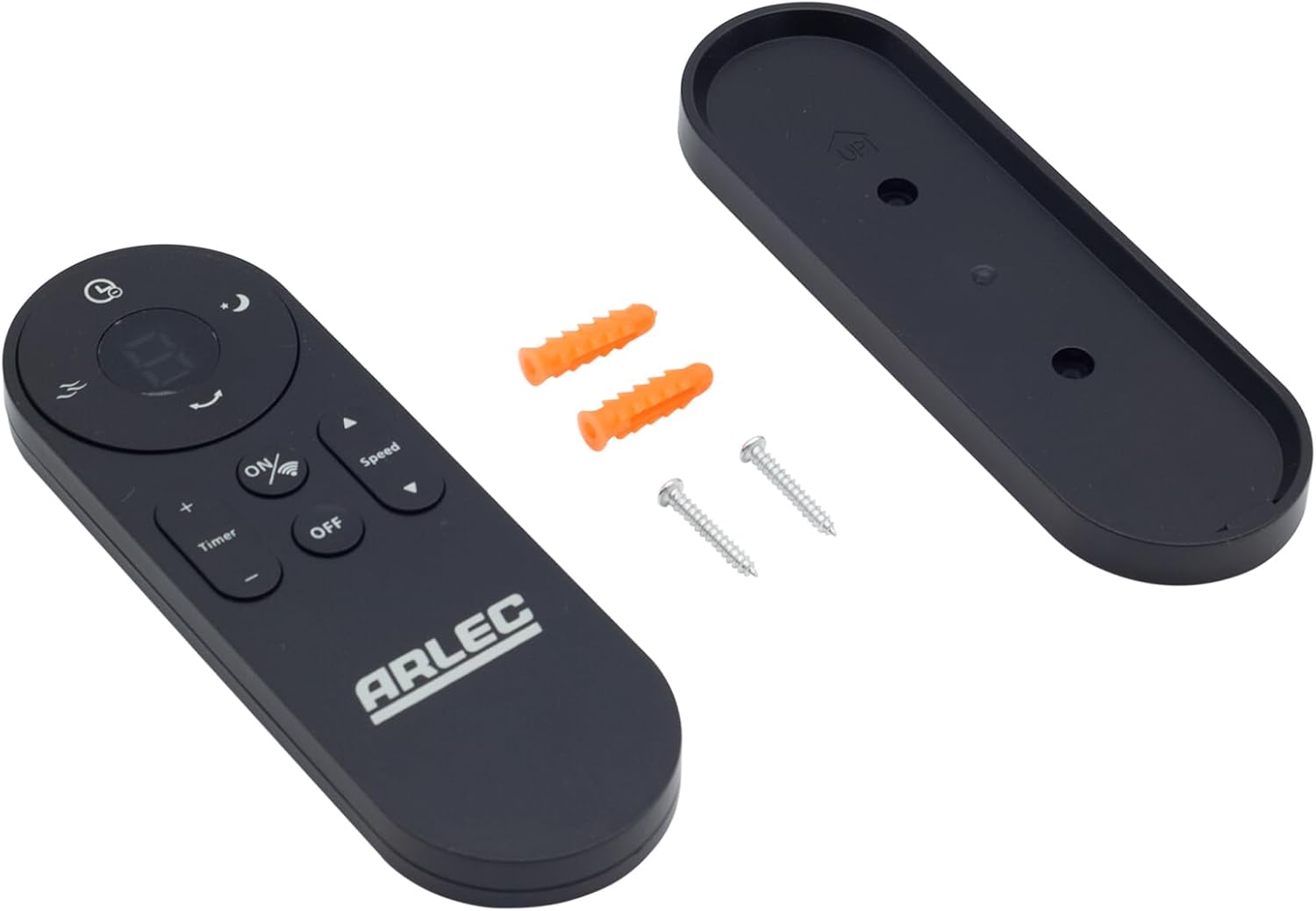
Image: Arlec Remote SS3136 shown with its included wall mount holder, two mounting screws, and two wall plugs, indicating the complete package contents.
4. Nastavitev
4.1 Namestitev baterije
- Poiščite predal za baterije na zadnji strani daljinskega upravljalnika.
- Odprite pokrov prostora za baterije.
- Insert 3 Alkaline batteries (not included) into the compartment, ensuring the correct polarity (+ and -) as indicated inside the compartment. The remote requires 3 Volts (DC).
- Trdno zaprite pokrov prostora za baterije.
4.2 Namestitev na steno (izbirno)
- Choose a suitable location on a wall for the remote holder.
- Mark the positions for the two mounting screws using the holder as a template.
- Drill pilot holes at the marked positions. Insert the wall plugs if drilling into drywall or masonry.
- Secure the wall mount holder to the wall using the provided screws.
- Place the remote control into the installed holder for convenient storage.
5. Navodila za uporabo
The Arlec Remote SS3136 features a simple 3-button layout for controlling your Arlec Wall Fan AWDC001HA. Ensure there is a clear line of sight between the remote and the fan's infrared receiver for optimal performance.

Slika: Bližnji posnetek view of the Arlec Remote SS3136, highlighting its three main control buttons: ON/OFF, Speed, and Timer.
- Gumb za VKLOP/IZKLOP: Pritisnite ta gumb za vklop ali izklop ventilatorja.
- Gumb za hitrost: Use this button to cycle through the available fan speed settings (e.g., Low, Medium, High).
- Gumb časovnika: Press this button to set or adjust the fan's timer function. Refer to your Arlec Wall Fan AWDC001HA manual for specific timer intervals.
The remote operates using Infrared (IR) technology. Point the remote directly towards the fan's IR receiver. The effective operating range is up to 10 meters (approximately 33 feet).
6. Vzdrževanje
- Čiščenje: Daljinski upravljalnik obrišite z mehko, suho krpo. Ne uporabljajte abrazivnih čistil ali topil.
- Zamenjava baterije: Replace batteries when the remote's performance degrades or it stops responding. Always replace all 3 batteries at the same time with new alkaline batteries.
- Shranjevanje: Če daljinskega upravljalnika ne boste uporabljali dlje časa, odstranite baterije, da preprečite puščanje. Shranjujte na hladnem in suhem mestu.
7. Odpravljanje težav
| Težava | Možen vzrok | rešitev |
|---|---|---|
| Daljinski upravljalnik se ne odziva na ventilator. |
|
|
| Gumbi so lepljivi ali se ne odzivajo. | Umazanija ali ostanki pod gumbi. | Površino daljinskega upravljalnika očistite z mehko, suho krpo. Izogibajte se tekočinam. |
8. Specifikacije
| Atribut | Podrobnost |
|---|---|
| Model | SS3136 |
| Proizvajalec | Arlec |
| Združljive naprave | Arlec Wall Fan AWDC001HA |
| Tehnologija povezljivosti | Infrardeči (IR) |
| Število gumbov | 3 |
| Vrsta krmilnika | Nadzor gumbov |
| Vrsta baterije | Alkaline (3 required) |
| voltage | 3 voltov (DC) |
| Območje delovanja | Do 10 metre |
9. Garancija in podpora
For warranty information and technical support, please refer to the documentation provided with your Arlec Wall Fan AWDC001HA or contact Arlec customer service directly. Keep your purchase receipt as proof of purchase.
For further assistance, please visit the manufacturer's official webspletno mesto ali se obrnite na njihovo službo za podporo strankam.


