1. Uvod
Thank you for choosing the THOMSON WS602DUO Bluetooth Bookshelf Speakers. This system combines elegant design with acoustic performance and versatile connectivity options. Whether used wirelessly via Bluetooth or connected to a turntable, micro-chain system, or PC, these speakers are designed to integrate seamlessly into any interior while delivering high-quality stereo sound.
This manual provides essential information for the proper setup, operation, and maintenance of your speakers. Please read it thoroughly before use and retain it for future reference.

Image 1.1: The THOMSON WS602DUO speakers, remote control, and a smartphone demonstrating wireless connectivity.
Vsebina paketa:
- 2 x THOMSON WS602DUO Bookshelf Speakers
- 1 x daljinski upravljalnik
- 1 x optični kabel
- 1 x napajalni kabel
- Uporabniški priročnik
2. Nastavitev
2.1 Postavitev zvočnikov
For optimal sound quality, place the two speakers on a stable, flat surface, such as a bookshelf or table, ensuring they are equidistant from your listening position. Avoid placing them in enclosed spaces that might obstruct sound projection.

Slika 2.1: Primerample placement of a single speaker next to a television.
2.2 Napajalni priključek
- Connect the provided power cable to the main speaker's power input.
- Priključite napajalni kabel v standardno stensko vtičnico.
- Ensure the power switch on the main speaker is in the 'ON' position.
2.3 Povezave z viri zvoka
The WS602DUO speakers offer multiple connectivity options:
- Bluetooth 5.0: For wireless audio streaming from compatible devices like smartphones, tablets, or laptops.
- RCA Inputs (x2): For connecting devices such as turntables, CD players, or micro-chain systems.
- Optični vhod: For connecting digital audio sources like televisions or game consoles using the supplied optical cable.
Connecting via RCA:
- Identify the RCA input ports on the rear of the main speaker.
- Connect your audio source (e.g., turntable, micro-chain) to the RCA inputs using appropriate RCA cables (not always included).
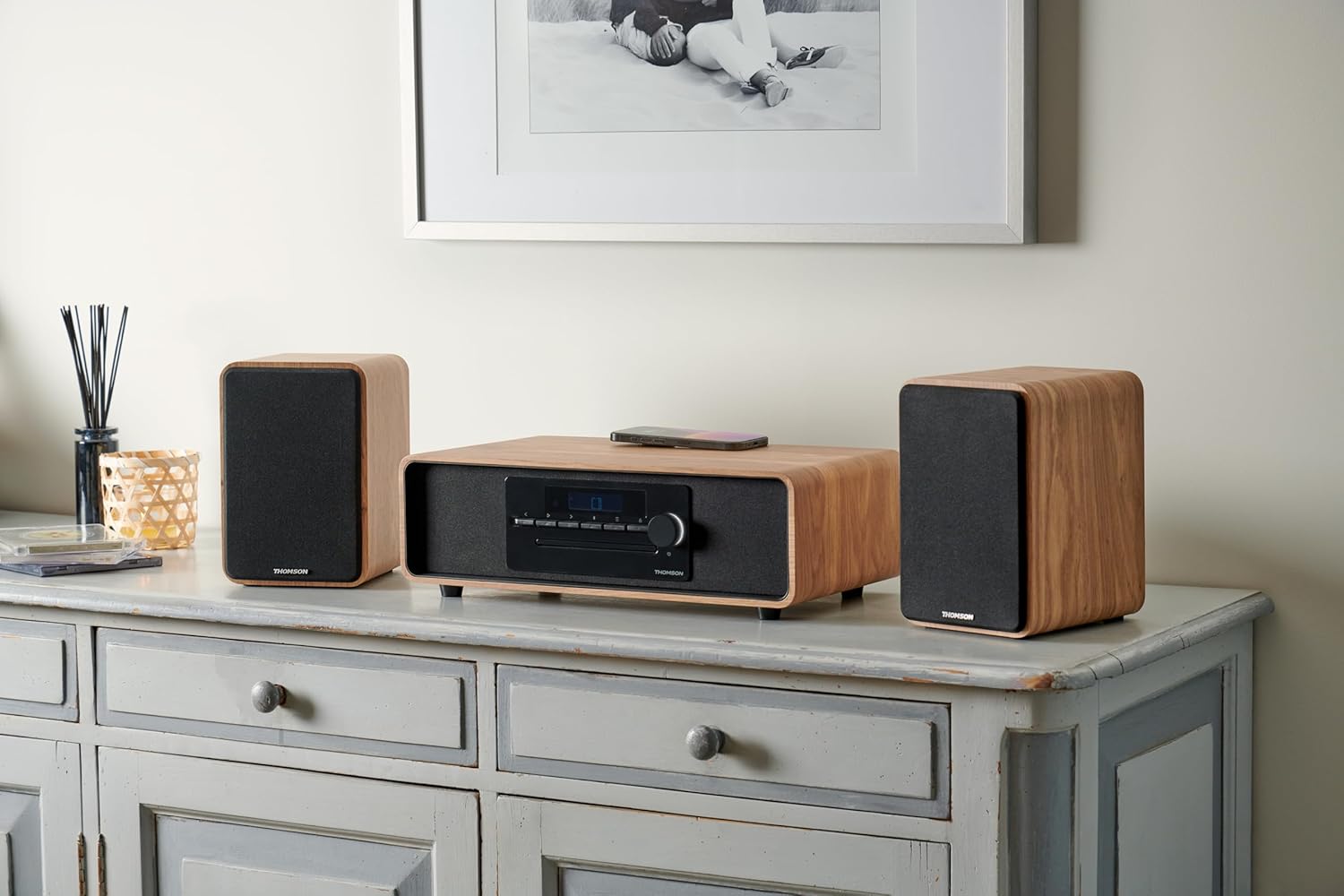
Image 2.2: Speakers connected to a micro-chain system via RCA.
Povezava preko optike:
- Connect one end of the supplied optical cable to the optical output of your device (e.g., TV).
- Connect the other end to the optical input port on the rear of the main speaker.
Seznanjanje prek Bluetooth:
- Prepričajte se, da so zvočniki vklopljeni.
- Select Bluetooth as the input source on the speakers (refer to Section 3.2). The Bluetooth indicator will flash, indicating pairing mode.
- On your Bluetooth-enabled device, go to Bluetooth settings and search for available devices.
- Select "THOMSON WS602DUO" from the list.
- Once connected, the Bluetooth indicator on the speakers will glow steadily.

Image 2.3: Speakers ready for Bluetooth audio streaming with a smartphone.
3. Navodila za uporabo
3.1 Vklop/izklop
Use the power switch located on the rear of the main speaker to turn the system on or off. Alternatively, the remote control can be used to put the speakers into standby mode.
3.2 Izbira vhodnega vira
Press the 'Source' button on the remote control or the control panel on the main speaker to cycle through the available input modes: Bluetooth, RCA 1, RCA 2, and Optical.
3.3 Nadzor glasnosti
Adjust the volume using the '+' and '-' buttons on the remote control or the rotary knob on the main speaker. Ensure the volume on your connected audio source is also set to an appropriate level.
3.4 Funkcije daljinskega upravljalnika
The included remote control allows for convenient operation of your speakers:
- moč: Turns the speakers on/off (standby).
- Vir: Cycles through input modes (Bluetooth, RCA, Optical).
- Glasnost +/-: Prilagodi glavno glasnost.
- Mute: Izklopi ali vklopi zvočni izhod.
- Play/Pause, Next/Previous Track: (Bluetooth mode only) Controls media playback on the connected Bluetooth device.
4. Vzdrževanje
4.1 Čiščenje
To clean the speaker cabinets, use a soft, dry cloth. Do not use liquid cleaners, aerosols, or abrasive materials, as these may damage the finish. For the speaker grilles, a soft brush or vacuum cleaner with a brush attachment can be used to gently remove dust.
4.2 Shranjevanje
When not in use for extended periods, store the speakers in a cool, dry place, away from direct sunlight and extreme temperatures. It is recommended to disconnect them from the power supply.
5. Odpravljanje težav
If you encounter any issues with your THOMSON WS602DUO speakers, please refer to the following common problems and solutions:
- Ni zvoka:
- Ensure the speakers are powered on and the volume is not muted or set too low.
- Verify that the correct input source (Bluetooth, RCA, Optical) is selected.
- Check all cable connections (power, RCA, optical) are secure.
- Ensure the volume on your audio source device is also turned up.
- Težave s povezovanjem Bluetooth:
- Make sure the speakers are in Bluetooth pairing mode (indicator flashing).
- Prepričajte se, da je Bluetooth v vaši napravi omogočen in v dosegu (običajno do 10 metrov).
- Try unpairing and re-pairing the speakers from your device's Bluetooth settings.
- Znova zaženite zvočnike in napravo Bluetooth.
- Popačen ali slab zvok:
- Check if the audio source volume is too high, causing distortion. Reduce the source volume.
- Prepričajte se, da so vsi kabli pravilno priključeni in nepoškodovani.
- If using Bluetooth, move closer to the speakers to avoid interference.
- Test with a different audio source or cable to isolate the problem.
6. Specifikacije
| Funkcija | Specifikacija |
|---|---|
| Ime modela | WS602DUO |
| Znamka | Thomson |
| Vrsta zvočnika | Knjižna polica |
| Tehnologija povezljivosti | Bluetooth |
| Brezžična komunikacijska tehnologija | Bluetooth |
| Največja izhodna moč zvočnika | 100 vatov |
| Frekvenčni odziv | 80 Hz |
| Način avdio izhoda | Stereo |
| Konfiguracija kanala za prostorski zvok | 2.1 |
| Združljive naprave | Home Cinema, Game Console, MP3 Player, Laptop, Smartphone, Tablet, Television |
| Posebne lastnosti | Bluetooth, Remote Control |
| Vključene komponente | Daljinski upravljalnik |
| Dimenzije izdelka | 47D x 24.5Š x 28V centimetrov |
| Teža predmeta | 4 kilogramov |
| barva | Nature (Light Wood) |
| Material | Les |
| Nadzorna metoda | Taktilno (dotik) |
| Vir napajanja | Električni kabel |
| Vhodna voltage | 230 volta |
| Vrsta namestitve | Namizni nosilec |
| Je vodoodporen | False |
| Število elementov | 2 |
7. Garancija in podpora
7.1 Informacije o garanciji
The THOMSON WS602DUO speakers come with a limited warranty. Please refer to the warranty card included in your package or contact your retailer for specific terms and conditions regarding the warranty period and coverage.
7.2 Podpora strankam
For technical assistance, troubleshooting beyond the scope of this manual, or warranty claims, please contact THOMSON customer support or your authorized dealer. Contact information can typically be found on the manufacturer's official webspletnem mestu ali na računu.