Uvod
This manual provides essential instructions for the safe and efficient operation, setup, and maintenance of your OMTech 90W CO2 Laser Engraver, Model RYGEL-USB0705U2. Please read this manual thoroughly before operating the machine.
Ključne značilnosti:
- 90W CO2 Laser Tube for engraving and cutting various non-metallic materials.
- 20"x28" (500x700mm) work area with honeycomb and aluminum blade beds.
- Four-way pass-through doors for accommodating larger materials.
- Integrated air assist system to reduce burning and remove debris.
- Ognjevarna viewing window for safe process observation.
- Compatible with LightBurn, CorelDRAW, and AutoCAD software.
Varnostne informacije
This laser engraver is a Class 2 laser product with 0.827 mW output power. Always follow safety guidelines to prevent injury or damage.
- Ensure proper ventilation to remove smoke and fumes.
- Stroja med delovanjem nikoli ne puščajte brez nadzora.
- Na delovnem območju naj ne bo vnetljivih materialov.
- Do not operate the machine if the viewing window is damaged.
- The cover interlock automatically cuts the laser beam if the window is opened during operation.
- Wear appropriate personal protective equipment (PPE), including laser safety glasses.
Nastavitev
1. Razpakiranje in namestitev:
Carefully unpack the laser engraver. Place the machine on a stable, level surface in a well-ventilated area. Ensure sufficient space around the machine for operation and maintenance.
2. Connecting Components:
- Connect the exhaust fan and ducting to ensure proper fume extraction.
- Connect the water pump to the laser tube's cooling system. Ensure the water reservoir is filled with distilled water.
- Connect the air assist pump to the laser head.
- Priključite stroj na ozemljeno električno vtičnico.
- Connect the machine to your computer via USB, Ethernet, or prepare a USB flash drive for offline operation.
3. Initial Focus Adjustment (Manual Focus Model):
For manual focus models, use the provided focus tool to set the correct distance between the laser head and the material surface. This is crucial for optimal engraving and cutting results.

Figure 1: OMTech 90W CO2 Laser Engraver with the lid open, showing the work area and laser head. This image illustrates the machine's overall structure and the accessible workbed.
Navodila za uporabo
1. Software Setup and Design:
Install and configure your chosen laser software (e.g., LightBurn). Import or create your design. Ensure your design is properly sized and positioned for your material.
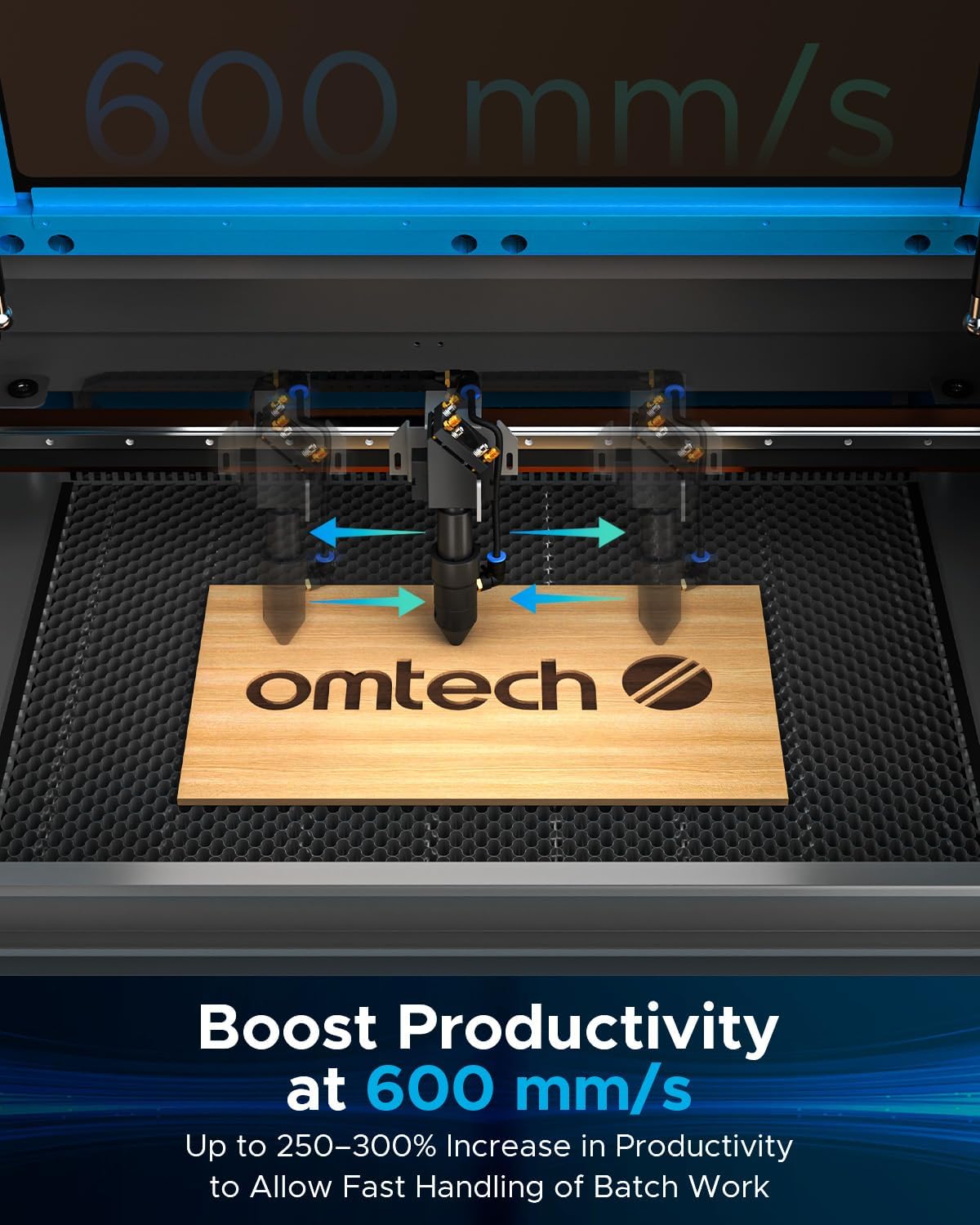
Figure 2: The digital control panel of the OMTech laser engraver, displaying compatibility with LightBurn, CorelDRAW, and AutoCAD software. This highlights the user interface and software integration.
2. Material Loading:
Place your material securely on either the honeycomb or aluminum blade bed. For mirror acrylic, load the material with the backside facing up for engraving. Use magnets or clamps za preprečevanje premikanja.
3. Nastavitev parametrov:
Adjust laser power, speed, and other settings in your software according to the material type and desired effect (engraving or cutting). Refer to material test guides for recommended settings.
4. Starting the Job:
Initiate the laser job from your software or the machine's control panel. Monitor the process through the flame-retardant viewing window. The machine will automatically pause if the lid is opened.
Video 1: Demonstration of laser engraving and cutting on acrylic mirror. This video shows the process of preparing acrylic mirror, loading it into the machine, setting up the design in LightBurn, and the final engraved product. It highlights the importance of engraving on the backside of mirror acrylic and cleaning the finished piece.
Video 2: Tutorial on how to laser engrave a photo using a CO2 Laser Engraver. This video demonstrates the steps involved in preparing an image for grayscale engraving on wood, adjusting settings in LightBurn, and the results of different parameter combinations to achieve optimal photo engraving quality.
Vzdrževanje
1. Čiščenje:
- Regularly clean the laser lens and mirrors with appropriate cleaning solutions and wipes to maintain laser beam quality.
- Clean the workbed and interior of the machine to remove debris and dust.
- Obrišite zunanje površine z mehko damp krpo.
2. Water Cooling System:
- Ensure the water chiller/pump is functioning correctly and maintaining the laser tube's temperature within the recommended range.
- Change the distilled water in the reservoir regularly to prevent algae growth and maintain cooling efficiency.
3. Laser Tube Longevity:
The high-performance Yongli H2 tube delivers 90W of power for up to 8000 hours of usage. Its lifespan can be extended when consistently used at lower power settings.

Figure 3: A detailed diagram illustrating the internal structure of a high-performance Yongli H2 laser tube, emphasizing its efficiency and longevity.
Odpravljanje težav
Pogoste težave in rešitve:
- Slaba kakovost graviranja/rezanja: Check laser focus, clean optics, verify material settings (power/speed), and ensure the material is flat on the workbed.
- Laser ne deluje: Ensure the machine is powered on, the lid is closed, the water cooling system is running, and the emergency stop button is disengaged. Check laser tube connections.
- Naprava se ne povezuje z računalnikom: Verify USB/Ethernet cable connections, check software settings, and ensure drivers are correctly installed.
- Prekomerno dimljenje/hlapi: Ensure the exhaust fan is operating effectively and ducting is clear. Increase air assist if necessary.
Specifikacije
| Znamka: | OMTech |
| Številka modela: | RYGEL-USB0705U2 |
| Moč laserja: | 90 W |
| Delovno območje: | 20" x 28" (500 mm x 700 mm) |
| Največja hitrost graviranja: | 600 mm/s (23.6 ips) |
| Najv. Globina reza: | 0.4" (10mm) on various non-metallic materials |
| Material: | Galvanized steel, Aluminium, ABS |
| Dimenzije izdelka: | 57.1 x 34.3 x 27.6 palcev |
| Teža artikla: | 227 funtov |
| Laserski razred: | Razred 2, izhodna moč 0.827 mW |

Figure 4: The OMTech 90W CO2 Laser Engraver shown with a summary of its key specifications, including engraving speed, work area, and machine dimensions.
Garancija in podpora
OMTech provides reliable local support in the U.S. for their products. This includes:
- U.S.-based technical support.
- 24/7 spletna služba za stranke.
- Two-year support.
For any issues or questions, please contact OMTech customer service directly.
Video 3: An interview with Josh Wright from Wright's Woodworks, an OMTech partner and "Laser Guy." He discusses his experience with OMTech lasers, the growth of his business, and advice for choosing the right laser based on product size and wattage. This video emphasizes the reliability and support offered by OMTech.


