Uvod
Thank you for choosing the ZEBRONICS Zeb-Rainbow 400 Multimedia Speaker. This manual provides essential information for the proper setup, operation, and maintenance of your speaker system. Please read it carefully before use and retain it for future reference.
Varnostna navodila
- Naprave ne izpostavljajte dežju ali vlagi, da preprečite požar ali električni udar.
- Do not open the speaker cabinet. Refer all servicing to qualified personnel.
- Zagotovite ustrezno prezračevanje okoli enote. Ne blokirajte prezračevalnih odprtin.
- Napajalni kabel zaščitite pred pohodom ali stiskanjem.
- Izključite enoto med nevihtami ali ko je ne uporabljate dlje časa.
- Izdelek hranite stran od neposredne sončne svetlobe, virov toplote in močnih magnetnih polj.
Vsebina paketa
Označite polje za naslednje elemente:
- Enota nizkotonca
- Satelitski zvočniki (4 enoti)
- Daljinski upravljalnik
- Vhodni avdio kabel (3.5 mm na RCA)
- Uporabniški priročnik
Konec izdelkaview
The ZEBRONICS Zeb-Rainbow 400 is a 4.1 channel multimedia speaker system designed for versatile audio playback. It features multiple connectivity options including Bluetooth, AUX, USB, and FM radio. The system includes a powerful subwoofer and four satellite speakers for an immersive audio experience, complemented by integrated RGB lighting.
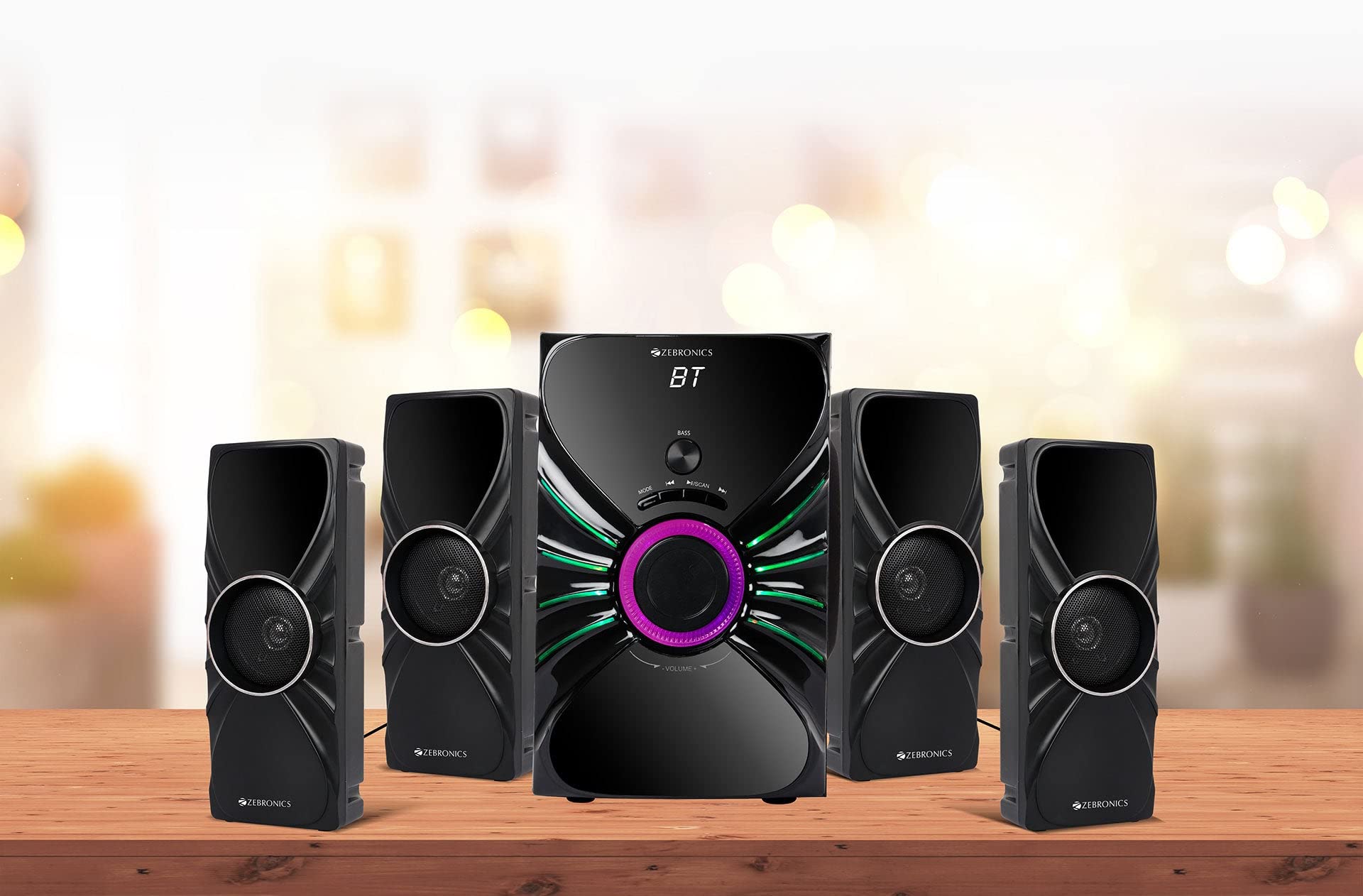
Image: The complete ZEBRONICS Zeb-Rainbow 400 multimedia speaker system, showing the subwoofer, four satellite speakers, and remote control.
Nastavitev
1. Razpakiranje
Previdno odstranite vse komponente iz embalaže. Embalažni material shranite za kasnejši transport ali shranjevanje.
2. Postavitev zvočnikov
Place the subwoofer on a stable, flat surface, preferably on the floor for optimal bass response. Position the four satellite speakers around your listening area for a balanced sound field. Ensure adequate space for ventilation.

Image: A visual representation of the 4.1 speaker setup, illustrating the subwoofer and four satellite speakers.
3. Connecting Satellite Speakers
Connect each of the four satellite speakers to the corresponding output ports on the rear panel of the subwoofer unit. Ensure the connections are secure.
4. Priključitev avdio virov
- AUX vhod: Use the provided 3.5mm to RCA cable to connect your audio device (e.g., smartphone, tablet, PC) to the AUX input ports on the subwoofer.
- Vhod USB: Vstavite USB-ključ z zvočno datoteko MP3 files into the USB port on the subwoofer.
5. Napajalni priključek
Connect the power cable to the subwoofer unit and then plug it into a standard AC power outlet.
Navodila za uporabo
1. Vklop/izklop
Press the Power button on the front panel of the subwoofer or on the remote control to turn the speaker system on or off.
2. Izbira načina
Press the 'MODE' button on the front panel or remote control to cycle through the available input modes: Bluetooth (BT), AUX, USB, and FM Radio.

Image: Close-up of the subwoofer's front panel, showing the control buttons (Mode, Play/Pause, Next/Previous, Bass, Volume) and the integrated RGB lighting.
3. Nadzor glasnosti
Rotate the 'VOLUME' knob on the front panel of the subwoofer or use the Volume Up/Down buttons on the remote control to adjust the overall sound level. The 'BASS' knob can be used to adjust the bass intensity.
4. Način Bluetooth
- Switch the speaker to Bluetooth mode using the 'MODE' button. The display will show 'BT'.
- Omogočite Bluetooth na mobilni napravi ali računalniku.
- Iskanje available devices and select "Zeb-Rainbow 400" to pair.
- Once paired, you can play audio from your device through the speakers.
5. AUX način
Connect your audio source using the 3.5mm to RCA cable. Switch the speaker to AUX mode. Audio from your connected device will play automatically.
6. Način USB
Insert a USB flash drive into the USB port. The speaker will automatically switch to USB mode and begin playing MP3 files from the drive. Use the Play/Pause, Next, and Previous buttons to control playback.
7. Način radia FM
- Preklopite zvočnik v način FM.
- Press and hold the 'SCAN' button (often combined with Play/Pause) to automatically scan and save available FM stations.
- Za navigacijo po shranjenih postajah uporabite gumba Naprej/Nazaj.
8. Daljinski upravljalnik
The included remote control provides full functionality for power, mode selection, volume, track control, and FM station tuning. Ensure the remote has working batteries and is pointed towards the subwoofer's sensor.

Image: The ZEBRONICS Zeb-Rainbow 400 subwoofer unit shown with its remote control, highlighting the main controls.
9. RGB luči
The subwoofer features integrated RGB lights. These lights typically cycle through various colors and patterns automatically. Refer to the remote control for any specific buttons to change light modes, if available.
Vzdrževanje
1. Čiščenje
Wipe the speaker surfaces with a soft, dry cloth. Do not use abrasive cleaners, waxes, or solvents as they may damage the finish. Avoid spraying liquids directly onto the speakers.
2. Shranjevanje
Če zvočnike shranjujete dalj časa, jih izključite iz električne vtičnice in shranite na hladnem in suhem mestu, stran od neposredne sončne svetlobe in ekstremnih temperatur.
Odpravljanje težav
| Težava | Možen vzrok | rešitev |
|---|---|---|
| Brez moči | Power cable not connected; Power outlet faulty; Unit switched off | Ensure power cable is securely connected. Check power outlet with another device. Press the Power button. |
| Brez zvoka | Volume too low; Incorrect input mode; Audio cable loose/faulty; Device volume low | Increase volume. Select correct input mode. Check audio cable connections. Increase volume on connected device. |
| Bluetooth se ne povezuje | Speaker not in BT mode; Device not in pairing mode; Interference | Switch speaker to BT mode. Ensure device Bluetooth is on and searching. Move devices closer. Restart both devices. |
| Daljinski upravljalnik ne deluje | Prazne baterije; Ovira; Daljinski upravljalnik ni usmerjen proti senzorju | Replace batteries. Remove any obstructions. Point remote directly at the subwoofer's IR sensor. |
| Slab FM sprejem | Weak signal; Antenna position | Adjust the position of the FM antenna. Rescan for stations. |
Specifikacije
| Funkcija | Specifikacija |
|---|---|
| Znamka | ZEBRONIKA |
| Številka modela | Zeb Rainbow 400 |
| Dimenzije izdelka (DxŠxV) | 21 x 39 x 32 centimetrov |
| Teža predmeta | 9 kg 350 g |
| Tehnologija povezljivosti | Pomožni, Bluetooth, USB, Brezžični |
| Vir napajanja | AC |
| Združljive naprave | Pametni telefon, tablica |
| Subwoofer Drive Size | 16.51 cm |

Image: A visual highlighting the 16.51 cm subwoofer drive of the ZEBRONICS Zeb-Rainbow 400.
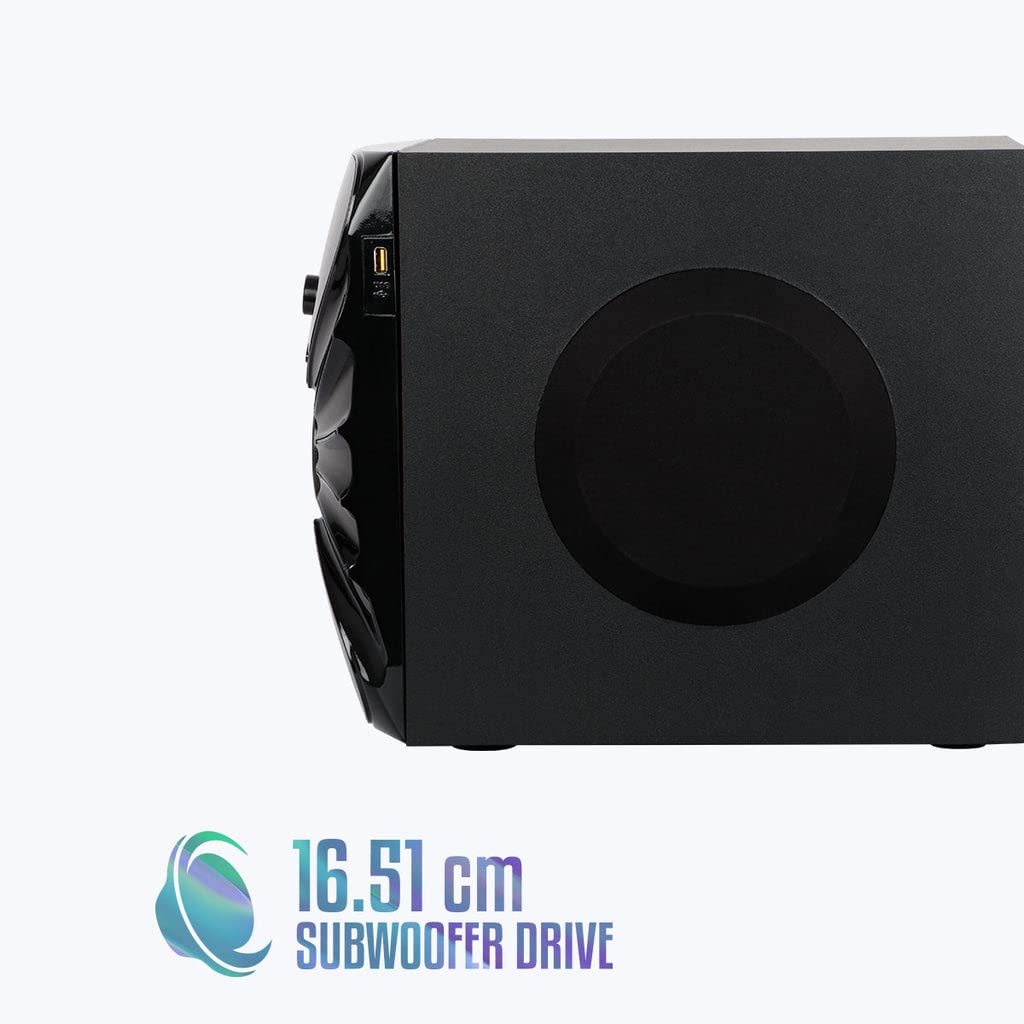
Slika: Stran view of the ZEBRONICS Zeb-Rainbow 400 subwoofer, showing the USB port and overall dimensions.
Garancija in podpora
This product comes with a minimum six-month seller warranty. For any issues or support, please contact your seller or refer to the official ZEBRONICS support channels. Keep your purchase receipt for warranty claims.


