1. Uvod
This manual provides essential information for the proper setup, operation, and maintenance of your OMTech Honeycomb Laser Bed. Designed for CO2 laser engravers and cutters, this metal honeycomb working table offers a stable and efficient surface for your laser processing needs. Please read this manual thoroughly before use to ensure optimal performance and safety.
2. Izdelek je končanview in funkcije
The OMTech Honeycomb Laser Bed is engineered to enhance the performance of your CO2 laser machine by providing a secure and functional work surface. Its design facilitates efficient heat dissipation and smoke exhaust, crucial for clean and precise laser operations.
Ključne značilnosti:
- 30x50 CM Working Area: Provides a flat, stable, and spacious work surface of over 1.6 square feet, accommodating various project sizes.
- Honeycomb Structure: Features 10mm honeycomb holes for efficient heat dissipation, quick smoke exhaust, and easy debris collection, contributing to cleaner cuts and engravings.
- Natančno pozicioniranje: Integrated inch and centimeter scales on the frame allow for accurate measurement and quick positioning of materials.
- Vzdržljiva konstrukcija: Made from high-strength galvanized metal, offering long-lasting strength, superior corrosion, and heat resistance.
- Firm & Secure Support: Reinforced by a 25mm thick aluminum frame and three metal poles to securely hold heavy objects during operation.

Image 2.1: The OMTech 30x50cm Honeycomb Workbed, showcasing its overall design and ample working area for various laser projects.

Slika 2.2: Bližnji posnetek view of the integrated inch and centimeter scales on the honeycomb bed frame, designed for precise material placement.
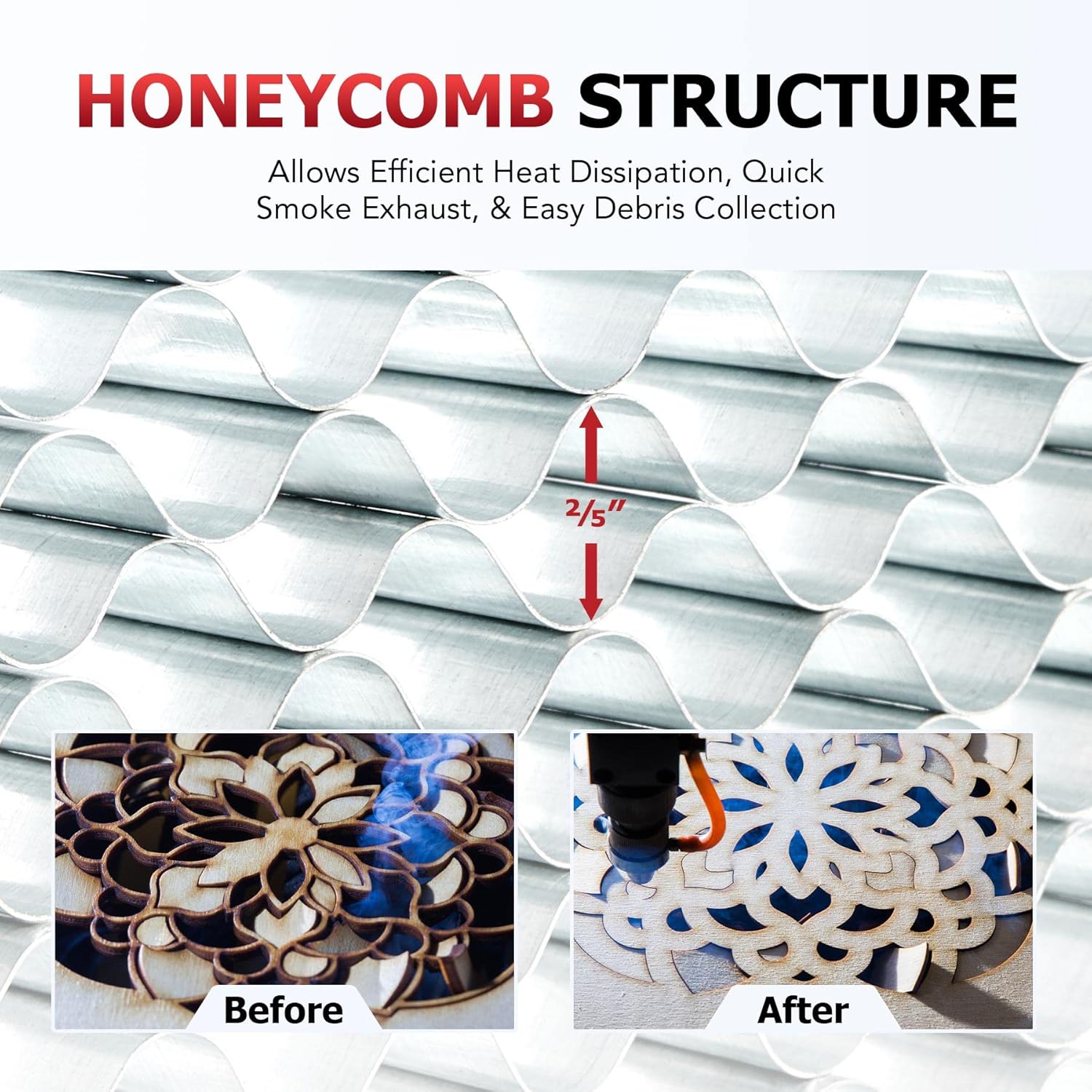
Image 2.3: Illustration of the honeycomb structure, demonstrating its role in efficient heat dissipation and smoke exhaust during laser engraving and cutting processes.
3. Specifikacije
Understanding the specifications of your honeycomb laser bed is crucial for proper integration and use with your CO2 laser machine.
| Specifikacija | Vrednost |
|---|---|
| Material | Galvanized Metal, Aluminum |
| Splošne dimenzije | 55 x 35 x 2.1 cm (21.7 x 13.8 x 0.8 in.) |
| Delovno območje | 30 x 50 cm (11.8 x 19.7 in.) |
| Cell Diameter | 1 cm (0.4 in.) |
| Neto teža | 2 kg (4.4 lb.) |
| Številka modela | USB-FW35 |

Image 3.1: Detailed diagram illustrating the dimensions of the OMTech Honeycomb Laser Bed, including overall size and working area.
4. Nastavitev
Proper setup of the honeycomb laser bed is essential for stable operation and optimal results. Ensure your laser machine is powered off and disconnected from the power source before proceeding.
- Razpakiranje: Carefully remove the honeycomb bed from its packaging. Inspect for any signs of damage during transit.
- Umestitev: Position the honeycomb bed inside your CO2 laser engraver or cutter's work area. Ensure it sits flat and securely on the machine's existing bed or support structure. Verify that the bed size is compatible with your machine's work area.
- Stabilnost: Confirm that the honeycomb bed is stable and does not wobble. The reinforced aluminum frame and metal poles are designed to provide firm support.
- Poravnava: If your machine has alignment features, use the integrated inch and centimeter scales on the honeycomb bed to align it precisely within your machine's coordinate system.

Image 4.1: The honeycomb bed installed within a laser engraver, demonstrating its stable placement and use with a material and stabilizing magnet.

Image 4.2: Visual representation of the honeycomb bed's compatibility with various OMTech laser engravers and gantry engraving machines. Always verify bed size before purchase.
5. Navodila za delovanje
The honeycomb laser bed is designed to optimize your laser engraving and cutting processes. Follow these guidelines for effective use:
- Postavitev materiala: Place your material directly on the honeycomb surface. Ensure the material is flat and stable. For thin or lightweight materials, consider using magnets (compatible with the ferromagnetic metal) to hold them securely in place.
- Smoke and Debris Management: The honeycomb structure allows smoke and debris to fall through, reducing residue buildup on your material and improving air extraction. Ensure your laser machine's exhaust system is functioning correctly to maximize this benefit.
- Odvajanje toplote: The open structure of the honeycomb bed aids in dissipating heat from the laser's interaction with the material, which can help prevent scorching on the underside of your workpiece, especially during cutting operations.
- Using Scales: Utilize the integrated inch and centimeter scales for quick and accurate positioning of your materials, saving time on setup for repetitive tasks.
6. Vzdrževanje
Regular maintenance will prolong the life of your honeycomb laser bed and ensure consistent performance.
- Čiščenje: Over time, debris and residue from laser operations will accumulate within the honeycomb cells. Regularly remove the bed from your machine and clean it. You can use compressed air, a brush, or a vacuum cleaner to remove loose debris. For stubborn residue, a mild solvent or degreaser compatible with galvanized metal and aluminum can be used, followed by thorough rinsing and drying.
- Pregled: Periodically inspect the honeycomb cells and the frame for any signs of damage, warping, or excessive wear. Ensure the bed remains flat and stable.
- Shranjevanje: When not in use, store the honeycomb bed in a clean, dry environment to prevent corrosion and damage.
7. Odpravljanje težav
While the honeycomb bed is a passive component, issues related to its use can sometimes arise. Here are some common scenarios and solutions:
- Uneven Cuts/Engravings:
- vzrok: Material not lying flat on the honeycomb bed, or the bed itself is not level within the machine.
- rešitev: Ensure the material is flat and secured. Check the honeycomb bed's stability and levelness. Adjust your laser's focus if necessary.
- Excessive Smoke/Residue:
- vzrok: Clogged honeycomb cells, or inadequate exhaust system performance.
- rešitev: Clean the honeycomb bed thoroughly as described in the Maintenance section. Verify your laser machine's exhaust fan and ducting are clear and operating efficiently.
- Material Shifting During Operation:
- vzrok: Material not properly secured.
- rešitev: Use magnets or other appropriate clamps to hold the material firmly against the honeycomb surface.
8. Garancija in podpora
OMTech stands behind the quality of its products. For specific warranty information, please refer to the documentation provided with your original laser machine purchase or visit the official OMTech website. If you encounter any issues or have questions regarding your honeycomb laser bed, please contact OMTech customer support for assistance.
OMTech Support: Visit OMTech Contact Us Page


