Uvod
This manual provides instructions for the Trust 25025 AZERTY Wireless Keyboard and Mouse Set. This comfortable wireless set features silent keys and buttons, and is constructed using 85% recycled materials. It is designed for ease of use and long-lasting performance.
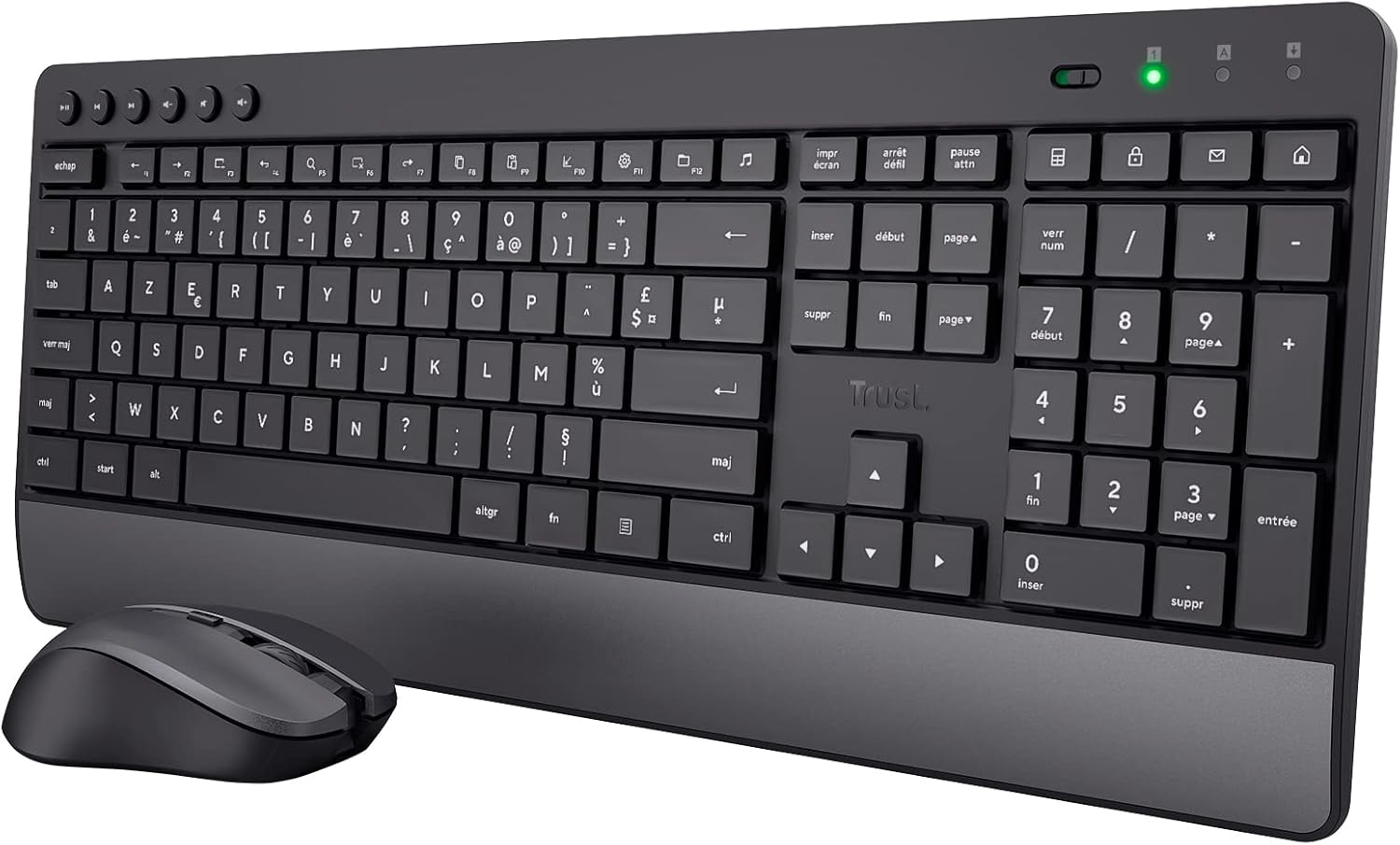
Image: The Trust 25025 AZERTY Wireless Keyboard and Mouse Set, featuring a full-size keyboard with a wrist rest and a compact mouse.
Vsebina paketa
- Trust 25025 AZERTY Wireless Keyboard
- Brezžična miška Trust
- USB mikro sprejemnik
- 3 x AA baterije (predhodno nameščene ali priložene posebej)
- Uporabniški priročnik (ta dokument)
Nastavitev
1. Namestitev baterije
The keyboard requires 2 AA batteries and the mouse requires 1 AA battery. These are typically included. If not, or if replacing, ensure correct polarity.
- Poiščite predalčke za baterije na spodnji strani tipkovnice in miške.
- Odprite pokrove baterij.
- Insert the AA batteries, matching the + and - indicators.
- Pokrove baterij trdno zaprite.
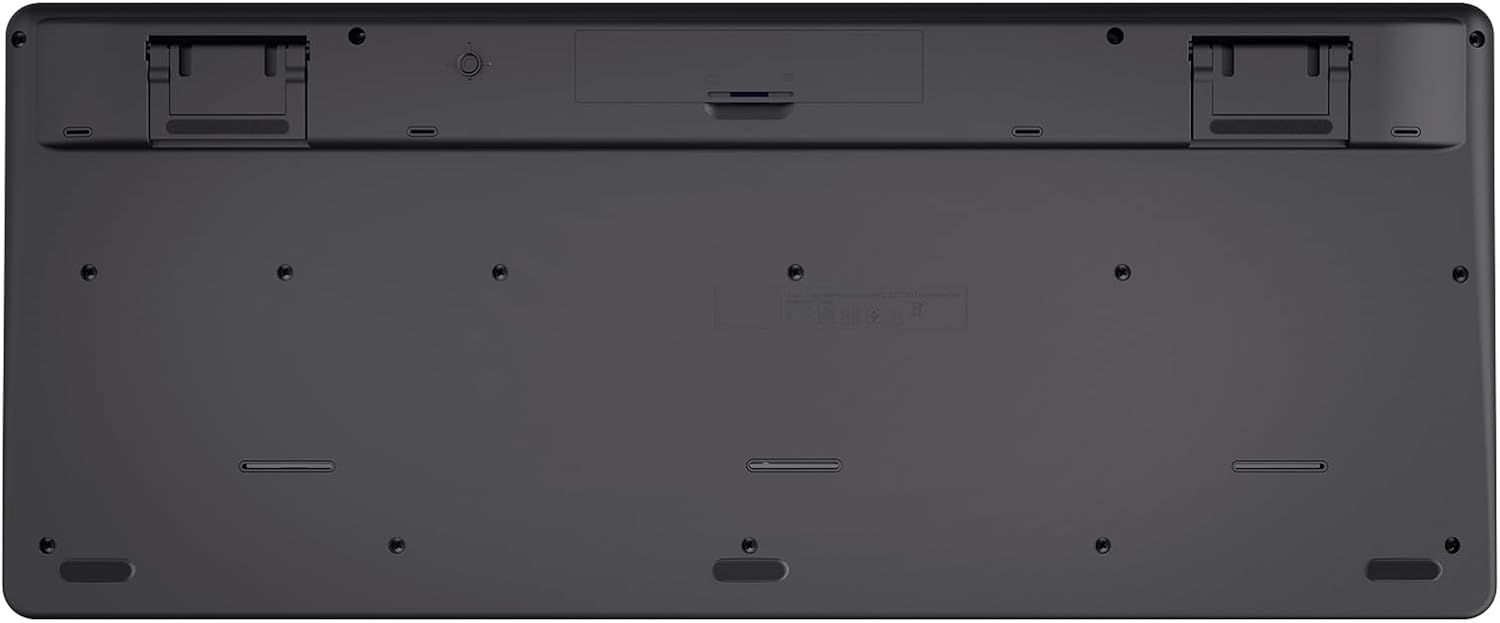
Image: The underside of the Trust 25025 keyboard, showing the battery compartment and the storage slot for the USB micro receiver.
2. Connecting the USB Micro Receiver
The keyboard and mouse connect wirelessly to your computer via a single USB micro receiver.
- Locate the USB micro receiver, usually stored in the mouse's battery compartment or a dedicated slot on the keyboard's underside.
- Plug the USB micro receiver into an available USB port on your computer (PC or Mac).
- Vaš računalnik bi moral samodejno zaznati in namestiti potrebne gonilnike. To je naprava »plug-and-play«, ki ne zahteva namestitve dodatne programske opreme.

Image: An icon representing 'Plug & Play' functionality, indicating easy setup without additional drivers.
3. Vklop
Ensure the keyboard and mouse are switched on. The mouse typically has an on/off switch on its underside. The keyboard may have an indicator light to show it's active.
Navodila za uporabo
Funkcije tipkovnice
- AZERTY Layout: Standard French keyboard layout for comfortable typing.
- Tihe tipke: Zasnovan za tiho delovanje, zmanjšuje hrup tipkanja.
- Integriran naslon za zapestja: Zagotavlja ergonomsko oporo med dolgotrajno uporabo.
- Večpredstavnostne tipke: Dedicated keys for quick access to media controls (play, pause, volume, etc.).
- Zasnova, odporna proti polivanju: Helps protect against accidental liquid spills.
- Dolga življenjska doba baterije: Up to 48 months of battery life under typical usage conditions.

Slika: Pogled od zgoraj navzdol view of the Trust 25025 keyboard and mouse, highlighting the AZERTY layout and multimedia keys.
Značilnosti miške
- Tihi gumbi: Reduces click noise for a quieter working environment.
- Nastavljiv DPI: Cycle through 1000, 1400, and 1800 DPI settings for precise cursor control. Use the DPI button located near the scroll wheel to change sensitivity.
- Ambidextrous design: Suitable for both left-handed and right-handed users.
- Dolga življenjska doba baterije: Up to 12 months of battery life under typical usage conditions.

Slika: Bližnji posnetek view of the Trust wireless mouse, showing its ergonomic shape and the DPI adjustment button.
Vzdrževanje
Čiščenje
- Use a soft, dry cloth to clean the surfaces of the keyboard and mouse.
- Za trdovratno umazanijo rahlo dampKrpo obrišite z vodo ali blago čistilno raztopino. Izogibajte se agresivnim kemikalijam.
- Do not immerse the devices in water.
Zamenjava baterije
Ko zasveti indikatorska lučka baterije (če je prisotna) ali se delovanje poslabša, zamenjajte baterije.
- Turn off the mouse using its power switch.
- Open the battery compartments on both devices.
- Odstranite stare baterije in jih zavrzite v skladu z lokalnimi predpisi.
- Vstavite nove baterije AA in pazite na pravilno polarnost.
- Close the battery covers.
Odpravljanje težav
No Response from Keyboard or Mouse
- Preverite baterije: Prepričajte se, da so baterije pravilno vstavljene in niso izpraznjene. Po potrebi jih zamenjajte.
- Stikalo za vklop: Verify that the mouse (and keyboard, if applicable) is switched ON.
- USB sprejemnik: Ensure the USB micro receiver is securely plugged into a working USB port on your computer. Try a different USB port.
- Razdalja: Make sure the keyboard and mouse are within the operational range of the USB receiver (typically up to 10 meters).
- Motnje: Move the devices away from other wireless devices or large metal objects that might cause interference.
Kazalec miške skače ali je neenakomeren
- Površina: Miško uporabljajte na čisti, nebleščeči površini. Priporočljiva je podloga za miško.
- Nastavitev DPI: Adjust the DPI setting using the button on the mouse to find a comfortable sensitivity.
- Baterije: Low battery power can affect mouse performance. Replace batteries if needed.
Specifikacije
| Funkcija | Podrobnost |
|---|---|
| Znamka | Zaupanje |
| Številka modela | 25025 |
| serija | Trezo |
| barva | Črna |
| Tehnologija povezljivosti | Radijska frekvenca (brezžično) |
| Razporeditev tipkovnice | AZERTY |
| Nastavitve DPI miške | 1000, 1400, 1800 |
| Življenjska doba baterije tipkovnice | Do 48 mesecev |
| Življenjska doba baterije miške | Do 12 mesecev |
| Potrebne baterije | 3 x AA (vključeno) |
| Dimenzije izdelka | 18.2 x 43.6 x 4.4 cm |
| Teža predmeta | 752 g |
| Platforma strojne opreme | Mac, računalnik |
| Združljivost operacijskega sistema | Windows, Mac OS, Chrome OS |
| Posebne lastnosti | 85% recycled plastic, long battery life, silent typing and clicks, wrist rest, single USB adapter for mouse and keyboard |
| Združljive naprave | Prenosni računalnik, PC |

Image: An icon indicating compatibility with multiple devices, including laptops and PCs.
Garancija in podpora
Za informacije o garanciji in tehnično podporo se obrnite na uradno spletno stran Trust. website or contact their customer service directly. Details regarding specific warranty periods and support channels are typically provided with the product packaging or on the manufacturer's webmesto.