1. Uvod
The PikDik Mini Portable Photo Printer PD-Q2 is a compact thermal printer designed for on-the-go printing. It connects via Bluetooth to compatible Android and iOS devices, allowing users to print photos, labels, lists, and more without the need for ink cartridges. This manual provides essential information for setting up, operating, maintaining, and troubleshooting your PD-Q2 printer.
2. Varnostne informacije
- Tiskalnika ne izpostavljajte vodi ali prekomerni vlagi.
- Avoid extreme temperatures. Operate and store the printer within recommended environmental conditions.
- Uporabljajte samo priloženi polnilni kabel in priporočene vire napajanja.
- Hraniti izven dosega otrok.
- Tiskalnika ne poskušajte razstavljati ali popravljati sami. Za pomoč se obrnite na podporo strankam.
3. Vsebina paketa
Prosimo, preverite paket za naslednje artikle:
- PikDik Mini Portable Photo Printer PD-Q2
- USB polnilni kabel tipa C
- Roll of Thermal Photo Paper
- Uporabniški priročnik
4. Izdelek je končanview
The PD-Q2 printer features a compact design with a single power/function button and a paper output slot. It utilizes thermal printing technology, eliminating the need for ink. The device is powered by a built-in rechargeable lithium battery.
5. Navodila za namestitev
5.1 Polnjenje tiskalnika
Before first use, fully charge the printer. Connect the provided USB Type-C cable to the printer's charging port and a compatible USB power adapter. The LED indicator will show charging status.
5.2 Vstavljanje termičnega papirja
- Odprite pokrov predala za papir v tiskalniku.
- Insert a new roll of thermal paper, ensuring the printing side faces the print head.
- Pull a small length of paper out of the slot and close the cover securely.
5.3 Namestitev aplikacije in povezava Bluetooth
The PikDik PD-Q2 printer requires the "Meta Print" application for operation. Follow these steps to connect your device:
- Vklopite tiskalnik: Pritisnite in držite gumb za vklop, dokler se ne prižge indikatorska lučka.
- Download and Install the "Meta Print" APP: Iskanje "Meta Print" on your smartphone's app store (Google Play for Android or App Store for iOS) and install it.
- Omogoči Bluetooth: On your phone or tablet, go to your device's settings and ensure Bluetooth is turned on.
- Connect in the APP: Open the "Meta Print" app. The app will guide you to link the printer via Bluetooth. Select the PD-Q2 from the list of available devices.
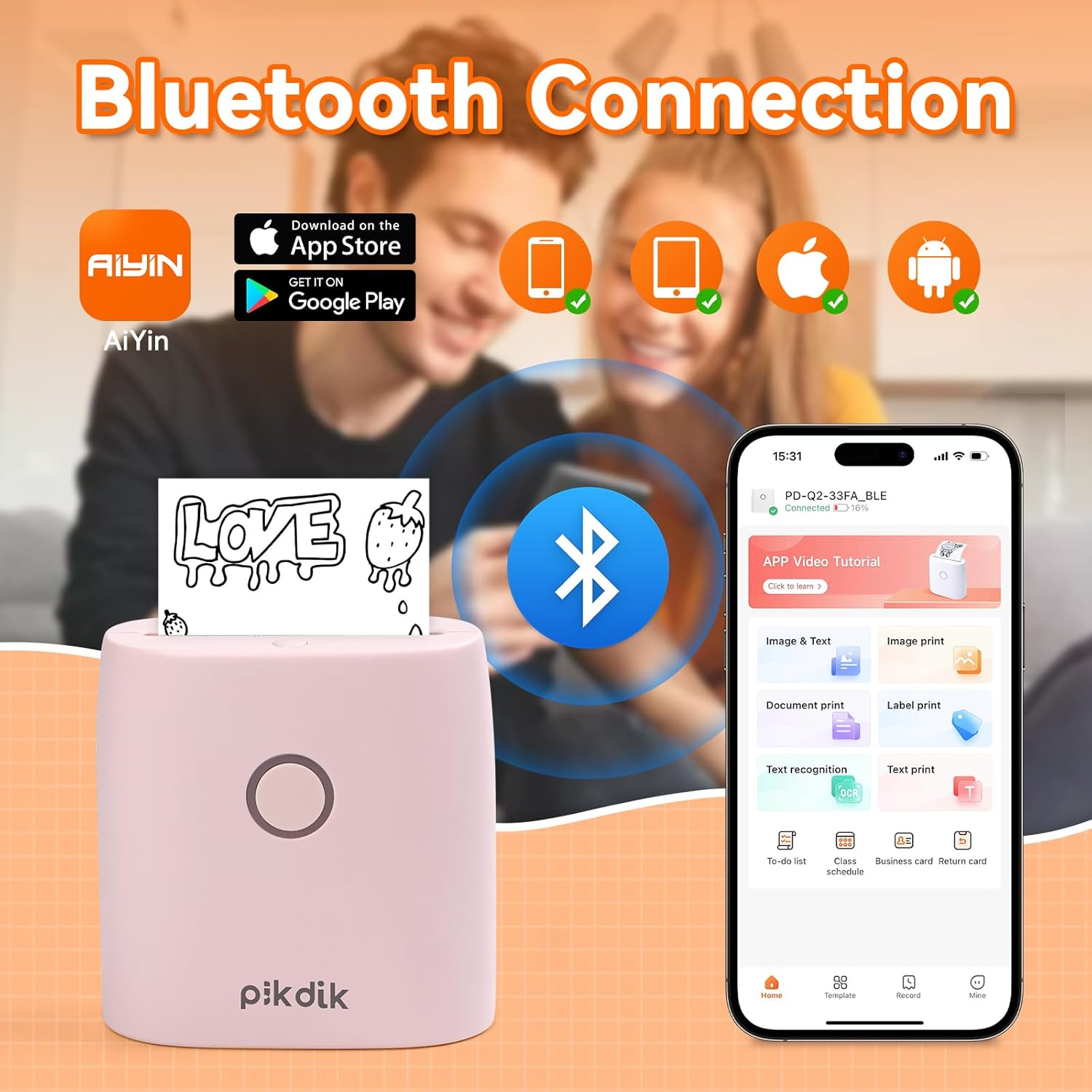
Image: The printer connects to your smartphone via Bluetooth using the Meta Print app, available on both Android and iOS.
6. Navodila za uporabo
6.1 Printing Content
Once connected to the "Meta Print" app, you can select various content types for printing:
- Image & Text: Print photos, graphics, or combine them with text.
- Tiskanje dokumenta: Print documents or notes.
- Label Print: Create and print custom labels.
- Prepoznavanje besedila: Convert images of text into editable text for printing.
- Predloge: Utilize pre-designed templates for to-do lists, business cards, emojis, and more.
After selecting and editing your content within the app, tap the print button to initiate printing. The printer will output the thermal paper with your printed content.

Image: The printer is suitable for various applications such as journaling, scrapbooking, printing shopping lists, and notes.
6.2 Print Quality and Limitations
The PD-Q2 printer offers a 300 DPI resolution for clear and detailed black and white prints. As a thermal printer, it does not support color printing.
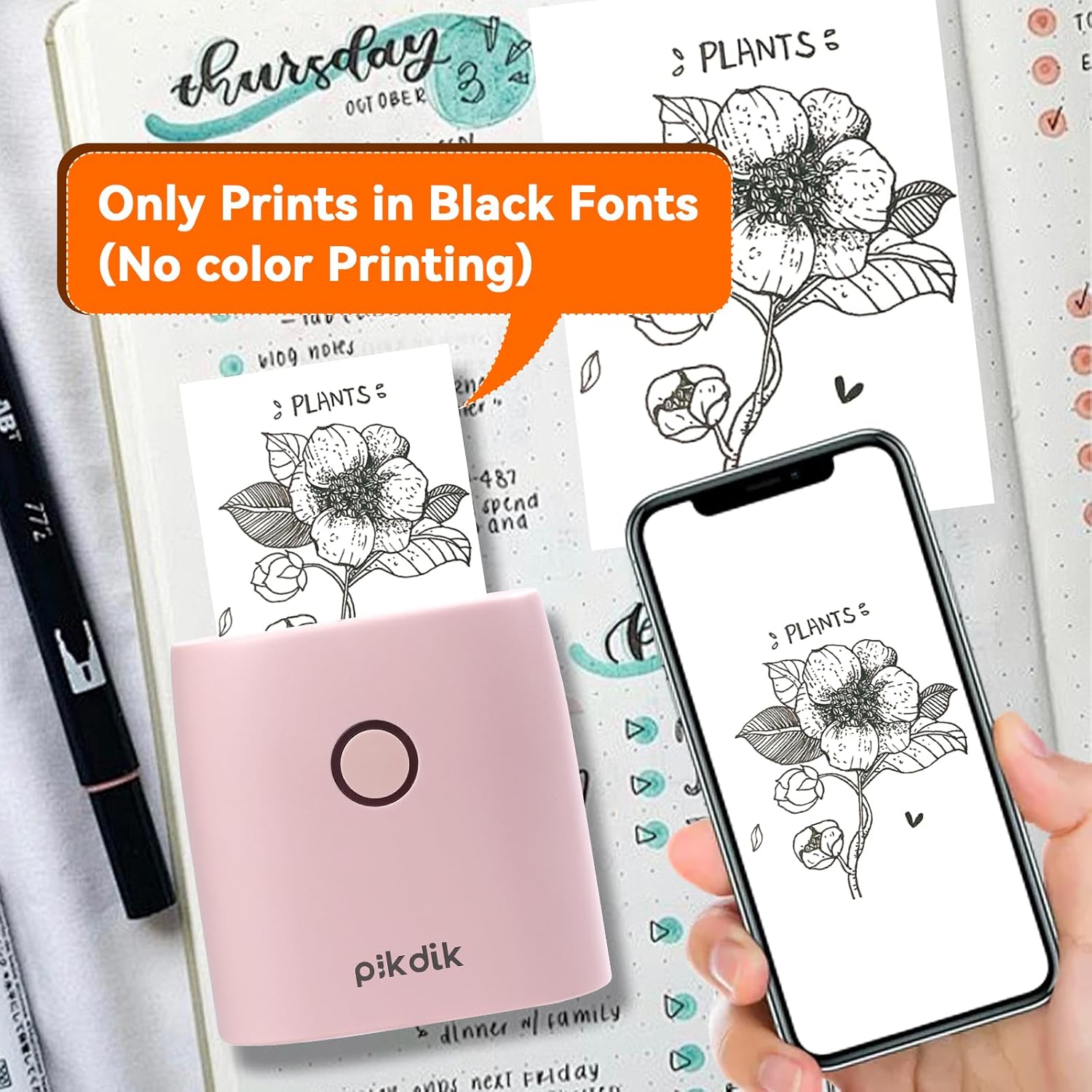
Image: The printer produces prints exclusively in black and white, as shown with a plant illustration.

Image: The 300 DPI resolution of the Q2 printer provides enhanced clarity and detail in prints compared to lower resolution alternatives.
7. Vzdrževanje
7.1 Čiščenje tiskalnika
Za ohranjanje optimalne kakovosti tiskanja redno čistite tiskalno glavo. Uporabite mehko krpo, ki ne pušča vlaken, in jo rahlo obrišite.ampened with isopropyl alcohol. Gently wipe the print head surface. Ensure the printer is turned off and completely dry before use.
7.2 Zamenjava termičnega papirja
When the paper roll is depleted, replace it by following the steps in Section 5.2. Use only thermal paper compatible with the PD-Q2 printer to ensure proper function and print quality.
8. Odpravljanje težav
| Težava | Možen vzrok | rešitev |
|---|---|---|
| Tiskalnik se ne vklopi | Prazna baterija; gumb za vklop ni pravilno pritisnjen | Napolnite tiskalnik; Pritisnite in nekaj sekund držite gumb za vklop. |
| Ni mogoče vzpostaviti povezave prek Bluetooth | Bluetooth off on phone; Printer not in pairing mode; App issue | Ensure phone Bluetooth is on; Restart printer and app; Re-pair device in app. |
| Poor print quality (faint, pixelated) | Low battery; Print head dirty; Incorrect paper type; Image resolution too low | Charge printer; Clean print head (Section 7.1); Use correct thermal paper; Use higher resolution images. |
| Zastoj papirja | Paper not loaded correctly; Foreign object in paper path | Open cover, remove jammed paper, reload correctly; Check for obstructions. |
| Tiskalnik se ne odziva | Sistemska napaka | Perform a soft reset by turning the printer off and on again. If issue persists, contact support. |
9. Specifikacije
| Funkcija | Podrobnost |
|---|---|
| Model | Q2 |
| Mere (D x Š x V) | 4.1 x 8.4 x 8.4 cm (1.6 x 3.3 x 3.3 palca) |
| Teža | 0.57 funta (približno 258.55 g) |
| Tehnologija tiskanja | Toplotna |
| Ločljivost tiskanja | 300 DPI (enobarvno) |
| Povezljivost | Bluetooth |
| Združljive naprave | Pametni telefoni, tablični računalniki (Android, iOS) |
| Največja velikost medija | 2 palcev |
| Vir napajanja | Built-in Lithium Polymer Battery (Rechargeable via USB Type-C) |
| Ime aplikacije | Meta Print |
10. Garancija in podpora
For warranty information and technical support, please refer to the warranty card included with your product or contact PikDik customer service directly. Keep your purchase receipt as proof of purchase.


