Uvod
This manual provides essential information for the proper setup, operation, and maintenance of your Unitech TS100 2D Hands-Free Presentation Barcode Scanner. Please read this manual thoroughly before using the device to ensure optimal performance and to prevent damage.
The Unitech TS100 is an omnidirectional USB wired desktop barcode reader designed for efficient and intuitive scanning of 1D and 2D barcodes, including PDF417 and Data Matrix, in retail and other point-of-sale environments.
Varnostne informacije
- Optičnega bralnika ne izpostavljajte ekstremnim temperaturam, vlagi ali neposredni sončni svetlobi.
- Pazite, da vam skener ne pade ali da ga ne izpostavljate močnim udarcem.
- Ne poskušajte razstavljati ali spreminjati optičnega bralnika. S tem boste razveljavili garancijo.
- Za povezavo uporabite samo priloženi kabel USB.
- Keep the scanning window clean to ensure accurate barcode reading.
Vsebina paketa
Prosimo, preverite vsebino paketa in se prepričajte, da so prisotni vsi elementi:
- Unitech TS100 2D Presentation Barcode Scanner
- USB kabel
- Vodnik za hitri začetek (če je primerno)
Konec izdelkaview
The Unitech TS100 features a compact design with a large scan window for easy barcode presentation. Its omnidirectional scanning capability allows for quick and efficient data capture.
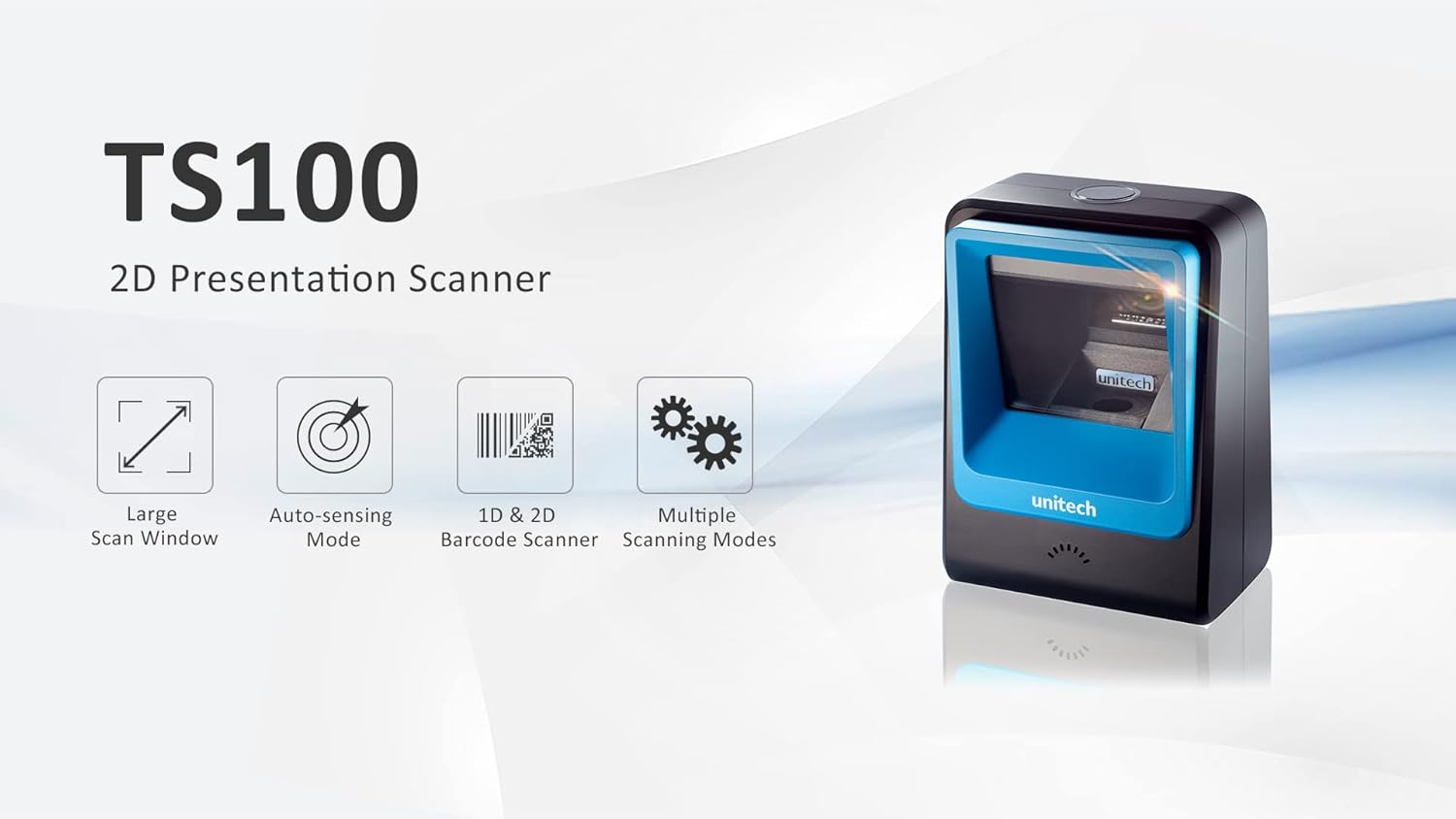
Figure 1: Unitech TS100 2D Presentation Scanner highlighting its large scan window, auto-sensing mode, 1D & 2D barcode scanning, and multiple scanning modes.

Slika 2: Spredaj view of the Unitech TS100 scanner, showing the blue scanning window and the Unitech logo.

Slika 3: Zadaj view of the Unitech TS100 scanner, displaying the product label with model number TS100-SUCB00-SG and power specifications.
Nastavitev
Follow these steps to set up your Unitech TS100 barcode scanner:
- Razpakirajte skener: Carefully remove the TS100 scanner and its accessories from the packaging.
- Priključite USB kabel: Insert the USB cable into the port at the back of the scanner.
- Povezava z gostiteljsko napravo: Plug the other end of the USB cable into an available USB port on your computer, laptop, or POS system.
- Namestitev gonilnika: The scanner is typically plug-and-play. Your operating system should automatically detect and install the necessary drivers. Wait for the installation to complete.
- Vklop: The scanner will power on automatically once connected to a powered USB port. A beep and/or LED indicator will confirm it is ready for use.
Navodila za uporabo
The Unitech TS100 is designed for hands-free operation, offering multiple scanning modes for various applications.
Osnovno skeniranje
- Črtno kodo postavite v polje skenerja view, facing the scanning window.
- The scanner will automatically detect the barcode and emit a successful scan indication (e.g., a beep and/or green LED).
- The scanned data will be transmitted to your connected host device as keyboard input.
Načini skeniranja
The TS100 supports multiple scanning modes to optimize performance for different barcode types and environments:
- Normalni način: Standard scanning for most 1D and 2D barcodes.
- Smartphone Mode: Optimized for reading barcodes displayed on smartphone screens, which can sometimes be reflective.
- Hitri način: Designed for faster scanning of multiple barcodes in quick succession.
Refer to the full programming manual (available on the Unitech website) for instructions on how to switch between these modes using configuration barcodes.
Vzdrževanje
Pravilno vzdrževanje zagotavlja dolgo življenjsko dobo in delovanje vašega skenerja:
- Čiščenje okna za skeniranje: Narahlo uporabite mehko krpo, ki ne pušča vlaken dampz vodo ali blagim, neabrazivnim čistilom. Ne uporabljajte agresivnih kemikalij ali abrazivnih materialov.
- Čiščenje zunanjosti: Zunanjost skenerja obrišite z mehko, suho krpo.
- Shranjevanje: Ko skenerja ne uporabljate, ga shranjujte v čistem in suhem okolju, stran od neposredne sončne svetlobe in ekstremnih temperatur.
Odpravljanje težav
If you encounter issues with your TS100 scanner, refer to the table below for common problems and solutions:
| Težava | Možen vzrok | rešitev |
|---|---|---|
| Skener se ne vklopi. | USB cable not properly connected or host device USB port is not powered. | Prepričajte se, da je kabel USB varno priključen tako na optični bralnik kot na gostiteljsko napravo. Poskusite z drugimi vrati USB ali gostiteljsko napravo. |
| Skener ne bere črtnih kod. | Barcode is damaged, poorly printed, or not supported. Scanning window is dirty. Incorrect scanning mode. | Ensure the barcode is clear and undamaged. Clean the scanning window. Verify the barcode symbology is supported. Try switching scanning modes (e.g., Smartphone Mode for screen barcodes). |
| Skenirani podatki so napačni ali nepopolni. | Poor barcode quality. Scanner configuration issues. | Ensure the barcode is clear. Refer to the programming manual for advanced configuration settings. |
| Optični bralnik piska, vendar se podatki ne prenašajo. | Host device not recognizing the scanner as a keyboard input. | Ensure the cursor is in a text field on your host device. Reconnect the USB cable. Restart the host device. |
Specifikacije
Detailed technical specifications for the Unitech TS100 scanner:
| Funkcija | Specifikacija |
|---|---|
| Senzor | Image Sensor with 1280x800 pixels |
| Osvetlitev | 650nm RED LED |
| Stopnja skeniranja | 60 sličic na sekundo |
| Skew Angle | Horizontal Angle: 50°; Vertical Angle: 35° |
| Kotni kot | ±65° |
| Kot kotanja | 360° |
| Optična ločljivost | 1D: 4 mil; 2D: 6.7 mil |
| Printing Contrast Scale | 25 % |
| Vmesnik gostitelja | USB |
| Dimenzije (D x Š x V) | 4.1 palca x 5.7 palca x 2.7 palca (105 mm x 146 mm x 70 mm) |
| Teža | 12.1 oz / 345g (without cable) |
| 1D Symbologies Supported | UPC-A/E, EAN-8/13, UPC/EAN Supplementals, EAN-8 Extend, Code 128, Code 39, Code 93, Code 11, Interleaved 2 of 5, Matrix 2 of 5, Codabar, MSI Plessey, GS1 DataBar, China Postal, Korean Postal, etc. |
| 2D Symbologies Supported | PDF417, MicroPDF417, DataMatrix, DataMatrix-Inverse, Maxicode, QRcode, MicroQR, Aztec, Aztec Inverse, Han Xin, Han Xin Inverse |
| Indikator | LED, brenčalo |
| Delovna temperatura | 32°F do 122°F (0°C do 50°C) |
| Temperatura shranjevanja | -40°F do 158°F (-40°C do 70°C) |
| Relativna vlažnost | 0% do 95% brez kondenzacije |
Garancija in podpora
The Unitech TS100 barcode scanner main unit comes with a 1-letna garancija od datuma nakupa. Ta garancija pokriva napake v materialu in izdelavi pri normalni uporabi.
For technical support, warranty claims, or further assistance, please contact Unitech customer service or visit the official Unitech webspletno mesto. Račun shranite kot dokazilo o nakupu za garancijske storitve.
Unitech America Webspletno mesto: www.unitechamerica.com


