1. Uvod
This manual provides detailed instructions for the setup, operation, and maintenance of your Logitech MK670 Comfort Wave Wireless Keyboard and Mouse Combo, along with the included Mini Bluetooth Speaker, Gel Wrist Pad, and Gel Mouse Pad. Please read this manual thoroughly before using the products to ensure optimal performance and longevity.

Image 1.1: Complete bundle including the Logitech MK670 keyboard, mouse, mini Bluetooth speaker, and gel pads.
2. Sestavni deli izdelka
Vaš paket mora vsebovati naslednje elemente:
- Logitech MK670 Comfort Wave Wireless Keyboard
- Logitech brezžična miška
- Sprejemnik Logitech Unifying USB
- Mini prenosni brezžični Bluetooth zvočnik
- Gel Wrist Pad
- Gel Mouse Pad
- Micro USB Charging Cable (for speaker)
- Uporabniška dokumentacija (ta priročnik)
3. Navodila za nastavitev
3.1. Logitech Keyboard and Mouse Setup
- Razpakiraj: Previdno vzemite tipkovnico in miško iz embalaže.
- Vstavite baterije: The keyboard and mouse typically come with pre-installed batteries or require standard AA/AAA batteries. Open the battery compartments (usually on the underside of each device) and ensure batteries are correctly inserted.
- Locate Unifying Receiver: The small USB Unifying receiver is often stored inside the mouse's battery compartment for safekeeping. Remove it.
- Priključitev sprejemnika: Priključite sprejemnik Logitech Unifying USB v prosta vrata USB na računalniku.
- Vklop: Turn on the keyboard and mouse using their respective power switches (usually located on the underside or side). The devices should automatically connect to your computer.

Image 3.1: The Logitech MK670 wireless keyboard and mouse, ready for connection via the Unifying receiver.
3.2. Mini Bluetooth Speaker Setup
- Polnjenje zvočnika: Before first use, fully charge the mini Bluetooth speaker using the provided Micro USB charging cable. Connect the Micro USB end to the speaker and the USB-A end to a power source (e.g., computer USB port, USB wall adapter). The charging indicator light will typically turn off or change color when fully charged.
- Vklop: Press and hold the power button on the speaker until you hear an audible prompt or see an indicator light flash, indicating it is in pairing mode.
- Seznani prek Bluetootha:
- V napravi (pametnem telefonu, tablici, prenosniku) pojdite v nastavitve Bluetooth.
- Prepričajte se, da je Bluetooth omogočen.
- Iskanje available devices. The speaker will typically appear as a name like "Mini Speaker" or similar.
- Select the speaker to pair. Once paired, you will hear a confirmation sound.
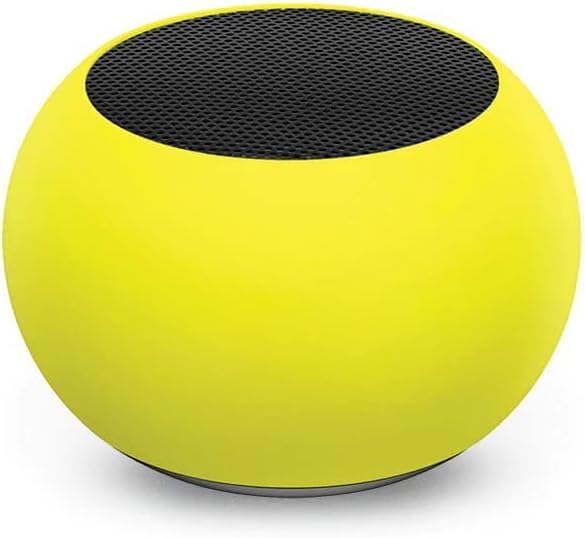
Slika 3.2: Bližnji posnetek view of the compact mini Bluetooth speaker, highlighting its design.
3.3. Gel Pads Placement
- Keyboard Wrist Rest: Place the longer gel wrist pad directly in front of your Logitech MK670 keyboard, aligning it to support your wrists while typing.
- Mouse Pad with Wrist Rest: Position the gel mouse pad on your desk where you typically use your mouse. Ensure the integrated wrist rest provides comfortable support for your mousing hand.

Image 3.3: The ergonomic gel wrist pad and gel mouse pad, designed for comfort and support.
4. Navodila za uporabo
4.1. Uporaba tipkovnice
- Tipkanje: The Comfort Wave design provides an ergonomic layout for natural hand and wrist positioning.
- Numerična tipkovnica: Utilize the full-size numeric keypad for efficient data entry.
- Tipke za bližnjice: Access common functions quickly using the dedicated shortcut keys (e.g., media controls, volume, application launch). Refer to the key legends for specific functions.
- Nastavljive nagibne noge: Flip out the tilt legs on the underside of the keyboard to adjust the typing angle for personalized comfort.

Slika 4.1: Stran view of the Logitech MK670 keyboard, illustrating the adjustable tilt legs for ergonomic customization.
4.2. Uporaba miške
- Pointing and Clicking: Use the mouse for precise cursor control, left-clicks, and right-clicks.
- Drsenje: The scroll wheel allows for smooth navigation through documents and web strani.
- Ambidextrous design: The mouse is designed for comfortable use by both left and right-handed users.
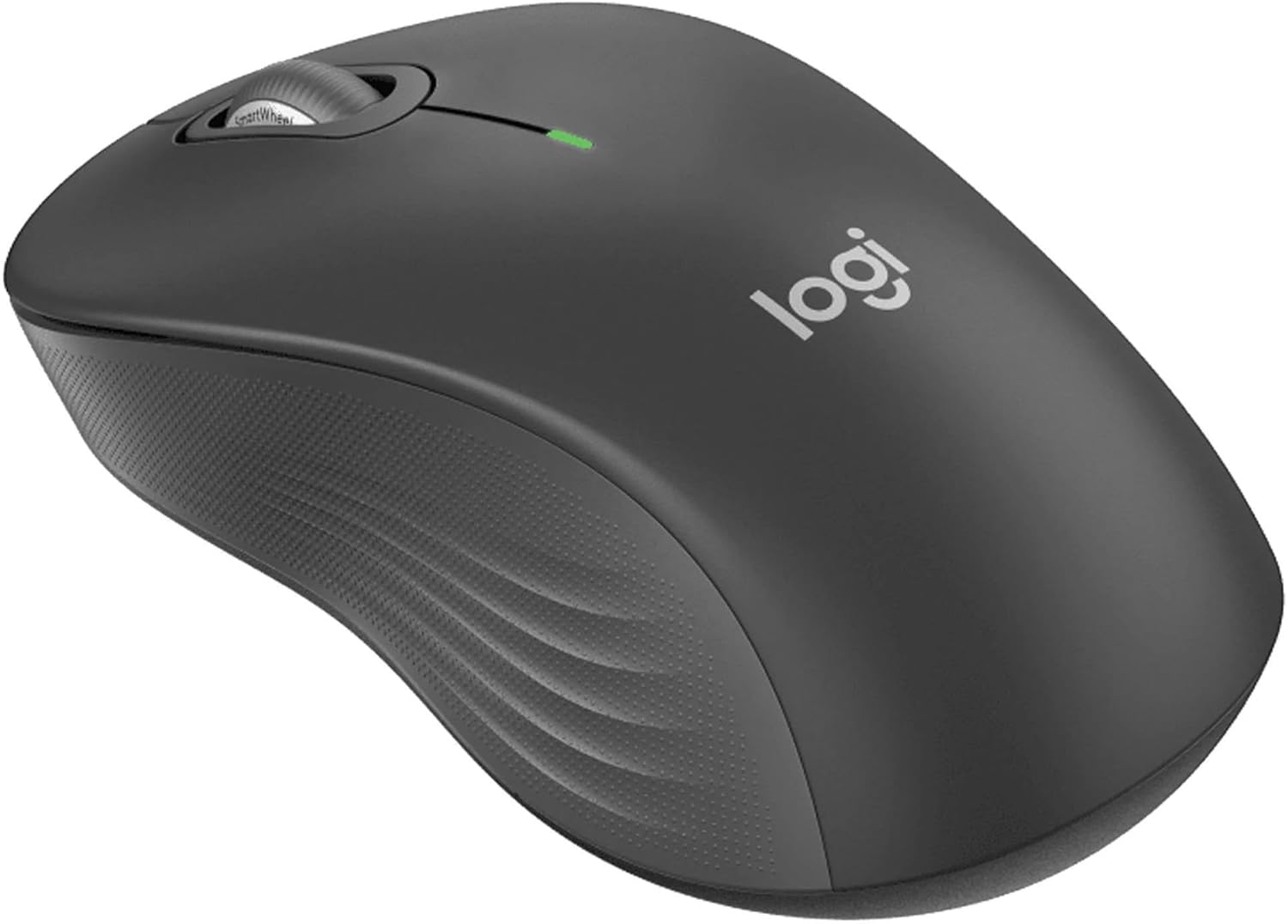
Slika 4.2: Podroben view of the Logitech wireless mouse, showcasing njegovo ergonomsko obliko.
4.3. Mini Bluetooth Speaker Usage
- Vklop/izklop: Pritisnite in držite gumb za vklop, da vklopite ali izklopite zvočnik.
- Bluetooth seznanjanje: Once powered on, the speaker will automatically attempt to connect to the last paired device. If not, it will enter pairing mode for new connections (refer to Section 3.2).
- Nadzor glasnosti: Volume is typically controlled via the connected device. Some speakers may have integrated volume buttons.
- Selfie Remote: The speaker may feature a remote selfie button. Consult the speaker's specific instructions for activation and use with your device's camera.
- Prostoročno telefoniranje: With its built-in microphone, the speaker can be used for hands-free calls when connected to a smartphone.
5. Vzdrževanje
5.1. Čiščenje
- Tipkovnica in miška: Uporabite mehko krpo, ki ne pušča vlaken, dampened with water or a mild cleaning solution. Avoid harsh chemicals or abrasive materials. For dust between keys, use compressed air.
- Mini Bluetooth Speaker: Wipe the exterior with a soft, dry cloth. Do not immerse in water.
- Gel Pads: Obrišite z oglasomamp cloth and mild soap if necessary. Allow to air dry completely before reuse.
5.2. Battery Replacement (Keyboard and Mouse)
When the battery indicator light on your keyboard or mouse signals low power, replace the batteries with new ones of the same type (e.g., AA or AAA). Ensure correct polarity when inserting new batteries.
6. Odpravljanje težav
6.1. Tipkovnica/miška se ne odziva
- Preverite baterije: Prepričajte se, da so baterije pravilno vstavljene in dovolj napolnjene. Po potrebi jih zamenjajte.
- Stikala za vklop: Verify that both the keyboard and mouse power switches are in the 'ON' position.
- USB sprejemnik: Ensure the Logitech Unifying USB receiver is securely plugged into a working USB port on your computer. Try a different USB port.
- Bližina: Ensure the keyboard and mouse are within the operational range (up to 33 feet) of the USB receiver.
- Ponovno seznani: If issues persist, you may need to re-pair the devices using Logitech's Unifying software (downloadable from the Logitech support webspletnem mestu).
6.2. Mini Bluetooth Speaker Connection Issues
- Moč zvočnika: Prepričajte se, da je zvočnik napolnjen in vklopljen.
- Bluetooth vklopljen: Verify Bluetooth is enabled on your source device.
- Pozabi na napravo: On your source device, 'forget' or 'unpair' the speaker from your Bluetooth device list, then attempt to pair again.
- Bližina: Keep the speaker and source device within close range (typically 10 meters or 33 feet) for stable connection.
- Motnje: Odmaknite se od drugih brezžičnih naprav, ki bi lahko povzročale motnje.
6.3. No Sound from Speaker
- Stopnje glasnosti: Check the volume on both the speaker and the connected device.
- Source Device Output: Ensure your device's audio output is set to the Bluetooth speaker.
- Predvajanje medijev: Verify that media is playing on your source device.
7. Specifikacije
| Funkcija | Podrobnost |
|---|---|
| Znamka | Logitech |
| Model | MK670 (Keyboard & Mouse Combo) |
| Tehnologija povezljivosti | 2.4GHz Wireless (Keyboard & Mouse), Bluetooth 5.0 (Speaker) |
| Brezžično Domet | Do 33 čevljev (10 metrov) |
| Funkcije tipkovnice | Ergonomic Comfort Wave design, Full-size with numeric keypad, Shortcut keys, Cushioned palm rest, Adjustable tilt legs |
| Značilnosti miške | Ambidextrous design, Precise tracking |
| Dimenzije zvočnika | 45.45 mm x 33 mm (1.75 "x 1.3") |
| Teža zvočnika | 2.46 oz |
| Zmogljivost baterije zvočnika | 400 mAh |
| Speaker Playback Time | Do 4 ur |
| Speaker Special Features | Magnetic base, Built-in mic, Remote selfie button, Glow in the Dark (Yellow variant) |
| Združljive naprave | Laptops, Gaming Consoles (for keyboard/mouse functionality), Bluetooth-enabled devices (for speaker) |
| Item Weight (Bundle) | 4 funtov |
| Dimenzije paketa | 23 x 10 x 10 palcev |
8. Informacije o garanciji
Logitech products are typically covered by a limited hardware warranty. For specific warranty terms and conditions, including duration and coverage details, please refer to the warranty card included with your product or visit the official Logitech webspletnega mesta. Shranite dokazilo o nakupu za uveljavljanje garancije.
9. Podpora
For further assistance, technical support, or to download the latest drivers and software for your Logitech products, please visit the official Logitech support webspletno mesto. Tam lahko najdete tudi pogosta vprašanja in forume skupnosti.
Podpora Logitech Webspletno mesto: https://support.logi.com/


