1. Uvod
The SIIG Thunderbolt 4 Docking Station (Model: JU-DK0U11-S1) is designed to expand the connectivity of your laptop, providing a comprehensive workstation solution. This docking station offers 15 ports, enabling connections for multiple displays, peripherals, network, and power through a single Thunderbolt 4 cable. It supports high-speed data transfer and versatile display configurations for both Mac and Windows systems.

Image 1.1: SIIG Thunderbolt 4 Docking Station (JU-DK0U11-S1) overview.
2. Vsebina paketa
Preverite, ali so v paketu vsi elementi:
- SIIG Thunderbolt 4 Docking Station (JU-DK0U11-S1)
- 150W napajalnik
- Thunderbolt 4 kabel
- Uporabniški priročnik

Image 2.1: Contents included in the SIIG Thunderbolt 4 Docking Station package.
3. Izdelek je končanview
3.1 Priključki na sprednji plošči
- 3.5mm Stereo Out: Za slušalke ali zunanje zvočnike.
- SD 3.0 Card Slot: Supports SD 3.0 UHS-1 memory cards up to 2TB.
- USB-A 3.2 Gen 1 (5Gbps) Ports (x2): For connecting USB-A peripherals, supporting 5V/0.9A charging.
- Vrata Thunderbolt 4: For connecting Thunderbolt 4 devices or displays.
- Gumb za vklop: To turn the docking station on or off.

Slika 3.1: Podrobno view of the front panel ports.
3.2 Priključki na zadnji plošči
- DC Power Jack (20V/7.5A): Priklopi se na priloženi 150W napajalnik.
- Thunderbolt 4 Port (Host PD 60W): Connects to your laptop via the Thunderbolt 4 cable, providing up to 60W power delivery.
- 3.5mm Mic In: Za priključitev zunanjega mikrofona.
- Micro SD (TF) 3.0 Card Slot: Supports Micro SD (TF) 3.0 UHS-1 memory cards up to 2TB.
- USB-A 2.0 (480Mbps) Ports (x2): For connecting USB-A peripherals, supporting 5V/1.5A charging.
- Gigabitna ethernetna vrata: Za žično omrežno povezljivost.
- Izhod DisplayPort: Za priklop zunanjega zaslona.
- HDMI izhod: Za priklop zunanjega zaslona.
- Thunderbolt 4 Ports (x2): For connecting additional Thunderbolt 4 devices or displays, providing 45W power delivery.

Slika 3.2: Podrobno view of the rear panel ports.
4. Navodila za nastavitev
- Priključite napajanje: Plug the included 150W power adapter into the DC Power Jack on the rear of the docking station, then connect it to a power outlet.
- Povezava z gostiteljskim prenosnikom: Use the provided Thunderbolt 4 cable to connect the Thunderbolt 4 Host port (60W PD) on the rear of the docking station to your laptop's Thunderbolt 4 or USB-C port.
- Vklop: Press the power button on the front panel of the docking station. The power indicator LED should illuminate.
- Povežite zaslone: Connect your monitors to the available DisplayPort, HDMI, and Thunderbolt 4 output ports on the docking station. Refer to the 'Display Configuration' section for supported setups.
- Povežite zunanje naprave: Connect your USB devices, Ethernet cable, and audio devices to the corresponding ports on the docking station.
5. Navodila za uporabo
5.1 Konfiguracija zaslona
The docking station supports various display setups, including single 8K or quad 4K displays, utilizing Thunderbolt 4 and DisplayLink technology. Ensure DisplayLink drivers are installed for optimal performance, especially for additional displays beyond native Thunderbolt outputs.
- Single Display Output: Supports up to 8K resolution.
- Izhod za dvojni zaslon: Supports up to 2x 4K resolution via two Thunderbolt 4 ports.
- Quad Display Output: Achieved by combining two Thunderbolt 4 ports with the DisplayPort and HDMI ports, enabling four 4K displays.

Slika 5.1: Primerample of a quad display setup using the docking station.

Image 5.2: Display compatibility and resolution matrix for Windows and Mac M1/M2 systems.
5.2 Dovajanje energije
The docking station provides power to your connected devices:
- Polnjenje prenosnika: Up to 60W Power Delivery (PD) to the host laptop via the Thunderbolt 4 host port.
- Vrata Thunderbolt 4: Each of the three downstream Thunderbolt 4 ports provides up to 45W of power.
- USB-A Fast Charging: Two USB-A 5Gbps ports support 5V/0.9A charging, and two USB-A 2.0 ports support 5V/1.5A charging.

Image 5.3: Power delivery capabilities of the docking station.
5.3 Prenos podatkov
Experience high-speed data transfer for efficient workflow:
- Thunderbolt 4: Up to 40Gbps data transfer speed, 8 times faster than USB 3.0.
- USB-A 3.2 Gen 1: Up to 5Gbps data transfer speed.
- Čitalnik pomnilniških kartic: Supports SD 3.0 UHS-1 and Micro SD (TF) 3.0 UHS-1 with data transfer rates up to 104MB/s.
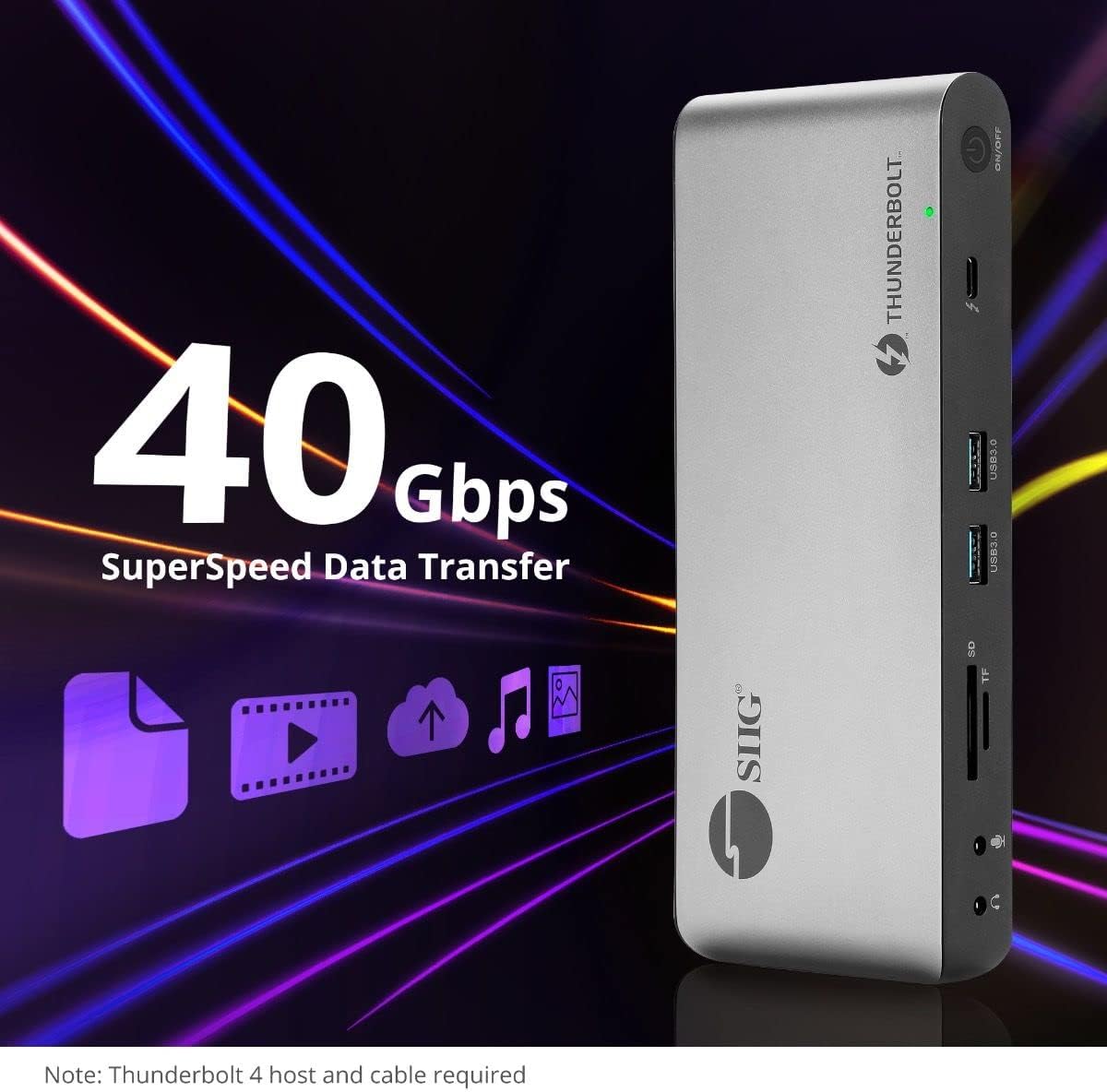
Image 5.4: High-speed data transfer capabilities.
6. Združljivost
The SIIG Thunderbolt 4 Docking Station is broadly compatible with various systems:
- Operacijski sistemi: Mac M1/M2/M3 Pro & Max, Intel chip Macs, Windows PCs (Intel/AMD/Snapdragon), and Chromebooks.
- Združljivost nazaj: Fully compatible with Thunderbolt 3, USB4, and USB-C equipped computers.
7. Vzdrževanje
Za zagotovitev dolge življenjske dobe in optimalnega delovanja vaše priklopne postaje upoštevajte ta navodila za vzdrževanje:
- Čiščenje: Use a soft, dry cloth to clean the exterior of the device. Avoid liquid cleaners or solvents.
- Prezračevanje: Poskrbite, da bo priklopna postaja nameščena v dobro prezračevanem prostoru, da preprečite pregrevanje. Ne blokirajte prezračevalnih odprtin.
- Shranjevanje: Napravo shranjujte na hladnem in suhem mestu, stran od neposredne sončne svetlobe in ekstremnih temperatur.
- Ravnanje: Izogibajte se padcem ali izpostavljanju naprave močnim udarcem.
8. Odpravljanje težav
If you encounter issues with your SIIG Thunderbolt 4 Docking Station, refer to the following common problems and solutions:
- Brez napajanja:
- Prepričajte se, da je napajalnik varno priključen tako na priklopno postajo kot v delujočo električno vtičnico.
- Verify the power button on the docking station is pressed and the power indicator LED is on.
- Težave z zaslonom (brez signala/nepravilna ločljivost):
- Check all display cables (HDMI, DisplayPort, Thunderbolt) are securely connected to both the docking station and the monitors.
- Ensure your laptop's display settings are configured correctly to detect and extend/mirror displays.
- For multi-display setups, especially beyond two monitors, ensure DisplayLink drivers are installed and up to date on your operating system.
- Verify your monitors support the selected resolution and refresh rate.
- Periferne naprave niso zaznane:
- Ensure USB devices are properly connected to the docking station's USB ports.
- Try connecting the peripheral directly to your laptop to confirm it is functional.
- Restart the docking station and your laptop.
- Pregrevanje:
- Ensure the docking station is placed in an area with adequate airflow and not covered.
- Reduce the number of high-power devices connected if possible, or consider using a cooling pad if persistent.
- Počasen prenos podatkov:
- Ensure you are using Thunderbolt 4 certified cables for Thunderbolt connections.
- Verify the connected device supports the expected transfer speeds.
9. Specifikacije
| Funkcija | Podrobnost |
|---|---|
| Številka modela | JU-DK0U11-S1 |
| Dimenzije izdelka | 3.27 x 7.8 x 1.14 palcev |
| Teža predmeta | 15.4 unče (0.96 funta) |
| Skupno število vrat | 15 (including 7 USB ports) |
| Povezava gostitelja | Thunderbolt 4 (USB-C) |
| Video izhodi | 1x HDMI, 1x DisplayPort, 3x Thunderbolt 4 (USB-C) |
| Največja ločljivost zaslona | Single 8K@30Hz, Quad 4K@60Hz |
| Dostava energije (gostitelj) | Do 60 W |
| Power Delivery (Downstream TB4) | Do 45 W na vrata |
| Hitrost prenosa podatkov | Thunderbolt 4: 40Gbps, USB-A 5Gbps: 5Gbps |
| Ethernet | Gigabit Ethernet |
| Čitalec kartic | SD 3.0 UHS-1, Micro SD (TF) 3.0 UHS-1 (up to 2TB) |
| Avdio vrata | 3.5mm Stereo Out, 3.5mm Mic In |
| Združljiv OS | Mac M1/M2/M3 Pro & Max, Intel Macs, Windows, Chromebooks |
| barva | Črna |
| UPC | 662774045689 |
10. Garancija in podpora
SIIG products are designed for reliability and performance. For warranty information and technical support, please refer to the documentation included with your product or visit the official SIIG webmesto. Shranite račun za garancijske zahtevke.


