1. Uvod
This manual provides comprehensive instructions for the setup, operation, maintenance, and troubleshooting of your KLIM Discman Portable CD Player. This device is designed for playing audio CDs, CD-R, CD-RW, and MP3 discs, offering a versatile listening experience. Please read this manual thoroughly before using the product to ensure proper function and longevity.

Image 1.1: KLIM Discman with headphones and accessories.
2. Vsebina paketa
Preverite, ali so v paketu prisotni vsi elementi:
- KLIM Discman CD Player
- KLIM Headset (Foldable Headphones)
- Earphone Accessories
- Polnilni kabel USB-C
- Torbica za nošenje
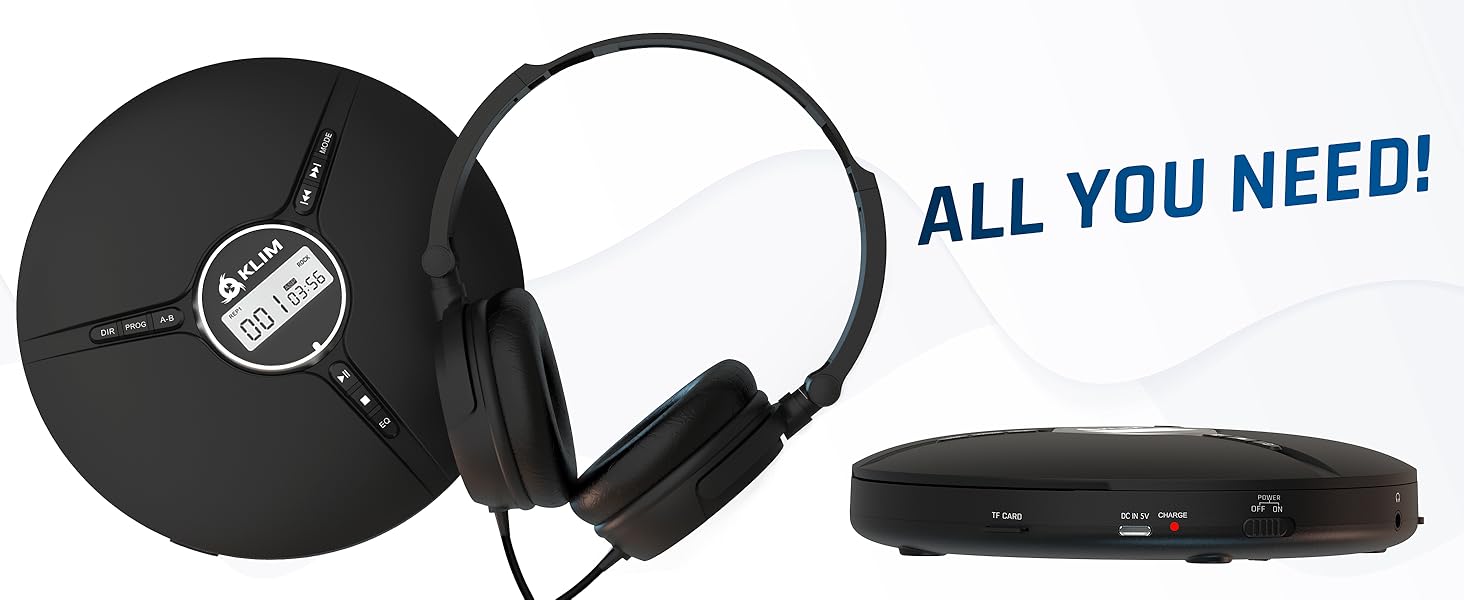
Image 2.1: All included components.
3. Izdelek je končanview
Familiarize yourself with the various parts and controls of your KLIM Discman.

Image 3.1: Labeled diagram of the KLIM Discman controls and ports.
Kontrole in vrata:
- Digitalni zaslon: Prikazuje številko skladbe, čas in stanje predvajanja.
- Gumb DIR: Directory navigation for MP3 discs.
- Gumb PROG: Program playback order.
- Gumb AB: Repeat a specific section of audio.
- Gumb MODE: Selects playback modes (e.g., repeat one, repeat all).
- Previous/Rewind Button (◀◀): Preskoči na prejšnjo skladbo ali previje nazaj trenutno skladbo.
- Next/Fast Forward Button (▶▶): Preskoči na naslednjo skladbo ali hitro previje naprej trenutno skladbo.
- Gumb za predvajanje/premor (▶/‖‖): Zažene ali zaustavi predvajanje.
- Gumb Stop (■): Ustavi predvajanje.
- Gumb EQ: Cycles through various equalizer presets.
- Nadzor glasnosti: Prilagodi raven zvočnega izhoda.
- AUX / Jack 3.5 mm Input: Za priključitev zunanjih avdio naprav ali slušalk.
- Reža za TF kartice: For inserting a MicroSD card (up to 32 GB) for MP3 playback.
- Vrata za polnjenje USB-C: Za polnjenje notranje baterije.
- ON/OFF and HOLD Button: Powers the device on/off and locks buttons to prevent accidental presses.
4. Nastavitev
4.1. Polnjenje baterije
The KLIM Discman features a built-in rechargeable battery. Before first use, fully charge the device.
- Connect the provided USB-C charging cable to the USB-C port on the Discman.
- Drugi konec kabla USB-C priključite na napajalnik USB (ni priložen) ali na vrata USB računalnika.
- Indikatorska lučka polnjenja bo zasvetila. Ko je baterija popolnoma napolnjena, lahko lučka spremeni barvo ali ugasne, odvisno od modela.
- Popolno napolnjenost omogoča do 14 ur predvajanja.
4.2. Vstavljanje CD-ja
- Nežno potisnite stikalo OPEN, da odprete pokrov predalčka za CD-je.
- Place the CD with the label side facing up onto the center spindle. Ensure the CD is securely seated.
- Pokrov predala za CD-je trdno zaprite, dokler se ne zaskoči.
4.3. Priključitev slušalk
Connect the included KLIM headset or your preferred 3.5mm headphones to the AUX / Jack 3.5 mm input port on the Discman.
4.4. Inserting a TF Card (MicroSD)
If playing MP3 files from a TF card:
- Locate the TF Card slot on the side of the Discman.
- Insert the TF card (up to 32 GB) into the slot until it clicks. Ensure the card is inserted in the correct orientation.
- Za odstranitev kartico nežno potisnite navznoter, dokler ne izskoči.
5. Navodila za uporabo
5.1. Power On/Off and Hold Function
- Vklop: Potisnite stikalo za VKLOP/IZKLOP v položaj »VKLOP«.
- Ugasniti: Potisnite stikalo za VKLOP/IZKLOP v položaj »IZKLOP«.
- Funkcija zadrževanja: Slide the ON/OFF switch to the 'HOLD' position to lock all buttons and prevent accidental operation during transport. The display will show 'HOLD'.
5.2. Osnovno predvajanje
- After powering on and inserting a CD, the player will typically begin playback automatically.
- Pritisnite ▶/‖‖ gumb za premor predvajanja. Ponovno pritisnite za nadaljevanje.
- Pritisnite ▶▶ button to skip to the next track. Press and hold to fast forward.
- Pritisnite ◀◀ button to skip to the beginning of the current track. Press twice to skip to the previous track. Press and hold to rewind.
- Pritisnite ■ za ustavitev predvajanja.
5.3. Prilagoditev glasnosti
Adjust the volume using the dedicated volume control buttons or dial on the device (if present, otherwise volume is controlled by connected headphones/speakers).
5.4. Equalizer (EQ) Settings
Pritisnite EQ button repeatedly to cycle through available sound equalizer presets (e.g., Bass, Pop, Jazz, Rock, Classic, etc.) to customize your audio experience.
5.5. Repeat and Program Functions
- Gumb MODE: Press to select different repeat modes (e.g., repeat one track, repeat all tracks, random play).
- Gumb PROG: Allows you to program a specific order of tracks to play. Refer to the on-screen display for programming steps.
- Gumb AB: Press once at the start point (A) and again at the end point (B) of a section you wish to repeat. The player will continuously loop this section. Press a third time to cancel.
- DIR Button (for MP3 discs): If your MP3 disc contains multiple folders, press DIR to navigate between directories.
5.6. Predvajanje s kartice TF
If a TF card is inserted, the player may automatically switch to TF card mode or require you to press a MODE button to select it. Playback controls are similar to CD playback.
5.7. Connecting to External Audio Devices
The Discman can connect to external speakers or car audio systems via the 3.5mm AUX output. Use a 3.5mm audio cable (not included) to connect the Discman to the AUX input of your external device.

Image 5.1: Connectivity options for the KLIM Discman.
6. Vzdrževanje
6.1. Cleaning the Discman
- Zunanjost predvajalnika obrišite z mehko, suho krpo.
- Ne uporabljajte abrazivnih čistil, topil ali močnih detergentov.
- To clean the optical lens, use a specialized CD lens cleaning kit. Avoid touching the lens directly.
6.2. Skrb za baterijo
- Da podaljšate življenjsko dobo baterije, se izogibajte pogostemu popolnemu praznjenju baterije.
- Napravo redno polnite, tudi če je ne uporabljate, da ohranite zdravje baterije.
- Napravo shranjujte na hladnem in suhem mestu, ko je dalj časa ne uporabljate.
6.3. CD and TF Card Handling
- Handle CDs by their edges to avoid fingerprints and scratches on the playing surface.
- Ko CD-jev ne uporabljate, jih shranjujte v njihovih ovitkih.
- Ensure TF cards are inserted and removed correctly to prevent damage to the card or slot.
7. Odpravljanje težav
If you encounter issues with your KLIM Discman, refer to the following common problems and solutions:
| Težava | Možen vzrok | rešitev |
|---|---|---|
| Naprava se ne vklopi. | Battery is depleted. Device is in HOLD mode. | Charge the battery. Slide the ON/OFF switch out of 'HOLD' position. |
| CD does not play / 'DISC' error. | CD is dirty, scratched, or inserted incorrectly. Disc format is not supported. | Clean the CD. Reinsert the CD correctly. Ensure the disc is CD Audio, CD-R, CD-RW, or MP3 format. |
| Iz slušalk ni zvoka. | Headphones not connected properly. Volume is too low. Headphones are faulty. | Prepričajte se, da so slušalke popolnoma priključene. Povečajte glasnost. Preizkusite z drugim parom slušalk. |
| Music skips or stutters. | CD is scratched or dirty. Excessive movement. | Clean the CD. The anti-shock protection buffers 100 seconds of audio, but extreme movement can still cause skips. |
| TF kartica ni prepoznana. | TF card inserted incorrectly. Card is corrupted or unsupported format. | Reinsert the TF card. Ensure it is formatted correctly (FAT32) and contains supported MP3 files. Max capacity 32GB. |
8. Specifikacije
Technical details for the KLIM Discman Portable CD Player.
| Funkcija | Podrobnost |
|---|---|
| Ime modela | KLIM Nomad |
| Dimenzije izdelka | 5.51 x 5.51 x 1.1 palcev |
| Teža predmeta | 8.1 unč |
| Baterija | 1 litij-ionska baterija (priložena) |
| Čas predvajanja | Do 14 ur (približno) |
| Združljivost | CD Audio, CD-R, CD-RW, MP3 |
| Podpora za kartico TF | Do 32 GB |
| Povezljivost | 3.5mm Auxiliary Jack, USB-C (charging) |
| Posebne lastnosti | Anti-skip/Anti-shock protection (100s), Digital Equalization, HOLD function |

Slika 8.1: Dimenzije izdelka.
9. Garancija in podpora
The KLIM Discman comes with a 5-letno jamstvo. This warranty covers manufacturing defects and ensures the product meets quality standards for an extended period.
For technical support, warranty claims, or any questions regarding your KLIM Discman, please visit the official KLIM webspletnem mestu ali se obrnite na njihovo službo za stranke. Več informacij najdete na www.klimtechs.com.
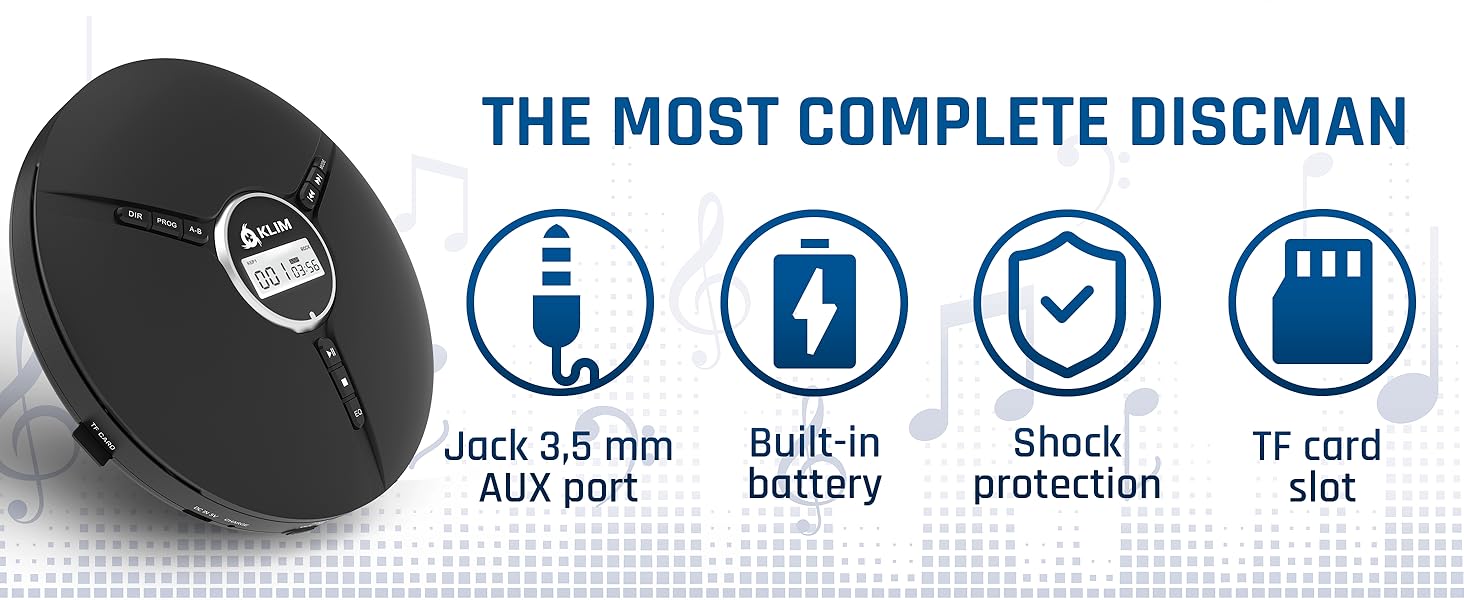
Image 9.1: Key features including shock protection and built-in battery.


